Error 1047 is back one week after resetting my cloud save. I remained in SU4 beta for all 7 days which included the update to 1.6.11.0. I guess I will do another cloud reset and see how long before the error reoccurs.

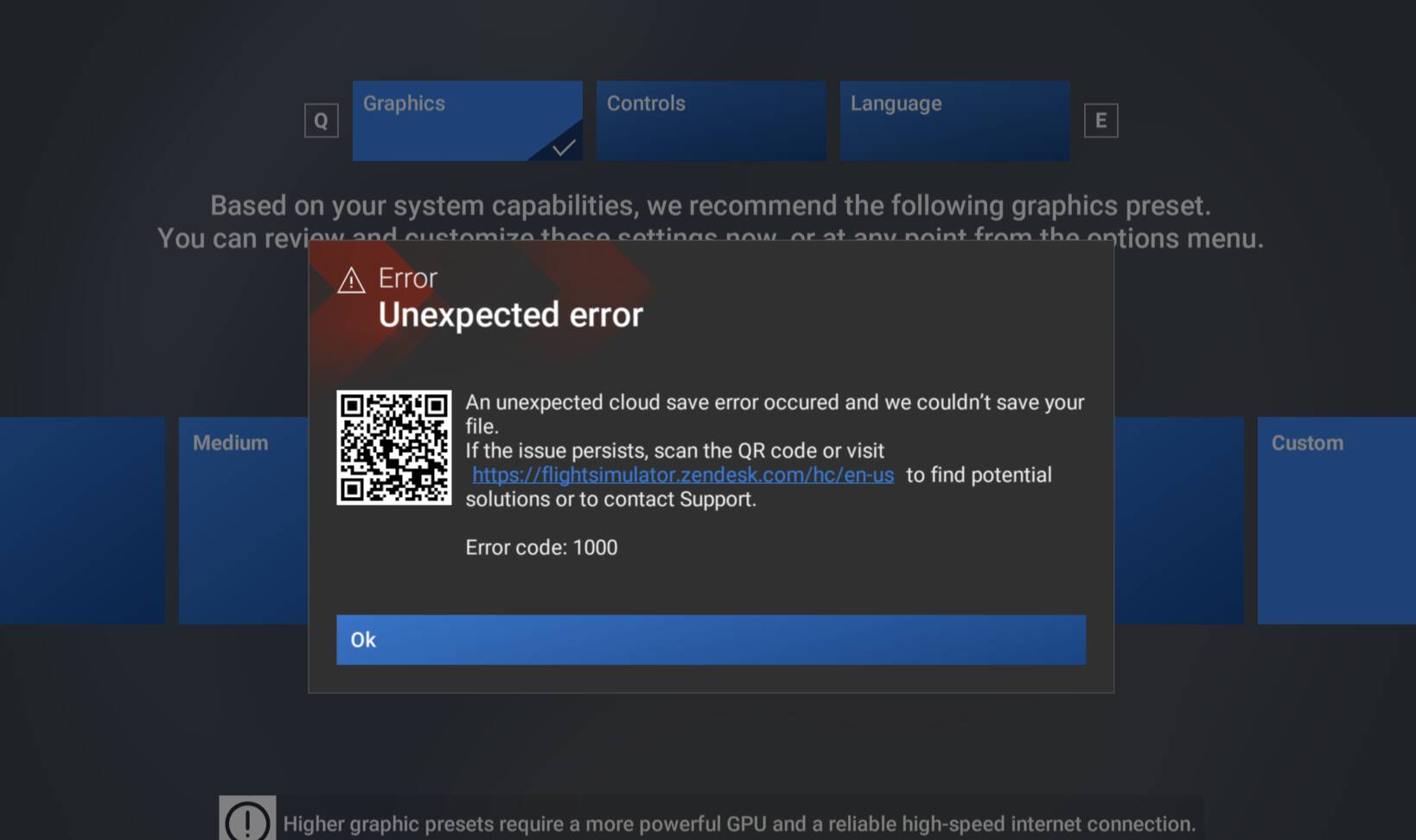
Error 1047 still not fixed in version 1.6.13 
I solved this error in this way:
- seen the path for the rolling cache file in Settings–>General–>Online
- closed the game
- removed the file
- restarted the game
- was a long starting due 16GB file was rewritten
After that i had anymore the error message.
Hope it can work also for others!
Getting this every time. And worst in VR you cannot click OK either with mouse or controllers.
I havent had this prior to .13, but now I get it every time.
I’m completely unable to fly in VR
Did you tried my solution?
Today I tried again and it just started working, aka I didn’t get the error anymore. I didn’t change or do anything special apart from restarting my pc.
Edit: And now it’s back just as I wanted to actually fly
Edit2: I can’t spot a pattern, another restart later and it worked fine, and then after that flight (about 1h30) when I clicked end flight I got the pop-up over the menu.
The only way to temporarily fix this issue (until a future update that makes this error reappear) is to delete the cloud backup and redo almost all settings in MSFS 2024.
2 Likes
To make things worse, I just got this message while tabbing between windows and now I can’t press OK to dismiss it. Every click just gives the useless linked support page.
Why does it need such an intrusive message that needs to be clicked away in the first place?!
Edit: One ruined flight and next flight was stopped before I got anywhere. No tabbing this time, but in walkaround using mouse camera movement, (middle mouse button), so no cursor to click okay.
1st priority should be fixing the issue, but having it not be a window that pops up often even in flight and you have to press OK (with no option to do so if your cursor wasn’t already shown), would also be an improvement. Have it show only when in menus fx. Nothing you can do about it in the middle of a flight anyway.
1 Like
Super bummer as I was about to uninstall and reinstall it all over again.
How do you delete the Cloud Backup?
The only way I know is to uninstall and reinstall all over again.
I have tried that and also deleted all the other Caches I have as well as all Temporary files and it still will not go away. I’m hoping they have a solution for this soon short of an uninstall and reinstall.
That won’t do it.
It will reinstall with all your old settings and data.
For FS2024 do this, but this is permanent:
Thank you, that worked like a charm. I was fortunate thanks to SU3 that I was able to import my Mouse, Keyboard and Controller settings. The other settings were easy to get back in again.
I don’t care about how many hours in the game I have, I just want to fly, that is what counts for me. I would have lost all that anyway since I was about to uninstall and reinstall the whole system.
1 Like
I appreciate all the workarounds. Anyhow, there must be a working repair function without losing all the data. The existing repair function does not work.
Also I would like to add, that the problem, that a previously used aircraft is not stored, occurs also within SU3 in my MSFS2024, but fortunately without showing the 1047 error code. The problem seems to be present earlier and not only in SU4. The only thing is, that it s worse now with SU4.
I reinstalled MSFS2024 completely with SU3 and the last used aircraft was stored for a while. After some gamestarts it reoccured, that a newly used aircraft is not remembered. Also after a fresh SU3 installation and a direct change to SU4 , the 1047 error was popping up again.
Microsoft and Asobo please look thoroughly after this major issue. Thanks a lot.
This has hit me now in SU4 1.6.15 on the Xbox and reading through the thread there doesn’t seem to be a workaround acceptable to me, other than to exit the beta and revert to SU3. Hopefully it can be figured out and I can return the betas in the future.
1 Like
This no longer works reliably - it will only delete SOME of the cloud save data, but not all, and not consistently. It’s a real problem, and there needs to be button in MSFS Settings to press to clear the cloud save data (with all the appropriate warnings).
2 Likes
I get the same message in 2024 SU4 Beta but the number code is 2047. It happens every time I change a setting. Loaded aircraft sometimes have the correct profiles attached and other times the SAME aircraft has no profiles attached.
And, sometimes the correct profile is attached but the control does not work. For example:
Throttle lever movement in profile scan shows Throttle Axis which is what the profile shows. But, the throttle in the aircraft does not move nor does the engine speed/manifold change. This behavior is intermittent.
I have tried every remedy listed here but the 2047/1047 error continues to occur about 75% of the time I fly FS2024.
Same problem here with the 2047 error. First time I have this problem. It has appeared since the SU4 install.