Cloud save error (error code:1047... and now 2047)

An error message keeps popping up in MSFS 2024 Sim Update 4 Beta (1.6.5.0 and now 1.6.7.0). The text reads: “An unexpected cloud save error occurred and we couldn’t save your file. Error code: 1047.”
After a while (in VR), I can no longer click OK and I am forced to close the MSFS window.
I deleted the contents of the Community folder.
I also deleted the contents of the “StreamedPackages” folder, but the error persisted.
I haven’t tried leaving the beta yet, but that will be my next step unless I find an answer to my problem here.

UPDATE: I left the beta version, restarted the official MSFS 1.5.2.7.0 version, and the error disappeared. I rejoined the MSFS 2024 Sim Update 4 beta version, and the same error described above reappeared :frowning:

UPDATE (2025-09-22) : The solution suggested by BassPaladin2047 doesn’t work for me either. It’s not a VR problem (but when I switch to VR, it’s just not possible to dismiss the error message).

UPDATE (2025-09-30) : I tried again with the new Sim Update 4 Beta 1.6.11.0 but same result : error code 1047. I went back to the official version.

UPDATE (2025-10-01) : Error 1407 has disappeared for me… I’m not sure why… Since yesterday, I’ve switched back and forth several times between the official version and beta version 1.6.11.0. At one point, I went into the Career menu, which I hadn’t done in several weeks. I saw some strange statistics in my career, then, once I restarted (in the official version, I think), MSFS asked me what graphics quality I wanted to configure, as if I had just installed MSFS (?!)… I think this forced a different backup to the cloud. Note that I did not lose my profile (logbook, etc.). Once I switched back to beta version 1.6.11.0, error 1407 no longer appeared (this is my second session of more than 30 minutes without this error). Possible explanation (?): the backup of the Career section in the cloud has changed in recent months, and returning to the Career menu forced a new backup structure in the official version (something like that).

UPDATE (2025-10-21) : Error 1047 seems to have been replaced by error 2047 (I noticed this when I read Orangina64’s response below). The error is sporadic, whether in VR or non-VR mode. Also, when the error appears in VR mode, it is not always fatal: most of the time, I can make it disappear by clicking OK. I am no longer trying to find the reason for it or fix it because I can play with the SU4, which works really well in VR.
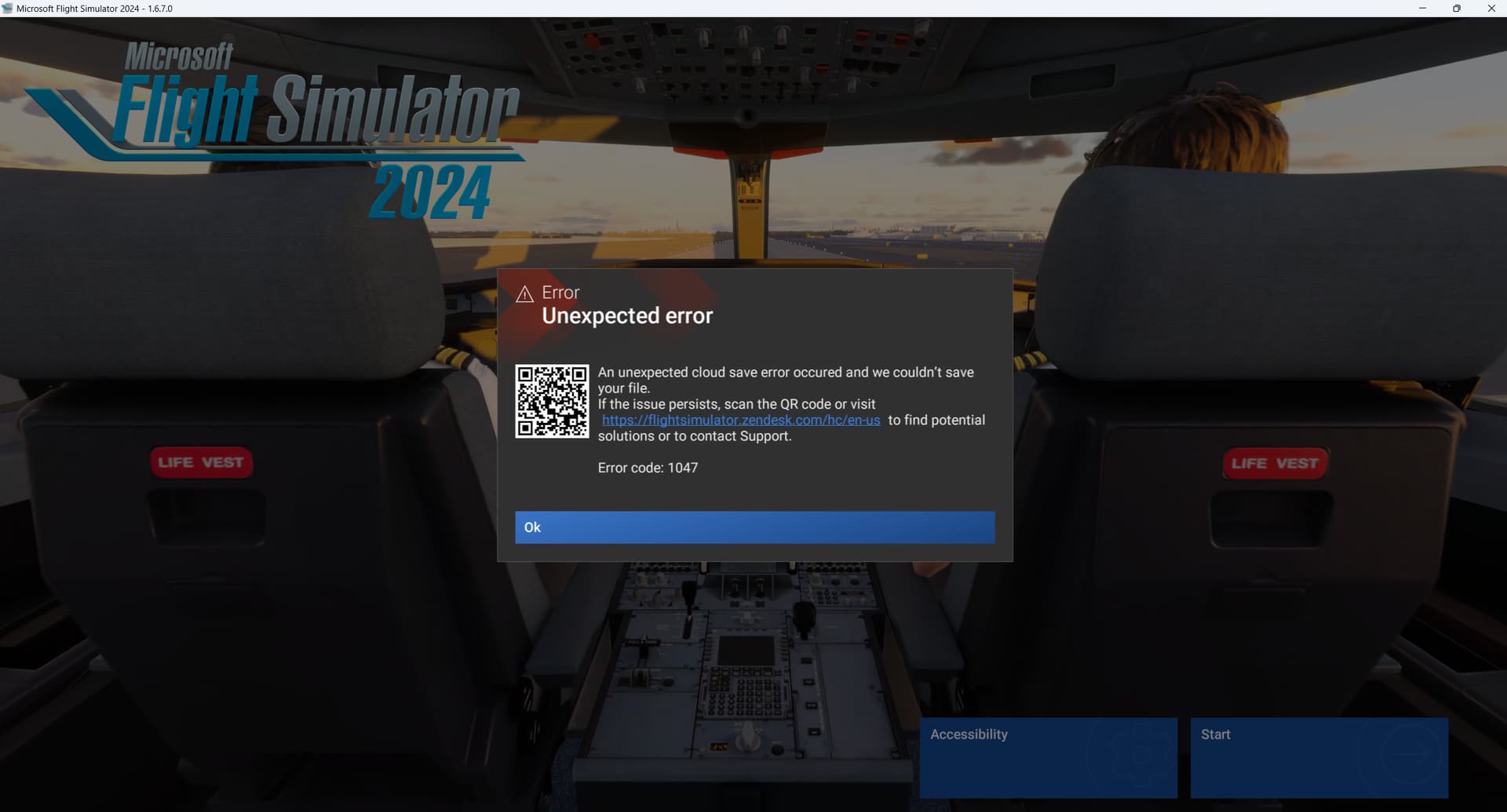
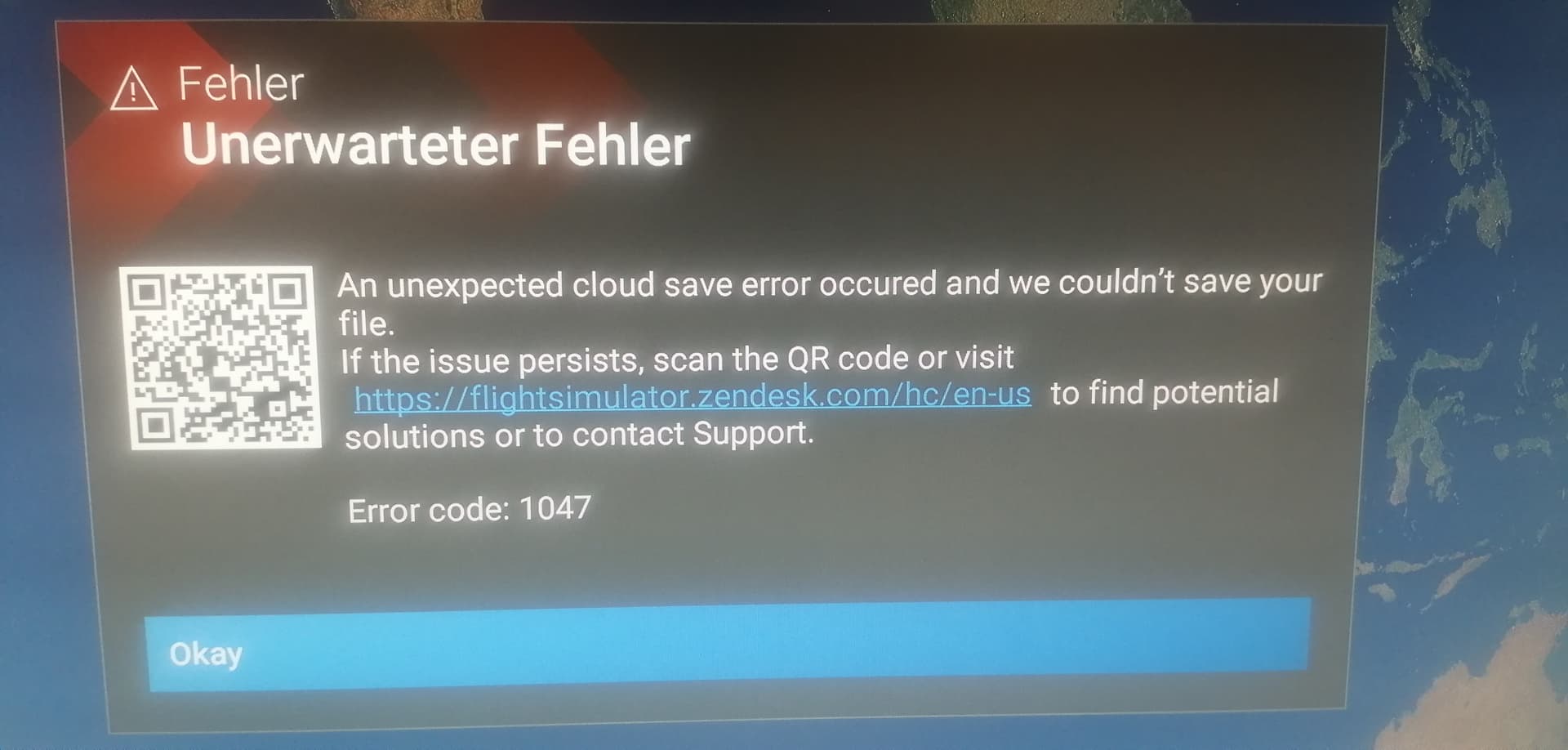
its happening on 1.6.11.0 also. Any news?

1 tag is required - add them in the tag section next to the title above:

  • One for platform (ms-store, steam, xbox , or xcloud)

  • One for aircraft if related (start typing in your aircraft name in the tag section and pick correct option)

Feel free to delete this quote section after adding your appropriate tags.

ISSUE DESCRIPTION

Description of the issue: Always when the simulator has loaded and when I try to change a page this Error Code shows up. Also with this SEVERE Error it is not possivle to start VR in MSFS 4 beta.

FREQUENCY OF ISSUE

The Error occurs always when the sim trys to save data in the cloud, so every time when a page in the sim is changed or when settings are changed or when tryed to switch in VR mode.

REPRODUCTION STEPS

Please list clear steps you took in order to help our test team reproduce the same issue:

  1. I deleted all files of the Community Folder

  2. I uninstalled MSFS 2024 beta, reinstalled regular MSFS2024, uninstalled regular MSFS2024, installed MSFS2024 beta4 again, Tryed repair function

  3. I did several proper reinstalls, nothing helped. When I switch back to MSFS2024 (beta 3) the problem does not occur. This severe issue may affect thousands of users, also as VR is not accessible any more !!! Also the repair function did not help. I never had this issue before.

YOUR SETTINGS

If the issue still occurs with no mods and add-ons, please continue to report your issue. If not, please move this post to the User Support Hub.

What peripherals are you using:

[PC Only] Are you using Developer Mode or have you made any changes to it? No

[PC Only] What GPU (Graphics Card) do you use? RTX 4090

[PC Only] What other relevant PC specs can you share? Intel I14900K

MEDIA

Please add a screenshot or video of the issue occurring.

I had the same issue when updating to su4.

To fix it I renamed the community folder, uninstalled all the msfs streamed downloads I had previously did in su3. I then went into win11, Apps, Installed apps then located msfs. I clicked on the 3 dots & selected advanced options. Then I did both the Repair & Reset options.

This worked for me.

Good to hear, that others have the same issue. It does not appear in the current version, so it should not appear at all in the newer version of MSFS. Thanks, for your solution.

I hope it will be solved as all of us have a lot of streamed content. Unfortunatly a complete reinstalation, the repair function and an emty community folder did not help.

This is a SEVERE bug. VR is blocked and there is no more storage of the settings !

Hi…
I have the same error, but NOT with the Steam version and NOT in VR.

The solution suggested by BassPaladin2047 doesn’t work for me

Hi to everybody.

Please all of you that have the same issue report it here, so that Asobo/Microsoft will take serious action to investigate the error. Beta 4 should not be published until the reason for the issue is known and solved.

Thanks to you all and always happy flights.

I get the 1047 error in almost every flight session (1.6.7.0)

Sometimes I can click on OK and the session ends with a CTD. Other times I click on OK and the session resumes and runs perfectly. Several times the message locks the screen and makes the mouse disappear.

I have had sessions where the error occurs every couple minutes for an hour or so and then just stops appearing.

I’ve tried everything suggested in the ZenDesk link - the only solution I have found is to get out of Beta.

Steam / Win 11 24H2 / 1 Gb/sec Xfinity connection

Error 1047 happening for me also. Emptied community folder and cleared all caches and error still occurs. Have not tried resetting my cloud saves yet as I would prefer to not to have to reset all my controls (which is still a pain even with the ability to export/import controller profiles.) Reverting to SU3 solves this issue.

The Zendesk link that pops up with the error notification is totally pointless as Error 1047 is not even listed.

1 Like

Same issue.

Tried reverting to the non-beta version, and I don’t constantly get the popup anymore. Seems something is still broken with the cloud saving though even in non-beta, as the sim can fx no longer remember last flown plane - and nothing is entered in the logbook.

Then tried rejoining the beta, and now get the constant 1047 error popups again. Next step is resetting cloud save I guess.

I bit the bullet and did a cloud save reset and this fixed the problem in SU4 beta. So I think the problem was actually a corrupt cloud save that SU4 beta was giving a notification for rather than an actual problem with SU4 beta itself.

Export your controls before doing a reset. Bit of a pain reimporting them afterwards but no more than 10 minutes work. Logbook is reset to zero, not much you can do about that.

1 Like

Thanks for the response :+1: sounds like I will need to do that as well.

Would love to have the option to export one master-control file with everything collected, so i didn’t have to export one by one and for each peripheral.

Wouldn’t we all like that!

It’s also worth backing up content.xml, exe.xml, FlightSimulator2024.CFG & UserCfg.opt since a cloud reset also resets your settings.

I’ve already done several cloud resets in recent months. I suspect swapping in and out of betas isn’t good for the health of the cloud save.

2 Likes

I can’t even try SU4 because they’ve changed the login system and my PC generates tokens that aren’t valid. This only happens with this game and with SU4 in particular. I think it might have something to do with all the connection problems and corrupted controls that are being discussed on the forum. If they don’t fix it when SU4 comes out, a lot of people will have trouble logging into the simulator.

Hi…
Resetting the cloud storage helped three times, but now I’m getting the same error again.

Since I’ve participated in all betas so far WITHOUT leaving a single beta, I suspect that this is not the real reason for Error 1047.

When will the error be recognized as a bug?

I reset cloud data (https://flightsimulator.zendesk.com/hc/en-us/articles/17060350083612-How-to-delete-a-cloud-save-to-fix-some-loading-or-crashing-issues-Crashing-on-the-identity-screen-spawning-inside-buildings), and first test after it seemed to have also done the trick here.

Bit of a hassle to get things back in order (controls import is a bit of a mess), but yeah looks like it was needed.

Uh Oh, I’m getting this same error message in SU4 Beta. I left Beta and went back to SU3. Then after another Beta upgrade I ventured back into SU4 Beta again and got the same error messages. So I left SU4 Beta and am back in SU3 until a simple fix is put in place.
I agree, this must be a cloud saving issue and not really an SU4 Beta Issue.

1 Like

Same here on 1.6.11.0!

1 Like

Thank you for the bug report.

We have created an internal ticket to see if our team already has this logged, and if not they will attempt to reproduce the issue and create a new bug report. This item is now marked as feedback-logged. If there is an existing bug report or one is created, we will move this thread to bug-logged.

1 Like

After installing SU4, I keep getting an error that an unexpected cloud save error occurred and “we couldn’t save your file.” Reported error code is 1047. I uninstalled SU4 and the error went away. I installed SU4 again and the error came back. Playing on Steam.