I have noticed that all of my Community Folder content is no longer seen/available since the SU1 update. Anyone aware of what would have caused this?
Could it be that the Community Folder used by the game on your system is now at a different location?
It is physically at the same location as before. Have they reclassed any items that were not default or purchased from the Market such that they would not be activated during startup. I see this in many CowanSim heli’s and instruments/etc. that were typically available prior to the update. Library screenshot below. You cannot even see the Community items in the Library List, just the MSFS 2020 Community - Disabled. Selecting one of those does not offer the “Enable” option, just “Show Selection Only”. All default or items purchased from the market are available for use.

Hi @FarawayBark4261 ,
Thank you for your post! Your topic has been moved to a sub-category of the User Support Hub
The General Discussion category is meant for discussions that fall outside of our other sub-categories.
If you would like other users to help you with an issue you are experiencing in the sim, consider these User Support Hub categories for your future post:
User Support Hub > Aircraft & Systems
User Support Hub > ATC, Traffic & NAVAIDs
User Support Hub > Crashes (CTDs)
User Support Hub > Hardware & Peripherals
User Support Hub > Install, Performance & Graphics
User Support Hub > Scenery & Airports
User Support Hub > User Interface & Activities
User Support Hub > Virtual Reality (VR)
User Support Hub > Weather & Live Weather
User Support Hub > Miscellaneous
Maybe it’s just me, but I find this site and your myriad of sub groups way too convoluted. Your General Discussion page is for just that, general discussion. A lot of eye’s see it, and therefore the possability of a quick comment from some knowledgeable person. Now I will be lucky if someone happens to see this, or comment at all.
It’s wrong to put this in the user support hub. This is clearly another mess created by MS/Asobo. I own the Cowan sim H125 and me too don’t see it anymore. I’m no more capable to use a product I bought via marketplace which was much superior to MS/Asobo own H125 and was available to us since launch.
This mess has to stop!
Enough is enough.
Each step from launch to su1 to market place launch to forum maintenance was a step in the wrong direction making things worse and not better.
I really have the feeling I’m dealing with people having no clue what they are doing anymore.
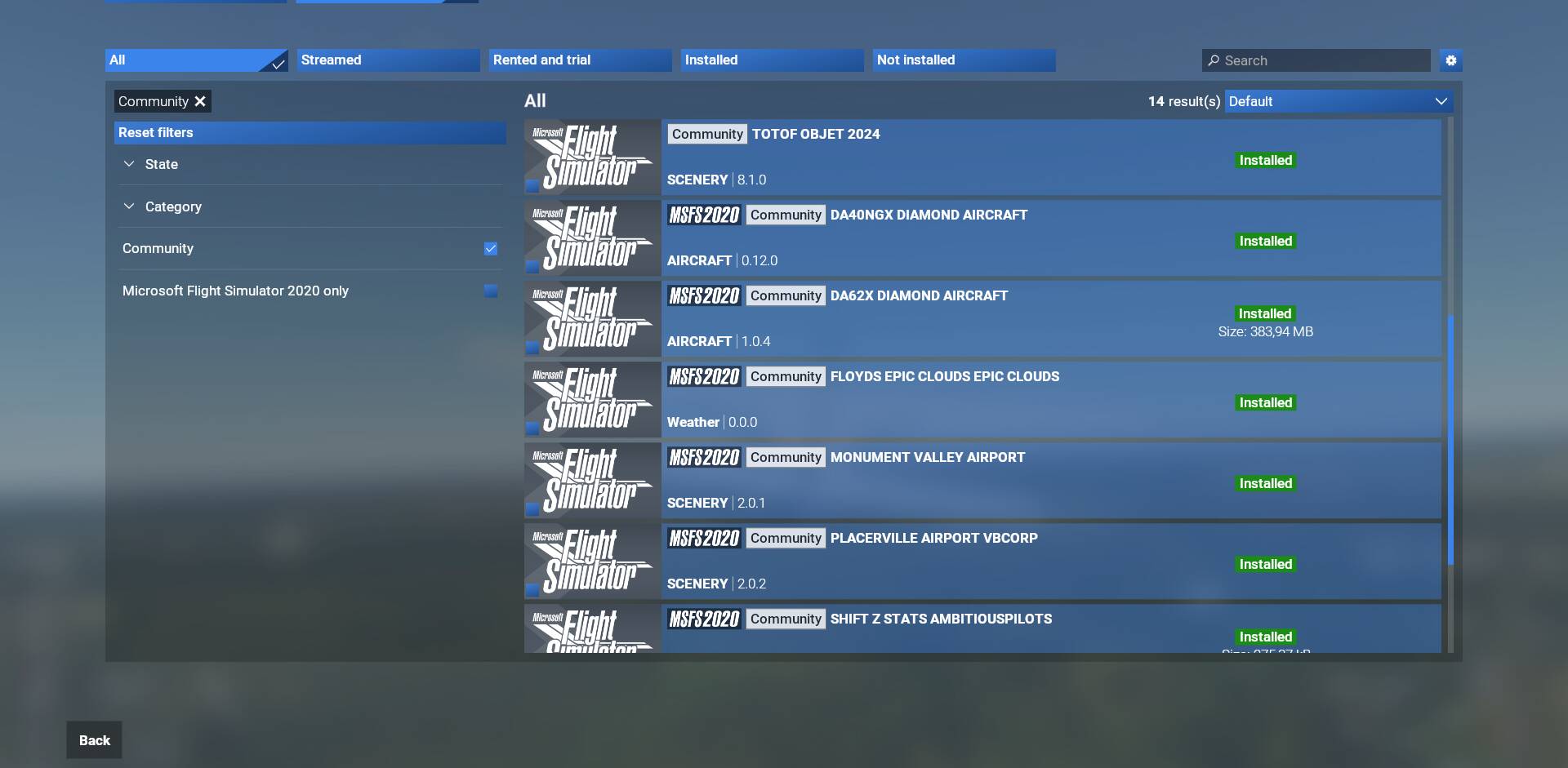
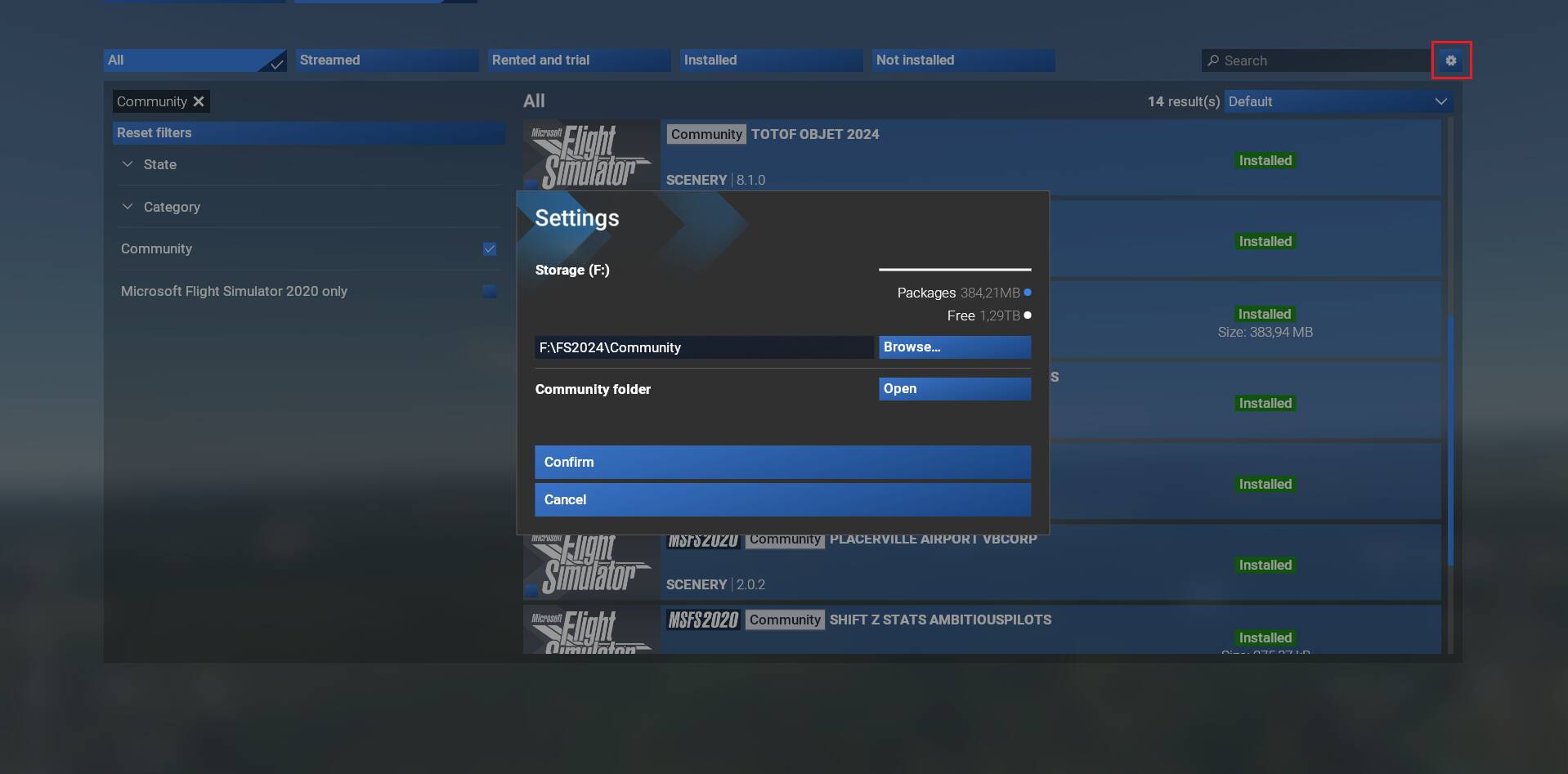
Seems to be a different issue, what you are buying on the Marketplace is not downloaded in the Community folder.
Yep, you are right, my oversight here.
So just another issue.. I guess one more or less does not really matter anymore. What a total mess.
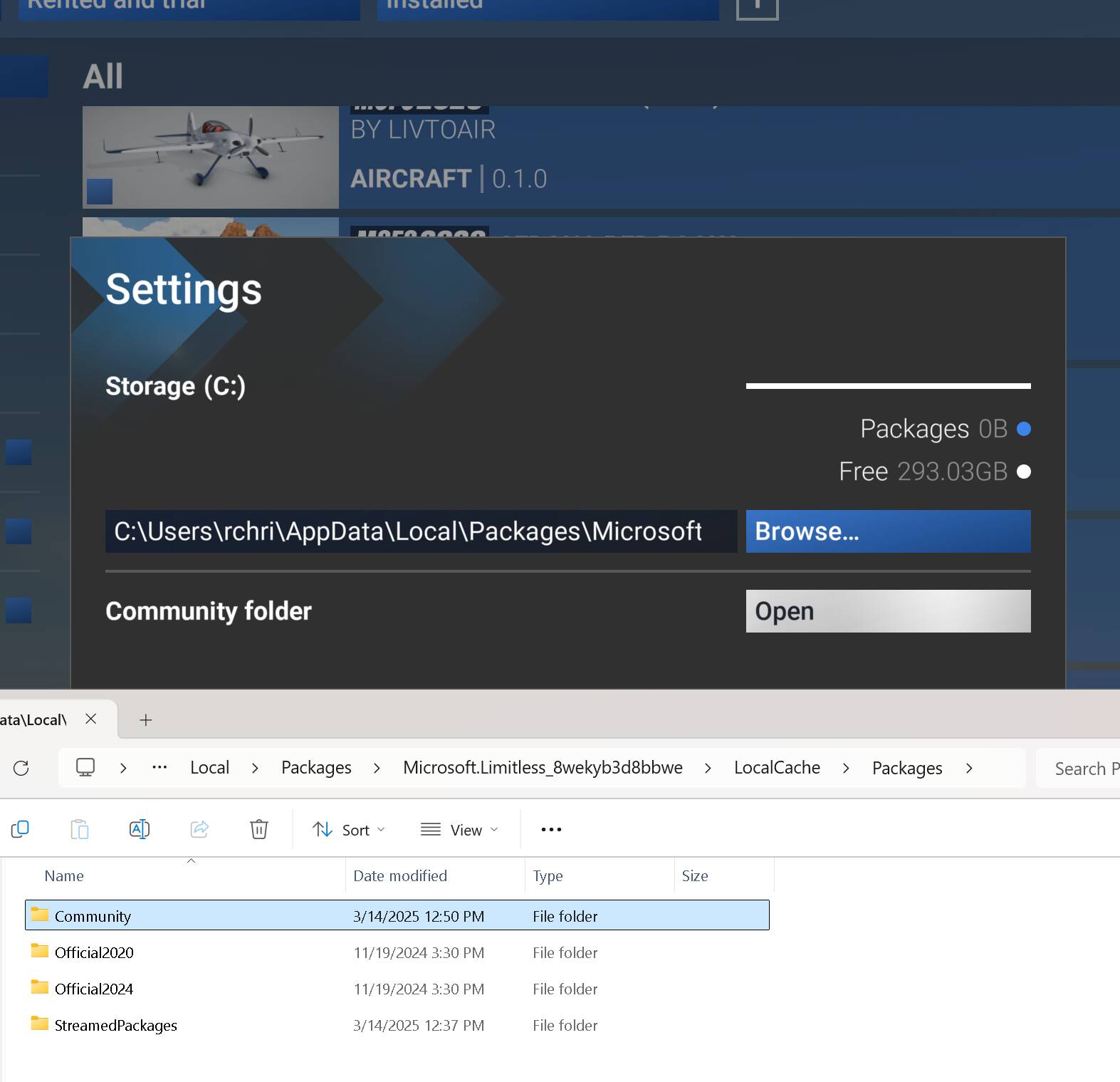
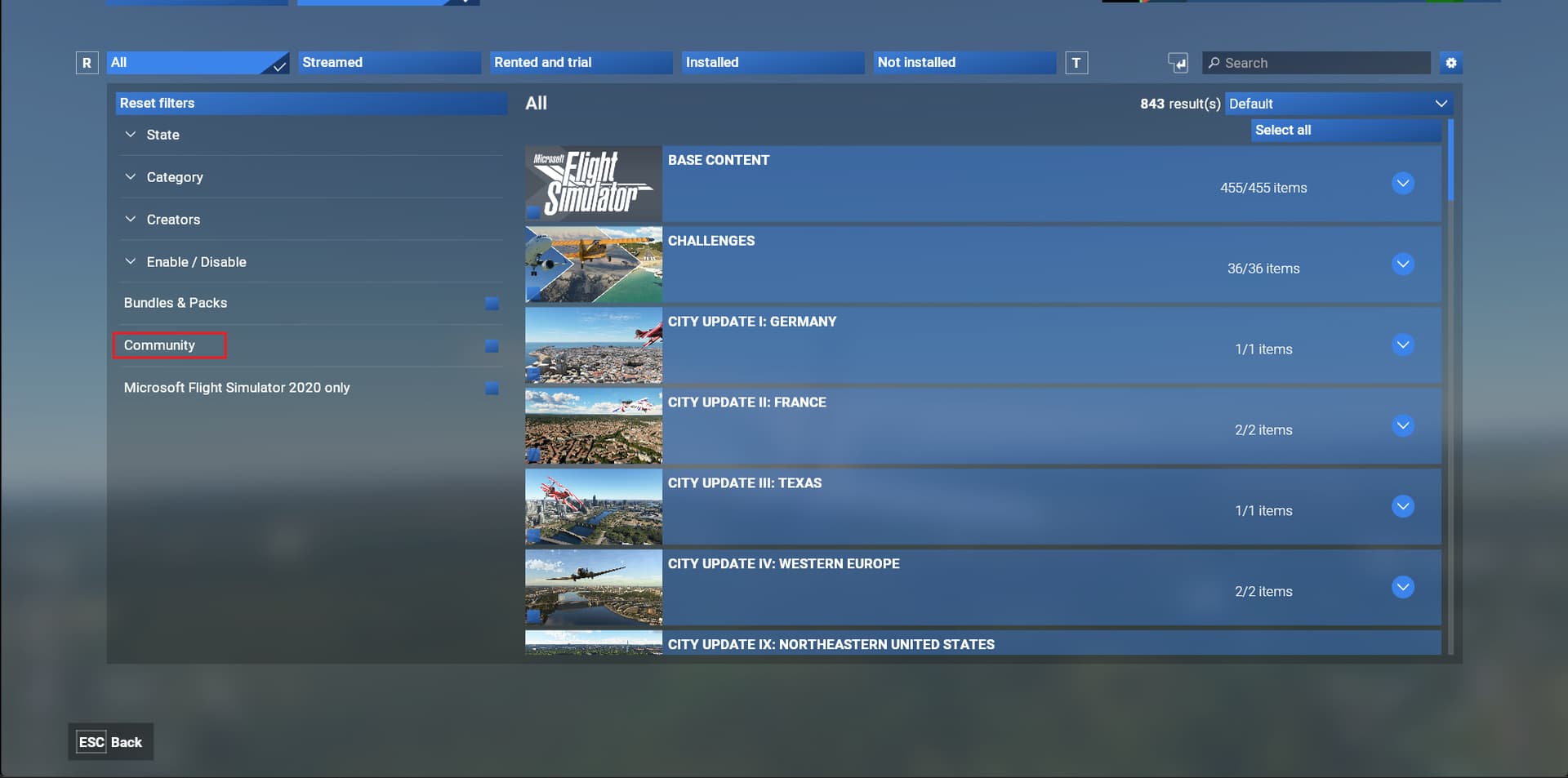
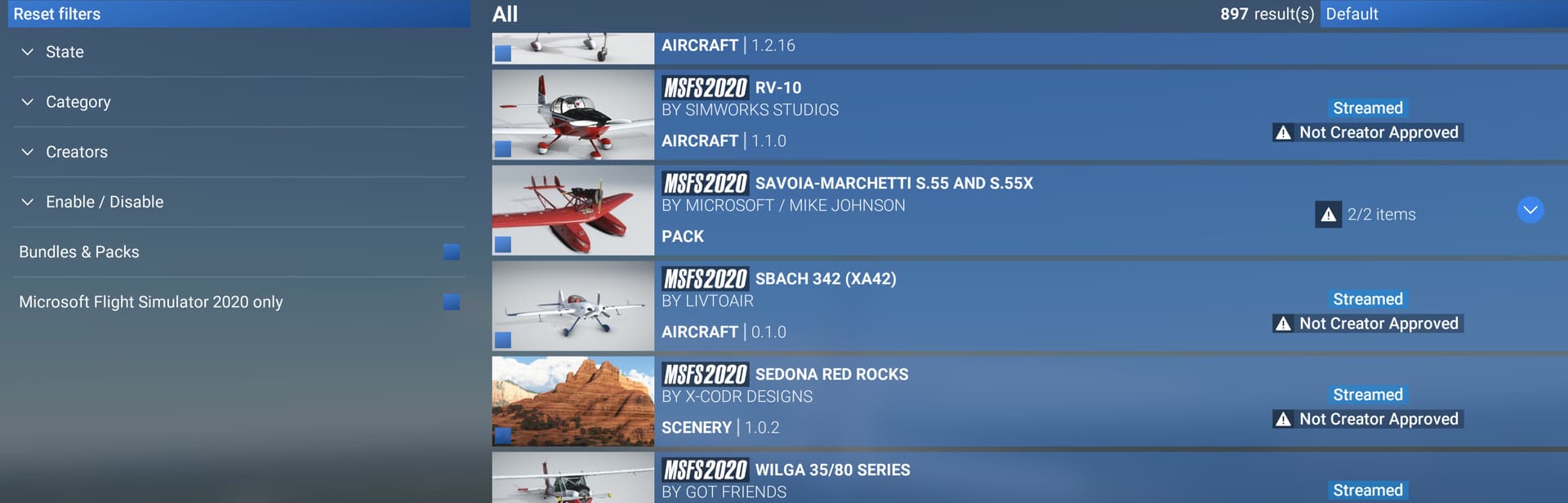
Yes all my original content is in the Community folder. But after checking the settings as you suggested, and hitting the Confirm button offered in that screen, after restart, now “My Library” does not show any of the “MSFS2020 Community Disabled” at all. All those items I pictured earlier have disapeared. Now it is just the MS/Market Place files. I do not have the Community listed on the left side as you do. See pic below. Also I wonder what the “Not Creator Approved” means showing on some of those aircraft that do appear. I love this game when it is working, but it seems rediculous for such a world player like MS to have released such an ill prepared product as this.
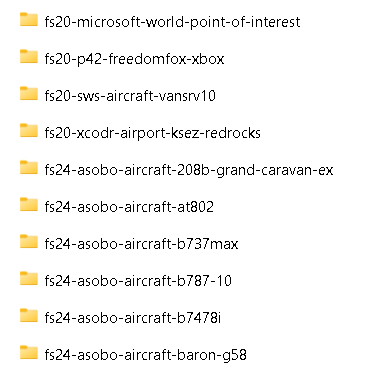
Also, I notice there are more folders in the Package group. Official2020, Official2024, and StreamedPackages (which is were the Asobo and MS files are). And did the MS/Asobo files always start with fs20-**** or fs24****** per the pics below. Didn’t think they had those prefixes before the update. Hmmmmm…
Have a look at that post, explanations come there: Now available: Microsoft Flight Simulator 2024 In-Sim Marketplace
One thing I noticed is that the community folder path defined in settings is the 1st Community folder that contains the 4 others folders:


So make sure that the path points to the 1st Community folder and not the second one.
That’s a mistake.
MSFS 2024 creates its own Community folder, so what you have done is to make it create F:\FS2024\Community\Community
Your correct path is F:\FS2024\ and then you will have only one.
The OP has most likely made the same mistake, but we can’t see the whole path.
My guess would be that the exisiting addons are in “Community”, but that MSFS 2024 has been told to look for “Community\Community”, which is empty.
What is certainly the case is that the fault does not lie with “such an ill prepared product as this”, but with the person who does not yet fully understand how to make it work.


AncientDisc6642, appreciate you sharing, but I don’t believe your accessment is correct. I have been flying FS2024 since it came out. Folder locations have been understood, and I have had no problem at all until the update. As a test I changed the name of the original Community folder, and started the sim to watch what transpired. As expected a new Community folder was created. BUT, inside of the Community folder there are now the Community, Official2020, Official2024, and StreamedPackages folders. The only one with content is the StreamedPackages. This update has restructured how the Packages content is structured. Now to test placing FS2020 items in the new location to see if it appears in the sim.
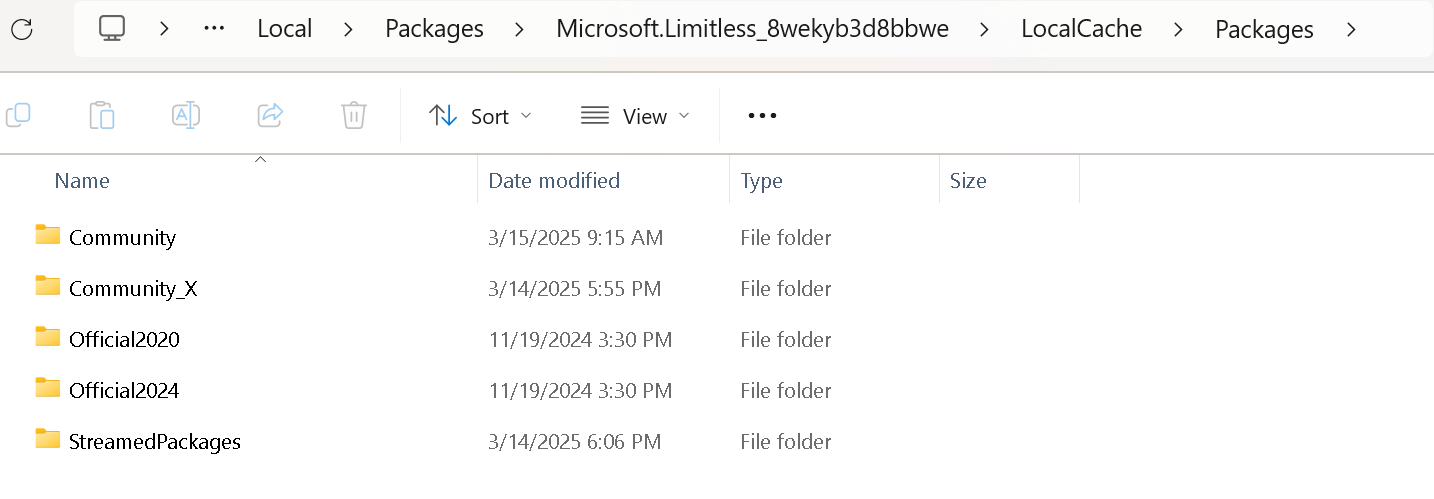
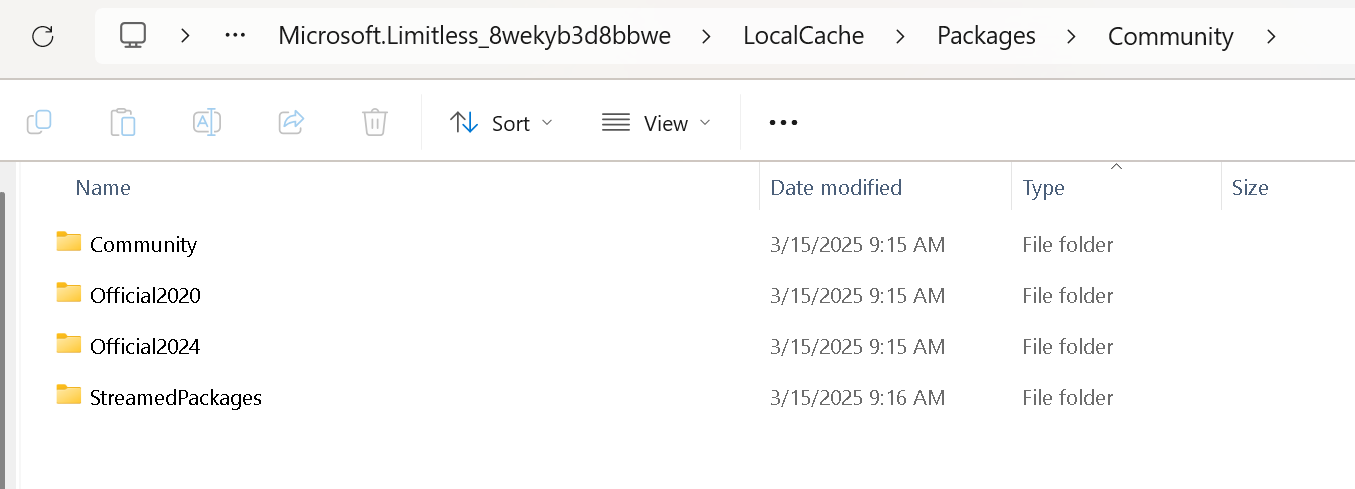
Yes, that’s exactly what happens when you set
“C:\Users\your user name\AppData\Local\Packages\Microsoft.Limitless_8wekyb3d8bbwe\LocalCache\Packages\Community”
as the path.
It should be
"C:\Users\your user name\AppData\Local\Packages\Microsoft.Limitless_8wekyb3d8bbwe\LocalCache\Packages"
Then inside that you will find Community, Official2020, Official2024 and StreamedPackages folders.
I did not set that path. FlightSim did. How can it be changed?
Try going back to here:
and select browse.
Browse to C:\Users\your user name\AppData\Local\Packages\Microsoft.Limitless_8wekyb3d8bbwe\LocalCache\Packages and set that as your path, without \Community" at the end.
Then you will need to check that all your addons are in the Community folder in this picture and not in the Community folder that you found inside the Community folder.