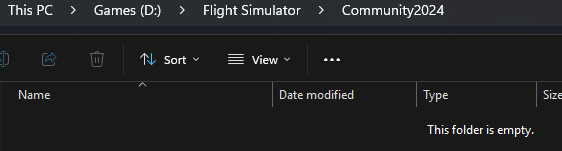
I am lost with community folders in SU4 : if i am not wrong, Community is for msfs2020 addons while community2024 is for msfs2024 addons (hard to sort them !). I tried to setup addon linker and installed FSLTL, Self Loading Cargo, GSX to one or the other folder… but nothing works !
I cannot use them and they don’t show up in sim menu.
Community is for addons that can be safely shared between MSFS 2020 and 2024 while Community2024 is for addons that only work for MSFS 2024.
The purpose of the two folders is so that you can have a single community folder path that is shared by both MSFS 2020 and 2024. MSFS 2024 can load addons from either or both of the folders while MSFS 2020 will only load addons from Community and will ignore everything in Community2024.
Unless you have both MSFS 2020 and 2024 installed then you can just put your addons in the Community folder and leave Community2024 empty.
I’m still confused. I copied my FS20 Community folder files, one at a time, into the new Community2024 folder. Not all worked in FS24. I assume that’s because as they are not, “…compatible with only MSFS 2024…” So, there must be some files that are not compatible. Is that right?
But, this could be the problem, because as many have stated the MSFS Team may have created this problem from the beginning when it declared that FS20 add-on files would work in FS24.
I think this new Community2024 file “feature” continues the confusion, as you can see from all the various critical comments in this thread.
This new arrangement is more convoluted than it’s worth imo. I have enough space across multiple physical drives to maintain separate Community folders.
More importantly, there should be a knowledgebase article that states how you deconflict consolidating everything into FS’24 Community folder vs the hard coded Packages paths in each sim’s UserCfg.opt. Technically, that line drives the respective sim’s Packages Lookup and Validation when the sim executable boots. It doesn’t make sense.
That’s a different issue, and one related to the installer, not the sim.
Some installers are made better than others. For example, some know how to look for the file that contains the pointer to the 2020 Community folder, and if they don’t find that file they give up. Some, like my recent SWS Airvan purchase, can’t find it either because I uninstalled 2020, but have an option to search for it manually, but not all do. There are workarounds to the former case. I manually created the full path to the “usercfg.opt” file, and all that file had was the pointer to my 2024 Community folder, and that’s enough to trick the installer to begin its installation.
You can move them about at will after installation, if you like. I’ll have a play with this when I get home. What I have been doing is moving the 2024 compatible planes from my Community to Community2024, and they all work. What I haven’t yet tried is a 2024 native plane back in to Community.
My understanding of the difference was that the 2024 Community folder can be seen my MSFS 2020, and the Community2024 folder can only be seen by MSFS 2024. I can’t see any functionality difference from having a plane in either in 2024, from operating the planes themselves.