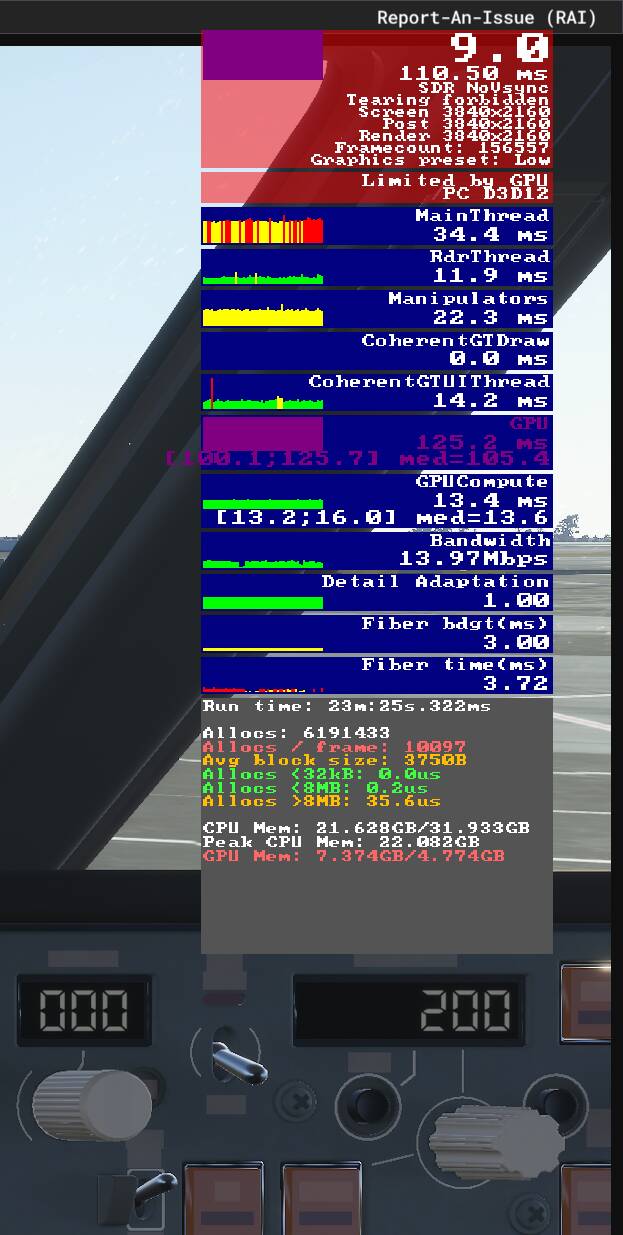
To get FPS of 30 I am having to set my graphics display extremely low and even then, when I open the developer “show FPS” setting, it’s saying that it’s limited by GPU.
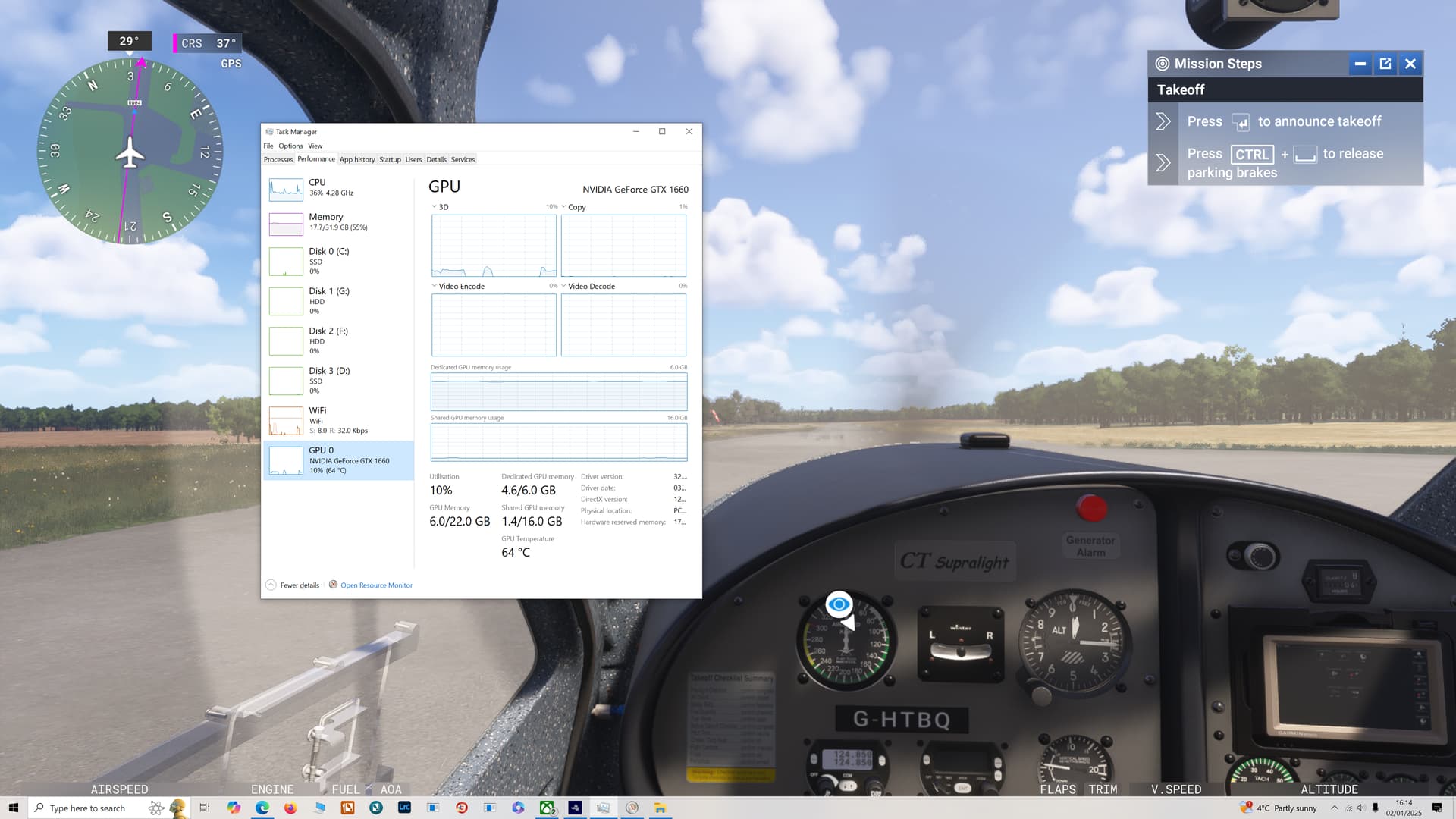
However, when I open my task manager it’s showing a utilization of 10% under the GPU setting.
Utilisation is GPU load, not memory use. Your screenshot shows 4.6/6GB dedicated memory, which calculates to be 77% memory use. As already mentioned, GPU load is task manager is not always reliable, but the memory use should be. Try a utility like GPU-Z to tell you what’s really happening.
You don’t need to invest in new PC just yet. Please change the resolution to 1920x1080 as suggested above and switch from DX12 to DX11 in the graphics settings This should improve performance.
Your GPU memory in use is higher that available GPU memory by over 50%, which means your much slower system memory is being used to swap in and out what is currently needed by the GPU, hence killing your GPU’s performance and tanking your FPS.
Do as @TenPatrol suggests, and maybe even lower your graphics settings a preset level or two, and take some load off that poor GPU. You should be able to achieve at least around 30 FPS based on your main thread frame time, with these lighter settings.