When I import a simbrief Flightplan into the pmdg737, I enter the departure/runway, then the arrival/runway, sometimes there is no transition to select, but so far when I’ve selected the ils runway it gives me an option to select a transition.
How do I know if what one I need, or if I need to select one at all?
If you have charts, you could use them.
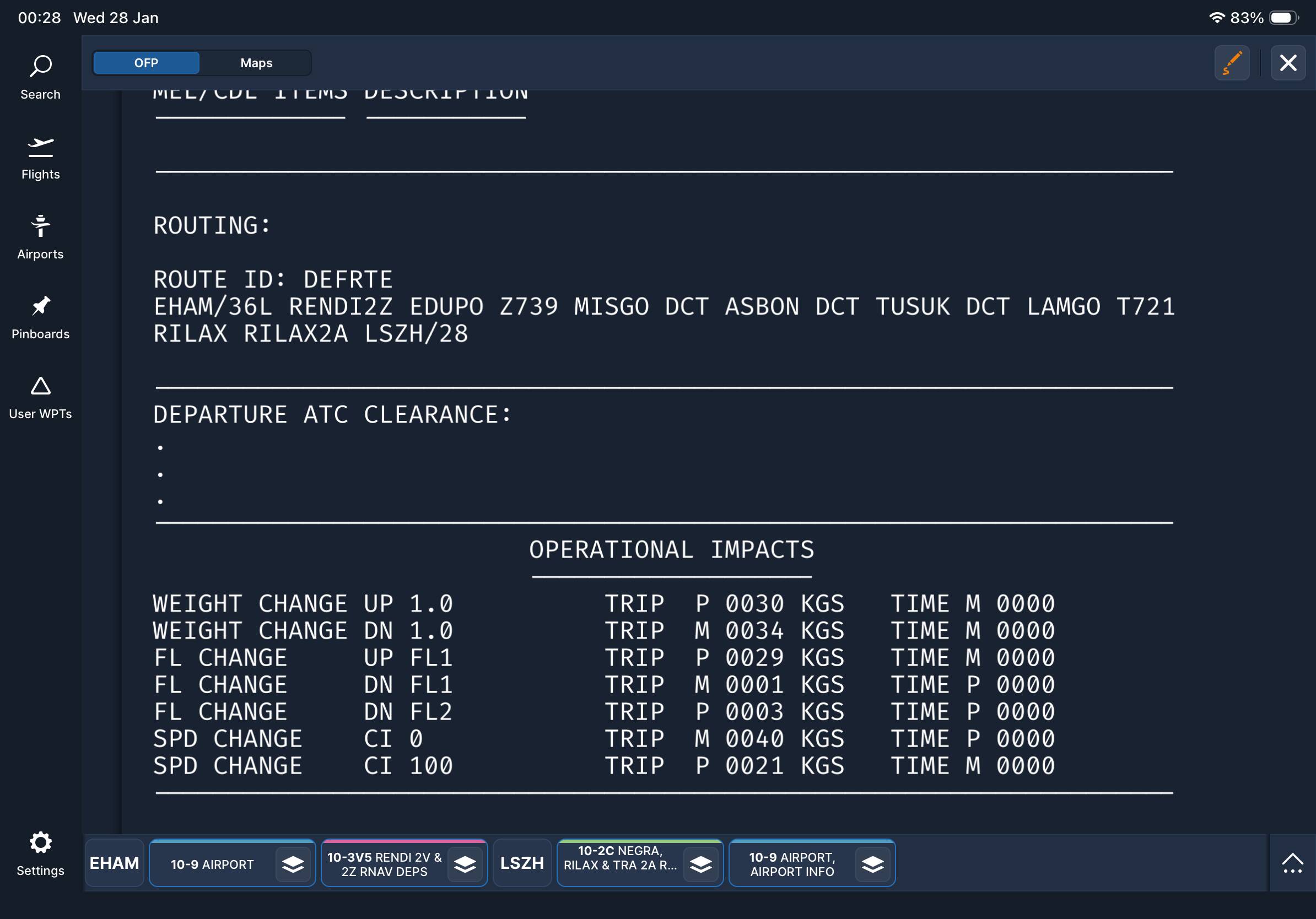
If not, an easy way is to look at your simbrief plan and see if one of the transition names given in the FMC is in the flightplan.
It will be immediately after the SID or before and after the STAR.
If so use that.
If there isn’t don’t worry about it.
In either case, make sure you don’t leave a discontinuity in the plan after you do so!
An example may be helpful here: Perhaps let us know an arrival/approach situation of interest and we can take a look at charts and comment? Just a thought. Cheers!
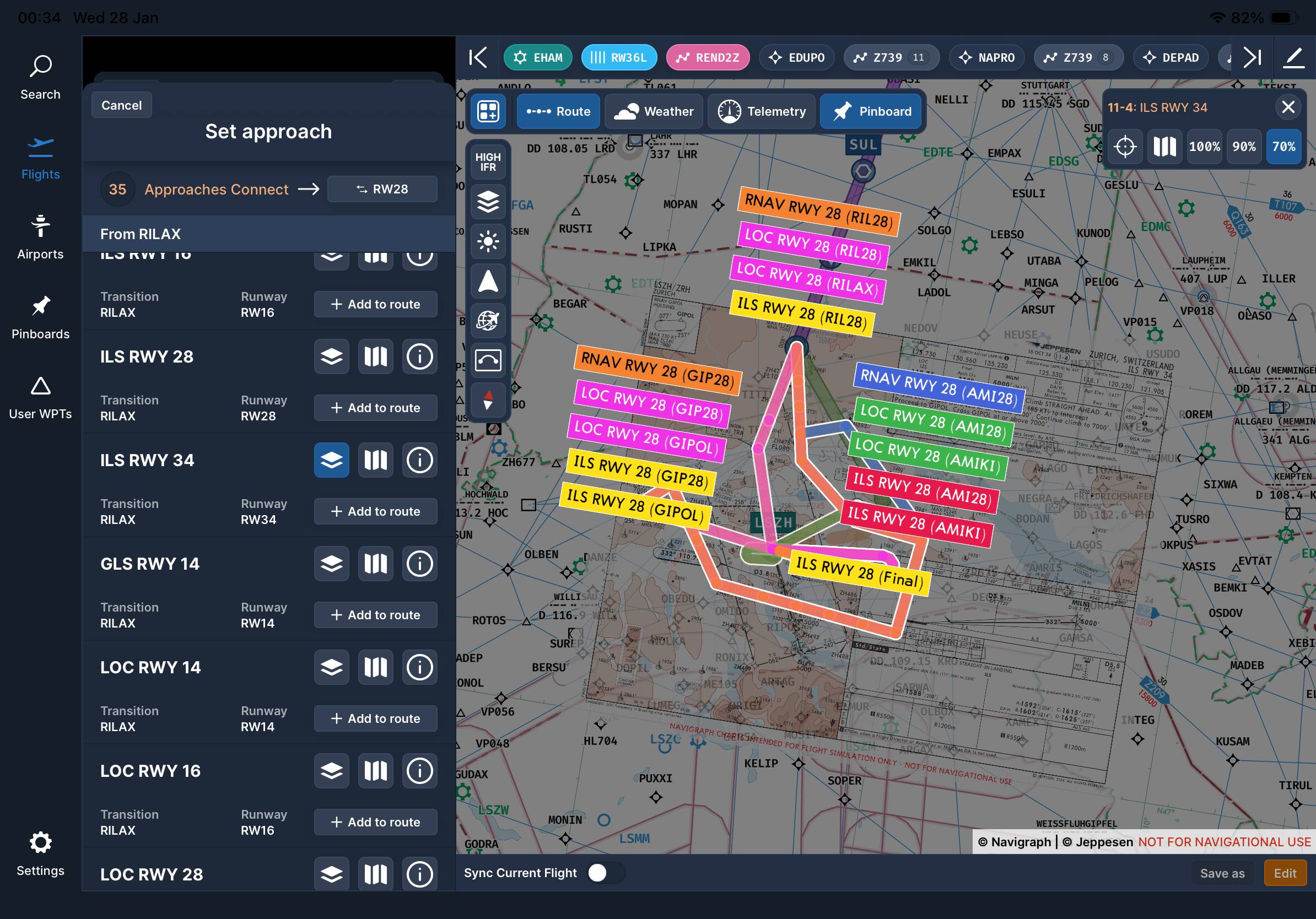
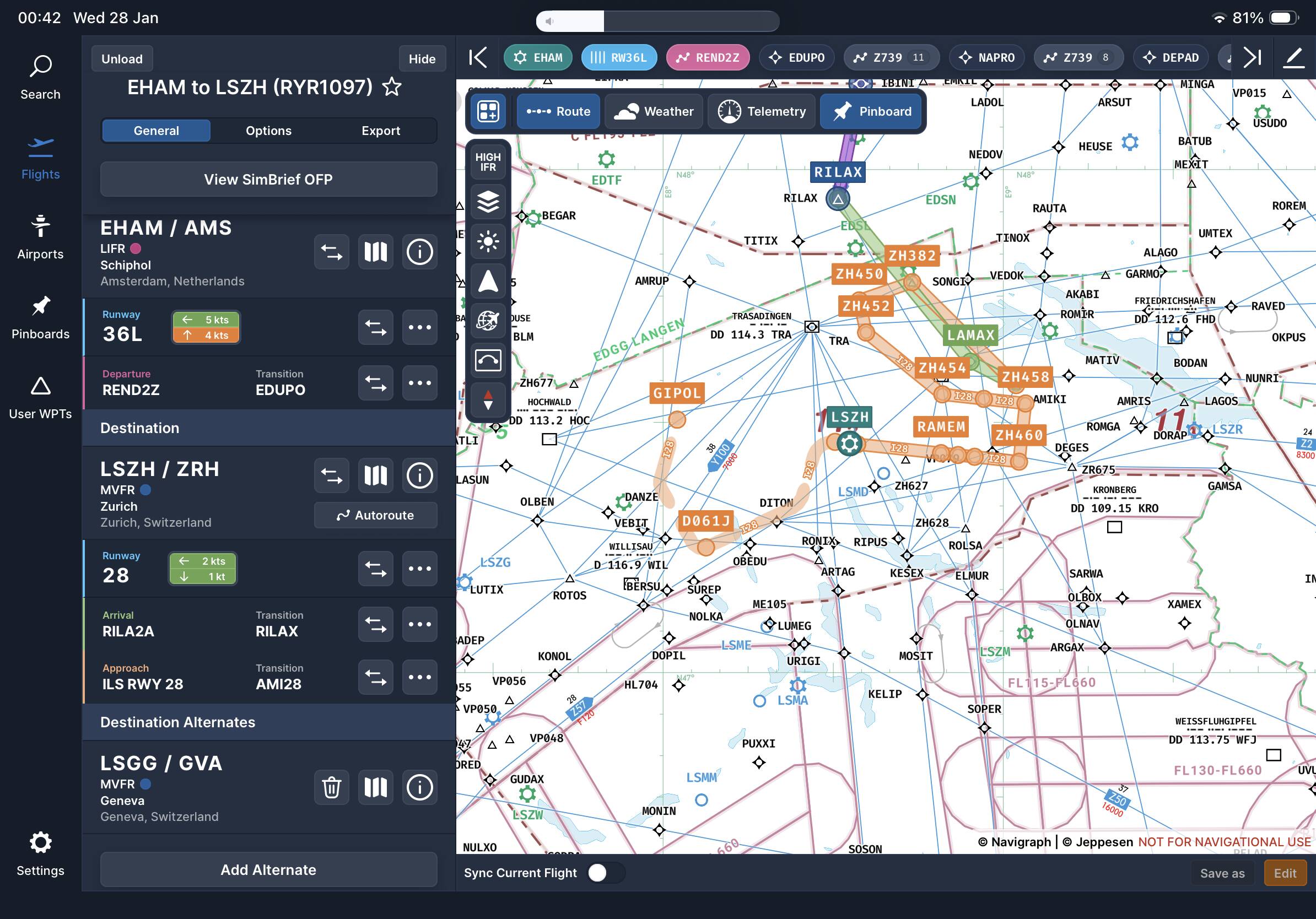
Here you got this was my last flight and I was a bit unsure what ILS transition to select, if any. Hopefully the images can help. The last image is what went I with as it looked the best but it still looked wrong.
In this case, if I understand your question correctly, here is what I would have done differently:
The arrival specifies a transition at RILAX, therefore I would choose an approach procedure from RILAX onward. The ILS 28 procedure you have above begins at (transitions from) AMI28.
When I inputted your flight plan string into Navigraph, I saw that no approach procedure had been specified, so I looked to see what was available for ILS28 from RILAX and selected that transition. Here is what that looks like on my end, note the last term which specifies the ILS28 from RILAX.
I’m not at pc at moment so can only check on navigraph charts app, but this is what I got, still a bit confused by this part, this airport isn’t the easiest for learning really due to the number of approaches.
Agree that this airport is probably not the best destination for learning flight planning due to the vast number of approaches and their complexity. That said, what I have learned about flight planning in Navigraph it that the flight plan string will “accumulate” obsolete waypoints as I switch from one procedure or route to another: Manually deleting these no longer needed waypoints must be done before pressing on; e.g. above LANAX, AMIKI, etc. For me, flight planning and the dispatch phase of an airliner flight is part of the fun because I like maps as well as flying, so there are more things to learn and mistakes to make including this stuff in ones flight sim hobby. Good conversation, cheers!
I generally avoid those when I can LOL, but they are common in mountainous areas? Also, I prefer to delete waypoints no longer needed right in Navigraph where I can immediately see the impact on the route. This can be done by scrolling to the end of the route string above and editing up there before sending to SimBrief. One can do the same editing in the FMC, but I am more likely to make a time consuming mistake on the flight deck deleting stuff in the FMC that I should have done in dispatch!
Ah ok so I create on simbrief despatch, load it it up in navigraph charts make any adjustments and when I import into pmdg737 for example it should have my edited plan?
Lots of ways go to here: In your workflow, what you might want to try after making changes in Navigraph is cutting and pasting the edited route string back into SimBrief after reopening it for editing, and then have SimBrief “Generate” the updated plan. That way you are uploading a clean flight plan into the FMC and starting you flight with a clear head. For my part, I actually do all my flight planning in Navigraph first, ignoring any suggested flight plans SimBrief offers, but that’s just me. Cheers!
I will take a look on navigraph later, I was just going off the simbrief plan, I presumed that would be correct, but it is always best to check yourself.