Hello everybody,
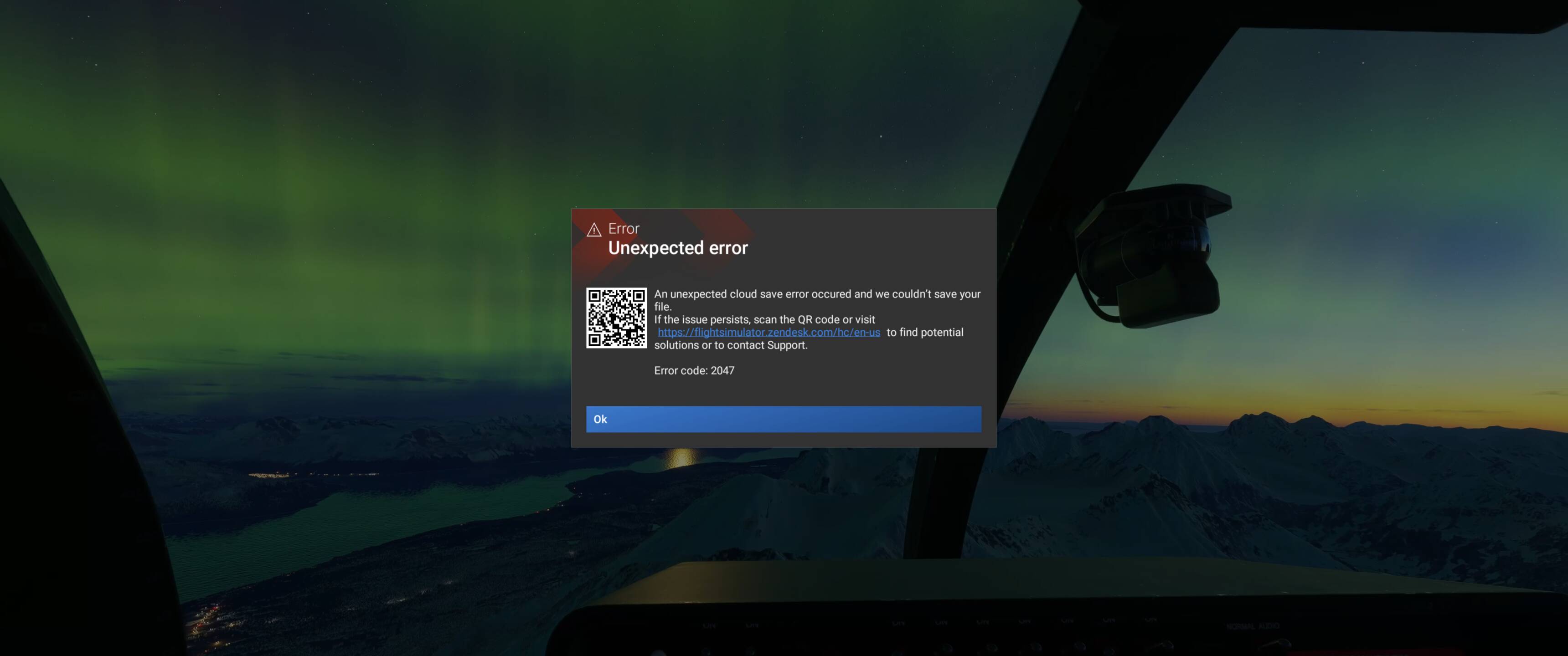
from out of nowhere my sim started to CTD randomly. Sometimes it crashes druing boot, sometimes in the menu. I am unable to get into flight. Tried reinstalling the sim, no luck.
The faulty thing is UCRTBASE.DLL and NTDLL.DLL and or nvwgf2umx.dll. If anybody experienced this and is able to tell me what to do I would be grateful.
Log Name: Application
Source: Application Error
Date: 4/27/2026 1:17:46 AM
Event ID: 1000
Task Category: Application Crashing Events
Level: Error
Keywords:
User: FIDELPC\filip
Computer: FIDELPC
Description:
Faulting application name: FlightSimulator2024.exe, version: 1.7.22.0, time stamp: 0x00000000
Faulting module name: nvwgf2umx.dll, version: 32.0.15.9621, time stamp: 0x69dcfbc4
Exception code: 0xc0000005
Fault offset: 0x00000000000f2d23
Faulting process id: 0x6004
Faulting application start time: 0x1DCD5D2BCEF9542
Faulting application path: C:\Program Files\WindowsApps\Microsoft.Limitless_1.7.22.0_x64__8wekyb3d8bbwe\FlightSimulator2024.exe
Faulting module path: C:\WINDOWS\system32\DriverStore\FileRepository\nv_dispi.inf_amd64_12ab2876952d3f1f\nvwgf2umx.dll
Report Id: 0dc84171-777d-49bb-b86c-e07255d5cd59
Faulting package full name: Microsoft.Limitless_1.7.22.0_x64__8wekyb3d8bbwe
Faulting package-relative application ID: App
Event Xml:1000
0
2
100
0
0x8000000000000000186011
Application
FIDELPCFlightSimulator2024.exe
1.7.22.0
00000000
nvwgf2umx.dll
32.0.15.9621
69dcfbc4
c0000005
00000000000f2d23
0x6004
0x1dcd5d2bcef9542
C:\Program Files\WindowsApps\Microsoft.Limitless_1.7.22.0_x64__8wekyb3d8bbwe\FlightSimulator2024.exe
C:\WINDOWS\system32\DriverStore\FileRepository\nv_dispi.inf_amd64_12ab2876952d3f1f\nvwgf2umx.dll
0dc84171-777d-49bb-b86c-e07255d5cd59
Microsoft.Limitless_1.7.22.0_x64__8wekyb3d8bbwe
App
Název chybující aplikace: GamingServices.exe, verze: 10.0.26100.7827, časové razítko: 0x0f66a9f0
Název chybujícího modulu: ucrtbase.dll, verze: 10.0.26100.8246, časové razítko: 0x4eb988a2
Kód výjimky: 0xc0000409
Posun chyby: 0x000000000001cba8
ID chybujícího procesu: 0x79FC
Čas spuštění chybující aplikace: 0x1DCD5A0579E08BE
Cesta k chybující aplikaci: C:\Program Files\WindowsApps\Microsoft.GamingServices_35.112.24001.0_x64__8wekyb3d8bbwe\GamingServices.exe
Cesta k chybujícímu modulu: C:\WINDOWS\System32\ucrtbase.dll
ID sestavy: 8a6c4bea-925d-423a-a349-9fa11ad4013d
Celý název chybujícího balíčku: Microsoft.GamingServices_35.112.24001.0_x64__8wekyb3d8bbwe
ID chybující aplikace relativní vzhledem k balíčku: GamingServices
Kód XML události:1000
0
2
100
0
0x8000000000000000183417
Application
FIDELPCGamingServices.exe
10.0.26100.7827
0f66a9f0
ucrtbase.dll
10.0.26100.8246
4eb988a2
c0000409
000000000001cba8
0x79fc
0x1dcd5a0579e08be
C:\Program Files\WindowsApps\Microsoft.GamingServices_35.112.24001.0_x64__8wekyb3d8bbwe\GamingServices.exe
C:\WINDOWS\System32\ucrtbase.dll
8a6c4bea-925d-423a-a349-9fa11ad4013d
Microsoft.GamingServices_35.112.24001.0_x64__8wekyb3d8bbwe
GamingServices
Název chybující aplikace: FlightSimulator2024.exe, verze: 1.6.34.0, časové razítko: 0x00000000
Název chybujícího modulu: ntdll.dll, verze: 10.0.26100.8246, časové razítko: 0xf7576e9e
Kód výjimky: 0xc0000005
Posun chyby: 0x0000000000011f99
ID chybujícího procesu: 0xC38
Čas spuštění chybující aplikace: 0x1DCD5A0733F8256
Cesta k chybující aplikaci: C:\Program Files\WindowsApps\Microsoft.Limitless_1.6.34.0_x64__8wekyb3d8bbwe\FlightSimulator2024.exe
Cesta k chybujícímu modulu: C:\WINDOWS\SYSTEM32\ntdll.dll
ID sestavy: 05c801b4-8efd-4ed2-92b8-edae3a3c7806
Celý název chybujícího balíčku: Microsoft.Limitless_1.6.34.0_x64__8wekyb3d8bbwe
ID chybující aplikace relativní vzhledem k balíčku: App
Kód XML události:1000
0
2
100
0
0x8000000000000000183420
Application
FIDELPCFlightSimulator2024.exe
1.6.34.0
00000000
ntdll.dll
10.0.26100.8246
f7576e9e
c0000005
0000000000011f99
0xc38
0x1dcd5a0733f8256
C:\Program Files\WindowsApps\Microsoft.Limitless_1.6.34.0_x64__8wekyb3d8bbwe\FlightSimulator2024.exe
C:\WINDOWS\SYSTEM32\ntdll.dll
05c801b4-8efd-4ed2-92b8-edae3a3c7806
Microsoft.Limitless_1.6.34.0_x64__8wekyb3d8bbwe
App
Tried reinstalling NVIDIA using DDU, no luck.
Tried reinstalling VC++, no luck.
Tried all the sfc /scannow stuff, logging out and in from accounts, no luck.
Basically cant use the sim now.