Sim is stable today. No ctd. It worked whatever you did. Thanks.
Just completed a 3hr and 50 min flight:
Photogrammetry: ON
Live Real-World Air Traffic: OFF
Live Weather: ON
Multiplayer: OFF
Sever (not that it mattered since I was in offline mode anyway): NORTH EUROPE
WINDOWS DEFENDER: OFF
Love this! In the end something was done but who cares aslong as we can fly again and land! lol
Either they fixed something on the server side or the full reboot worked. I have no issues anymore..so far..
My windows was up to date and did a full system restart it didn’t solve it over the weekend
Just completed a flight 1hr 47mins flight time in the PMDG 737 , AIG and everything else on
LGAV to LICJ using the USA east coast server
That’s two flights without any CTD today
I’m not going near the west Europe server until I’m satisfied that Particular server is ok
Does this report helps in any way ?
Faulting application name: FlightSimulator.exe, version: 1.27.16.0, time stamp: 0x00000000
Faulting module name: FlightSimulator.exe, version: 1.27.16.0, time stamp: 0x00000000
Exception code: 0xc0000005
Fault offset: 0x0000000001cea644
Faulting process id: 0x90c
Faulting application start time: 0x01d8b71eeb554a9c
Faulting application path: C:\Program Files\WindowsApps\Microsoft.FlightSimulator_1.27.16.0_x64__8wekyb3d8bbwe\FlightSimulator.exe
Faulting module path: C:\Program Files\WindowsApps\Microsoft.FlightSimulator_1.27.16.0_x64__8wekyb3d8bbwe\FlightSimulator.exe
Report Id: 9330ca2b-d5a0-4d0e-affa-02bf1ef8716f
Faulting package full name: Microsoft.FlightSimulator_1.27.16.0_x64__8wekyb3d8bbwe
Faulting package-relative application ID: App
Today was update Windows Defender.
(timestamp: 2022-08-23 13:40, v1.373.858.0)
and:
you didn’t see Windows Defender update in Windows Update History. Try Windows Update → next go to Security Windows → go to Protection from viruses and threats (first option, sry, i don’t have it in english).
On next window check updates. If you click on Search updates you will see last version with timestamp.
EDIT: Windows 10, I dont know about W11
Yeah I managed to do a flight yesterday no problem so will try another later
My info on the CTD …
I see here its written that the issues is solved for some and they don’t get the CTD… For my part the sim don’t get to the main menu but CTD before that.
I have some screenshots of the log file. And I am not skilled to evaluate these.. But the server issue is maybe a factor here…
All the best
Julean
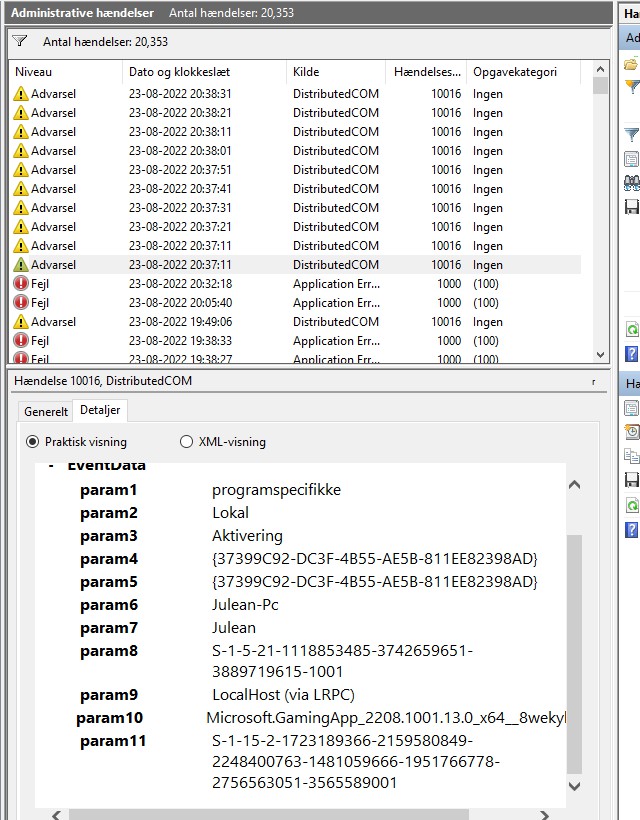

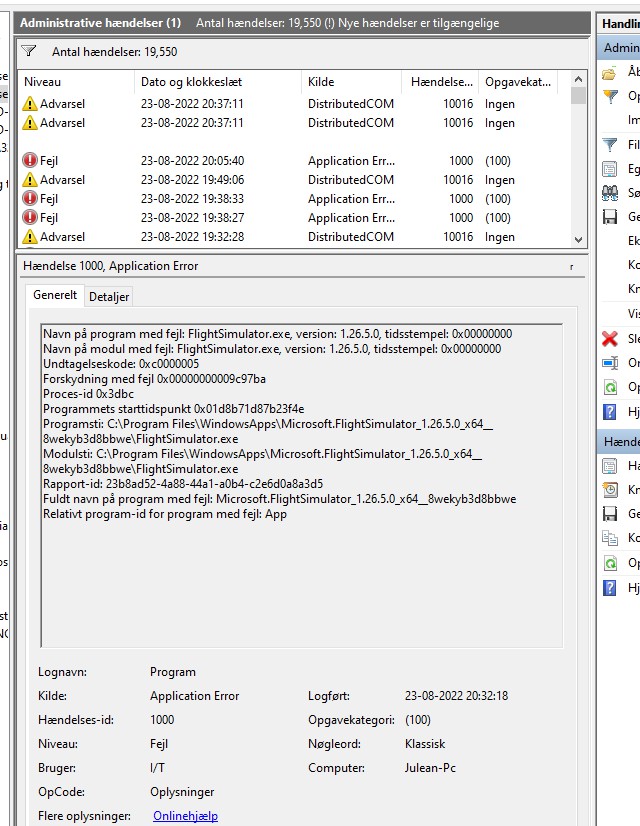

Had multiple CTDs in the weekend. I updated Windows as suggested.
Just did three flights without CTD.
northern europe server, with live weater, traffic and the other online functions enabled.
Ok Thank you… I will do that.
Julean
It looks like the problems are less or gone.
I made 4 short flights with no problems what so ever, No CTD and no other things.
I used 3 different aircraft, PDMG 737, Asobo A320 and A32NX.
MSFS SU9, Life traffic and weather on, all mods in place.
Hello,
i did a FLight EDDP-LPMA without CTD, Live Traffic and Weather ON, Europ Server
Is it possible MS/Asobo fixed anything on the Server or was i just lucky ?
Would be nice to have a Statement here.
Matthias
Okay 5th launch of the day started at 22fps kcle cruise @25000 am currently get the extra fps every keeps talking about with SU10, still get a few CTD here and there (these seem to be somehow related to reshade though) but running at 26fps solid. It says HDR is on but it really doesnt look like it this flight…For what its worth.
HDR: Pause, Hit ALT+Enter, drag the MSFS window somewhere below in your monitor with the mouse, you’ll see it switch to HDR, hit ALT+enter again for fullscreen andy ou’re good to go.
Having followed the advice to update, I applied all I could(which was only windows defender updates), full restarted as confirmed by my system uptime. Retried the same route I had CTD’s all through the weekend(ESGG-EGLL) and this time, no CTD at all, full flight completed without issue.
Granted its only one flight but it does seem to have helped from my pov.
No CTD’s for me today.
I’m a Capricorn, if it helps the investigation. 
Yeah I did that, and it says HDR in the dev window, it just doesnt look HDR in the display. The shading and all the little extras are missing making it looks like SDR. Still 26 fps woohoo I have seen those kind of numbers steady in a long time… ;p
Oh have you checked the HD Colour Settings in windows (start/ HD Colour). There’s a slider to adjust HDR/SDR settings. It’s where I would look when its not fully working.