Corrupt photos in photo album

ISSUE DESCRIPTION

Description of the issue:

First time its happened so it might be a rare bug or linked to something else.

I had a 2hr12min flight in the TBM 930 and when I reached LAX I decided to use the sim camera like I normally would after a flight and took a few images.

Strangely i noticed they never automatically ported to Playstations Gallery so i checked the photo album in MSFS where i noticed they were invisible but there as shown in the image.

Might not be of any benefit however I want to add this just incase this issue could be stemming from a memory issue on PS5. I experienced no lag during takeoff, flight and landing with only 2 MFD resets in the 2hr12min LAX loaded in fine weather was fine only issue was taking the images and 2 MFD resets.

Game reset = no change

Console reset = no change

FREQUENCY OF ISSUE

How often does this occur for you (Example: Just once, every time on sim load, intermittently)? RARE 1st timer

REPRODUCTION STEPS

Please list clear steps you took in order to help our test team reproduce the same issue: I will go through the steps I did.

  1. Spawned cold and dark at KASE filed my flight plan to KLAX

  2. Land at KLAX and taxi to parking shut down the TBM. I opened the pilot and rear passenger door.

  3. Took the images with the MSFS photo tool

  4. Noticed they was corrupt.

MEDIA

Please add a screenshot or video of the issue occurring.
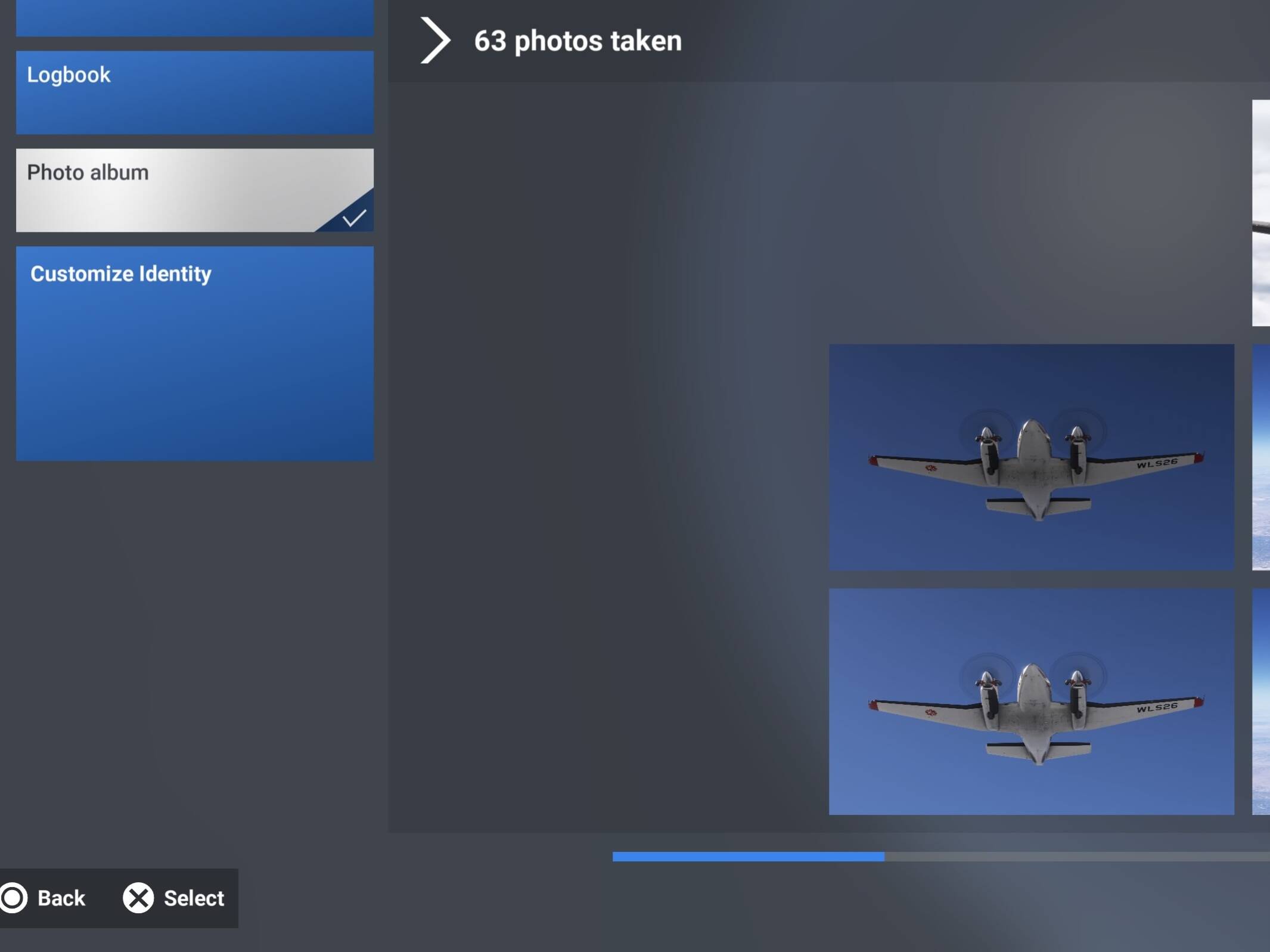
Just to change the regularity from a one time event to now the corruption is every time an image is taken.

This is still an issue and if possible can a VM or CM merge this bug report and the one below as they are the same issue Tyyy :smiley:

Also as an update this problem still exists with the rare occasion you can take an image with photo camera tool in the sim. Just to clarify with the bug report I just pinned also its not the PlayStation own screenshot feature thats bugged its the MSFS 2024 camera for PS5

ISSUE DESCRIPTION

When using the screenshot mode, a random amount of pictures are not taken, just showing a broken file in the screenshot hub.

FREQUENCY OF ISSUE

Happens at random when using the screenshot mode, sometime there is no problem, other times no screenshots are uploaded. This started happening after the SU5 update on the PS5.

REPRODUCTION STEPS

Please list clear steps you took in order to help our test team reproduce the same issue:

Load up the screenshot mode by pressing the L1 and R1 butten, take screenshot by pressing X.

YOUR SETTINGS

Default

I’m experiencing the exact same issue from time to time on a PS5 Pro. Yesterday I lost some screenshots of the beautiful canyons in Colorado because they never appeared in the in-game gallery.

I think this may have started after the latest game update. Has anyone noticed whether screenshots were saving correctly before the most recent update?

This issue has been going on since may

It doesn’t work for me at all. Every photo is just saved as a blank, corrupted image. I haven’t even managed to get it working by chance.

All I can do now is wait for the next game update and hope this issue gets fixed. Hopefully the developers are reading these reports.