I don’t fly the FBW A320nx because it’s a resource hog for my system. There, that’s out of the way. Is there a way to convert A320nx liveries to the default A320neo?
Technically yes. But they’re not easy to do. I actually made my liveries to work “both” for default A320 and FBW A32NX using just one set of texture files that they both shared.
I tired messing around with some of them doing some copying and pasting of the files but the cockpit didn’t show up and the nose wheel looked a little funny among some other small things. Well, not a big deal I guess. Just sometimes there are liveries for the nx that I would like to use with the default. We need a tool.
I guess it just depends on how comfortable you are with learning how the livery structure works. For me it took me hours every day for a few days learning and testing to see how the sim “reads” livery files. Read through SDK discussion threads here and on other sites. I had help from some people in the community here to point me to the right direction.
Basically, what I did is I create a templated livery structure. One for Default A320 and one for FBW A32NX. None of these are downloaded straight. I reorganise them manually myself. (Note that the entire livery folder in directory path is actually contained within a single Livery addon pack.
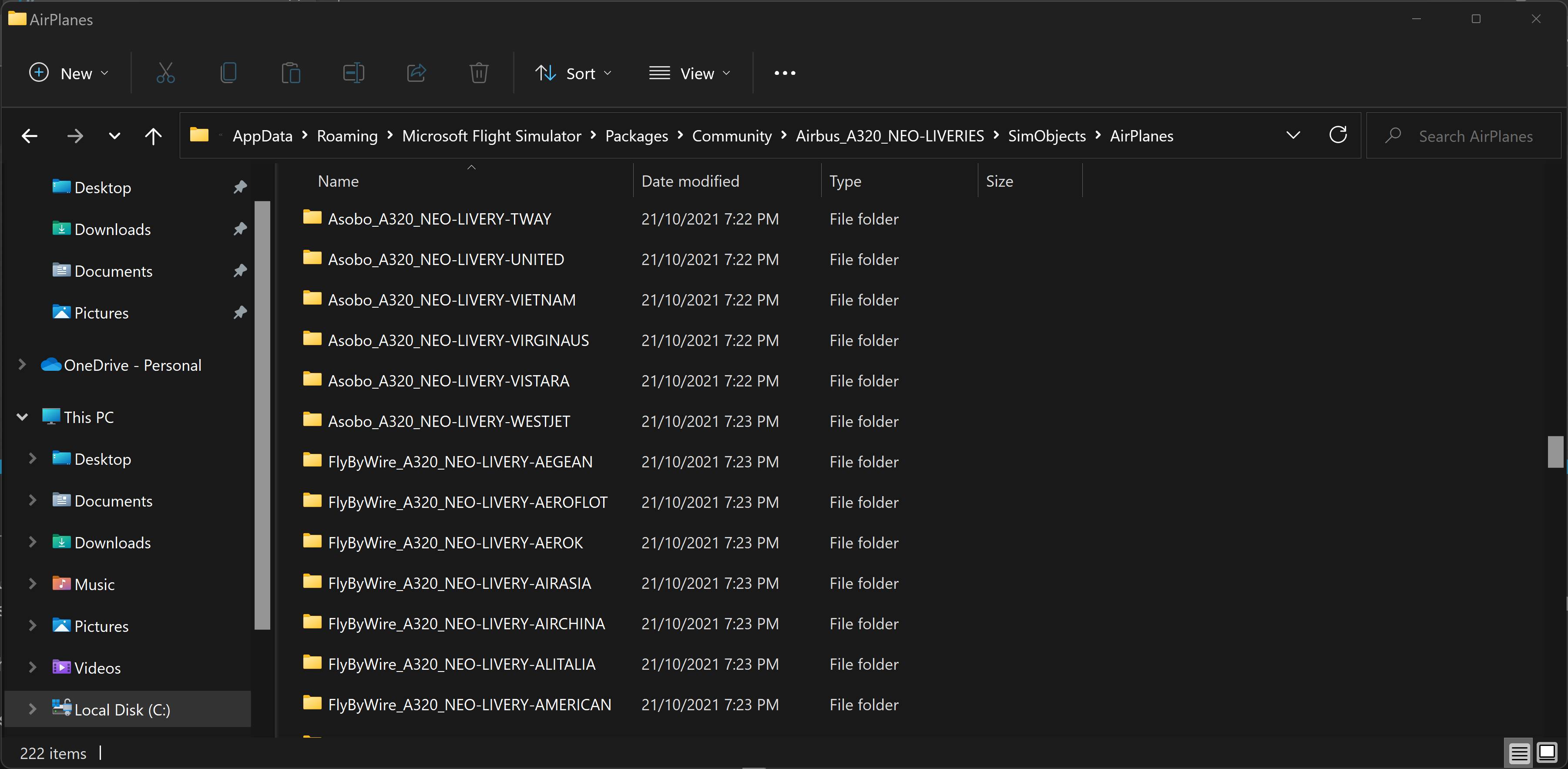
I wish there is a tool. But all I have is a template that I always use whenever I download a new livery to make it work for both A320 and A32NX. send me a direct message if you’re interested and I can assist you there.
Yes I am interested and I can kind of see what you are doing with your directory structure. However since your public profile is hidden there is no way I can direct message you.