Hi everyone. Am i the only one who is facing CTD during loading screen? Every time i enter the game i am facing a CTD but the second attempt everything is ok. But each time i enter the game for the first time i have to deal with CTD.
1 Like
It happens to me too time to time.
Now I’m ALLWAYS having CTD starting the sim, I will try to reboot the PC to see if it solves the issue.
The only thing that changed from last night to this morning is that I THINK that Windows update dowloaded and installed something for Windows.
1 Like
Hey there, @BruskSole66556. Sorry to see you having this issue and I hope you find a solution soon.
I moved your post from the Bug Category here to the #self-service:ctd-help help category since you seem to be looking for advice from others with the same problem. I also added the “ctd” tag.You can also search the forums for “ctd loading” and you’ll find many posts. Here’s is a link.
I hope you track down the culprit soon.
This morning I had this strange issue where MSFS would crash for me immediately after the “checking for updates” message had completed during the initial run of MSFS. A reboot of the computer didn’t fix the issue, nor did a “repair” app (I use the MS Store version). Accepting the prompt to start in “safe mode” also didn’t work.
What did work was the following:
- Delete (or rename) the content.xml file (for me this is found in C:\Users\username\AppData\Local\Packages\Microsoft.FlightSimulator_8wekyb3d8bbwe\LocalCache. MSFS will build a new one)
(I renamed it to .old and then once MSFS was running I deleted the new content.xml and re-enabled the one I had previously)
- Delete all the scenery index files (for me these are all the files located in C:\Users\username\AppData\Local\Packages\Microsoft.FlightSimulator_8wekyb3d8bbwe\LocalCache\SceneryIndexes) MSFS will rebuild these as well.
I then accepted the prompt to start in safe mode and once on the main menu I loaded into a flight on a random runway somewhere with, say, the Cessna 172 G1000.
I then exited the sim (restored my content.xml <---- but not necessary) and then re ran MSFS and it loaded with all my content without issue.
4 Likes
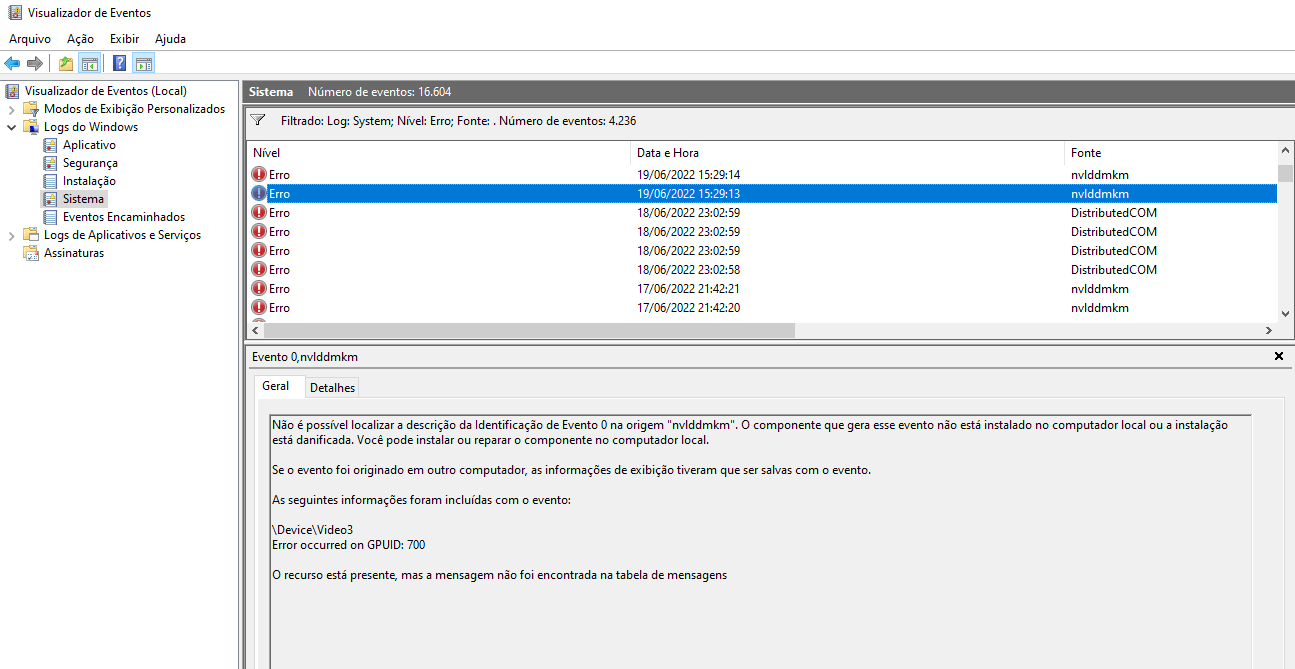
1 Like
I too am crashing when loading which just started for no reason. I have tried every suggestion to fix it, but no luck. Here is the event viewer log from today. Can someone pinpoint the problem?
Faulting application name: FlightSimulator.exe, version: 1.32.7.0, time stamp: 0x00000000
Faulting module name: FlightSimulator.exe, version: 1.32.7.0, time stamp: 0x00000000
Exception code: 0x80000003
Fault offset: 0x0000000001e158c0
Faulting process id: 0x2a30
Faulting application start time: 0x01d989da34d0d417
Faulting application path: C:\Program Files\WindowsApps\Microsoft.FlightSimulator_1.32.7.0_x64__8wekyb3d8bbwe\FlightSimulator.exe
Faulting module path: C:\Program Files\WindowsApps\Microsoft.FlightSimulator_1.32.7.0_x64__8wekyb3d8bbwe\FlightSimulator.exe
1 Like
Same problem here, exactly the same offset. Problem started 12-May-2023. MSFS2020 does a CTD before reaching main menu on starting the game.
Faulting module name: FlightSimulator.exe, version: 1.32.7.0, time stamp: 0x00000000
Exception code: 0x80000003
Fault offset: 0x0000000001e158c0
I have also been using multiple lists of ideas to fix it, but none of them work. Unable to start MSFS2020 in game ‘safe’ mode either.
2 Likes
I had some success resolving the CTD loading MSFS causing Fault offset 0x0000000001e158c0 in FlightSimulator.EXE. For me, the solution was:
(1) Windows Settings → Apps → Installed Apps → Gaming Services → Advanced Options, then both a [REPAIR] and a [RESET]
(2) Windows Settings → Apps → Installed Apps → XBOX → [UNINSTALL]
(3) MS-Store → XBOX App for Windows [REINSTALL]
2 Likes
Just tried your method but unfortunately it didn’t work. Just waiting for the next update and maybe that will fix it.
Wahoo…I am finally back. When the latest update started, it said to update my graphics driver which I thought I had done. When I checked, I think I had the wrong one installed. So I updated it correctly and then after the sim update, I was back in business. Problem could have been the proper Nvidea driver all along.
So I had a few flights and now back to CTD again. Same thing as before. I haven’t made any changes so don’t know what’s going on. Sometimes I actually get to set up a flight and then boom CTD.
1 Like