I have CTD everywhere, however, recently the CTDs was almost disappear, making the following, and i hope that maybe it works with someone.
I am trying with two options and i use both of them, i suggest you that try with first one, and if doesn’t work, try with second one or both at the same time.
Option 1
I set ground aircraft to 0, for that go to “General Options/Traffic/Airport Lifer/Ground Aircraft Density”
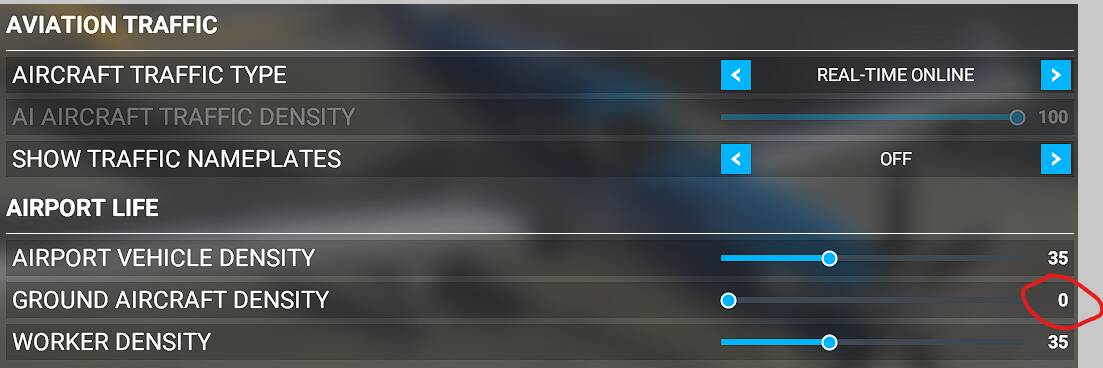
After several days, i saw that when i have Ground Traffic and this is detected (because i am flying near of another airport), inmediately MSFS crash. I tried disabling traffic AI or online, but these don’t have any problem. When Ground Traffic is enabled, in the departure airport i don’t have any problem, but i have CTD when i am overflying another airports with traffic (if i flying low - i think that the traffic is visible depending your distance to the traffic) or when i am approaching to my destination.
Option 2
I have paging file managed by system. My PC RAM is 32 GB, and system assign almost that amount. The important is that system is who manage the Paging File.
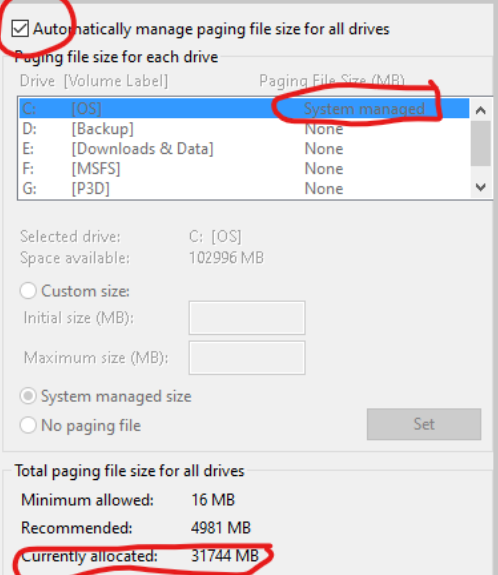
Next the important part…i use a tool for free paging file before start MSFS and after each flight, and i have one week with only one CTD…i make several flights without problems; sure i am using the “Option 1” too, because when i don’t use it the system has a CTD.
I use a free tool called “Empty Standby List”, and you can get it in “w j 3 2 . o r g” (search it in Google). You only need run the file as administrator with right mouse button and that will be releasing your paging file/RAM that is “commited”…see the next images:
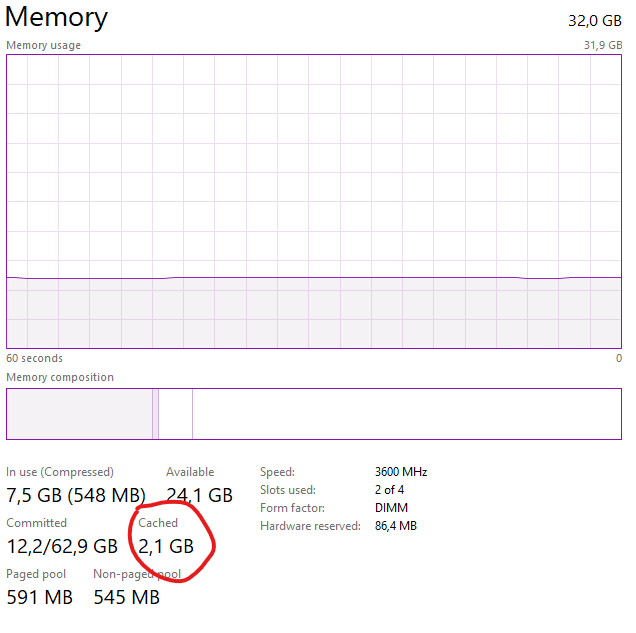
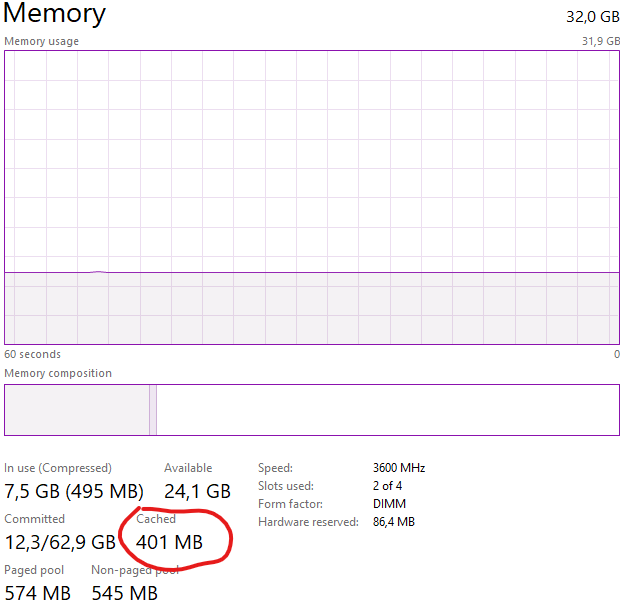
That is my current Cached data (running another windows programs), and in the second image you can see the cached after use the app and after that i run MSFS:
Cached 2.1GB (sometimes that is about 8GB)
Cached 0.4GB
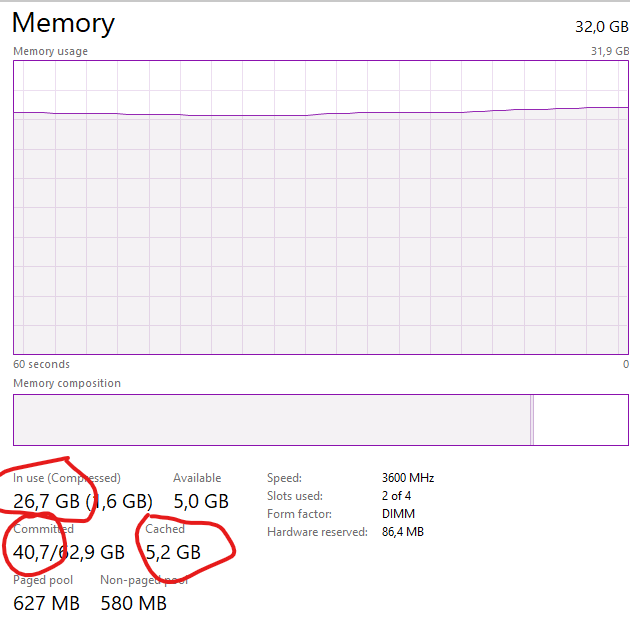
Now when i am load a flight…see the images:
Departing MROC
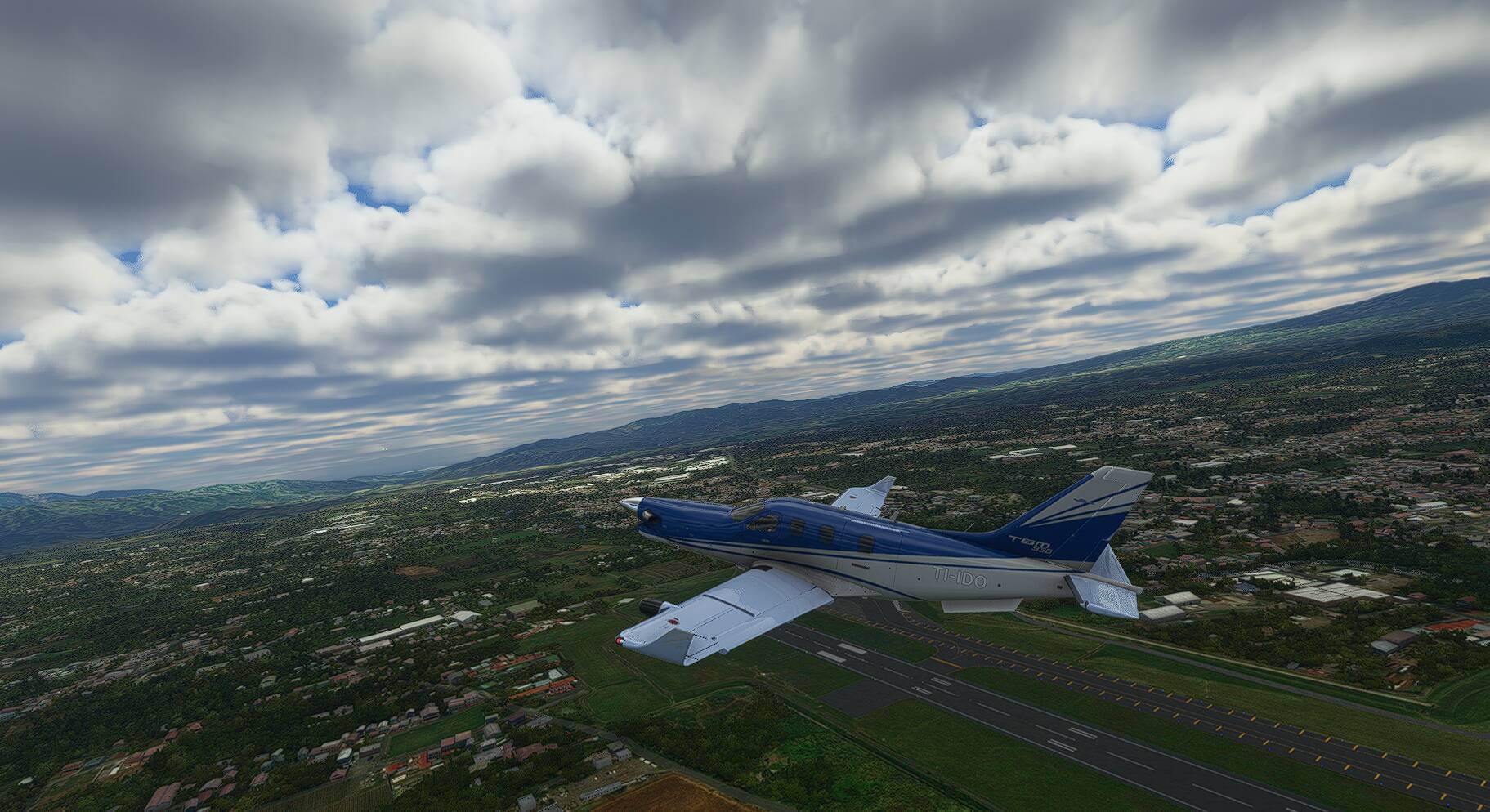
Cached is 5.2GB, memory used 26,7GB and Commited 40,7GB!!!
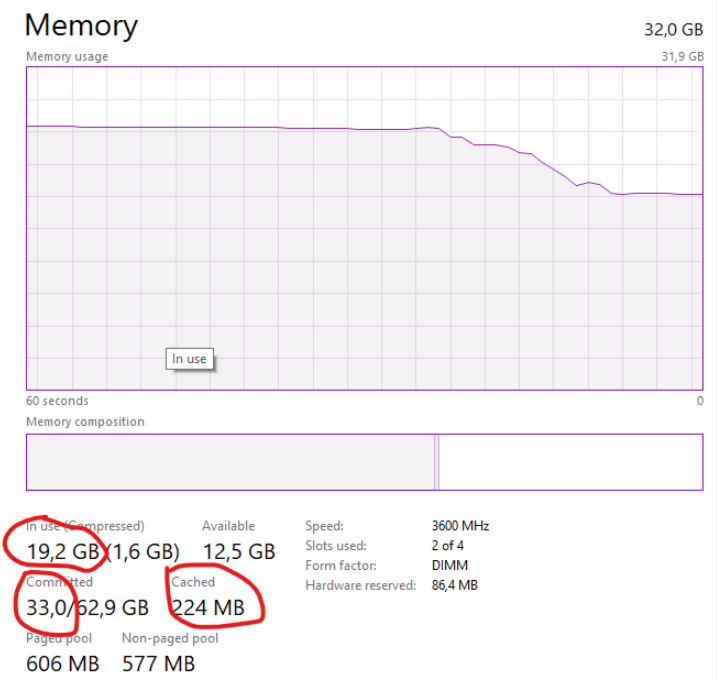
When i finished the flight and i use the tool, see the data:
Chached is 0.2GB, memory used 19,2GB and Commited 33,0GB!!!
And more important…no CTD!!!
Please tell me if that works or not!