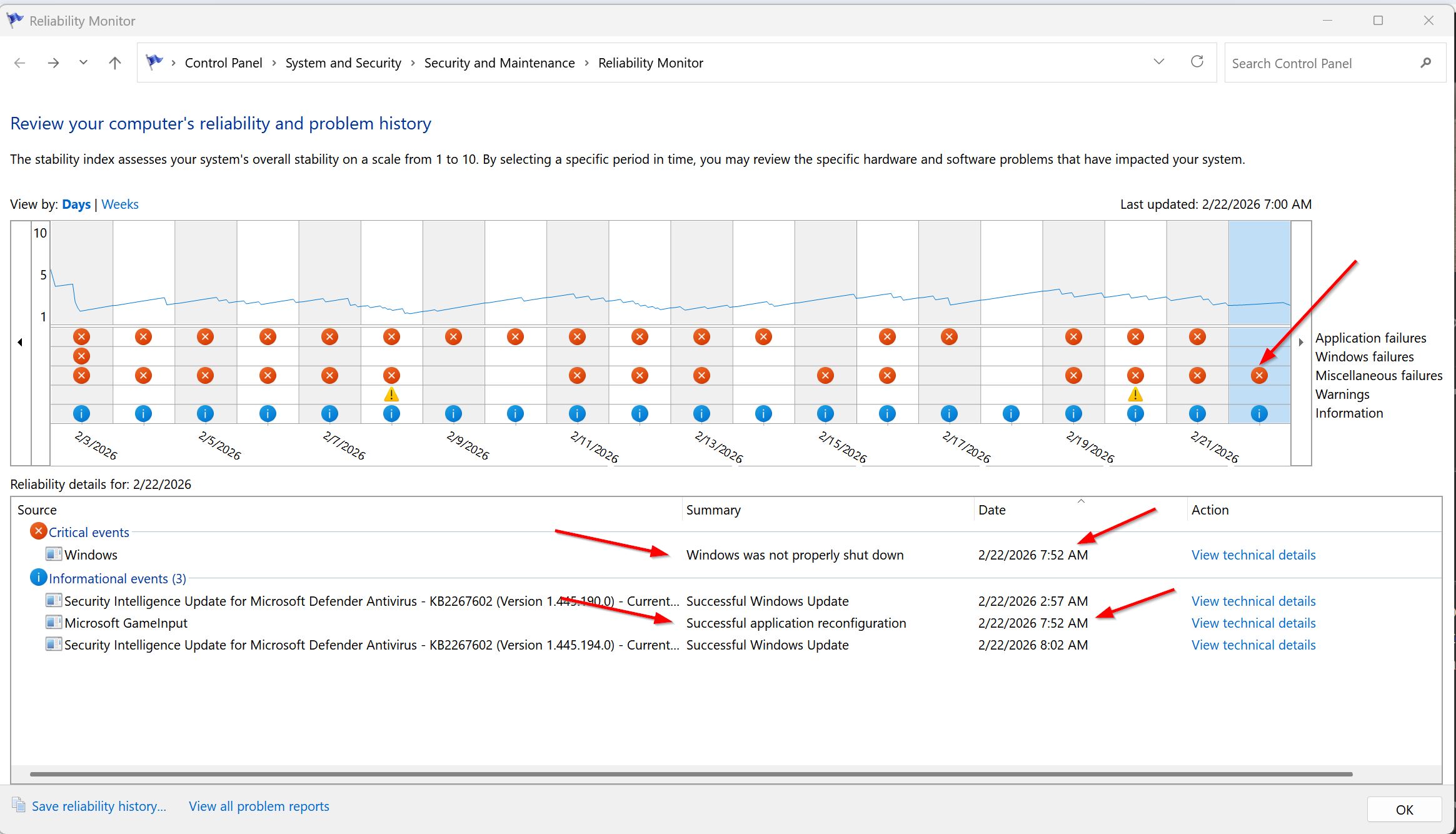
Over the last three weeks I have had some unexplained crashes to reboots not in gaming but just out of the blue often at night. I thought this might have been due to some overclocking experiments but nope. Careful examination of the Reliability Monitor shows that almost all the reboots occur at exactly the same time to the second as this informational item:
“Windows Installer reconfigured the product. Product Name: Microsoft GameInput. Product Version: 10.1.26100.6879. Product Language: 1033. Manufacturer: Microsoft Corporation. Reconfiguration success or error status: 0.”
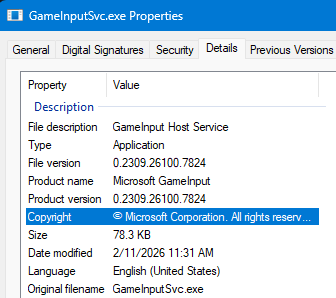
There is a long litany on the web about this phenomena and several potential solutions. Often there are more than one version of the .exe but alas I only have one in System32.
Most of the solutions involved an uninstall from the programs and apps, which I did and will now hold my breath. It seems to have automatically reinstalled to system32 on reboot. There is nothing in the Programs folder.
Searching for the file brings up a number of references but they all seem to relate to the WinSxS folder, which I believe is a repository. I assume it reinstalled from the repository and the .exe and .dll all date from February 2026.
I hope this works but I post this in hope of moral support and to put the notice up in case others run into the problem.
Guys found out that the crashes I was having recently were NOT due to the OCing but rather to this problem… any insights appreciated… tried a quick fix and hope it works:
I thought I would bump myself here with picture of the failure from this AM… it is not fixed by removal. I wonder if the service needs to be automatic. Here is what is happening in the reliability monitor.
Well this recurred today again and I put a picture of the reliability monitor in the thread. Any wild ideas would be appreciated. I might as well go back to the OCing as that was not the problem.
I am posting this here as it pretty much started with SU5 and I wonder if anyone has experience with this crash. Happens once a days due to the GameInput Service:
On my system (PC, Win11 25H2, 9800X3D, MSFS 2024 MS Store)
GameInputSvc is Manual (Trigger Start) and not running, even while in flight in MSFS. But I only have a Keyboard, Mouse, and Xbox Controller, so this may be dependant on peripherals?
Maybe try 2 things:
Open MS Store app, and click “Downloads” on the lower left, and click “Update” in the upper right… to make sure Windows apps (like game services, xbox, etc) are all up to date)
Make sure Xbox app is open… I’m unclear about whether this app needs to be open for MSFS, but I have had some odd issues occasionally when it is not (ymmv)
I have not had that crash but I would recommend trying to repair the service or failing that uninstall/reinstall it.
As it is a service try the least destructive first. Try running sfc /scannow in administrator mode. If that is no use then try reading this to see if it can provide any useful solutions How to reinstall GameInput service? - Microsoft Q&A
Thanks, it matches mine. Mine was Manual (Trigger) and decided to switch to Automatic(trigger). There is a setting in the Installed Apps Gaming Services that was a power optimized setting that I set to always on. You know there have been issues with USB port getting shut off to conserve power.
I have uninstalled and reinstalled with reboots.
Appreciate the help and will report back here what happens. There is a long litany of this problem on the internet.
Thanks for the comments. Did what you said and all is already updated, All my machine drivers and BIOS are updated.
I make image updates of my system to a second M.2 drive and can boot from that by changing the BIOS. Unfortunately I do this on a weekly basis so it probably has the same errors. Looks like this is about 3 weeks old.
Gaming Services has nothing to do with USB ports being turned off. That’s controlled by USB selective suspend and device power-saving settings, not Gaming Services.
How exactly did you uninstall and reinstall it? Can you walk me through the steps you took?
Uninstalled from Programs and Apps. Rebooted. Then reinstalled from the store.
On the power issue I am just making an analogy with USB power. There seems to be an economy setting for this app/service that I turned off to always on because it seems to happen at odd times after I have been doing nothing for a while.
Thanks, I have done all the possible system repairs and uninstall/reinstalls. The thread you quote suggest turning the service off. I think that may be the next route if these other attempts to clean it up do not work. I will need a spread sheet of attempted cures. It is a PITA since it is intermittent and just seems to occur once at day at random times usually at night.
I believe you can fix it via the Xbox app. I’m not in front of my computer now but if you go in and click on your gamer pic and then support (I think) there is an option to repair gaming services along with a few other things. After you click on it a series of actions will be done and a status is provided.
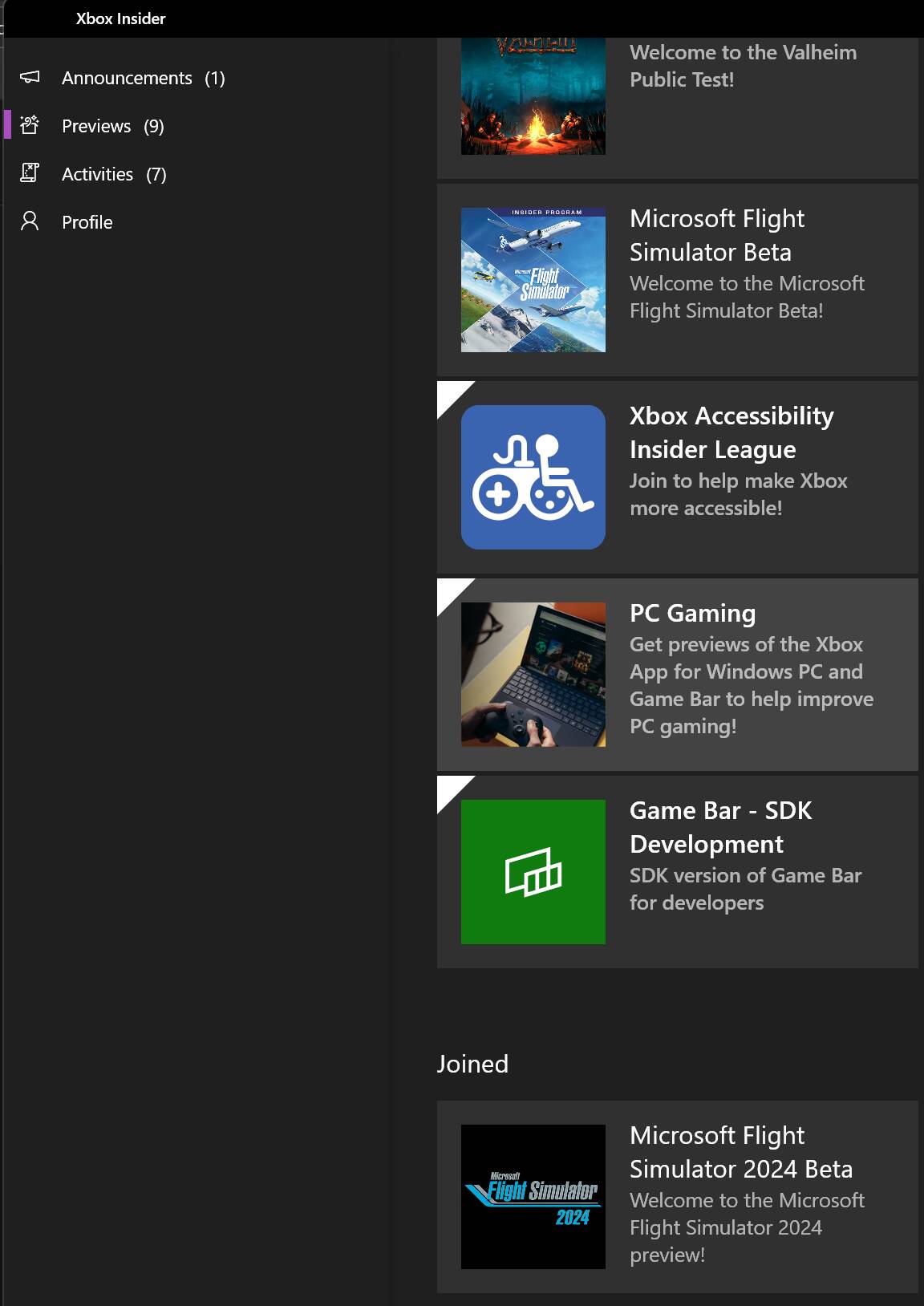
No, the only thing joined is the MSFS Beta. Someone else has offered a possibility having to do with some options to reset the XBOX app and I will check those out. The reboot happened again like clockwork last night.
There is a “Gaming Services Repair Tool” I ran that and it ran for 20 seconds and did 5 things.
Will say my prayers and watch tonight.
It is weird that it happens at night usually.
In Services it is on Automatic (Trigger Start). If it happens again I will see if I can fully stop this service.
I am saying my prayers because with this manipulation there was no reboot last night.
Let us see if it lasts a few days before I mark this the solution. You know if I do that now it will be the kiss of death.
Hope this lasts as I have been irritated about this for several weeks.
Again thanks for your memory of what to do.