Do you have the same issue if you follow the OP’s steps to reproduce it?
• I raised the original post. Have tried various online option with no success … Run as admin, delete content from usercfg, delete cache files 0001-0004, uninstall and re-install, different drive locations, delete peripheral device software. Nothing has worked!!!
Provide extra information to complete the original description of the issue:
• My Fault bucket appears identical to User LPS1306. My takeaway from this is that this is an issue for Microsoft to fix. Noting the effort spent fault finding, this is extremely frustrating when it appears that the MSFS2024 is the issue.
If relevant, provide additional screenshots/video:
•
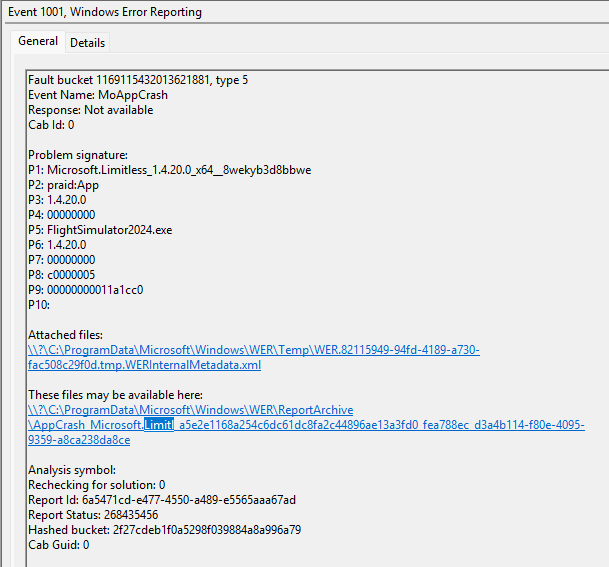
Fault bucket 1169115432013621881, type 5
Event Name: MoAppCrash
Response: Not available
Cab Id: 0
Problem signature:
P1: Microsoft.Limitless_1.4.20.0_x64__8wekyb3d8bbwe
P2: praid:App
P3: 1.4.20.0
P4: 00000000
P5: FlightSimulator2024.exe
P6: 1.4.20.0
P7: 00000000
P8: c0000005
P9: 00000000011a1cc0
P10:
Attached files:
\?\C:\ProgramData\Microsoft\Windows\WER\Temp\WER.82115949-94fd-4189-a730-fac508c29f0d.tmp.WERInternalMetadata.xml
These files may be available here:
\?\C:\ProgramData\Microsoft\Windows\WER\ReportArchive\AppCrash_Microsoft.Limitl_a5e2e1168a254c6dc61dc8fa2c44896ae13a3fd0_fea788ec_d3a4b114-f80e-4095-9359-a8ca238da8ce
Analysis symbol:
Rechecking for solution: 0
Report Id: 6a5471cd-e477-4550-a489-e5565aaa67ad
Report Status: 268435456
Hashed bucket: 2f27cdeb1f0a5298f039884a8a996a79
Cab Guid: 0
All they have to do is fix it. Now.
Hi,
I have the same issue… 100 % CTD when loading the sim @ 53%
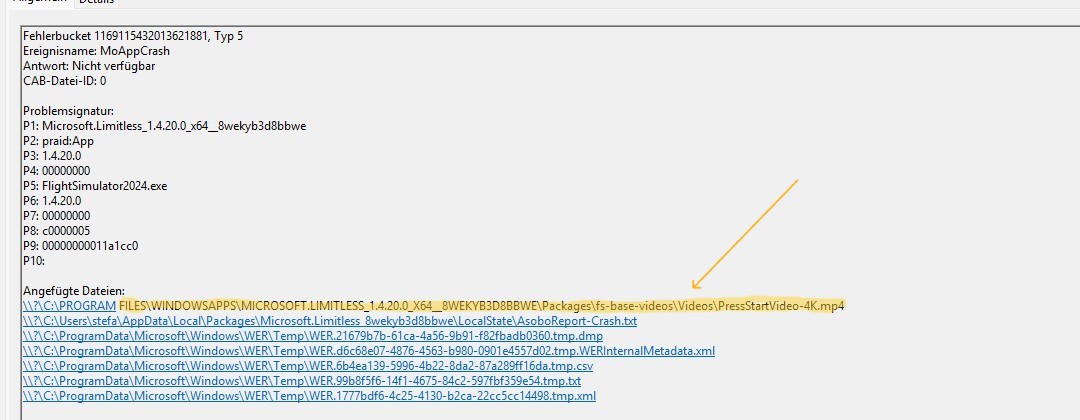
found this in the last crash report… removing the video stops the simulation from loading
After a month of casual fault finding, it appears that the fix for me was your recommendation to un-install the XBOX App off-of my PC, reboot, Re-install the XBOX App. The result, MSFS2024 finally loads successfully.
The frustration now is that the bug for the Microsoft app does appear to be directly linked to the Microsft XBOX App. Does Microsoft employ Software Testers or are the community the crash test dumies.
All that aside, thankyou greatly for providing the fix.
Since yesterday, I’ve had the same problem: I deleted all the files from the Community Folder, uninstalled and reinstalled the NVIDIA Control Panel and XBOX, temporarily disabled antivirus, changed screen resolution, I did the Windows 24H2 update. Then MSFS2024 at 55% loading world data it crashes to desktop
Having the same issue after deciding to do a clean install. Gets to 5X percent and right to desktop. Just one issue after another with this sim…LOL! Same event logs as the above posters.
System is up to date and corrupt free. Windows Home 11 24H2 26100.4770
Hey guys, I found a other solution for this problem. Just make gamelaunchhelper.exe in your game folder as an exception in Windows defender or any other anti virus programm you have. It worked for me and I hope it will work for you!
Hey,i have the same peoblem, no Solution of this Topic could help. It loads to 55% and then my pc crashes and i need to start my pc again
Thankyou so much your suggestion worked!  I’ve been banging my head on the wall for the past month trying to get this to worked and your method worked like a charm!