ISSUE DESCRIPTION
Description of the issue:
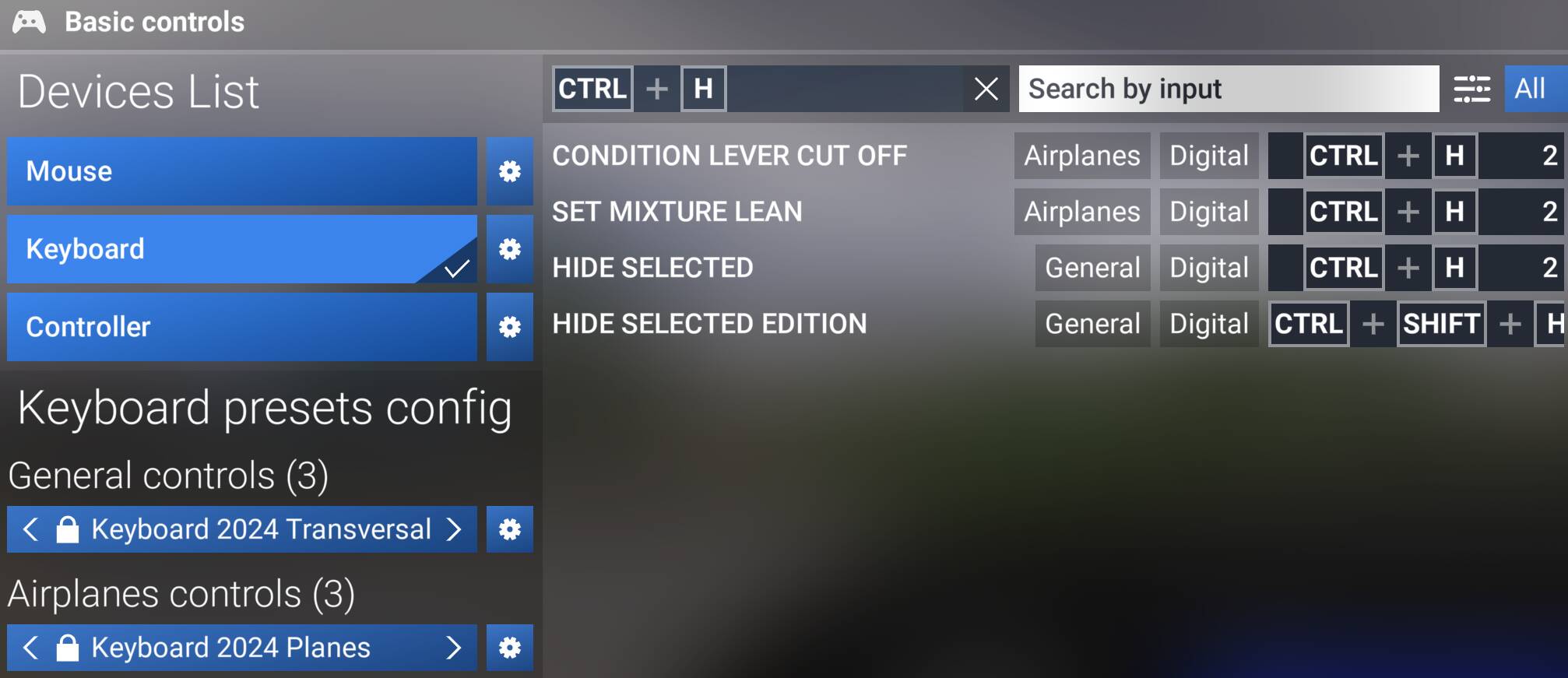
- There is a default binding: “CTRL + H” Condition Lever Cut Off
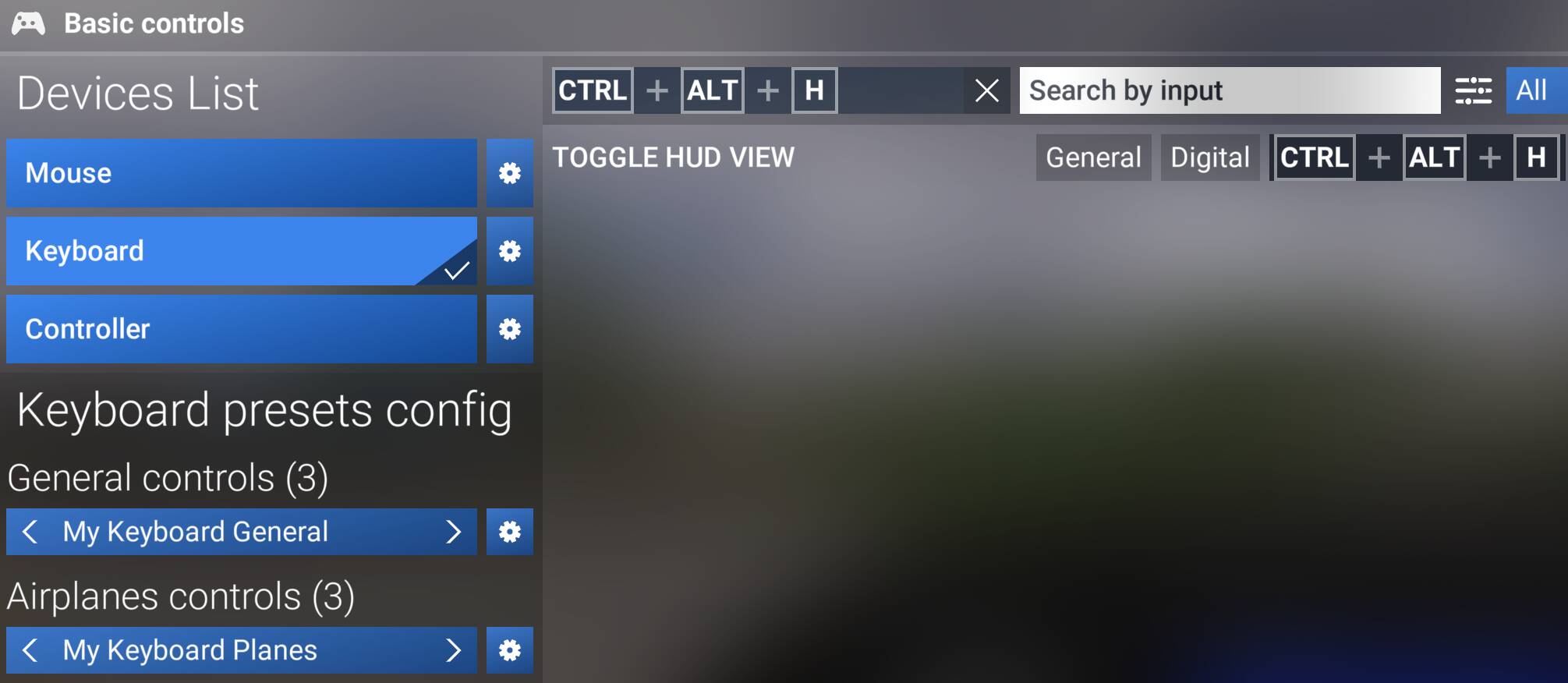
- I create a custom binding “CTRL + ALT + H” to try to “Toggle HUD View”
- When I press CTRL + ALT + H … the Condition Lever cuts off!
I thought perhaps Toggle HUD View would bring the on-screen HUD instruments up on the screen, but maybe it is for a custom view of the in-cockpit HUD in some airliners? (the description is lacking).
Regardless, when pressing CTRL + ALT + H, it should NOT activate CTRL+H!!
By the way, this is not isolated to CTRL + H… it happens with many combinations of bindings, if MSFS doesn’t find a binding with 3 keys, it will activate whatever binding has 2 of the 3 keys - and it most certainly should NOT do that.
FREQUENCY OF ISSUE
How often does this occur for you (Example: Just once, every time on sim load, intermittently)?
Every time.
REPRODUCTION STEPS
Please list clear steps you took in order to help our test team reproduce the same issue:
-
Create a key binding for Toggle HUD View using CTRL + ALT + H
-
Load in to the C172, and start the engine
-
Prese CTRL + ALT + H (presumably to toggle the HUD view)
-
Note how the Condition Lever cuts off, shutting off the engine.
YOUR SETTINGS
If the issue still occurs with no mods and add-ons, please continue to report your issue. If not, please move this post to the User Support Hub.
What peripherals are you using:
[PC Only] Are you using Developer Mode or have you made any changes to it?
[PC, MSFS 2020 Only] Are you using DX11 or DX12?
[PC Only] What GPU (Graphics Card) do you use?
[PC Only] What other relevant PC specs can you share?
MEDIA
Yes, the Toggle HUD command is to bring the HUD for aircraft equipped with like the 787 and not the internal/external HUD. Agree the description is confusing.
OK thanks.
But still, if there is no command to activate in context for the 3-key binding, it should do nothing.
Instead, MSFS is activating whatever command is associated with 2 of the 3 keys pressed… that’s just bad logic, and it should absolutely not do that.
Also CTRL+Space activates CTRL
Yes!
CTRL, ALT, SHIFT control keys must be not scanned as output signal in case they have not be set with other keys also. This problem is simply from Win OS times where bindings are set for change of keyboard and language. BUT!!!
From pure internal functionality it is trap everytime because of basic pure low level logic.
Let say you want CTRL+H+L for some option but you have also somewhere set CTRL+H defined. In time you click CTRL+H you have definitely set also not your expected this combination, not your CTRL+H+L and your sim can step to problem. Therefore I explain from first times that people must understand what they do and their logic sometimes missing logical thinking, sim is simply start to do strange things. I recommend to every one to carefuly check all bindings. What is more problematic, the devs of sim looks like forget to pay attention to this also 
Another problem is what OP describes because this is bug what has to be solved quickly.
EDIT Important!
I think the problematic is more deeper as basic user can imagine because how code is working we don’t know. Also what is more important is how user also leave keys after expected combination who knows if one finger leave ALT key sooner than H  sry to be here as you see but my all life SW dev experience simply shows me many possibilities what can happen. Any one pls check carefuly what you’re doing…