Does anyone know how to change the default rolling cache size in msfs 24? It’s currently set to 16GB but due to stability issues, I have a script i run prior to playing the game that deletes this and launches all the add on programs I need everytime i play. I’d like the default value to be higher so i don’t have to go in and increase it every time I launch the game. Is this 16GB value stored on a config file somewhere?
If you delete your rolling cache file before each simulator start, why would you set it to a larger size? During one session 16 GB will most likely not filled.
BTW, one of the main use cases of the Rolling Cache is to save download volume reading content of the rolling cache. You don’t benefit much from the RC if you delete it every time. Set it to a larger size and delete it only, when the MSFS is updated.
BTW, you can create the Rolling Cache File in your script using the size you prefere. If the MSFS finds a RC in the configured path, it uses the file in the complete size. I have a cache cleaning script, creating a new clean RC 128 GB file, which I run at every update.
$FilePath = "d:\Anwender\MSFS2024\Cache\ROLLINGCACHE.CCC"
$BlockSize = 1GB
$Count = 128

$ZeroBlock = New-Object byte[] $BlockSize
$Stream = [System.IO.File]::OpenWrite($FilePath)

for ($i = 1; $i -le $Count; $i++) {
    $Stream.Write($ZeroBlock, 0, $BlockSize)
    Write-Progress -Activity "Writing Zeroes" -Status "$i of $Count GB written" -PercentComplete (($i / $Count) * 100)
}

$Stream.Close()
Thank you. I will utilise something similar. I’m just a hobby coder so didn’t know it was possible to create a cache file. I kept getting CTD until i started using larger rolling cache, where i could play crash free, and only when i was constantly ‘refreshing’ cache. I have no idea why, but this process, as illogical as it seems, is the only way i can play the game in VR free from ctd.
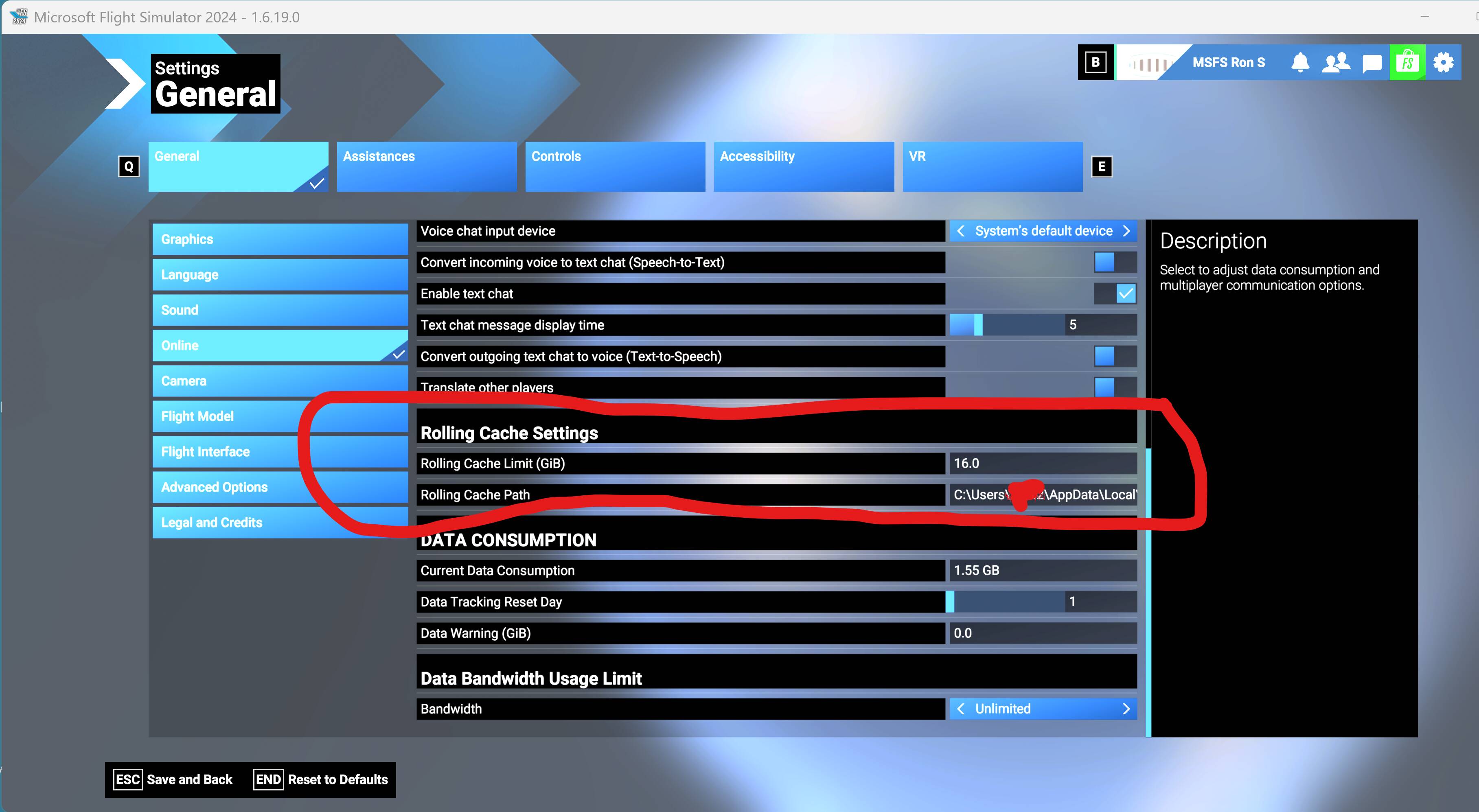
Thanks - I was looking for a solution to avoid having to do this every start. My script deletes the cache and so I have to “re increase” the size every game start, as it defaults to 16gb after delete. I was hoping there was a config file that you could edit one time the default “16GB” to another value without you having to go in to game settings and do it yourself. Frank solution of creating a new cache by script should work for me
Don’t delete the Rolling Cache.
I don’t understand why you want to every time.
Rolling Cache should not create any stability issues.
It is apparent that I do not understand.
If the script deletes it, why not remove it from the script?
1 Like
Pretty clever way to wear out your SSD..rebuilding a 16GB++ file each time you start FS.
Asobo should do everyone a favor and explain the rolling cache more clearly. And, assure folks it almost NEVER needs to be cleared or recreated or messed with.
4 Likes
It’s recommended to delete the rolling cache in two cases:
- After an MSFS update.
- If you experience stuttering issues.
You don’t need to delete the rolling cache on a daily basis.
1 Like
There is no setting. If there is an existing RC file, MSFS takes its size as setting. If you change the setting, the file is created in the give size. Loading the MSFS the next time, the size is determined loading the existing file again.
As for many people the Simulator always stutters, they clean this Cache every start:)))
While definitively recommended by various forum members, I don’t believe there is any official MS/Asobo recommendation to delete the rolling cache after routine MSFS updates. I think I’ve deleted mine 5 times since the release of FS–when replacing drives or moving the FS installation.
When I get stuttering issues, I usually just restart FS. Not sure if that resets the connection or swaps to a different server but it usually resolves the problem.