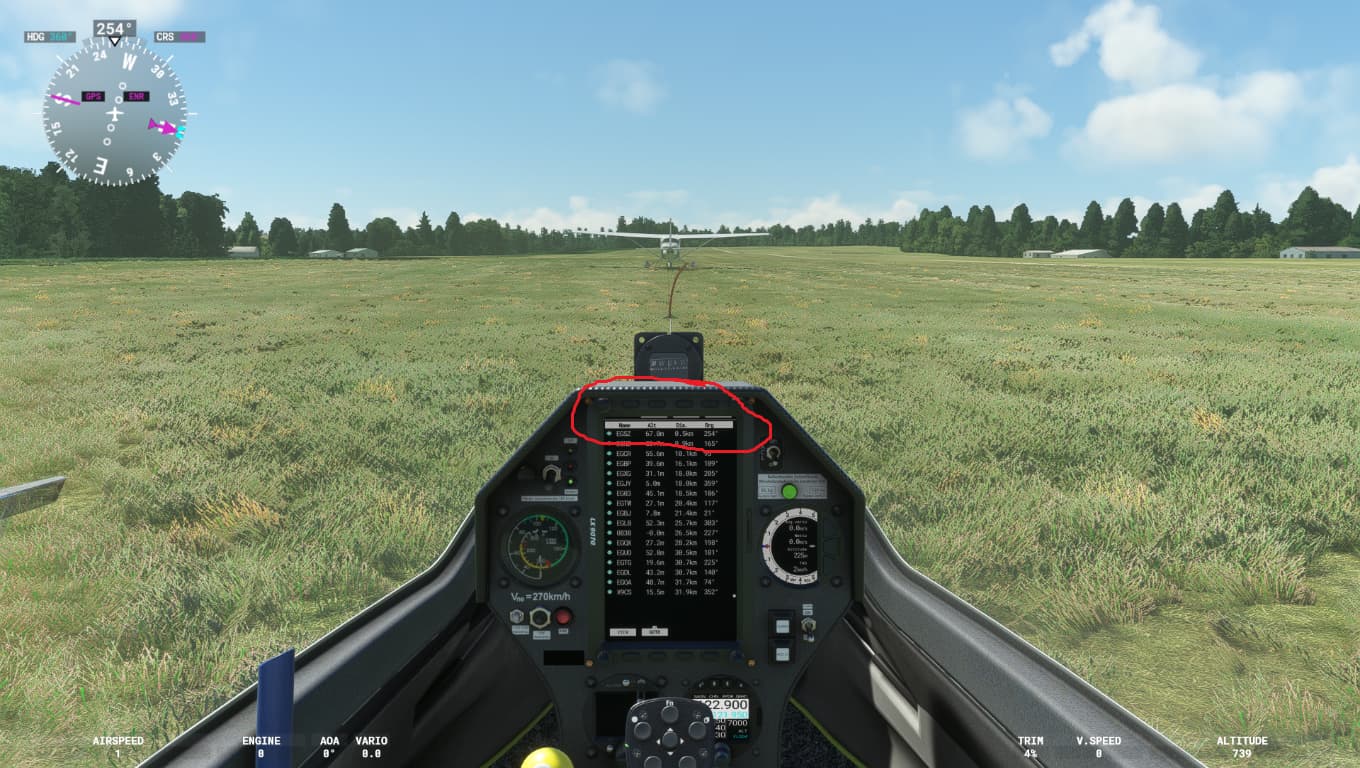
hi there yes sorry i meant to circle the problem area in red which i have done now. theres usually 4 buttons at the top of the PFD for various options however it appears they have been cropped out of the screen somehow and the buttons do not work
R.E loading aircraft,Just loading the aircraft in the game shows this fault
Do you have the same issue if you follow the OP’s steps to reproduce it?
No
Provide extra information to complete the original description of the issue:
I’m curious as to why yours don’t work, do you mean that they do not have any effect to them? Because I can click them but nothing happens ( I am unsure if the buttons had any affect before hand)
If relevant, provide additional screenshots/video:
hey iv attached a link: https://drive.google.com/file/d/1hu8eUfWqVj8vZbZ4u2EVWYWwl0KpBXWF/view?usp=sharing to a video to try to visual the issue. it appears to occur when scrolling through the various screens and options etc, its almost as if the top menu/options bar gets pushed up the screen so to speak so you can only see the very bottom of the grey options boxes
on a somewhat separate note,didnt you use to be able to change the values of the variometer to use Knots instad of KMH and FT instead of Meters?
please let me know if the link doesnt work
regards
morgan
(iv had to compress the vid and reduce qual because of its original size.issue is still visible)
Would you mind giving a bit more detailed repro steps? Like in the format of “This is what happened. This is how it happened and why it shouldn’t happen”
so the problem starts at 55 Seconds into the video,you see when i start scrolling at 58 seconds? the ‘‘setup’’ at the top of the screen dissapears and your then unable to see the buttons options as theyve been ‘‘pushed’’ up the tablet and out of the tablet frame,does that kinda make sense?
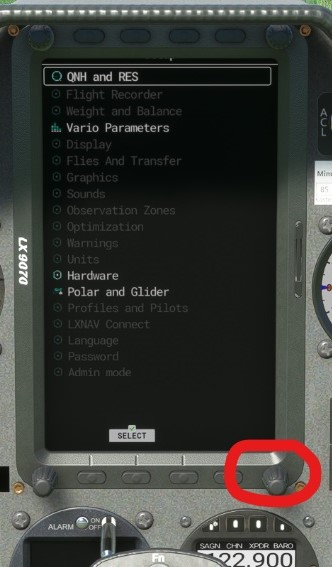
yes basically,not the physical buttons themselves obviously,but the ‘tabs’ that displays what the button will do,dissapear. i dont think its when the button is pressed but it appears to be when i scroll the page with the bottom right knob
Hi there,
Sorry to ask this, but I’m having a hard time seeing that video. Could you write out an exact sequence of buttons to get stuck and identify exactly which step you get stuck on and what you expect to happen
I can’t speak for HamMan2118, but I know that I know nothing about this aircraft, so whatever additional help you could give in reproducing this issue would be great. Thank you!
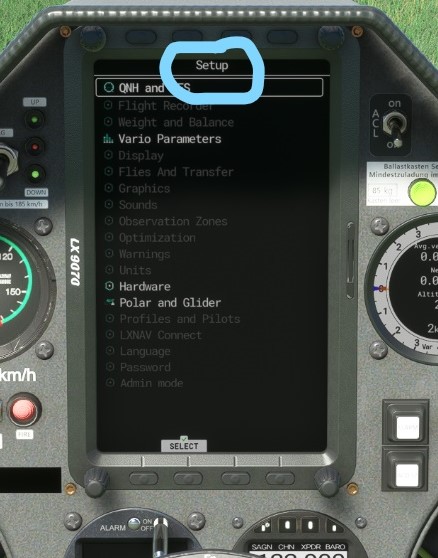
i have circled the ‘‘setup’’ on the screenshots. Now for the second screenshot see how the ‘‘setup’’ has ‘‘shifted up’’ the tablet screen and is no longer visible? this seems to happen when i scroll in the setup menu with the bottom right hand knob (circled in red in last screenshot) AFTER i have entered one of the ‘setup’ options I.E ‘‘QNH and RES’’ or ‘‘vario parameters’’ or any of those menu options on that ‘‘setup’’ page
 Thank you for using the Bug section, using templates provided will greatly help the team reproducing the issue and ease the process of fixing it.
 For anyone who wants to contribute on this issue, Click on the button below to use this template: