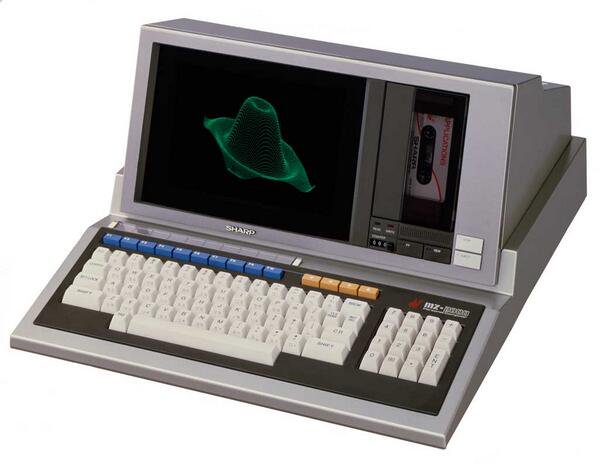
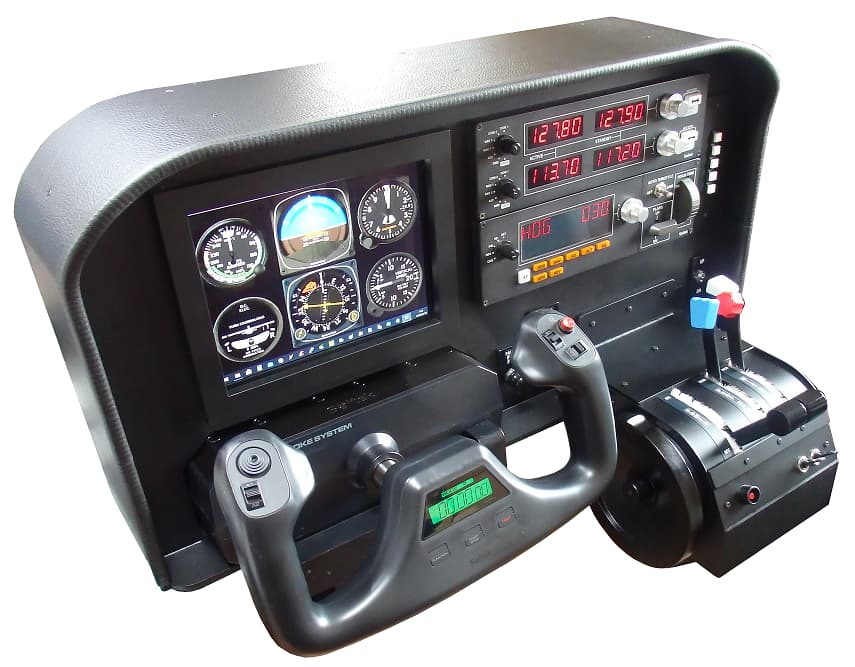
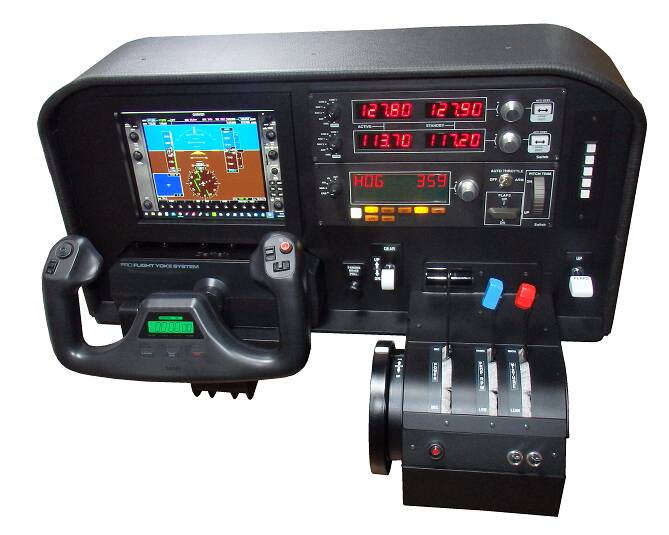
2007 cockpit featuring a triple-screen display, dual yokes, and an integrated computer.
For the external view, we implemented a triple-monitor display utilizing the Matrox Parhelia-512, a graphics card that was highly acclaimed and innovative when the system was built. An extra graphics card is dedicated to displaying the instruments. The two yokes (left and right) are linked for synchronized movement, and they offer force feedback for elevator control, as well as a functional stick shaker to simulate stalls.
Wow that runs very smoothly! Very nice mini setup. I bet you could use that on the Highspeed Trains that you have in Japan, nevemind the super fast Internet you guys have over there. I’m Jealous
I want to live in Japan!
Just seen MSFS is running on Xeon CPU … could be this specific CPU architecture help a bit in multi-threading and smoothing FPS … ???
I made a video recording of the Task Manager view while running MSFS2020.
The specifications of this PC are:
・CPU: Xeon E5-2650v4 (12C/24T)
・GPU / Video Card: GTX 1660 SUPER (6GB)
・RAM / Memory (MEM): 32 GB
・Display (DISP): 2560 x 1600 (This is a dual-monitor setup, with a 3.5-inch secondary monitor positioned to the right of the main screen.)
Very smooth, further seeing the mentioned resolution of 2560 x 1600 with multi-monitor setup.
Never thought the Xeon would be a good candidate for Flight Sim ![]()
Could be all is already there in the OS and MSFS to handle properly the Xeon microcode and architecture …
I am currently upgrading the GTX 1660 SUPER in this system to an RTX 3060 Ti. Along with that, I am also replacing the power supply unit from 500W to 650W. I am filming the process and will upload the video to YouTube tomorrow.
I replaced my graphics card from a GTX 1660 SUPER to an RTX 3060 Ti, and concurrently, I slightly upgraded the power supply unit (PSU) from 500W to 650W.
Combined with the performance improvement of the graphics card and the increase in video memory from 6GB to 8GB, I noticed an increase in frame rates of about 20% using the same settings.
・CPU: Xeon E5-2650v4 (12C/24T)
・GPU / Video Card: RTX3060Ti (8GB)
・RAM / Memory (MEM): 32 GB
This video shows the replacement of the graphics card in the PC unit housed within the jet cockpit simulator, followed by footage of a flight.
The PC system and external monitors installed in this jet cockpit have previously undergone several hardware updates to cope with changes in the operating system and major version upgrades of Microsoft Flight Simulator (MSFS).
This time, I upgraded from an RTX 4070 to an RTX 5070. Although I had no specific complaints about the RTX 4070, I was interested in DLSS 4 with Max Frame Generation (MFG) and wanted to future-proof the system. The physical replacement went smoothly, and I managed to fit the card into the somewhat cramped PC case. Although power consumption increased slightly, the power supply unit had enough headroom, so the system is running without any issues.
This is a helicopter flight controller that I built over approximately one month.
It is optimized for helicopters in MSFS2020 but can be used with other flight simulation software as well.During the building process, I added various features, which resulted in the final product being larger and heavier than originally planned, but I am generally satisfied with the result.
[Specifications]
The unit’s dimensions are:
・Width: 560mm
・Depth: 330mm
・Height: 270mm
・Weight: 6.4Kg
[Rear Panel Connectors]
The rear panel of the casing features three connectors:
・USB connector
・AC power connector
・HDMI connector
[Internal USB Hub and Components]
This controller unit operates using three different USB devices, so it has an internal USB hub.
USB: 1 (For Cyclic Stick)
This is a customized, 2-axis analog general-purpose joystick that was sold about 20 years ago.
USB: 2 (For Collective Lever and Anti-Torque Pedals)
The anti-torque pedal action is controlled by a mechanism that twists the stick.
USB: 3 (For key input commands)
KE-USB36
[Display]
The unit is equipped with a 7-inch IPS LCD monitor intended for use as a Multi-Function Display (MFD).
*Although it is not its primary function, it is also possible to display the main flight screen on the MFD and fly that way.
This is a video of the manufacturing process for a helicopter controller for MSFS2020, summarizing the approximately one-month production period into 43 minutes.
Very neat device !!! ![]()
![]()
Goofy question…where do you find the time and the money to do what you do? Everything you do seems to be done to pro standards and is wonderfully executed. Congrats!
Thank you for your wonderful comment.
Since I am retired now, I have plenty of time to create whatever I want.
I have enjoyed making things since I was a child, and even as an adult, I have continued to enjoy building electronic and computer-related devices as a hobby.
About 40 years ago, I discovered flight simulators (flight sims). At that time, devices for flight sims were not commercially available in Japan, and there was no internet or information, which led me to start building my own control devices. That was the beginning.
Now, I truly enjoy the hobby of making my own flight sim-related devices. I do all the construction myself, and since I often use spare parts from old PC component upgrades, it surprisingly doesn’t cost much money.
I absolutely love your work. Wish I had your talent and patience!
Whenever you post a new video I’m always watching it and thinking to myself, one day when I retire, I’ll hopefully have the time and money to be able to do something like you do.
These days it’s so easy with the internet and A.I to learn something new. Just don’t have the time at the moment. But in the future who knows. Technology along with A.I is growing at such a fast rate these days, so in 10 or 15 years who knows what we might be able to accomplish.
One day I will build my own VR cockpit as others have done on this forum. But for now I’ll just keep watching the videos you post and keep dreaming of the possibilities.
Thanks for all your posts and keep them coming!
Edit: I keep forgetting that you are on YouTube and I’m subscribed to your channel but I never turned on Notifications, which I have done now ![]()
Thank you for your kind comment.
I am truly astonished by the recent evolution of AI and technology, and as someone from the analog generation, I find it quite challenging to keep up.
For a generation with slightly older ways of thinking, like myself, we enjoy the process of manual creation, from using a hacksaw to cut materials and filing to shape them, to machine processing with tools like drill presses and lathes.
In today’s world, it seems that amazing devices for flight simulators can be made using modern tools like 3D printers and NC lathes. Honestly, my personal feeling is that this sometimes feels like it takes away the joy of making itself. I intend to continue creating handmade devices, utilizing the remaining time I have in my life effectively.
Also, thank you for watching my YouTube channel. I occasionally upload things I’ve made on a whim, so please feel free to take a look when you have some time.