Please add the msfs-2020 or msfs-2024 tag to your post, depending on which sim your post is about.
I have had a weird problem for quite some time and I have finally decided to find a fix for it, even if I never actually use it. My guess is that somebody will know what is causing it.
I have two 2K monitors, of which one I use for MSFS. Its refresh raate is 144Hz. It works perfectly well at its default resolution of 2560x1440.
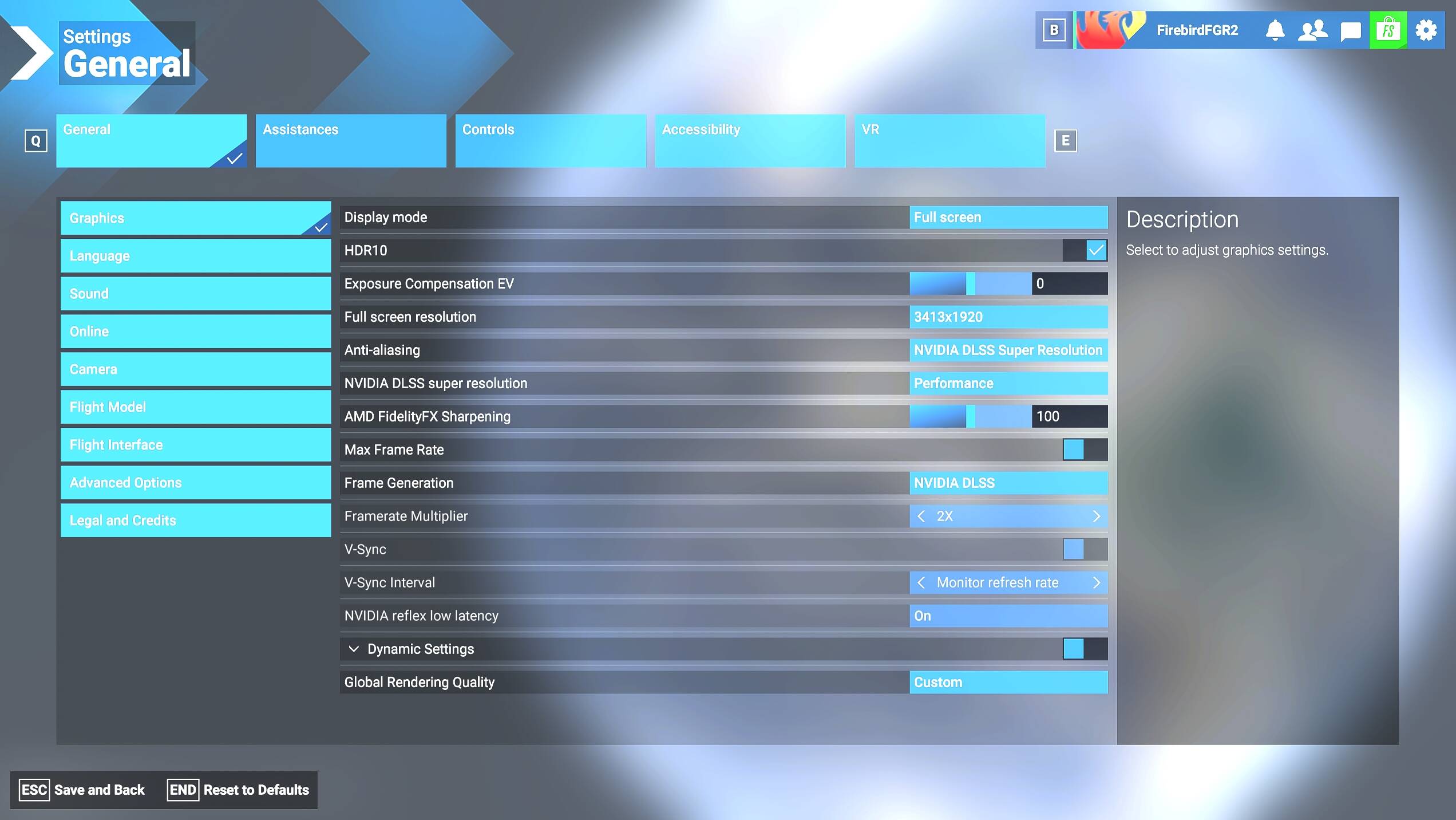
When i go and activate the options for DSR, 1.78x and 2.25x, this is fine but when I select 3413x1920 in game it changes to shows only up to the original resolution. The rest being black.
If I try the 4K setting then it just shows an all black screen with about 5 lines of colour at the top of the screen.
Now there might some of you asking why I don’t show a screenshot of the problem at 3K. The answer is quite simple when I took a screenshot the screenshot shows the new resolution screen perfectly.
So I have no option but to describe it, probably badly. If you can imagine that starting at the top left corner and everything from 75%+ across is black and everything 75% down is black.
Now DSR used to work in 2020, for me, up until the last upgrade before 2024 was released. For me it has never worked in 2024.
So that is my issue. I realise that it has to be settings at my end, I can’t believe that I am the only one that has tried this, but can anybody point me to what I have done to cause this?
Yes I saw that as well but I discounted it as I removed it when I got my 4080. Obviously I could have left something behind but I have completely deleted the game and reinstalled it a couple of times since then so I know that there is nothing left over.
The effect is the same though the game resizes but the screen doesn’t.
Having written that down, a thought has occurred to me. I will now go and check it out. I don’t think it will fix it, but it may prove that it IS msfs that is the problem.
OK testing done and I think that I have proven that it IS the screen definition that is the problem.
I use Full Screen mode, as I find Windowed mode annoying and distracting, and that is where I get the issue. If I switch to Windowed mode it works perfect every time. If I switch to Full Screen the size stays the same but the screen shrinks back to its original definition, i.e. my default 2560x1440, so only two thirds of the screen shows.
This is also supported, I think, by the fact that I took screenshots with two different apps and BOTH show the full window. So they are obviously capturing the window rather than screen.
I am wondering if this is linked to the RTSS display issue as well, as I suffer from having no RTSS display unless I start it AFTER msfs has created it’s screen.
Now, having said all this, I am reluctant to say that msfs is at fault. If it was I feel that a lot more people would be affected by it. So I am thinking that it is caused by the screen definition but I have obviously got something set differently on my machine, Windows or Nvidia settings, than people who don’t have the issue that makes it an issue.
Does this help anybody come up with any suggestions?
It has been a while but I do have an update. It is a positive update.
When I tried to upgrade to beta 30, It started updating and then failed and it wouldn’t continue. It gave me no choice but reinstall.
After the reinstall I found that two of my controllers had there settings wiped. In the process of restoring from a backup and restarting I got a couple of prompts asking me what settings I wanted, like an initial setup (I believe that somebody else also got this).
After every install and/or update I try the Fullscreen Resolution setting again to see whether I would get a full screen. it had failed at every attempt but this time it worked!
So the upshot is that the issue was being caused by some setting that is kept in the cloud and was being downloaded to me on every start. The corruption that I got with the controllers proved lucky as it meant that it was wiped out online.
Now if somebody could find out what the saved setting could be, where it is kept on the PC after download, there may be a way to reset/remove this rather than having to wipeout ALL of your cloud settings which seems to be the case at the moment.
It is nice to get this fiixed but there has to be a better solution than wiping out your entire settings to fix this. Would appreciate if somebody could follow this up please.
I will not mark this as closed until a better solution is made public.
On next restart, with the screen size still set to a DLDSR size, it suddenly shrunk to only showing 2/3 of the screen with the rest black.
It happened whilst loading which says to me that something was downloaded from the cloud and screwed up my screen. The only way to put it back was to amend the usercfg.opt FullScreenResolution back to my default screen size.
I have not been able to get it to be able to use the DLDSR modes again.
This morning has proved that something saved in the cloud is causing it. The only thing I can think of is that on the server it keeps my default screen size and it keeps forcing me to operate at that.
Does this additional info give one of the techies any clue as to what is causing this and how to fix it?
I finally got this fixed as a side effect to my problem with the 616 drivers not loading.
The upshot is that it is something to do with the primary monitor in a multi monitor setup. You have to make sure that your monitor setup is completely mirrored between your Windows setup and what Nvidia thinks the setup is.
After switching some cables around and clearing the Nvidia driver AND Apps completely I found that the DSR Factors now work perfectly.