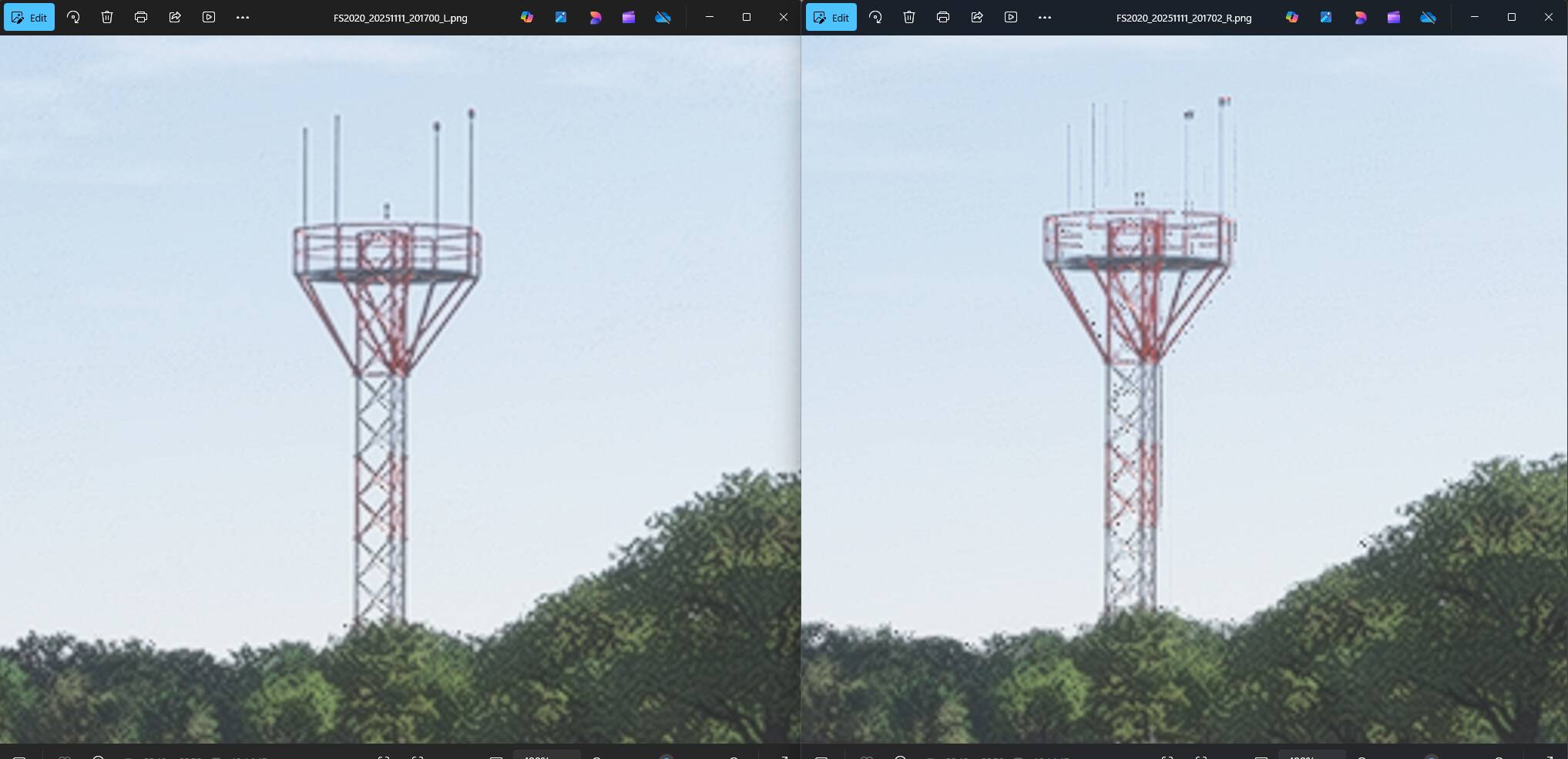
When using DLSS in DLAA mode in VR the right eye view shows artifacts in the mid to far distance.
The right eye view will show fussy jittery objects. The left eye view is clear of these artifacts.
FREQUENCY OF ISSUE
Seem to be all the time but tends to be noticeable while low or on the ground. Easy to capture in the scenery at a airport. Due to one eye being good and the other having artifacts causes the stereo view to be uncomfortable.
REPRODUCTION STEPS
Please list clear steps you took in order to help our test team reproduce the same issue:
Taxi around on the ground and observe the scenery in each eye. Screenshots added to show the issue.
YOUR SETTINGS
If the issue still occurs with no mods and add-ons, please continue to report your issue. If not, please move this post to the User Support Hub.
What VR headset and peripherals are you using:
Pimax Super 50PPD
[PC Only] Are you using Developer Mode or have you made any changes to it?
No
[PC Only] What GPU (Graphics Card) do you use?
RTX 5090
[PC Only] What other relevant PC specs can you share?
CPU 9800X3D 64GB
MEDIA
Note the right eye in these. The artifacts in the right eye can jitter and shimmer. Zoom in.
Something broke with the right eye rendering in VR in SU4. Flying at night in particular is quite an eyestrain. I really hope this gets resolved before release.
It looks like data needed for DLSS is not set correctly for distant objects in the right eye probably due to the needed calculations being culled earlier then they should. Only speculation mind but it suggests that if they need to process more there may be a performance cost to doing it right, probably minimal though.
It can be frustrating to see important issues like this that cause eyestrain get prioritised lower than fixes like “missing shadow on one blade of grass in field at the back of Bourke” issues that we regularly see in release notes. Yes I am exaggerating, but it often feels like this when critical VR issues keep missing the cut for a fix in a new release.
Easiest way to see this problem is just airport with light pylons etc. Other yey is shimmering and other isnt when using DLSS DLAA. I had to enable TAA with 125% rendering to archieve berable quality with quest 3.
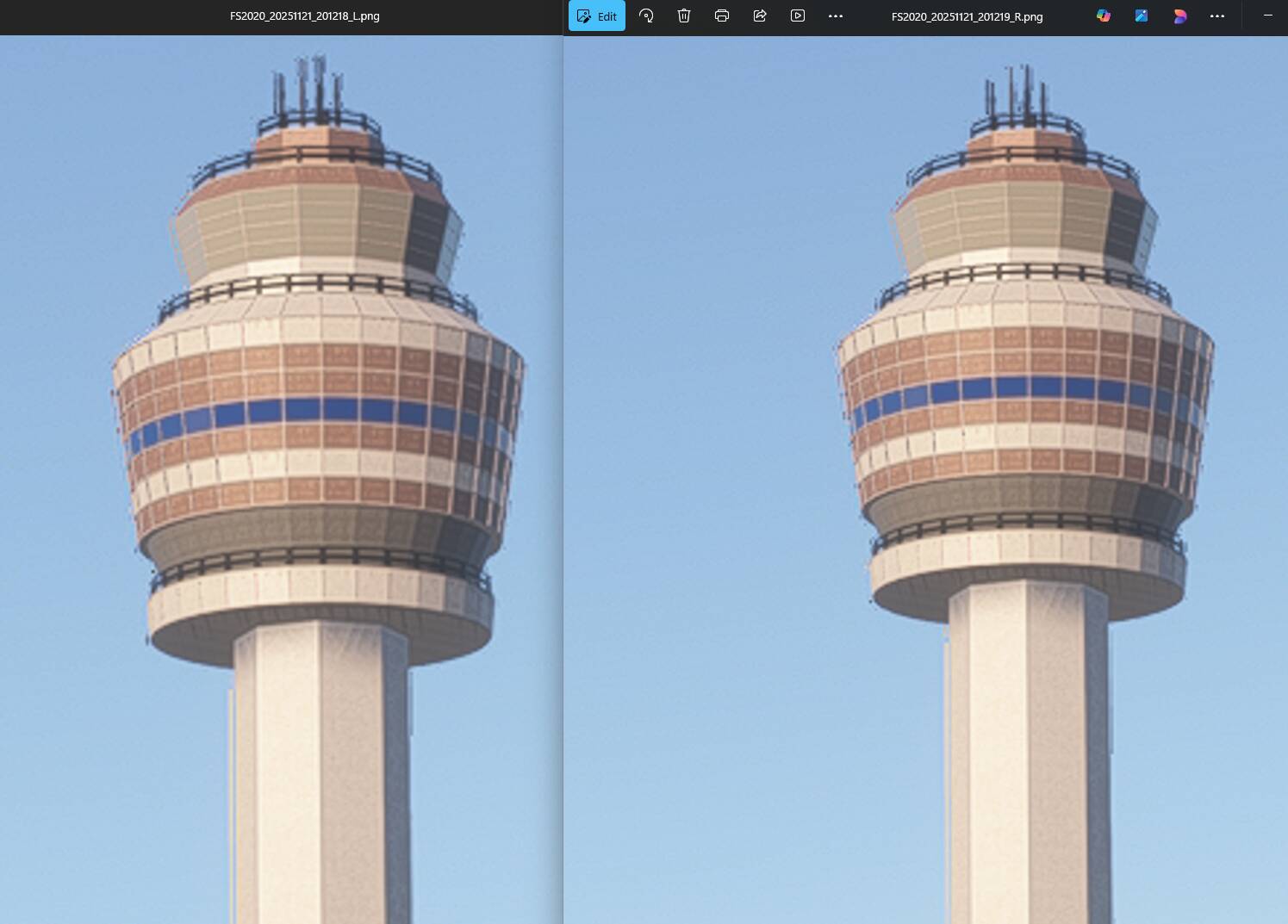
Quick example of this artifact now affecting both eyes.
Look at each eye view and this object shows the artifacts. They can vary in each eye and jitter and shimmer. The previous build only had this in the right eye while the left eye was good and clean with no artifacts.