DLSS Dynamic Multi Frame Generation and 6X mode is a game changer? Discussion

Tomorrow (31.03.2026), an NVIDIA driver or NVIDIA app update is expected, bringing a new option: DLSS Dynamic Frame Generation. I think this could be a real game changer?
DLSS Frame Generation target frame rate override has been available since driver version 595.76 and newer, so now we just wait for tomorrow (31.03.2026).
I think DLSS Dynamic Frame Generation will be available for the NVIDIA RTX 50xx series.
I also encourage everyone to share their settings and tests on the day Dynamic DLSS Frame Generation is released.


NVIDIA DLSS 4.5 With Multi Frame Generation: Maximize Smoothness With New 6X Mode

DLSS 4.5 delivers a leap in smoothness with the new 6X Mode of Multi Frame Generation. Powered by the superior image stability of our 2nd generation transformer model, along with improvements in frame pacing and image quality, DLSS 4.5 can generate five additional frames for every single natively rendered one, for a maximum 6X multiplier.

NVIDIA DLSS 4.5 Multi Frame Generation 6X Mode - Made possible by DLSS Super Resolution and DLSS Frame Generation improvements

This creates the smoothest path-traced gaming yet, unlocking the full potential of 240Hz and 360Hz monitors. On GeForce RTX 50 Series GPUs, the shift from 4X to 6X Multi Frame Generation increases 4K frame rates in path-traced titles by up to 35%. Combining this highly efficient Frame Generation model with NVIDIA Reflex low latency technology means DLSS 4.5 can generate these additional frames with minimal impact to responsiveness.
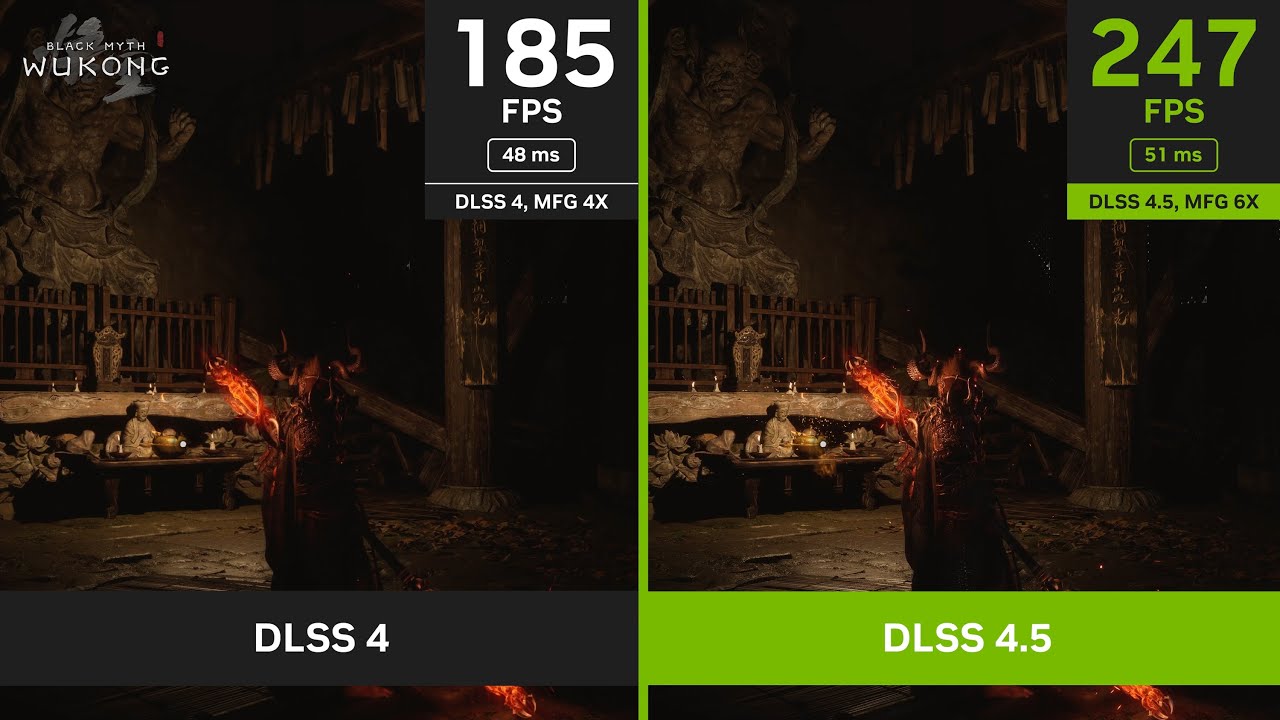
The upcoming Frame Generation model update also enhances in-game user interfaces by incorporating additional game engine data, improving visual quality and clarity of static user interface elements. In The Outer Worlds 2, Marvel’s Spider-Man 2ā„¢ , Dragon Ageā„¢: The Veilguard , Starfield , and other titles, players will notice crisper minimaps and cleaner user interface elements.
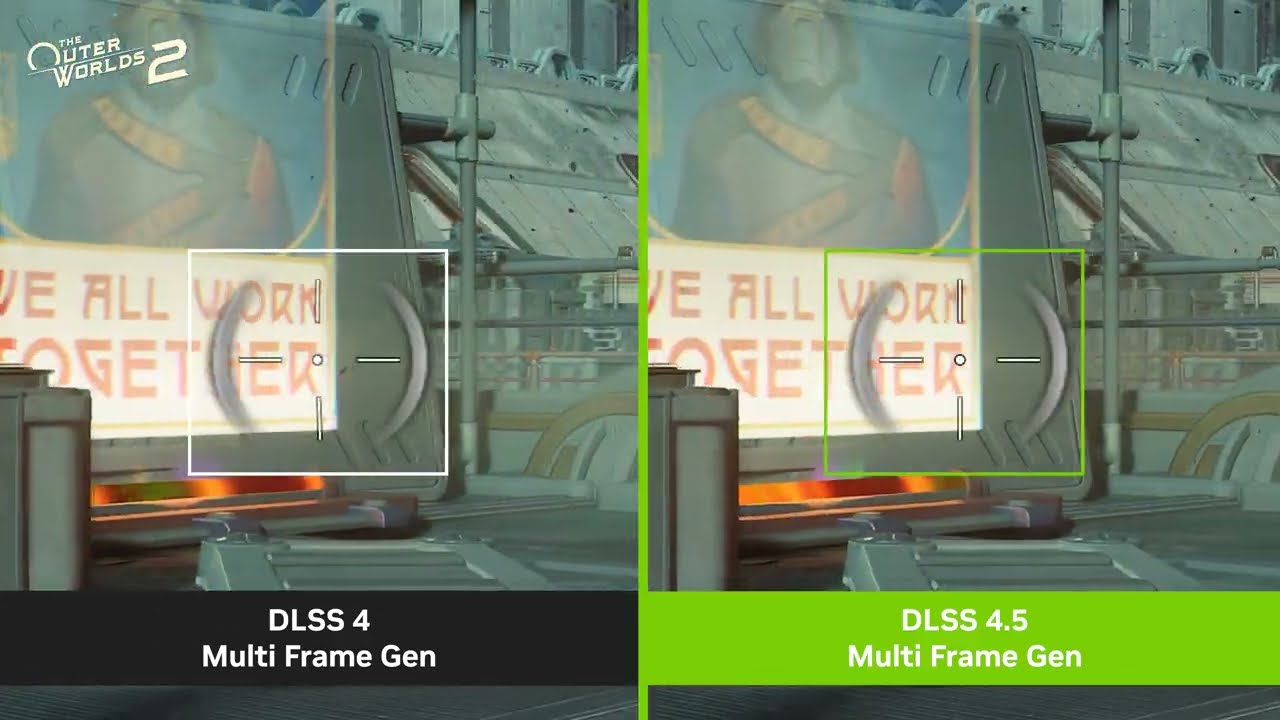
NVIDIA DLSS 4.5 Dynamic Multi Frame Generation: Maximizes FPS To Monitor Refresh Rate For Optimum Performance

DLSS 4.5 also introduces Dynamic Multi Frame Generation, an intelligent system that functions like an automatic transmission for your GPU. Instead of sticking to a fixed multiplier, it automatically shifts between different frame multipliers to strike the perfect balance between frame rate, image quality and responsiveness. In other words, it only generates the frames needed to maximize your target frame rate, or the refresh rate of your display, be that 120Hz, 144Hz, 240Hz, or higher.

By continuously monitoring the gap between your GPU’s performance and your display’s maximum refresh rate, the system adapts in real-time. In graphically intense scenarios, it ā€˜upshifts’ and increases frame generation to bridge performance dips, ensuring your high-refresh display remains buttery smooth. Conversely, as the workload lightens, it seamlessly shifts the multiplier down to only compute what’s needed.
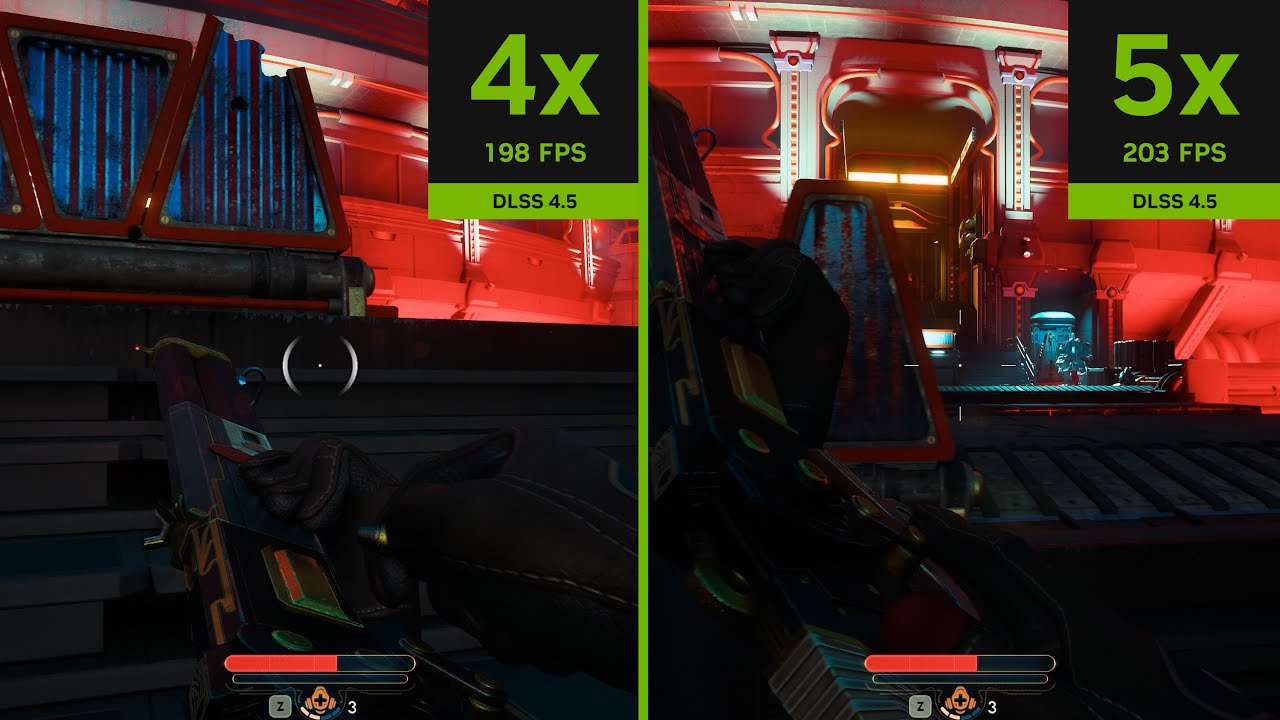
DLSS 4.5 Dynamic Multi Frame Generation maximizes frame rates on a 240Hz display

Coming Spring: GeForce RTX 50 Series gamers will be able to multiply performance with DLSS Dynamic Multi Frame Generation and the new Multi Frame Generation 6X Mode in over 250+ games and apps via the NVIDIA app this Spring.

Combining the 2nd generation transformer Super Resolution model, and Dynamic Multi Frame Generation up to 6X, DLSS 4.5 delivers unmatched image quality and an up to 35% performance boost for 4K 240Hz path-traced gaming.


DLSS 4.5 Dynamic Multi Frame Generation and 6X mode

*See the benefits in action for yourself in this clip from Black Myth: Wukong:
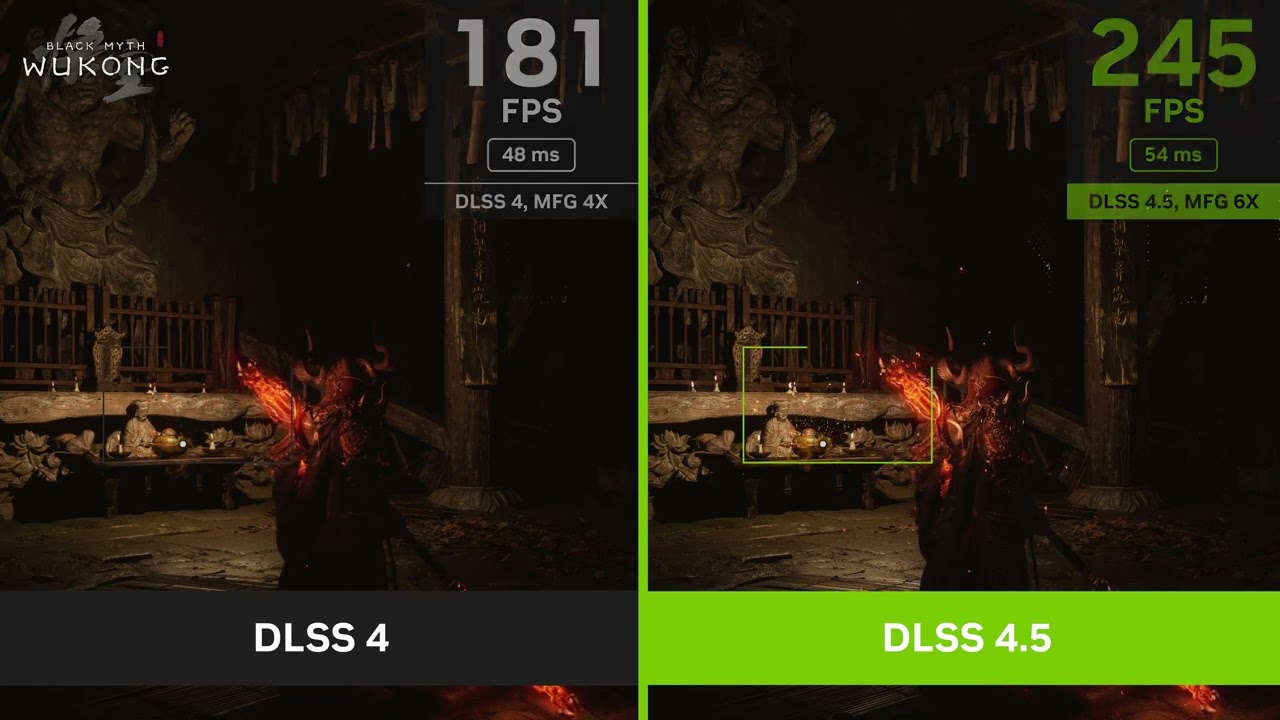
DLSS 4 vs. DLSS 4.5 in Black Myth: Wukong: Better image quality and faster gameplay at 240 frames per second

3 Likes

As a pilot with a 60Hz HDTV for a monitor, to date I have had no compelling use case for FG. To my understanding, pilots with 120+ Hz monitors stand to benefit the most from FG. If Dynamic FG will kick in when the game’s Dynamic settings can no longer maintain my target frame rate of 60 FPS, that may be a solution for me. However, the key for me as a sim pilot is not necessarily the smoothest visuals but control resolution, the feel at the wheel. That is why I have not embraced an approach of limiting game frames to any value below 60 FPS. If Dynamic FG improves the view without adding any perceptible loss or lag at the flight controls, then I might like it. Thanks for posting this test case.

1 Like

In games like MSFS 2024, which are often limited by the CPU main thread, I don’t think it will be able to prevent sudden frame drops or stuttering. Well, I guess we’ll just have to wait and see

1 Like

not working in VR so , not game changer for many of us :confused:

7 Likes

We’ll see when available after further testing…

The dynamic part only means it’s able to change the multiplier between 2x and 6x. So if you have a 360hz monitor and your game runs at 50fps natively, it can give you 300fps by using 6x multiplier. But if you move into an area where your card can suddenly do 100fps, it will drop down to 3x.

Will 6x Frame Generation to be released tomorrow March 31 supposedly …work with msfs 24?

Paco572 …Preparing to be launched into anther thread…

Cheers

I’m wondering if there will be a way to see the multiplier in real time- maybe through some kind of overlay during gameplay?

Thank you for clarifying. The way the original post outlines the model it sounds as if frames will be generated up to a set limit. The way you describe it (simply adjusting frame multiplier) sounds more plausible (albeit it not as exciting)

DLSS Frame Generation target frame rate override will most likely be one of the options added to the settings, probably within the NVIDIA app.

Also, just to clarify - my original post was more of a speculation. I wanted to leave some room for others to contribute, since I’ve already been quite active on this forum.

But if for some reason you don’t feel like digging into it, here’s the info straight from NVIDIA - so no speculation this time, just how it’s gonna work

NVIDIA DLSS 4.5 With Multi Frame Generation: Maximize Smoothness With New 6X Mode

DLSS 4.5 delivers a leap in smoothness with the new 6X Mode of Multi Frame Generation. Powered by the superior image stability of our 2nd generation transformer model, along with improvements in frame pacing and image quality, DLSS 4.5 can generate five additional frames for every single natively rendered one, for a maximum 6X multiplier.

NVIDIA DLSS 4.5 Multi Frame Generation 6X Mode - Made possible by DLSS Super Resolution and DLSS Frame Generation improvements

This creates the smoothest path-traced gaming yet, unlocking the full potential of 240Hz and 360Hz monitors. On GeForce RTX 50 Series GPUs, the shift from 4X to 6X Multi Frame Generation increases 4K frame rates in path-traced titles by up to 35%. Combining this highly efficient Frame Generation model with NVIDIA Reflex low latency technology means DLSS 4.5 can generate these additional frames with minimal impact to responsiveness.

The upcoming Frame Generation model update also enhances in-game user interfaces by incorporating additional game engine data, improving visual quality and clarity of static user interface elements. In The Outer Worlds 2, Marvel’s Spider-Man 2ā„¢ , Dragon Ageā„¢: The Veilguard , Starfield , and other titles, players will notice crisper minimaps and cleaner user interface elements.

NVIDIA DLSS 4.5 Dynamic Multi Frame Generation: Maximizes FPS To Monitor Refresh Rate For Optimum Performance

DLSS 4.5 also introduces Dynamic Multi Frame Generation, an intelligent system that functions like an automatic transmission for your GPU. Instead of sticking to a fixed multiplier, it automatically shifts between different frame multipliers to strike the perfect balance between frame rate, image quality and responsiveness. In other words, it only generates the frames needed to maximize your target frame rate, or the refresh rate of your display, be that 120Hz, 144Hz, 240Hz, or higher.

By continuously monitoring the gap between your GPU’s performance and your display’s maximum refresh rate, the system adapts in real-time. In graphically intense scenarios, it ā€˜upshifts’ and increases frame generation to bridge performance dips, ensuring your high-refresh display remains buttery smooth. Conversely, as the workload lightens, it seamlessly shifts the multiplier down to only compute what’s needed.

DLSS 4.5 Dynamic Multi Frame Generation maximizes frame rates on a 240Hz display

Coming Spring: GeForce RTX 50 Series gamers will be able to multiply performance with DLSS Dynamic Multi Frame Generation and the new Multi Frame Generation 6X Mode in over 250+ games and apps via the NVIDIA app this Spring.

Combining the 2nd generation transformer Super Resolution model, and Dynamic Multi Frame Generation up to 6X, DLSS 4.5 delivers unmatched image quality and an up to 35% performance boost for 4K 240Hz path-traced gaming.


DLSS 4.5 Dynamic Multi Frame Generation and 6X mode

*See the benefits in action for yourself in this clip from Black Myth: Wukong:

DLSS 4 vs. DLSS 4.5 in Black Myth: Wukong: Better image quality and faster gameplay at 240 frames per second


The stuff above comes from NVIDIA dated January 2026.
Since the new options in the NVIDIA app are expected to go live today, I’ve edited my first post in this thread and removed my earlier speculations, because I realize that if one person couldn’t find the info, there might be more - so I don’t want anyone to take my guesses as something that will actually happen.

2 Likes

ā– ā– ā– ā–  i wish it worked on multi monitors!!

1 Like

DLSS 4.5 Dynamic Multi Frame Generation & Multi Frame Generation 6X Available Now

Since its debut in January 2025, DLSS 4 set the standard for AI rendering with transformer-based Super Resolution and 4X Multi Frame Generation.

In January at CES 2026, we introduced NVIDIA DLSS 4.5 Super Resolution, further enhancing image quality on all GeForce RTX GPUs with a 2nd generation transformer AI model. And for GeForce RTX 50 Series GPUs, we announced the upcoming launch of DLSS 4.5 Dynamic Multi Frame Generation, with up to 6X Multi Frame Generation.

Now, you can enhance your games and apps with the complete set of DLSS 4.5 features thanks to the launch of a new NVIDIA app beta update.

Install the update by ticking the ā€œbeta and experimental featuresā€ box in Settings > About, inside the NVIDIA app. But please note, GeForce Game Ready Driver 595.79 WHQL, or newer, is required to use all features.

Source https://www.nvidia.com/en-us/geforce/news/dlss-4-5-dynamic-multi-frame-generation-6x-mode-released/

Bit confused with this dynamic dlss thing. I’ve set it up as per the NVIDIA instructions, aiming to achieve 180 frames as a test I’ve set up a flight but am getting 145 with a baseline of around 77 (4k, TAA). Maybe I’m misunderstanding the function of it..

Unable to apply 6x to the game, any suggestions? App reports there’s a problem applying the settings.

PACO572

Updated the NVIDA app to 11.0.7.228 while opted into Early Access in Settings/About…

Set Dynamic FG with a Target FPS of Max refresh Rate and Multiplier Up to 3x

Set Max Frame Rate of 60 FPS in the NVIDIA app (60 Hz HDTV)

DLSS Override set for Performance (50%), which is my new normal in 310.5.3

Two quick taxi texts in 24su4 in the FBW A320neo (what I was flying just before the update):

At both KEWR (Dz) & KJFK (IniBuilds) saw 60 FPS during most of the taxiing and panning around, with occasional dips in 1% lows, but much less than before Dynamic FG. The visual picture was smooth enough and I didn’t sense any loss of control resolution (game latency), so this could be a win for me. While live weather was on, was a nice day so maybe with a weather challenge?

I will leave Dynamic FG on for now and see how my usual flights turn out. Good flight testing!

1 Like

you need to update the nvidia app . the new update avalabile now

1 Like

Just tested: the dynamic multiframe gen automatically sets between 3x and 5x to maintain 100 fps with a320 Fenix (100Hz monitor refresh rate) at maximum smoothness when approaching and landing at EGLL Inibuild (MSFS2020)

Specs: 9800x3d @5.5 rtx5080 64gb @4k@4km @4k

TLOD 400-150

Microsoft Flight Simulator Screenshot 2026.03.31 - 16.31.32.02

Microsoft Flight Simulator Screenshot 2026.03.31 - 17.05.50.78

Microsoft Flight Simulator Screenshot 2026.03.31 - 17.12.01.13

2 Likes

Got it working with dynamic. 240fps@7680x2160
Samsung G9 57 inch and RTX5090
Smooth as butter.
Frames capped 40
So I’m getting the full 6x FG
We haw…

PACO572

Notes: Preset ā€œMā€
In game- Ultra Pro setting
It bumps the lowest res to my max res, so it looks sharper because of the higher res.
Track ir panning is butter smooth for the most part. It’s not perfect some screen tearing but it’s much smoother despite the early caveats.

**Fixed screen tearing by forcing v-sync to ON in the nvidia control panel.

1 Like

but how’s your latency?!?

Why not K?