ISSUE DESCRIPTION
The strobe lights of the Dornier Seastar Have an Issue where their actual flash is inconsistent with the normal visual flash on the model. The bright flash which should appear whenever the strobe flashes only actually appears roughly every ten seconds. This is the flash which is bright enough to illuminate the ground, similar in brightness to the navigation lights. It also, unlike the regular flashes, has a visible glare, identical to that of the navigation lights (but in white, of course.) The issue is that this level of brightness should be synced to the aircraft’s actual visible strobe flash rate, which is, well, not once every ten seconds.
FREQUENCY OF ISSUE
How often does this occur for you (Example: Just once, every time on sim load, intermittently)?
Whenever using the Seastar, though it is most noticeable at night, especially on the ground, where the time between bright flashes is especially noticeable due to the light showing up on the ground.
REPRODUCTION STEPS
Please list clear steps you took in order to help our test team reproduce the same issue:
-
For best visibility, set time to night and start on ground.
-
Make sure navigation lights circuit breakers are off- They are often turned off upon startup when not doing a dark start (possibly a separate issue), haven’t checked their status during runway starts.
-
With strobe lights on, Check from the exterior camera. There should be a noticeable difference between the brighter flash effect and the actual model lights.
YOUR SETTINGS
What peripherals are you using, if relevant: None- Just a keyboard and Steam Controller.
[PC Only] Are you using Developer Mode or have you made any changes to it?
No.
[PC, MSFS 2020 Only] Are you using DX11 or DX12? I believe DX11.
[PC Only] What GPU (Graphics Card) do you use? It’s a Valve Steam Machine, So some sort of AMD GPU.
[PC Only] What other relevant PC specs can you share? Most important aspect being that it is a steam machine running on SteamOS. Haven’t had any actual issues with the game, as this
appears to be an issue with the vehicle itself.
Secondary is that I am on the SU6 Beta, but this is replicable in the standard build.
MEDIA
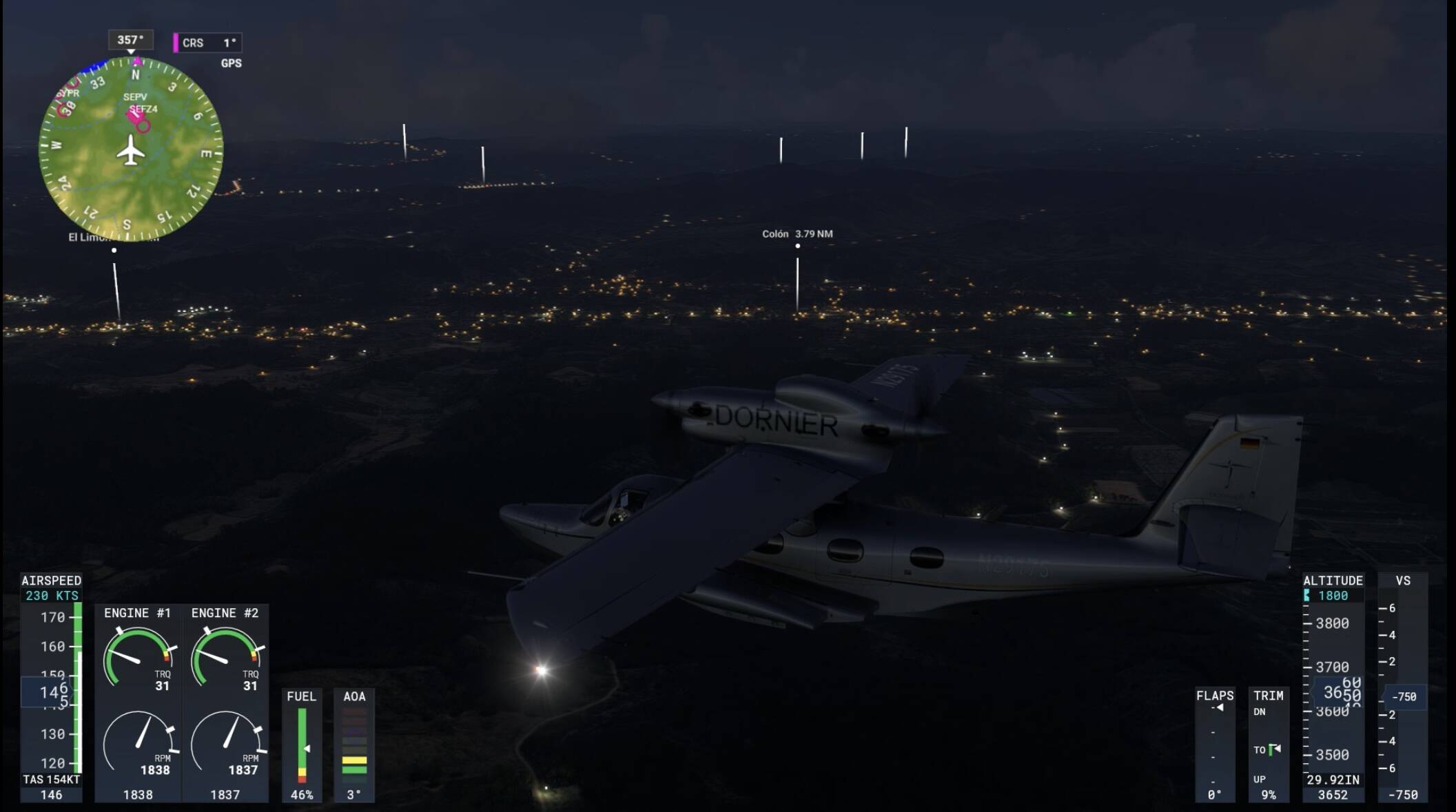
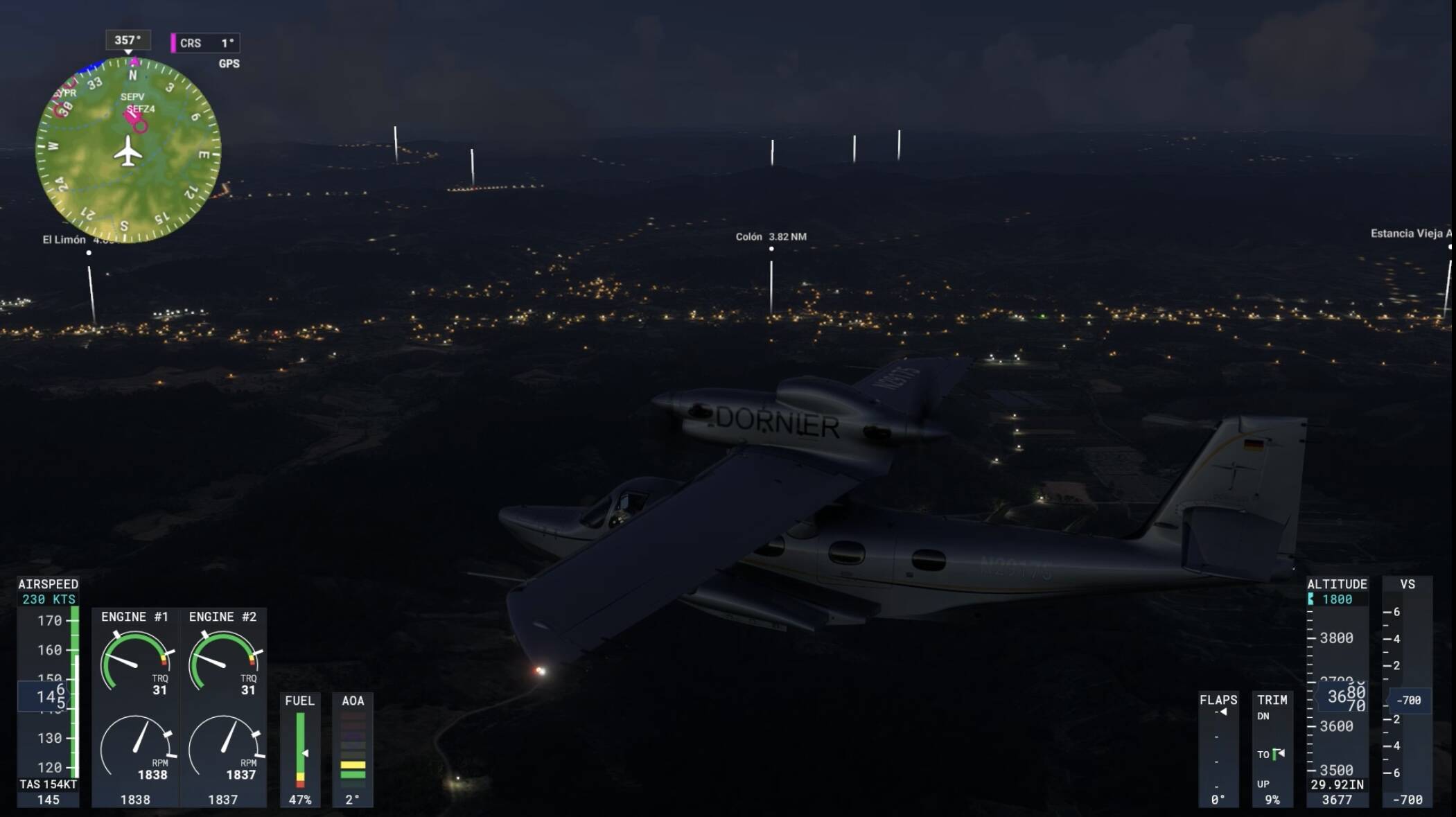
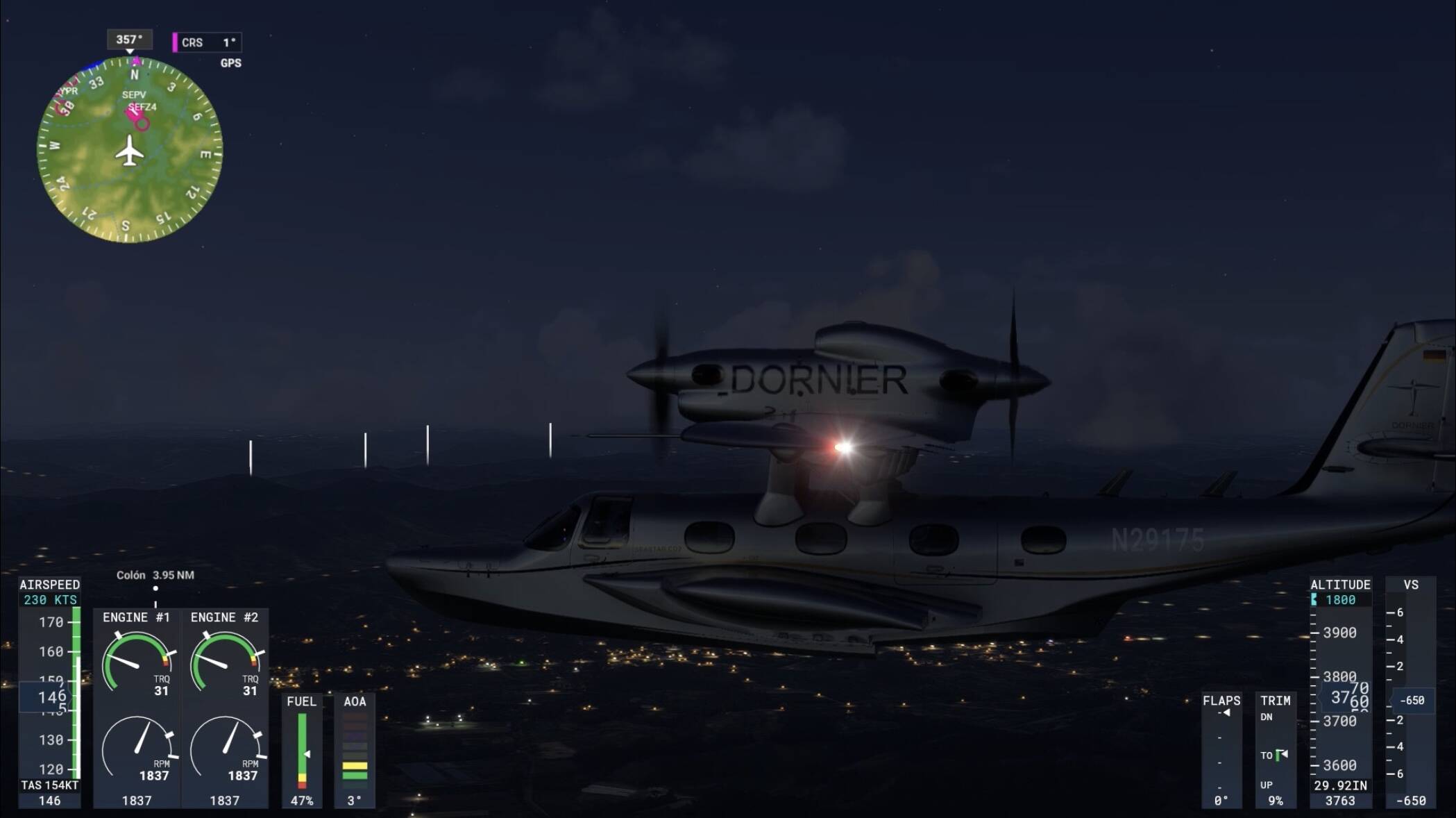
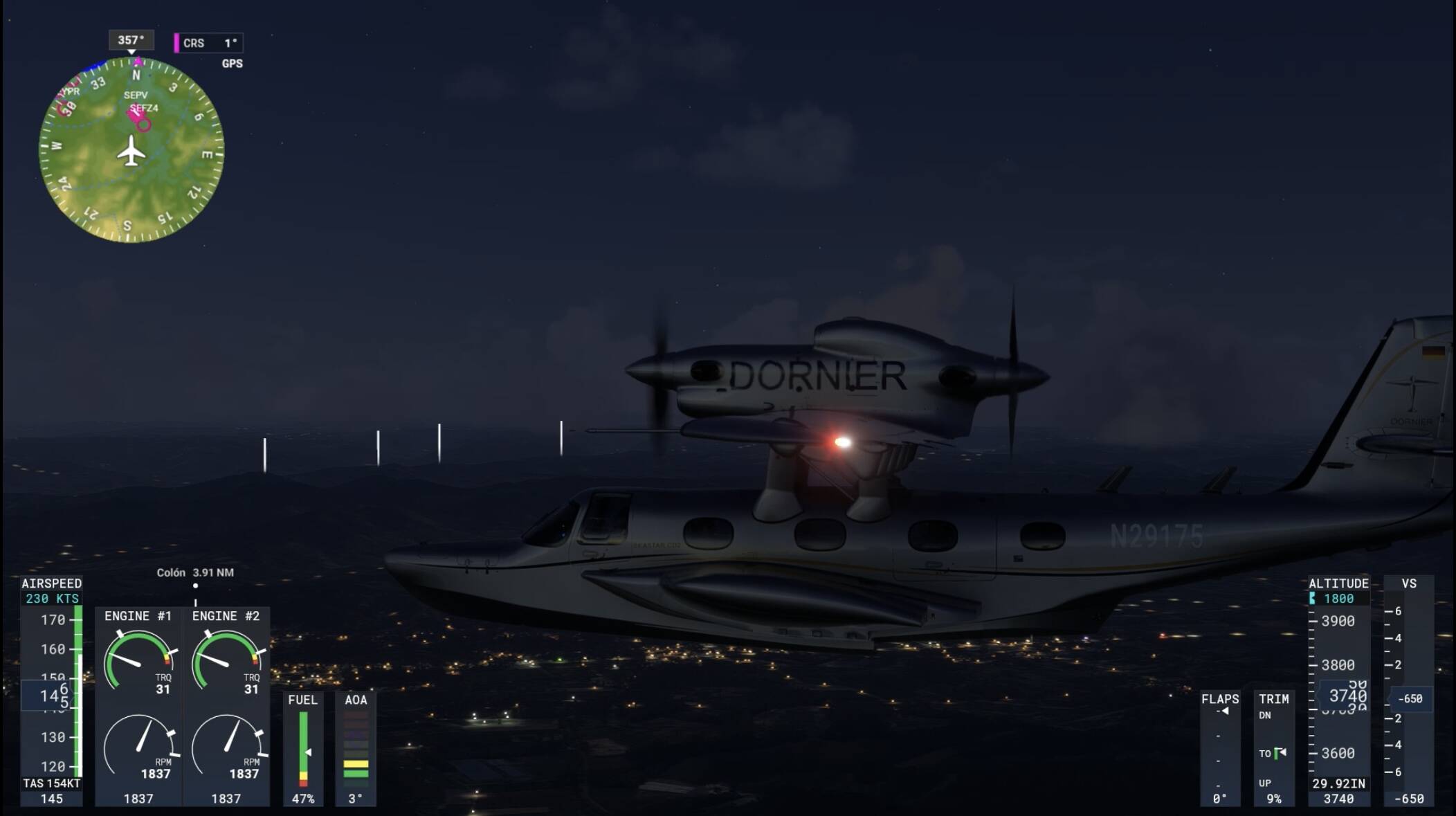
All 4 photos were taken during a flash of the strobe lights. As you can see, two of these photos have a visibly brighter flash- that is the problem. All four of these photos should have a flash that bright- yet they don’t. These photos are from a video (that didn’t seem to want to upload). The bright strobe shots were taken roughly 10 seconds apart from each other, give or take a few milliseconds.