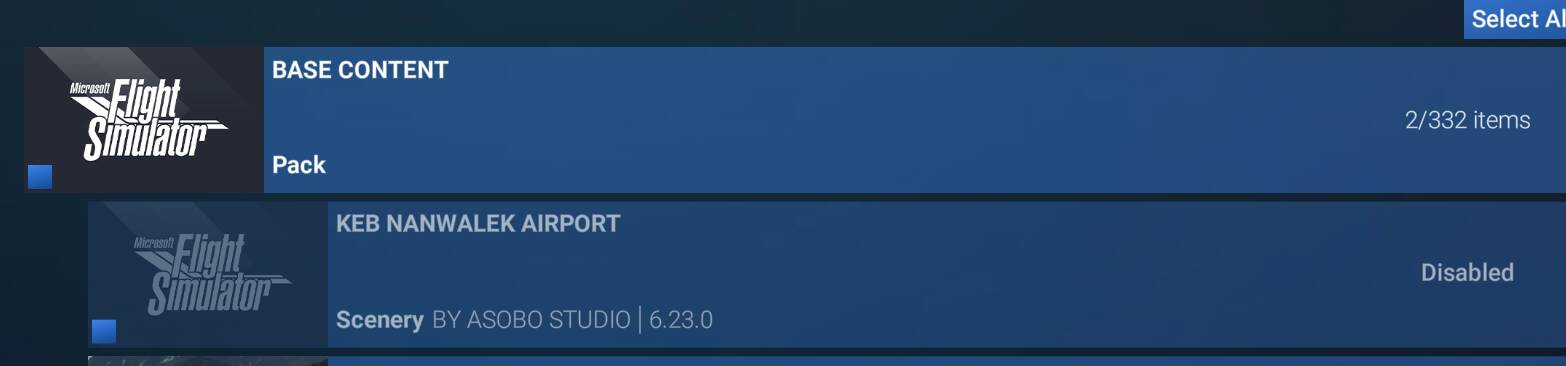
I’m having a weird bug where there are two airports for the same field, with the IACO and IATA identifiers, parking spaces, and generally overlapping runways. Some are slightly positioned differently but all are within a mile of each other. I’ve also confirmed these runways don’t exist in real life, I just don’t know where they’re being created. These aren’t 3rd party fields, I’ve checked my community folder, even checked the MSFS packages and can’t figure out why they’re being duplicated slightly different. I’ve even confirmed none of them are available as 3rd party airports so something is creating an error between the stock airport and what is being generated in game. So far I’ve only noticed this in Alaska, but it’s possibly in other locations as well. Maybe an error between base libraries or world updates? They’re using correct IACO or IATA airport codes, they’re just overlapped with each other.
Coordinate or location of issue:
Nightmute PAGT/IGT
Tununak POKA/4KA
Chevak PAVA/VAK
Kotlik PFKO/KOT
Manokotak PAMB/17Z
New Stuyahok PANW/KNW
Crooked Creek PACJ/CJX
FREQUENCY OF ISSUE
How often does this occur for you (Example: Just once, every time on sim load, intermittently)?
Every load.
REPRODUCTION STEPS
Please list clear steps you took in order to help our test team reproduce the same issue:
Fully current and updated MSFS 2020 with all world updates and Orbx Alaska Mesh (I’ve uninstalled this and it still shows up)
Load in
Look at Western Alaska
YOUR SETTINGS
If the issue still occurs with no mods and add-ons, please continue to report your issue. If not, please move this post to the User Support Hub.
What peripherals are you using:
[PC Only] Are you using Developer Mode or have you made any changes to it?
[PC, MSFS 2020 Only] Are you using DX11 or DX12? DX11
[PC Only] What GPU (Graphics Card) do you use?
[PC Only] What other relevant PC specs can you share?
MEDIA
Please add a screenshot or video of the issue occurring.
I would recommend to test with an empty community folder and marketplace addons disabled.
You could also start the sim in safe mode that will automatically disable all your 3rd party addons (community and Marketplace): to achieve that, once into the sim, go to your Windows Task manager, terminate msfs.exe and restart the sim. You’ll get the safe mode prompt option.
Emptied community folder, no change, started in safe mode, cleared some of them but not all. These airports aren’t even available as 3rd party add-ons so I’m not sure what is going on. I think it’s a world update gone wrong so I may uninstall entirely and redownload it to see if it clears it.
Uninstalled and redownloaded, left off all additional content and all but Kotlik look ok. It is still there and I don’t know what is causing the duplication.
Nope, I thought it had corrected them because Nightmute stopped showing double. The others are still there. I have Navigraph but I removed it and they were all still there. The navigraph folks said they don’t have any runways which use the IATA codes as these ones do, so it’s not theirs. I still have to think this is a library or world update issue as they’re using the correct IATA and IACO codes, just both of them for slightly different facilities. I’m wondering if one update or something only used one of the code and so it duplicated them. The problem is even after removing ALL updates and nothing but the base library information they are still there.
Can you try to start in safe mode: once you have the sim running in normal mode, open Windows Task Manager, terminate msfs.exe and restart. You should get the safe mode prompt.
Did that, no change. Did safe mode, literally removed ALL content other than the base game (empty community folder, no add on content including deluxe or premium version) and they’re still doubled.
I really think it’s some kind of library error with the ICAO/IATA coding. All of them are using correct ICAO or IATA codes, some of them are just in the wrong place and there’s two of them reflected in the sim. For example, Chevak there are two airports about 0.5nm away from each other, the IATA one is wrong as that is not the airport anymore. The Tununak one they are completely over the top of each other, including parking. Incidentally none are shown with the 3rd party add-on plug in the legend, they’re shown as being base material, and I can’t find them in the content manager to try and delete the extra.
PFKO is the ICAO code where KOT is the IATA code. Only the ICAO airport should be displayed, I don’t know why the IATA code is taken in account.
In FS2024 KOT there is not such issue, KOT does not exist:
Ok, at least I know I’m not crazy. Not sure why it’s generating an airport for both the ICAO and IATA designations but that appears to be what is happening.
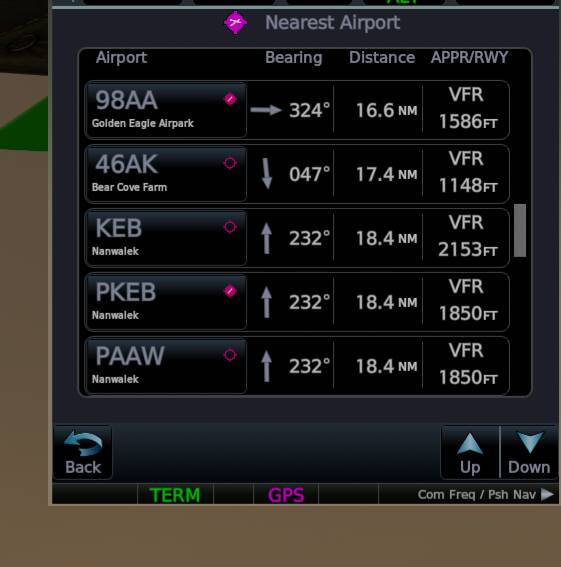
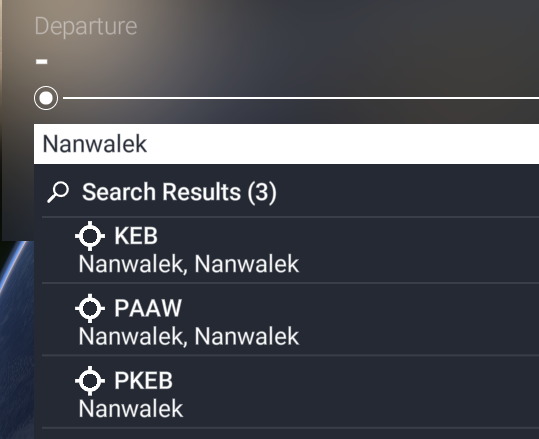
Interestingly enough there are now THREE airports for Nanwalek. I can’t get them all to display on the map but here’s my GTN screen to show it. This is within the last couple weeks, not sure what triggered it.
edit to add - shoot! missed that this is msfs 2020, I’m actually on 2024still, if i find any solution to my similar issue in 2024 i will post it here just in case
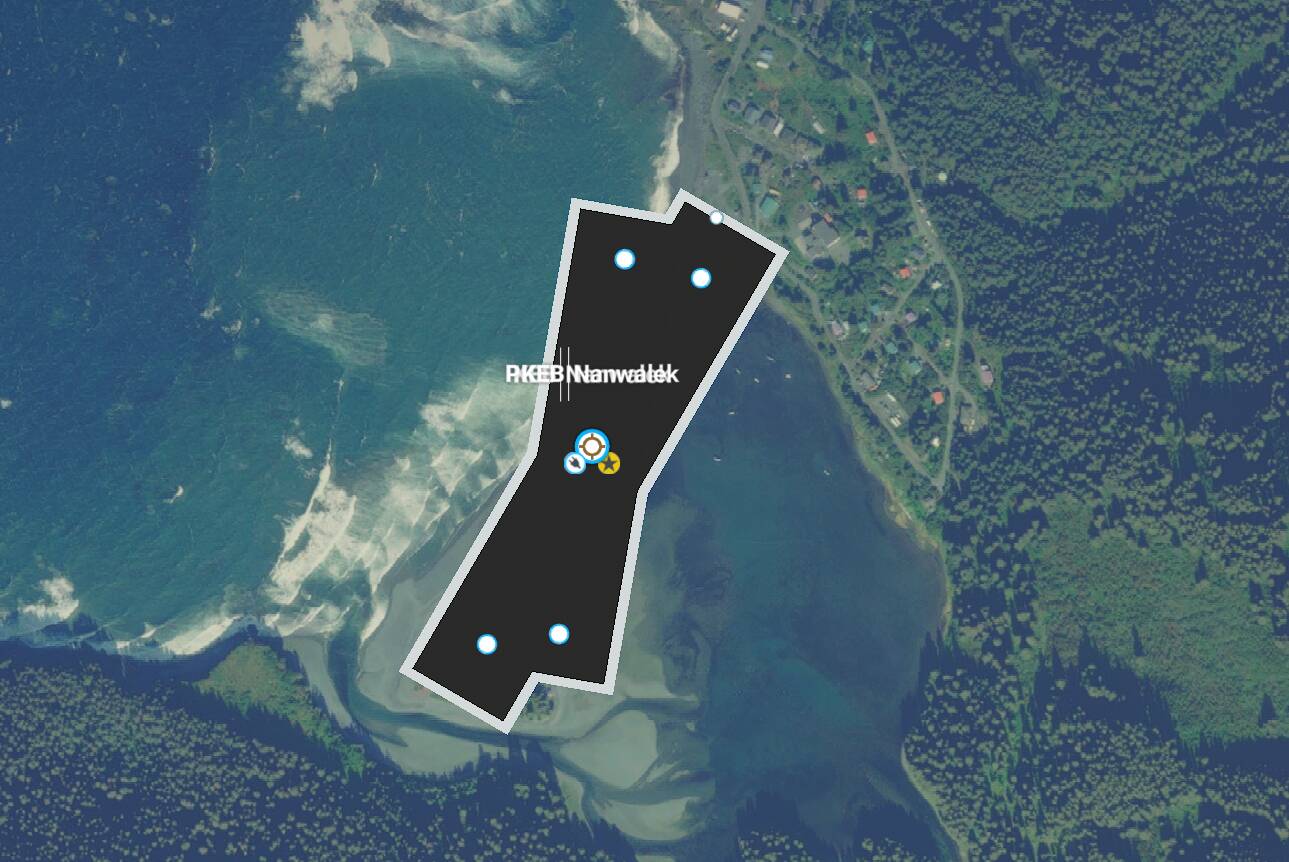
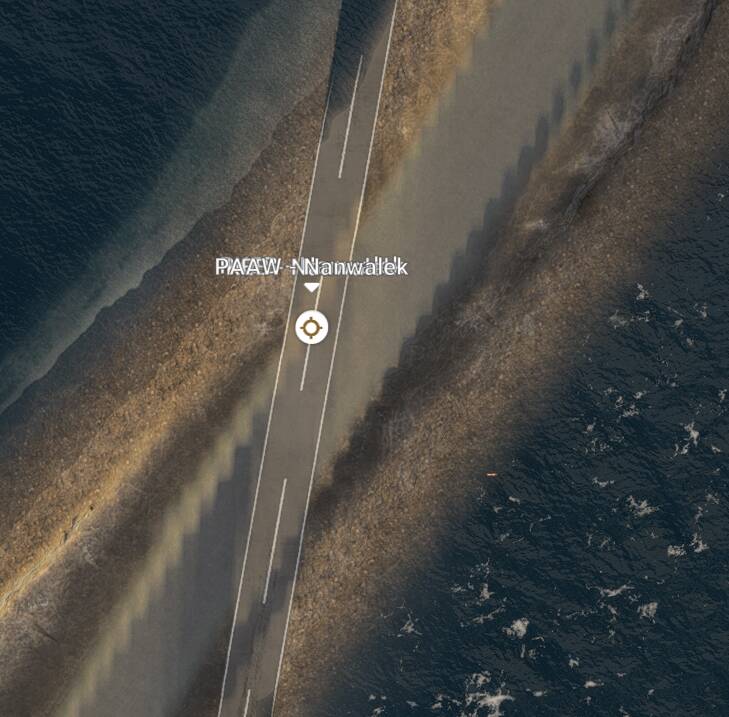
Hi! I think I am having a similar issue and am trying to track down what is causing it. Are you seeing an actual runway in the map there for Nanwalek? I’m seeing the same three airports at Nanwalek - KEB, PKEB, and PAAW. I also see a physical runway (generic paved runway) placed in roughly the orientation you have showing there, slightly offset from the “real”/normal runway. I’ve also disabled all my addon scenery and am still showing these duplicate airports. However, loading with safemode, the extra runways/airports are fixed/gone for me.
I think this may have been related to my Navigraph install (either issues with it or something else). I uninstalled the latest AIRAC from Navigraph hub, and then re-installed, and voila! it seems to have fixed it. No more duplicate airports.
Removing the navigraph airac resolved it for me but reinstalling it and the issue just comes back, at least for Nanwalek (update: verified same with other dups also). I’ve posted over on the navigraph discord and will post on the forums if I don’t find it reported elsewhere.
They recently had an issue with duplicated procedures due to some data changes also – wonder if this might be related.
One thing I did not know was that loading the Navigraph AIRAC will compare the airport codes it has with the ones in the SIM and “create” any that appear to be missing – either because they are actually missing (yay) or the names don’t match so they just appear to be missing like with KEB/PAAW (sad face).
”We are currently comparing only the airport codes, and when they differ, we “create” the airport, as in this case”
They also said that the third one in this case “PKEB” was an error and will be fixed.
and finally, they said:
”We have improved the comparison from 2605 on, but that does not mean you won´t still find any duplicate airports”
So I guess let them know if you find new duplicates.
For MSFS team, can they maybe prefer to match the AIRAC codes better like PAAW instead of using the IATA code KEB?
latest navigraph airac installed now and the duplicates are gone for the few I checked – as they said, could still be duplicates but you just have to report them so they can tweak their mismatch-names-mapping.
I would STILL like to see this raised to the MSFS dev team(s) as the core issue is using non-AIRAC codes for the airports.


 … I did not catch that I had to enter the “To” airport to see the issue.