Dynamic Settings, Frame Rate Target (Dynamic LoD): Choose Minimum Graphics Settings

Please let us choose a minimum value for every graphics setting affected by the ‘Frame rate target’ graphics option.

Example 1: When we set the Terrain LoD default to 200 and turn frame rate target on, let us choose to keep at least 100 TLoD at all times even if the frame rate then drops below the target.

Example 2: When we have Buildings set on ‘Ultra’ and turn frame rate target on, let us choose to keep a minimum of ‘High’ buildings when being dynamically adjusted, even if it means getting a frame rate below the target.

This is something that has been asked for a while now, even in FS20 before we knew this would come in FS24, and the current setup is what we feared in a dynamic LOD option being built in. What we wanted was granular adjustments to tailor the dynamic performance to our own individual systems and desires. What we got was the usual one size fits none shoehorning of an option into the sim.

7 Likes

Yeah, that’s why I made this wish, even though it was something everyone has been asking for, no topics existed that were specifically asking for this :slight_smile:

That was also my main worry when it was announced that they were adding it to MSFS2024, that we wouldn’t have any control over individual adjustments.

I wouldn’t use it on MSFS2024 as it is now because we don’t have fine enough control. If we had the granularity that we’re asking for I would use it all the time.

I don’t use it now for the same reasons.

It should also be adjustable midflight without the need to pause and to go to the settings menu.

At least for me, this is really important.

Alternative: just make the necessary parameters available via API, so the community can develop a valuable solution.

1 Like

Does anyone know if the current dynamic LOD is based on the base framerate or what?

If im using frame generation + dynamic LOD does that mean the dynamic LOD is just gonna use whatever the current fps is?

If it was based on the base frame rate it would be great, because then if i set it to 30 fps, it could keep that and that means with framegen it would not be less then 60 FPS

AFAIK, it uses the base frame rate. I do not use dynamic LOD for that reason, since my base FPS rarely exceeds 40 FPS in flight.

[Edit 05/15] This is no longer true since the introduction of AMD FSR 3 in SU2. These are my current settings as of May 15-25:

Expand to see my basic PC specs:
Item Setting
CPU i7-12700K (no overclocking or undervolting)
RAM 32 GB 5200 MHz DDR5 CL40 RAM
GPU Intel Arc 770 (16GB, v32.0.101.6314)
OS Windows 11 Pro 24 H2 v26100.3194 + all OS updates.
MSFS 2024 Edition MS Store Premium Deluxe + all WUs & CUs
Build Version SU2 v1.4.20.0
3rd-Party & Community Addons None

No performance-improving applications are installed (e.g. for CPU or GPU improvements).
Neither the Intel Arc Control Service or Arc Control App is running.

Expand to see my graphics settings
Item Setting
Display Mode Full Screen
HDR10 On
Full Screen Res 3840 x 2160
Anti-Aliasing TAA
Render scaling 65 (Resolution: 2496 x 1404)
Frame Generation AMD FSR 3
Framerate Multiplier 2x
AMD FidelityFX Sharpening 150
Exposure Compensation EV -1
VSync Off (N/A)
Frame Rate Limit 100% MRR (N/A)
Dynamic Settings On
Frame Rate Target 60
- -
Global Rendering Quality Custom
Terrain LOD 400
Off Screen Terrain Pre-Cache Ultra
Displacement Mapping On
Buildings High
Trees Medium
Plants Medium
Rocks High
Grass Medium
Object LOD 200
Volumetric Clouds Ultra
Texture Resolution Medium
Anisotropic Filtering 4x
Water Waves Medium
Raytraced Shadows On
Shadow Maps 2048
Terrain Shadows 512
Contact Shadows High
Windshield Effects High
Ambient Occulsion High
Cubemap Reflections 256
Raymarched Reflections Medium
Light Shafts High
Depth of Field Off
Motion Blur Off
Glass Cockpit Refresh Rate High
Characters Quality Medium
Traffic Airport Quality Medium
Air Traffic Medium
Road Traffic Medium
Sea Traffic Medium
Fauna High

All I would want is the ability to set which parameters I’m willing to compromise on then set a minimum and maximum that I’d like them to range between.

Really, for higher end machines TLOD is still the major performance hog particularly on, or within, 200ft or so of the ground. Either sort that out or let us adjust it dynamically.

1 Like

Is it just TLOD and OLOD that is affected by having this setting enabled?

1 Like

I’m not sure, it’s all a bit of a mystery. That’s another reason I’d like us to be able to change the settings, it would also let us know exactly what it’s doing/going to do!

1 Like

Hi everyone, I’ve recently discovered that the TLoD and OLoD multiplier factor is visible in the FPS Counter in DevMode.

The TLoD and OLoD can both be reduced automatically to 0.5/50% (that’s the lowest I could get mine to decrease to) of their original value, the implication of this is that we can indirectly (but crudely) control our minimum LoDs by setting our actual LoDs to at least double our preferred minimum.

e.g. you want a minimum of 150 TLoD and 75 OLoD at all times, even when below the framerate target, so you set TLoD to at least 300 and OLoD to at least 150 in your graphics settings.

1 Like

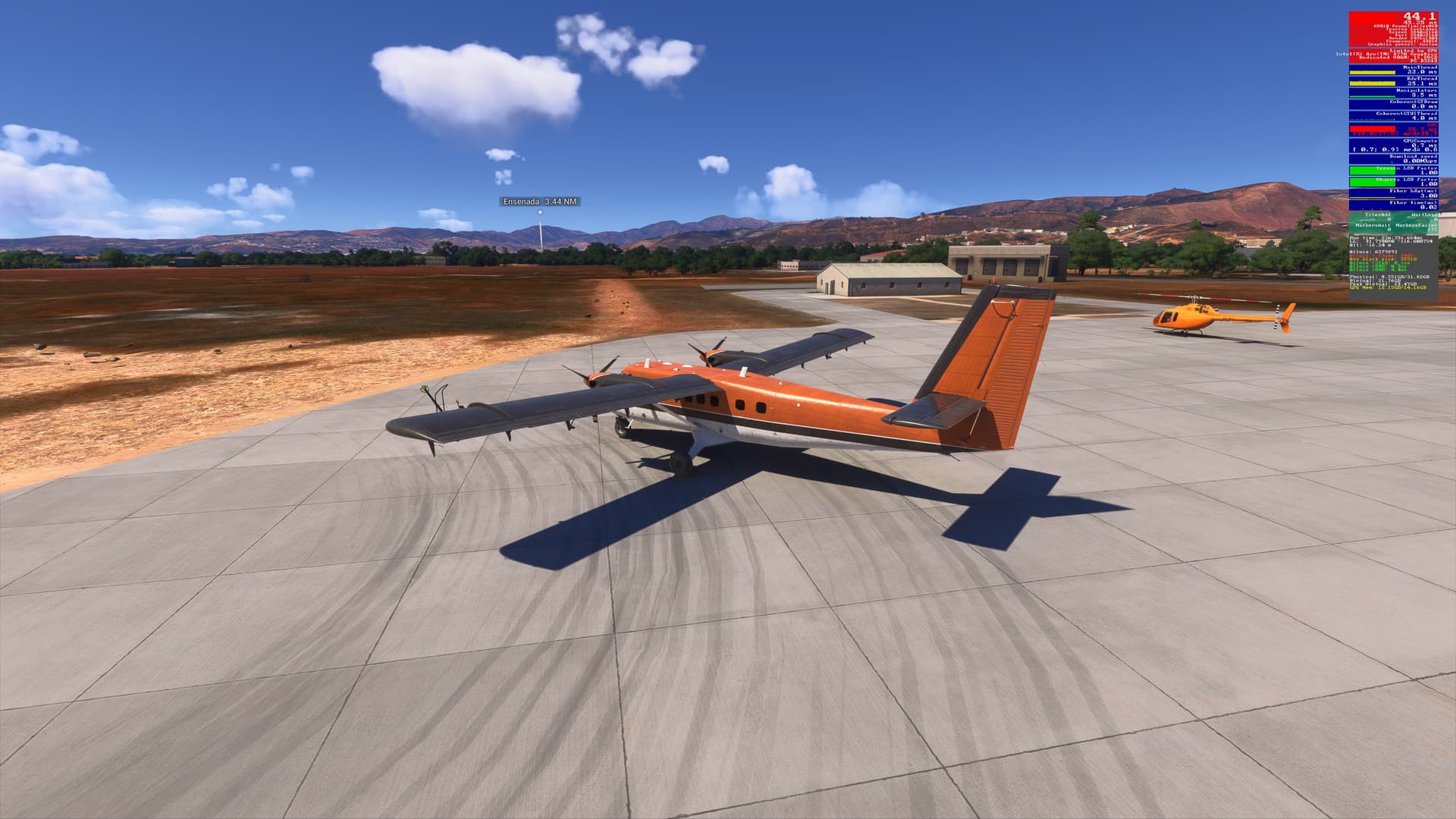
Yup. On my PC, I have Dynamic Settings enabled. This halves my TLOD & OLOD factor (0.5 each).

This is at Ensenada Intl (MMES):

Disabling Dynamic Settings will set both TLOD & OLOD factors to 1.0, but framerates drop by ~ 19% and GPU time increases from a median of 27.5 to 35.7 (23%)

In Global Rendering Quality, TLOD = 400 & OLOD 200, so with Dynamic Settings enabled, I’m getting 200 / 100 respectively.

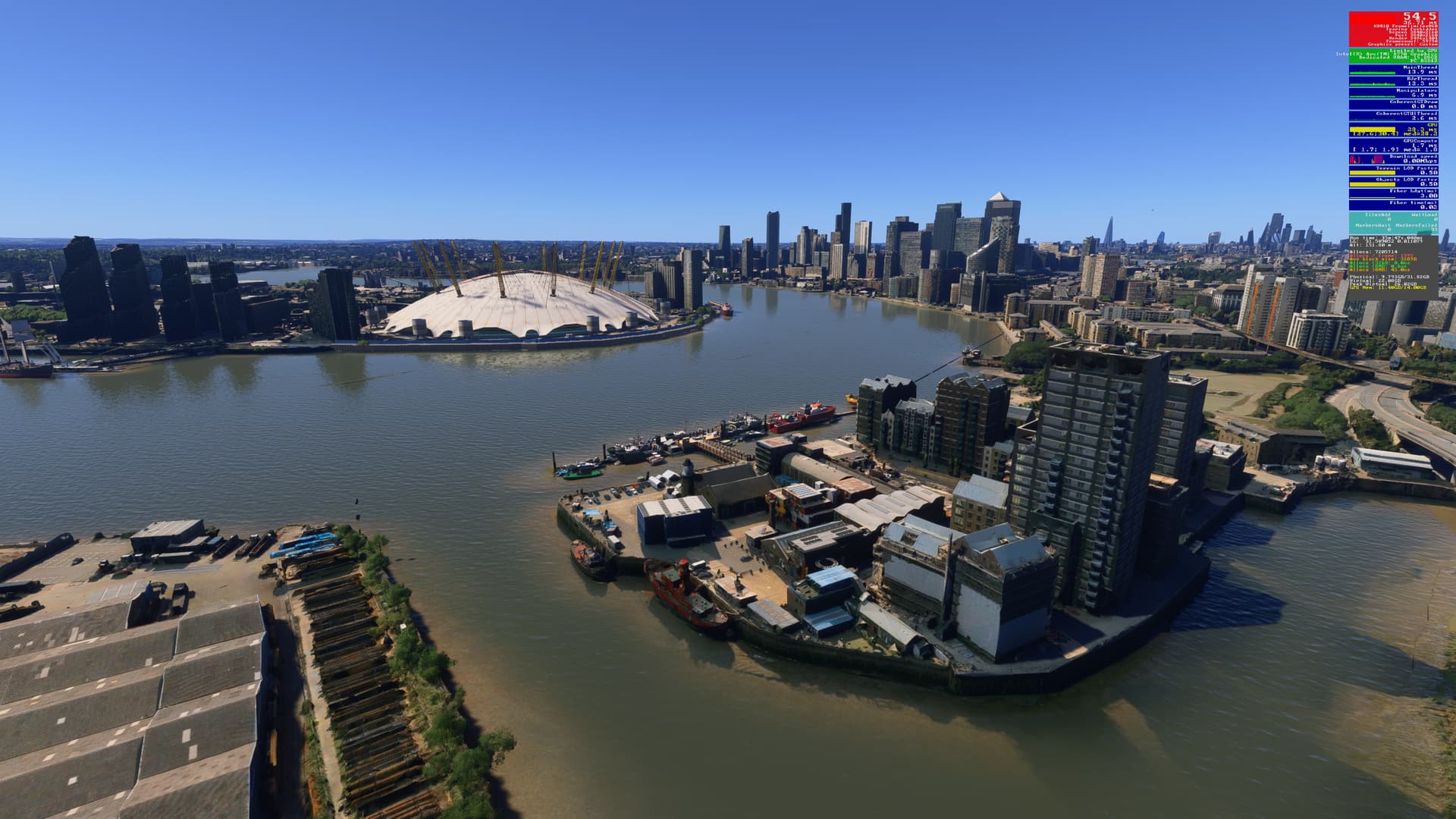
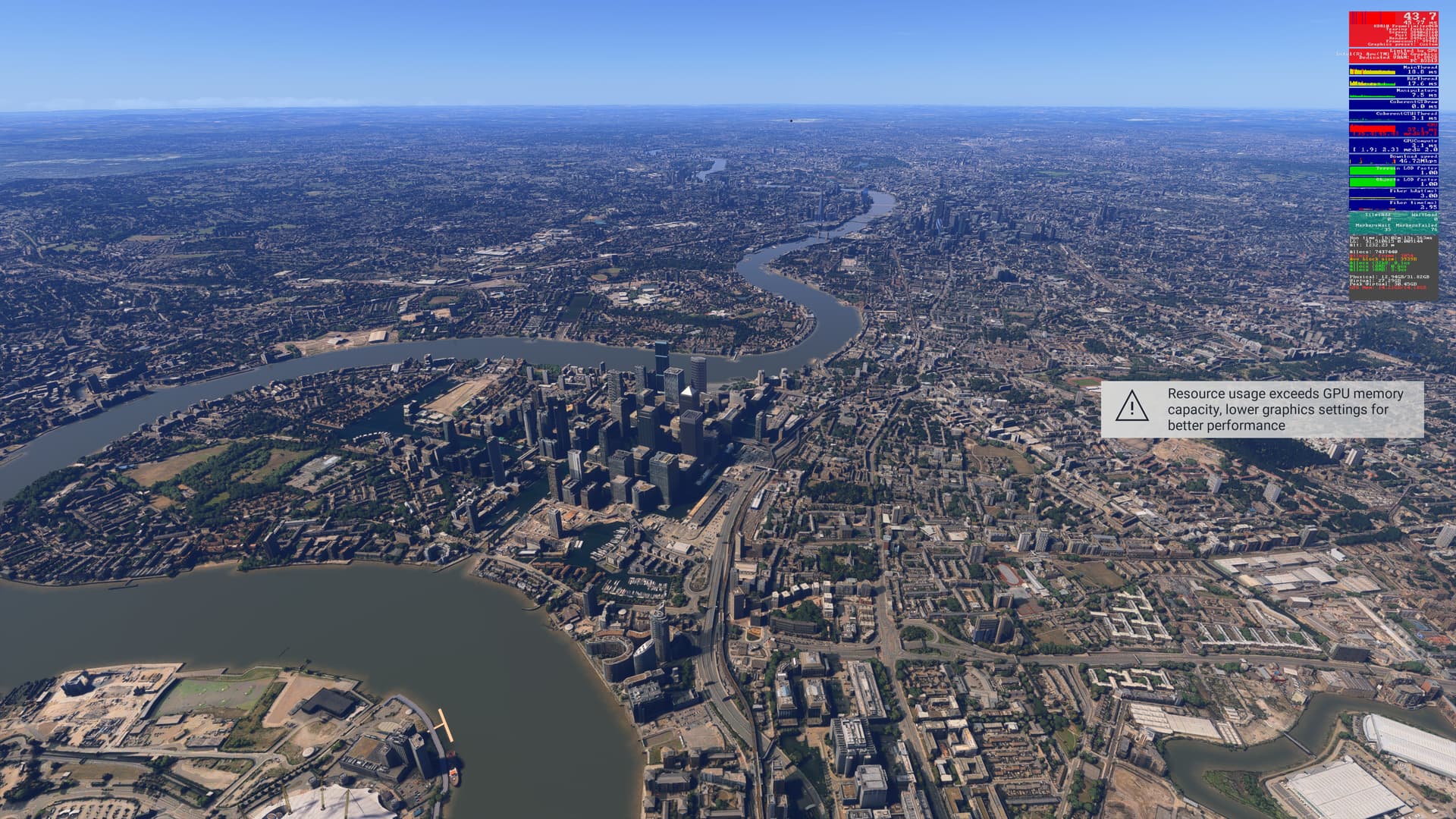
Let’s compare at a location that places a greater demand on GPU resources than MMES: Blackwall point in London, just east of London City (EGLC):

Dynamic Settings enabled:

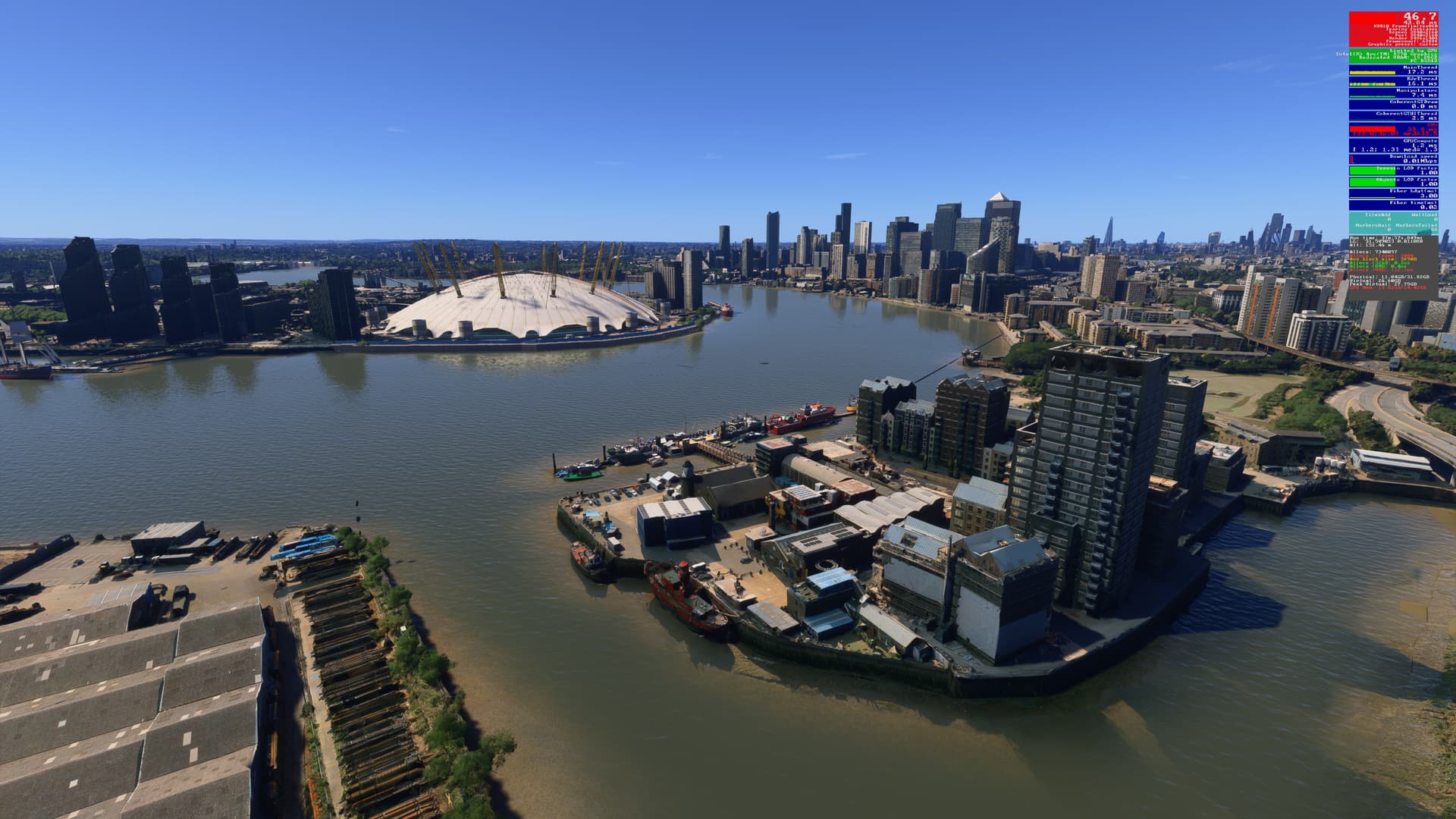
Dynamic Settings disabled. Note that with this setting, I immediately received the “Resource Usage Exceeds GPU Memory Capacity…” message for my 16GB Intel Arc 770:

Framerates drop by ~ 14%, but GPU time rises from a median of 28.3 to 33.5 - a 15.5% increase.

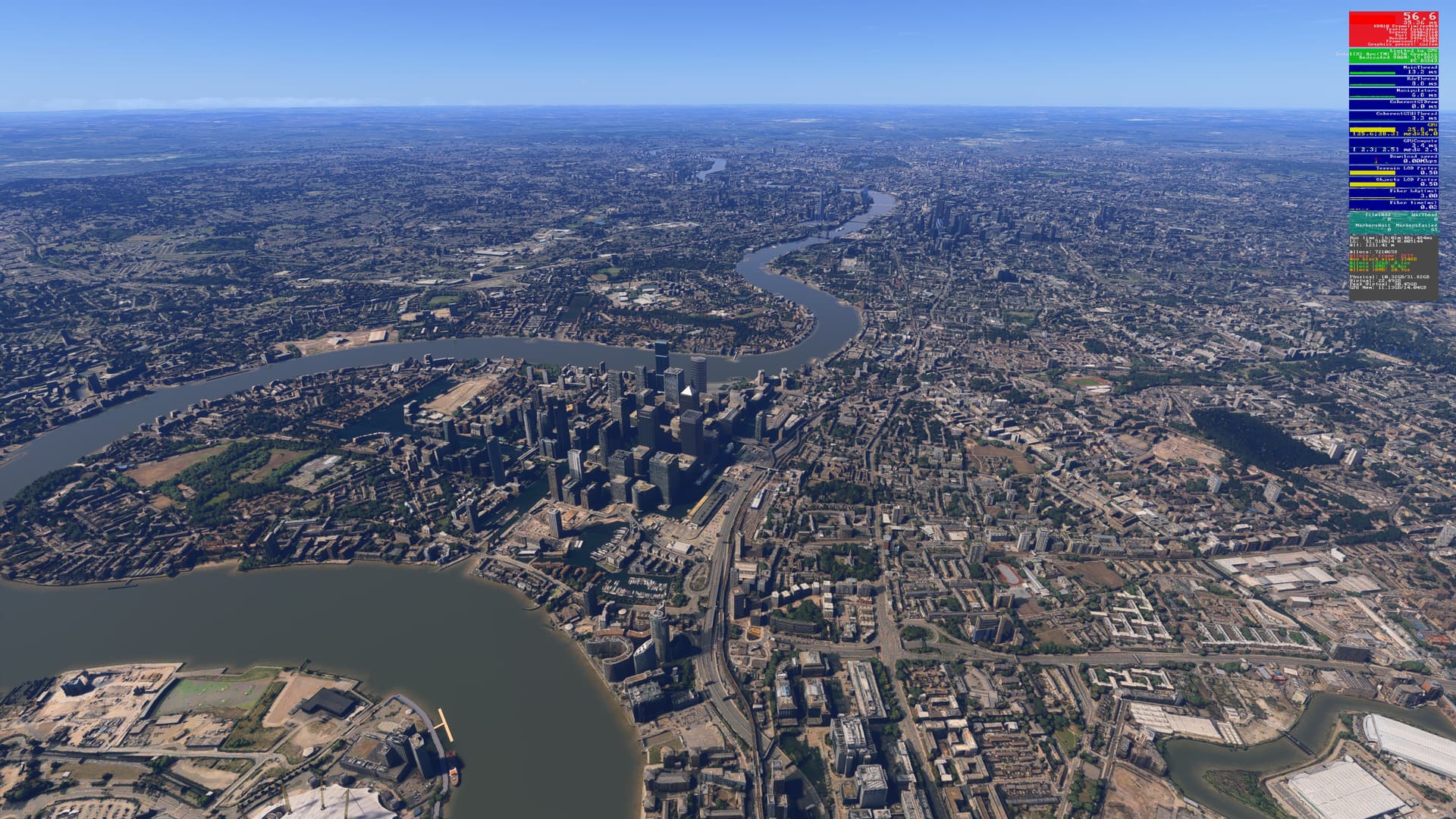
And in a panoramic comparison:

Dynamic Settings enabled:

Dynamic Settings disabled:

Flipping between the two images shows a distinct difference in the panoramic shots, but I’m happy to trade smoothness & better framerates for the slight drop in visual quality of the scene. In flight, particularly in Cockpit view, the difference would be less noticeable.

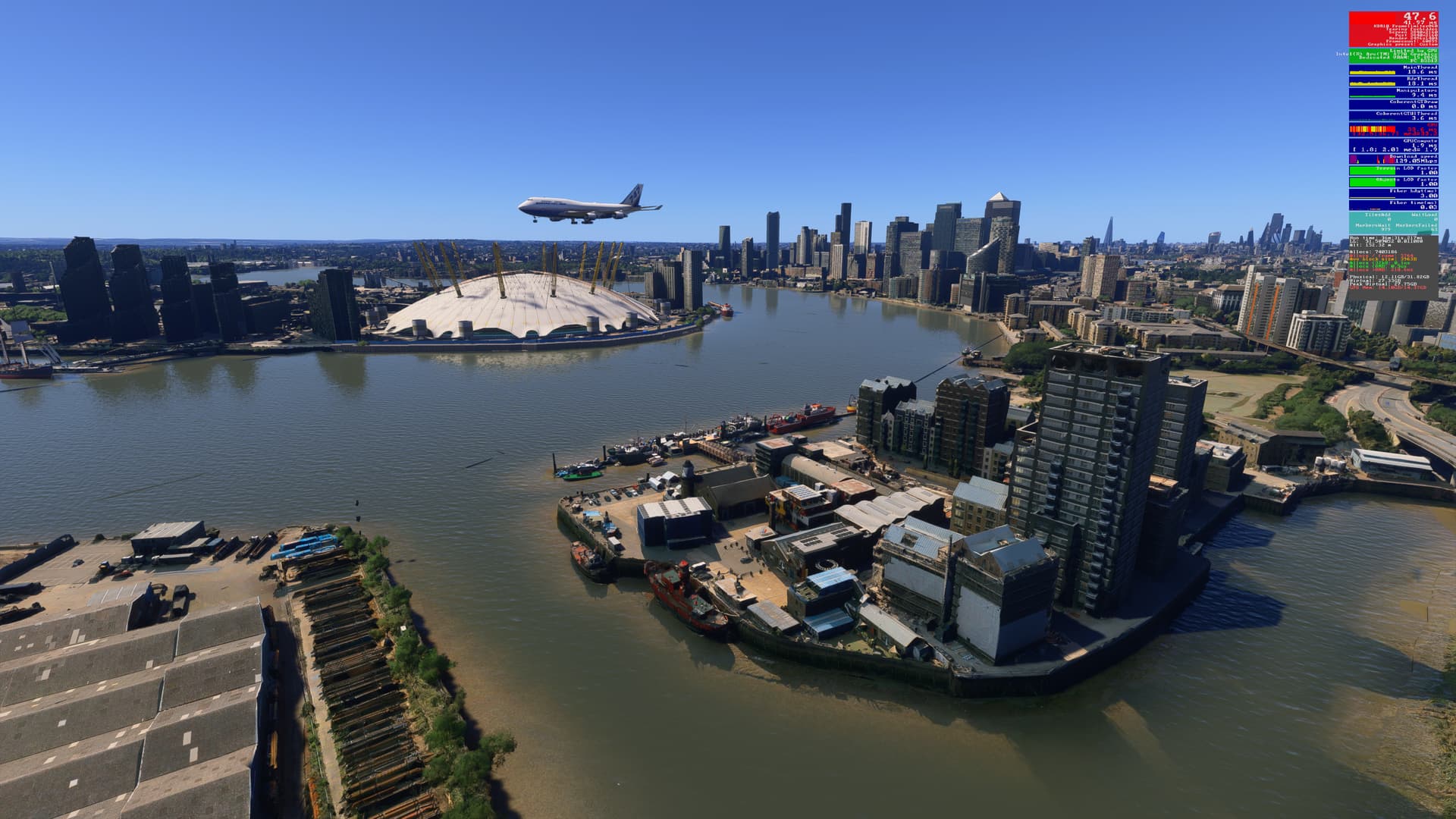
Finally, I captured this during this test:

But was too busy to see if the pilot managed to successfully land their Boeing 747-400 on the 5,000 ft runway at EGLC!

[Screenshots recorded in SU3 Beta v1.5.16.0]

4 Likes

I had left this Dynamic change aside but it seems to have been updated. I can report that with my Ryzen 7950 and 5080 it works better than expected in terms of smoothness. I set the TLOD to the max of 400 and OLOD to the max of 200. I set the frame rate to 60 since I have a 60 Hz monitor. My test flight is from Reno Nevada to SFO down the ILS at SFO to a complex flight beams airport with AIG traffic on 100%. It ran most of the flight at > 100 FPS at 4K down to 70 on flare to landing. It was smooth.

The negative is that the LODs seem to be halved by default and do not climb to get higher LOD to give a more crisp image at altitude… not sure this is really optimized… but of course there is a trade off between detail and smoothness.

Very nice. How do you get the screenshot with the DEV FPS counter in there? You must be using something like the NVIDIA App? MSFS screenshot does not get the FPS counter.

@A68yoSniper
I create a shortcut to FlightSimulator2024.exe and add the switches: -showFramerate or -showFramerateMini, e.g:

“The Path to your MSFS Content Folder\FlightSimulator2024.exe” -showFramerate
or
“The Path to your MSFS Content Folder\FlightSimulator2024.exe” -showFramerateMini

This allows me to display the framerate info without needed to enable dev mode, so flights will still be added to the logbook.

2 Likes

Got it to work. Found the file in C:XBOXGAMES only surprise is that I have a second directory C:XBOXGAMES2 with the same file!

Really time for a reinstall… but I read there may be more than one directory normally… sounds like MS. Often my game will not start up and needs a repair and they say reinstall but I have been waiting for the full SU3 to do that.

I understand you should delete these directorys in a full reinstall.

Have to see if the screenshot works now.

Tanks.

1 Like