I use Streamdeck Mk2 15 button version.
Not as many payware Flight Panel options as others.
However,its small and fits into my setup easily.
Have also configured it to open other programs as well at the push of a button eg LittleNavMap,Discord etc.
Id get more button (32) version if you have space and can afford it.
Tell me about it !! I’ve spent days trying to decide, might have seen a couple dozen videos and still can’t decide between the Steam Deck, the LoupedeckLive, or the OCTAVI https://www.octavi.net/ that’s ready to go.
In the end what did you go with?
I got one to use for the AP controls on the TBM930. Works great. Decided one with knobs was the better option for what I wanted to use it for, but based on experience so far I might get another of the button only ones for other things.
It’s almost unlimited what these things can do. I use an XL and a Plus and they can talk to each other. So, for example, you can open a 172 on the XL and have that open the G1000 on the Plus. Factor in Windows commands, Photoshop, Blender, Volume controls, power things on in your home, smart controls, etc, etc. They are cool!
StreamDeck with AAO.
I use XL and a PLUS as addition.
(yes, another plus also just for avionics and another XL for other things, like GSX controlling)
But a PLUS and (!) a XL are highly recommended
And YOUR profiles @guenseli are still more highly recommended, at least by me, I use them every day 
Hey, how this can be done? I know how to open a profile in the SD+ from a button in the XL, but how can that be done automatically? Is there a sort of event associated to a profile or something like that?
Update: ahh, I see, with a multiple action, thanks for the hint!
Yup - sounds like you got it. Also - and you probably are already aware of this - you can set any profile to open when any app on you PC opens - for example, I have a “MSFS main” profile that has icons of all my planes (which, of course when pressed opens the specific plane’s profiles). I have it setup so anytime Axis and Ohs opens, that profile opens. Pretty slick.
How about doing a video on how you do all this please, Set up and link one with another, it would help us all? (esp those of us who find it hard to tweak things 

I have no problem to create a video but my setup is in spanish. If you don’t care about it I can do it this evening.
Ooh, I can’t speak Spanish. If you mean just your buttons are Spanish but you explain in English - all good. If that is impossible then I really thank you for the offer. However, there might be some Spanish speaking pilots who might welcome your video if you are not able to speak English - you write it well enough! 

If all good, I thank-you for your kindness.
I love building my own interface on the sd+ using PilotsDeck from Fragtality.
He made an amazing product and you don’t even need fsuipc or axis&oh or any other payware interface to msfs.
Here’s an impression of the things I configured using PilotsDeck:
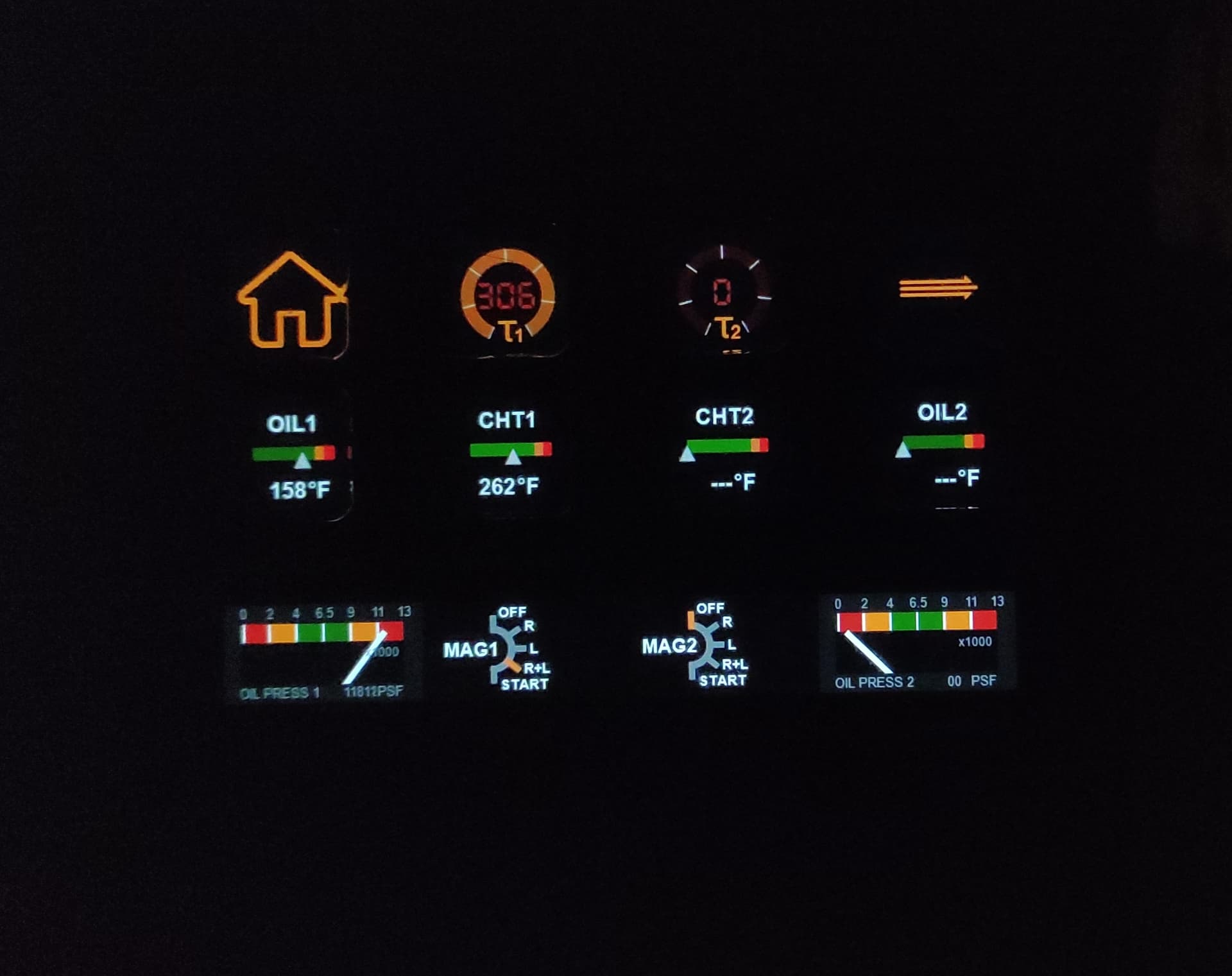
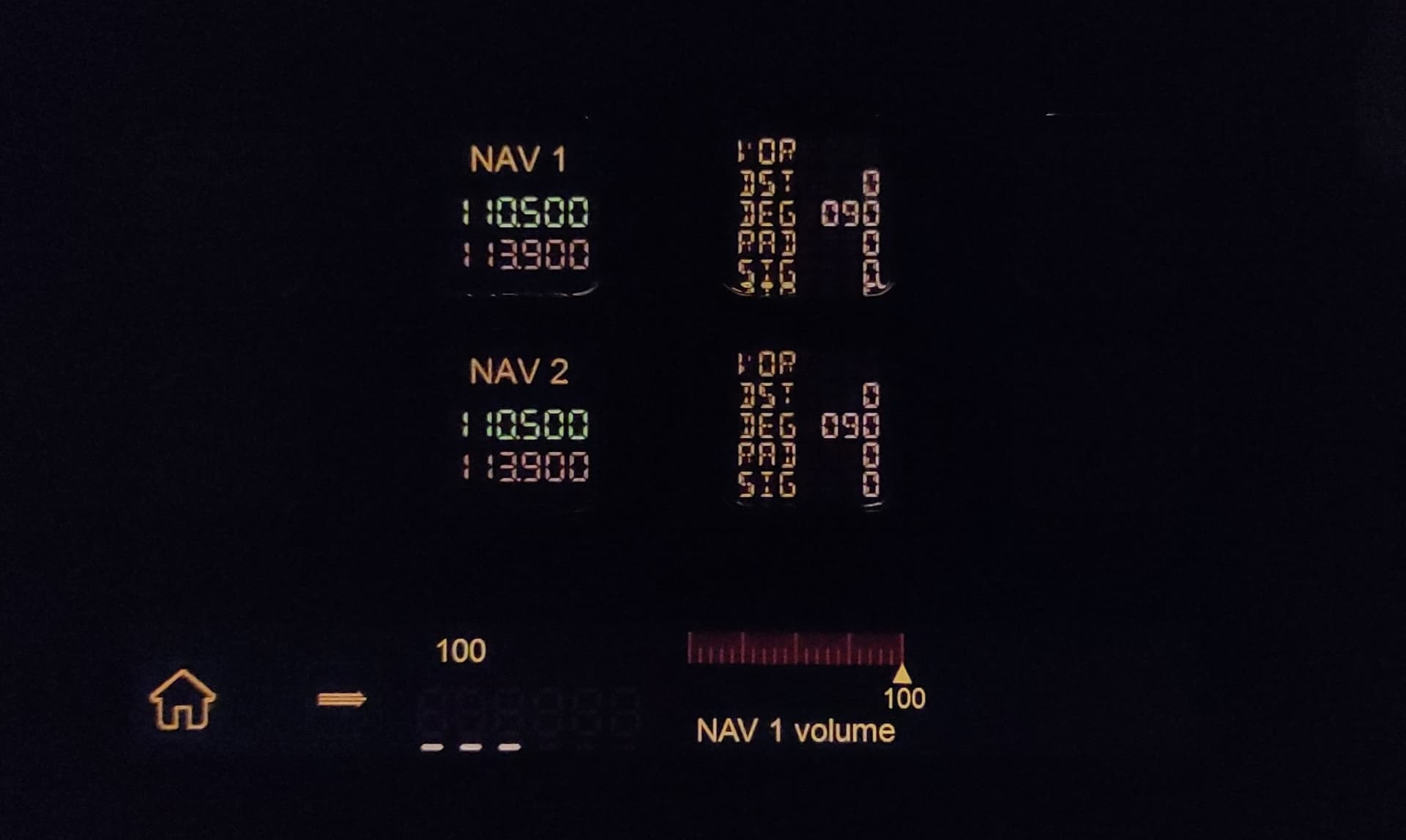
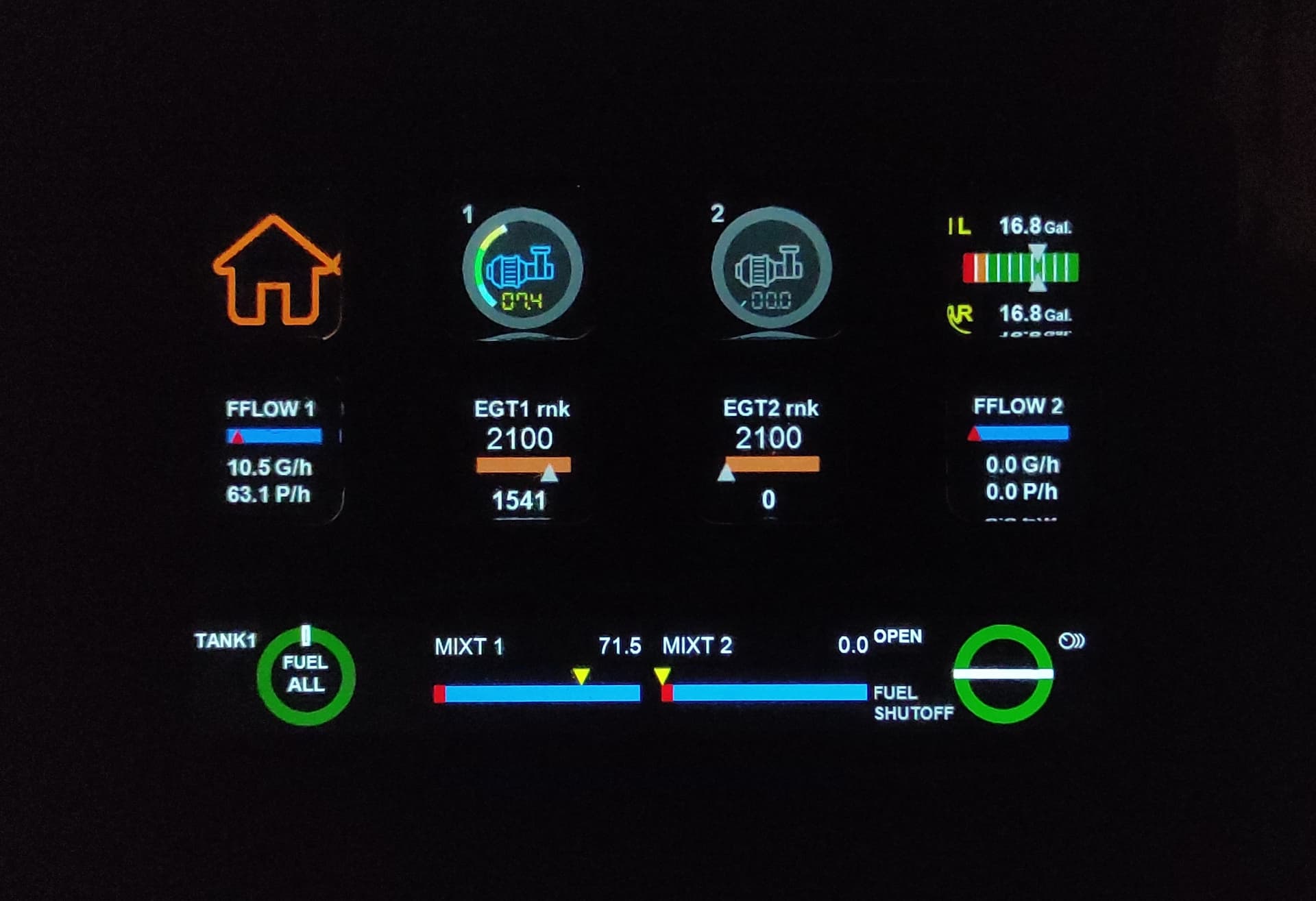

Sorry for the blurry pictures my phone camera is awful (or rather: i do not know how to use it)
Thanks. What happens on a 4 engine craft. Do you have to re-programme everything?
If you build these elements in a smart way you can easily copy them and change a few parameters to make them work with the new engine.
The overall layout can be done using screen chains (left right) and folders and sub-folder (up-down if you will). But i recommend using separate profiles for particular systems (radio, nav, engine mgt, electrical power generation and distribution) and use profile switches to hop from one screen to another.
Here’s my “home screen”

Electrical systems; Fuel management; Engine management; External lights
Autopilot; NAV; COM; Internal lights
Page switcher; ATC select and act; multi-function display (dial stack); and trim settings (dial stack for elevator, aileron and rudder)
I am just starting out from scratch with a Stream Deck plus and FS2024. I have downloaded the Flight Tracker plug in from Flightsim.to and it shows up on the Stream Deck actions bar. What else is needed to have the Stream Deck show up in FS2024 controls? I am assuming there must be another plugin or application for them to communicate? Any help is greatly appreciated.
The Stream Deck doesn’t show up in FS2024 Controls. You program it through creating Steam Deck profiles. The Flight Tracker plugin talks directly to the sim through the SimConnect API.
OK, thank you very much. I do have Spad.Next for my ClassEcho device. The stream Deck showed up there with a lot of online snippets. I guess I can start there. I hope I can find something more beginner friendly than Spad to create custom profiles.
I am assuming the Flight Tracker and Spad.Next both communicate with FS2024 similarly?
Thank you again
Yes, I believe Spad.Next hooks in through SimConnect too. You can certainly use Spad.Next, but I think that adds a layer you don’t need, although would probably allow for a very high degree of customization. More simply, you can create profiles in the Elgato Stream Deck app. You should find the Flight Tracker available options/actions on the right hand side as you would with any plugin to Stream Deck.
Personally, I use Pilots Deck instead of Flight Tracker. There are several free profiles available for Pilots Deck on FS2.
Alternatively, if you are willing to pay for pre-made Steam Deck profiles, you can find several options at Flight Panels.
I use Stream Deck Mobile with Flight Tracker. If you have any experience with simconnect you can get it to do most things you would want. Been looking at Pilots Deck as it does seem more capable with all the other types of vars. If you want knobs to twist and tactile buttons mobile would not be a good fit, but works great for me and the price is right.
It’s been some time since I set it up, but I don’t recall it being all that difficult. No need for SPAD or a&o unless you want to get into some of the more advanced stuff like chain actions/macros or logical conditions.
I am having no luck getting anything to appear on my Stream Deck in Spad.Next. The Stream Deck device is recognized by Spad, and I have a profile that I can see on the Stream Deck in the Spad program. But I have been totally unsuccessful in getting anything to show up on the actual SD. I really don’t want to use Spad because it just too difficult for me to accomplish anything with it.
I will take a look at Pilots Deck and Flightpanels.IO
I really appreciate the input and suggestions.