I agree, it should be optional.
1 Like
Would be cool if the author also implemented an option for the newly released KLN90B as well!
2 Likes
I kinda wish the KNS-80/81 from Black Square was open source, I would really enjoy flying the Xingu with that.
Loving the update so much! But I do agree the beacon is rotating just a bit too fast. Is there a value somewhere we can change to slow it down a little bit?
More important would be the question of whether it is possible to implement this so that the aircraft remembers which navigation configuration I have selected and this is also used the next time I take off.
Whether the beacon turns or not, or too fast or too slow doesn’t matter to me as a pilot, because I don’t see it anyway 

1 Like
I am already working on the next update.
The beacon rotation speed will be reduced by half.
Also, I managed to keep the weather radar, autopilot and GTN750 in the main panel.
11 Likes
Thanks so much!
I hope you are not removing the airspeed indicator because that one we use a lot 
You are knocking it out of the park with this plane! Thank you so much!
3 Likes
Great Reichert,
We really apreciate the effort and thanks to be so accessly
1 Like
The problem of insufficient power is obvious. In In Subroke, to 60 knots, the aircraft cannot increase.
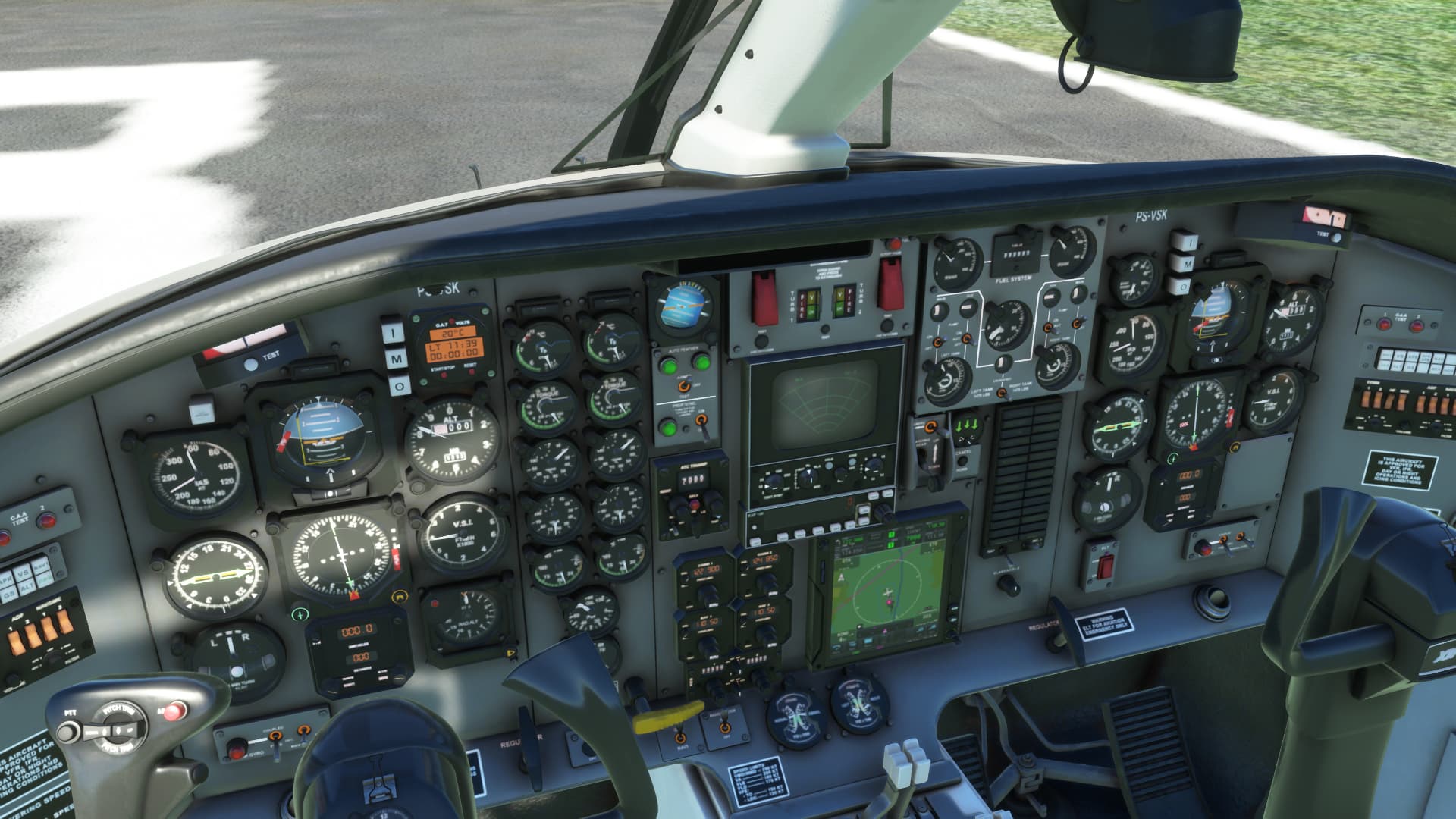
The Update 1.3.0 is Live now.
Fixes:
- RMI (Now the left RMI will pick up data from ADF1/NAV1 and the right RMI will pick up data from ADF2/NAV2)
- ADF test function not working
- VMO indicator needle behavior
- Converters not working properly
- Nose gear suspension too low when the aircraft is on the ground
- Flight Model (FLT controls reactiveness)
- Reverse power too strong
- VS Indicator no .0 mark
Changes:
- Glareshield Light Color (Changed from green to light orange)
- Left HSI (CRS needle will not rotate to the GPS heading when GPS is driving NAV1, however the CDI needle will still use the data from GPS when GPS is driving NAV1)
- NAV/COM/DME displays (Changed from analog to digital, like the real displays)
- Chronometer now also shows local time.
- Rotating beacon lights speed reduced by half
- Added emissive texture to the GPU lights
- Weather Radar display test
- Weather Radar moved to the center panel when GTN750/GTN750Xi is enabled (autopilot still on center panel)
15 Likes
Really great work thank you.
But, sorry, I have to say that the move of the GTN750 (or 530) makes no sense to me and appears out of place and out of balance visually.
It would make much more sense visually to have the GPS and weather unit swapped especially when using the 750 which has its own weather info anyway. And especially as the old style weather system really doesn’t do much unless the weather is quite active. I just flew for 2 hours and it remained blank as there was nothing fro it to show. (Yes it was on).
Meanwhile, it was very frustrating having to look so far down to see the GPS nav system. And the GPS is now offset from the AP system that basically work together, this just makes no sense to me. Especially when they were perfectly aligned, in the last build.
- Also just a quick side note. There is a typo on the pad. It says GNT750.
I guess the 2 people that made a fuss earlier about losing the old weather panel will kick off again here without looking at the aesthetic value…
So maybe I could simply request the ability to swap the old weather panel and the GPS system as an option, for the rest of us.
Still loving this aircraft and appreciate the work.
Thank you.
3 Likes
That was the first thing I thought too. The TDS GTNXi should be on top and the weather radar on the bottom…
Otherwise, the plane is getting better and better - great respect!!!
Is it even possible to make it better? 

1 Like
any good liveries out for this bird yet? i tried searching but was unable to find anything
2 Likes
Yup a simple option : Swap GPS & Weather Radar would be amazing.
2 Likes
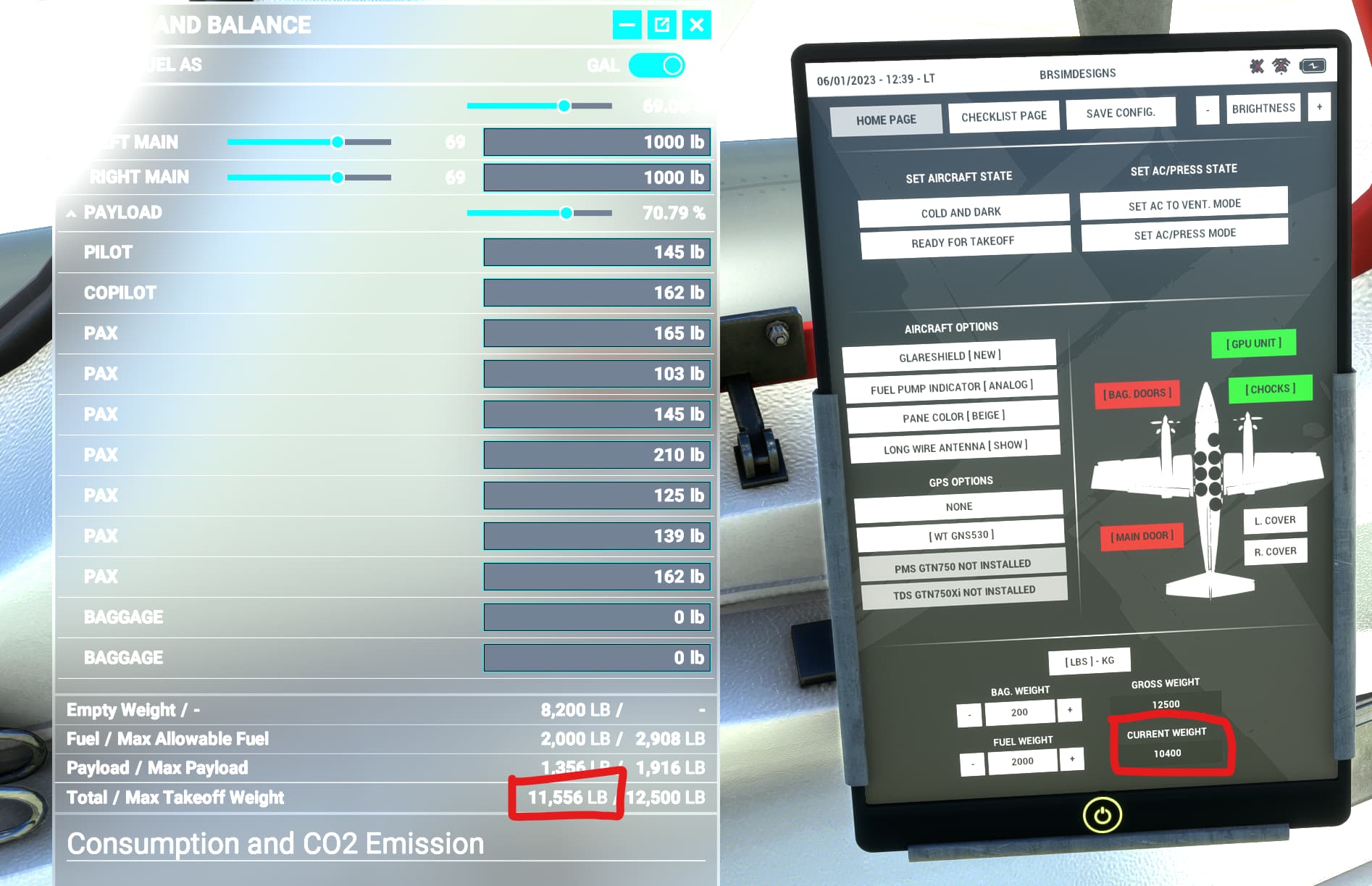
Use only the EFB to load. It will set the correct SimVars values for weight and fuel. It does not work in conjunction with the MSFS weight and balance tool yet.
3 Likes
ok thanks. i didn’t notice the ability to click people in the small plane. i see it now
1 Like
@ReichertB another quick question for you: are GPS RNAV approaches integrated with the HSI vertical path indicator? Normally on the approach shown in the screenshot the plane should have detected the glidepath from the RNAV approach (as seen with the LNAV+V indicator on the gns530) and allowed the GPS Approach function to bring us in (same as an ILS approach).
However the GS is showing as INOP. So wanted to see if this should be working with this plane or not? thanks

At the moment the GS indicator should only work with ILS.
3 Likes