I am sick and tired of re-installing the all data all over. Every update is a nightmare for me.
When is see the mandatory update message I feel like leaving the MSFS2020 behind.
When I start Microsoft Store, it starts downloading but never finishes download. Computer freezes with a black screen.
Once I let it be to see what will happen, but nothing happened after 12 hours of waiting in the morning. It was black screen and nothing was responding as usual on every MSFS update.
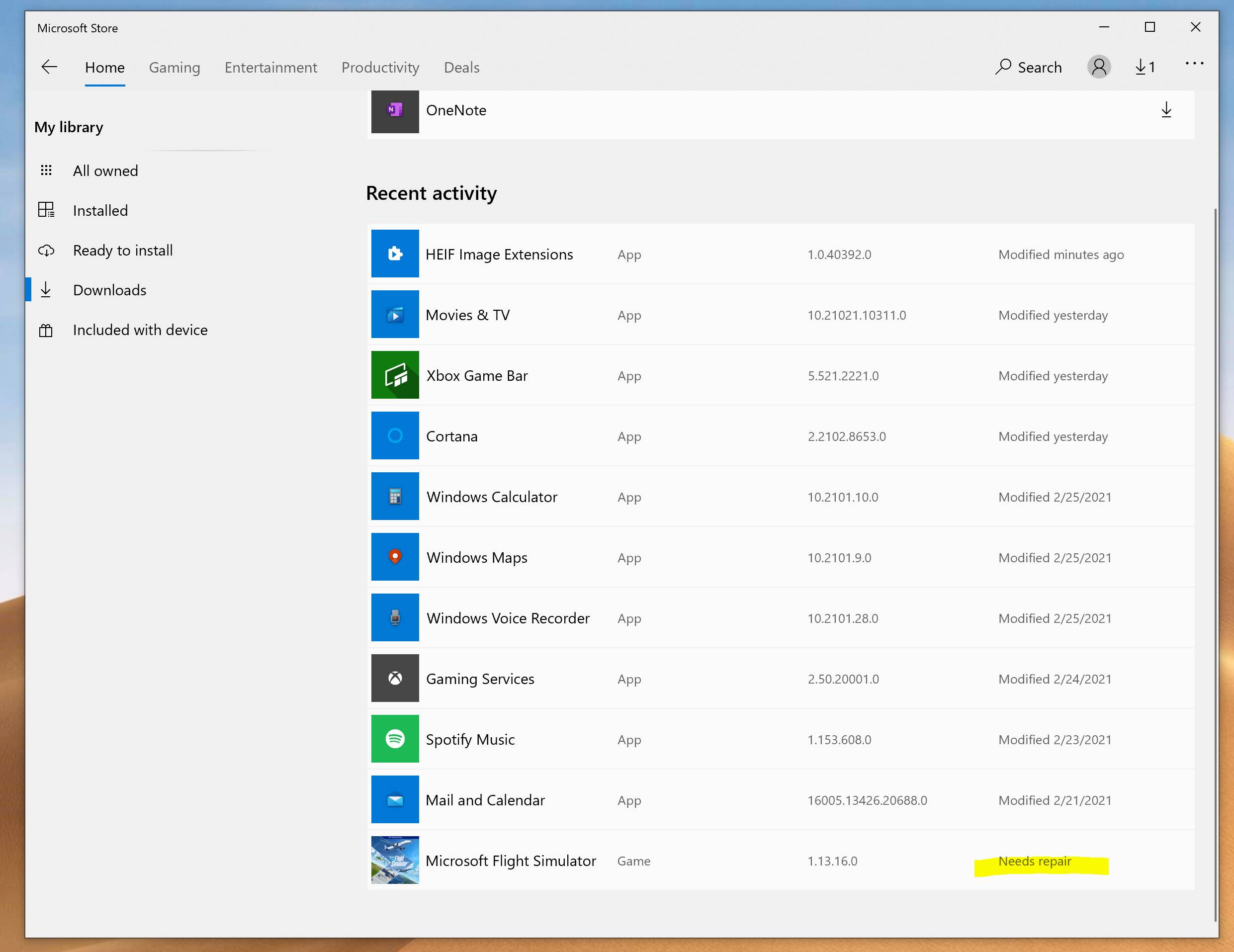
I forcefully shutdown the computer and restart. After restart; surprise surprise; MSFS needs repair. I try to to repair it but no luck. Resetting? Nope, des not change anything.
I have to uninstall everything and re-install.
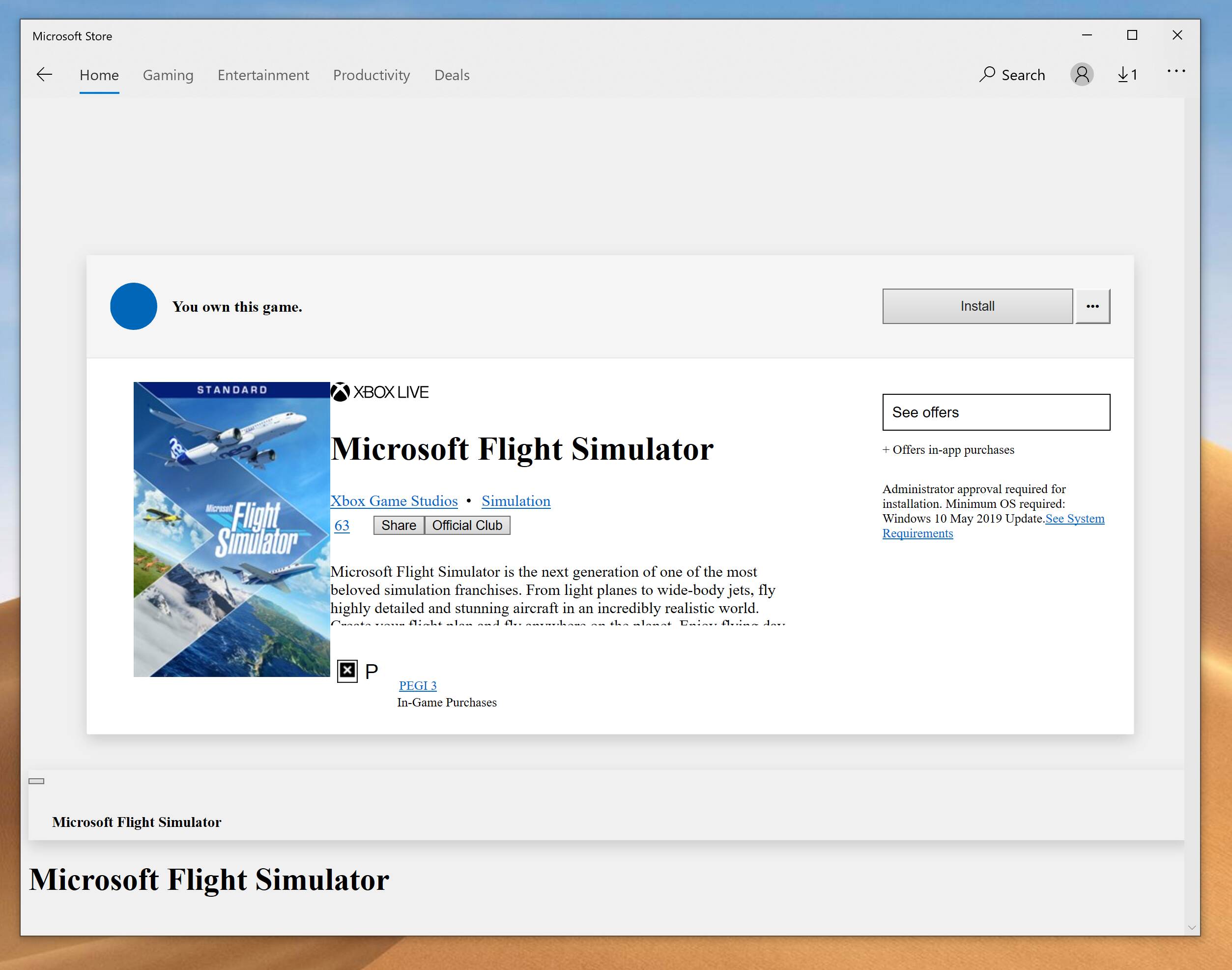
Bu this today, it a whole new level. Now Microsoft Store page for MSFS is not being displayed properly. Install button does not work (I did not uninstall it but it still says that i have to install)
I am really really tired of this. Could someone help me with this weird and devastating problem?
Sorry you’re having issues OP. It’s aggravating. However, I’ve never once had a single issue with downloading the game or downloading an update. Do you think it could be something on your end? An older computer? Bad hard drive?
I am having this issue since the release. With every update I have to re-install the simulator. Sometimes even the Store update freezes I was managing to continue (just for last two updates).
But with this update I lost everything again, moreover I am unable to re-install either at this time. I think I have to re-install Windows first.
My configuration is good actually. I am running it a recent iMac 27" which has 8GB VRAM.
However my bootcamp version is a little different and might be causing problems.
Windows installed on a 1 TB NVME external drive which is connected through Thunderbolt 3 port.
I never faced issues on performance it is running better than internal SATA disks. But I am thinking that this might be the cause of my problem. Even though I don’t have a solid evidence to prove that.
I’ve never had a single problem. Live weather works fine as long as I load Clear Skies first. And I only fly GA aircraft so I don’t experience any of the airliner issues. Only 1 CTD after slewing for more than 30 minutes, which I blame on myself. It seems to be ready for some, and not others. It’s a head scratcher for sure.
First things first, why is your Store app not using the proper font, has incorrect widget styling and some missing content in the page?
Is your Windows installation OK?
Everything has been smooth sailing with this app for me. All updates. Even moving the app from one disk to another and changing XBOX Live account.
Well, I just saw your other post… Running in a VM on a iMac.
Considering there MAY be anti-piracy stuff in this game and the serious dependency on the full software stack below, I think you’re pushing the envelope a bit.
Your setup is clearly not supported. It is very likely you’re going to have lasting issues.
This is not a simple app but rather an extremely demanding game.
Unfortunately, there is no “might be” causing problems.
This software is best run - and not without issues - on a high-end Windows box. I would not attempt running this software on a Virtual Machine installation on a Windows box, let alone on a Mac.
(Not Mac bashing here… my laptop - that I love and use daily - is a MacBook Air.)
MSFS needs a robust Windows box to be successful. And lots of patience.
Had the same happen to me twice before, but it seems to be a bug with the X Box software for MSFS which I don’t have. I also started reinstalling and realised that it was trying to make another install.
Do not install from the Microsoft Store , instead go to your shortcut to MSFS exe and it will update from there . if your shortcut is greyed out , just go to your username)\AppData\Local\Microsoft\WindowsApps\Microsoft.FlightSimulator_8wekyb3d8bbwe and double click on the fs.exe , it will say that it can not start the sim… blah blah blah, click ok and now your shortcut sould be fine. it works for me.
Fonts are missing and items are not in correct place as it supposed to be. CSS was not loading correctly it think. And this only happened on MSFS2020 product page. Other pages was perfectly fine.
I think you misunderstood me. I am running it on a high end iMac on Bootcamp. Not on virtual machine.
It is working windows box not on VM on top of macOS.
Only problem I suspect that bootcamp is on thunderbolt 3 external NVME SSD connection.
And yes I am thinking that it might be the problem since Windows running natively but on an external drive.
Thank you for your feedback, your information might be helpful. I will try it. Shorcut is not working as you can guess. I will try run it by fs.exe
And I will remove the xbox software to see if it makes any differences.
Thank you for your help, I will let you know the result.
I suspect your only issue is one that will probably continue to cause you issues: you’re operating the game through bootcamp. That alone should be a dead giveaway for your issues especially a brand new platform. Can you provide what the specs are of your iMac? Thanks
Sorry but this is not true. I run MSFS 2020 on a Imac via bootcamp with 4GB VRAM and 8GB RAM without any problem. I never suffered CTD and the simulator run almost fine. I don’t know if the problem is the external drive…
I don’t believe, Asobo will spare work resources to find the problem, why their sim won’t run on a IMac with basically software emulated compatibility (through drivers, which is software) on a different machine then a Windows PC, what MSFS is actually produced for.
I am running Windows natively, it is not emulated environment.
Bootcamp is not emulating nor the virtual machine. If you don’t know about Macs or Bootcamp please don’t bother writing because it is not helping. Bootcamp is not what you think.
Every Apple device have ability to run Windows natively since they were using Intel processor.
Thank you.
In fact, I never had problems about performance except the update that I have explained as my problem.
My problem is that my computer freezes when try to install update on Microsoft Store.
Furthermore, AMD releases frequently updates for their graphics for Macs
I know what Bootcamp is, but it’s far worse than running Windows natively on non-Mac hardware due to the poor Bootcamp implementation by Apple. It’s not the GPU drivers that are the issue, but the storage, logic board chipset, trackpad drivers which are awful.
Either way, it’s a strange issue - I’ve only had to reinstall the game once about 5 months back when I was getting random CTD’s, and since then it’s been pretty good. You could look at doing a full reset on the Store and see if that resolves the fonts issue.