Try this. Go to Dev Mode and from there you can go to the controllers tab and delete what you want to or assign what you want to.
My previous temp fix of double clicking the arrow next to the profile allows quick navigation between profiles when it does the first selection.
I plan to delete the cloud saves once and start again. I realised that many controller assigments are standard across many profiles so will go more generic on many profiles. But I want to caveat this with the fact that I use SPAD.Next extensively which does not mess up when SU1/2/3 comes along…
Ah yes that’s true. If they have the weather preset drop down the same on console (do they?) then they could have used that exact system here. It’s a tiny amount of work to change I’d have thought, so there may be hope if they can hear our pleas!
Got this as well. Saved profile not loading, each time I have to select the correct profile for several controllers to fly once plane. Was perfect pre-SP2. This is absolutely annoying.
What has happened?. Never had this issues but Su2 give me waiting times like 30 seconds. All the beta’s no issues and then suddenly Asobo invented a new bug
It was an issue for many throughout the beta (as early as the 2nd or 3rd build I believe) - there are many reports on these forums indicating that. Guess you just got lucky and your luck ran out
Do you have the same issue if you follow the OP’s steps to reproduce it?
•
Provide extra information to complete the original description of the issue:
•
If relevant, provide additional screenshots/video:
• The screen shots of a circle for 5 mins, are enough.
In my instance since SU2, I open controls, to be directed to Keyboard, which I don’t want, but have to wait for the keyboard to load before I can change to Bravo Throttle.
While changing the aircraft controls to the one I have previously store,have to wait for that circle for a couple of minutes, for each aircraft, one by one, until I get to the one I want, Say A400, boeing 737, to boeing 777 can take ages. This does not leave much time to use 2024. So last night I went back to 2020 and whizzed through the set up and flew a 737 outbound and a 777 inbound, thoroughly enjoyed it. 2024 Experience is not like that at the present
This current profile issue is NOT causing CTD’s plain and simple. The profiles load fine and are correct, just slow due to whatever is causing it.
So everyone that is talking about clearing up/deleting/starting again are giving out rediculous advice. Don’t waste your time doing that as one person already posted above that it did not fix their issue.
Do you have the same issue if you follow the OP’s steps to reproduce it?
•
Provide extra information to complete the original description of the issue:
•
If relevant, provide additional screenshots/video:
• I also have extremely slow responses in the controls meny. Just as described. I have different hardware from VKB. Still same behavier. Happened just after SU2.
This extremely slow update/save issue is not the same as CTD issues. I also still have CTDs when I try to delete or change certain submenu profiles. The sim simply goes to CTD.
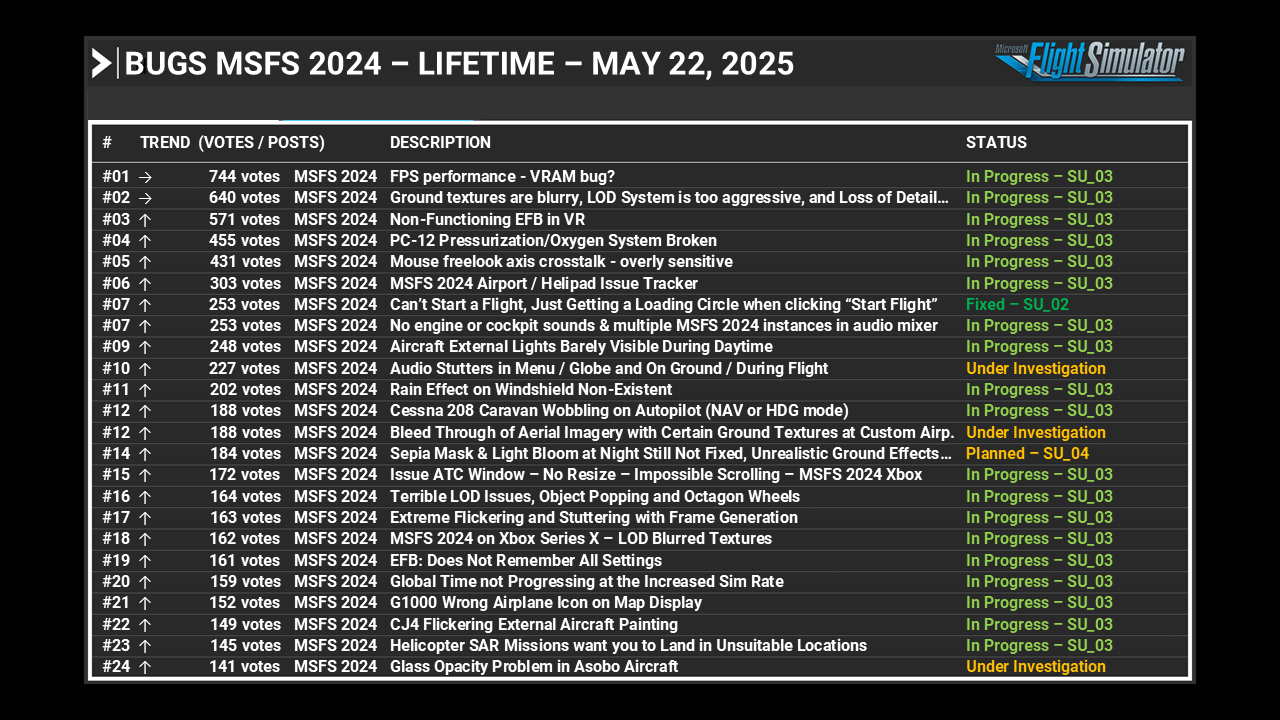
This Feedback Snapshot was captured frrom the regular Bug Reporting Hub list on May 22, before this thread was properly moved to that category from the SU2 Beta forums.
However this issue should be mitigated now in SU3 Beta, looking for feedback on that.