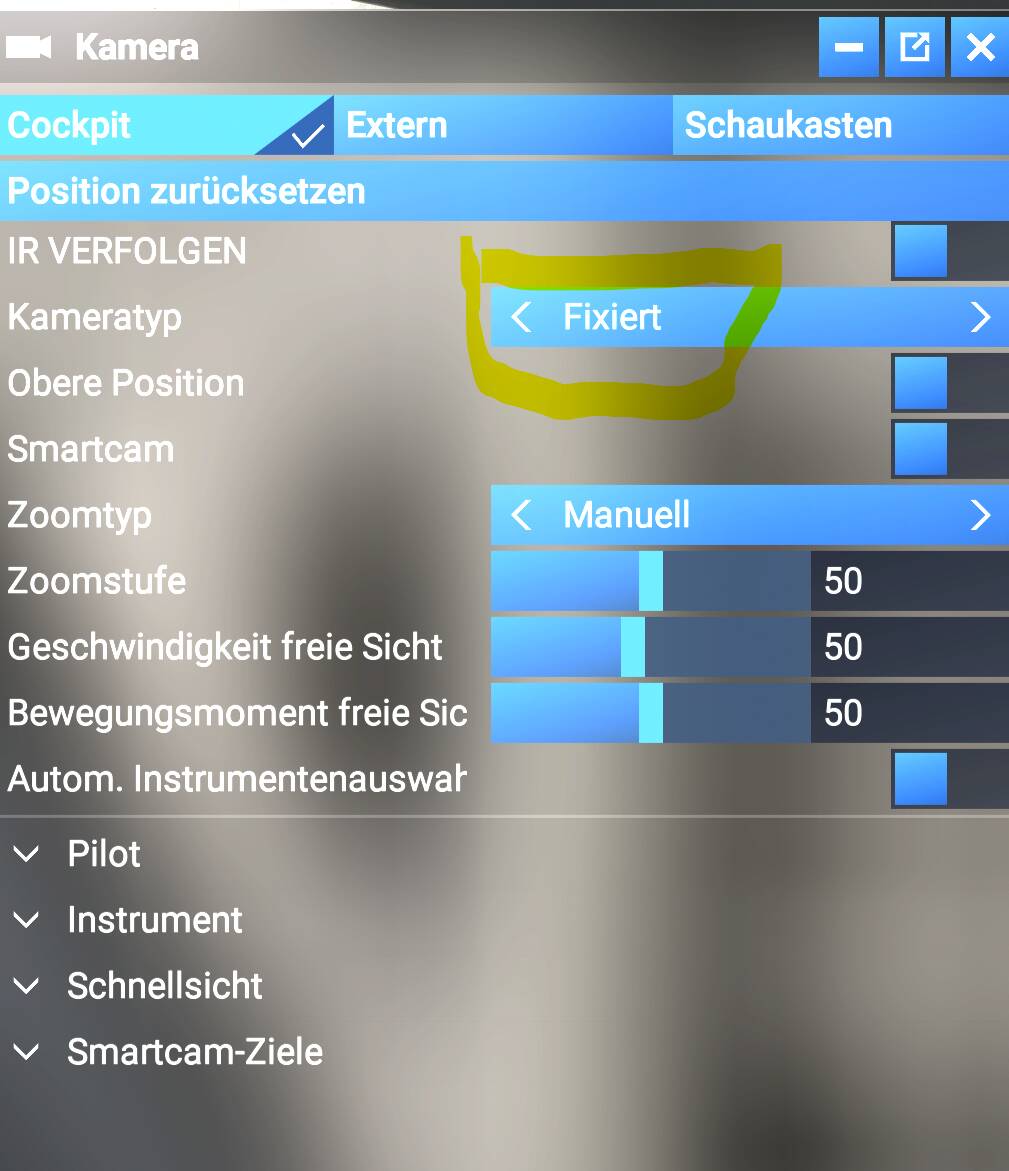
I’m really going mad with MSFS 2024, just started up the sim with the iniBuilds A321LR and A330-200/300 and suddenly, in VR I have only fixed view available in the view mode, respectively when switchhing back to free view mode, the setting will not be stored and the view mode is switching back to fixed. This makes VR useless again which drives me really crazy. I don’t know what Asobo has changed since last weekend. The Sim has run so super smooth in VR over the last few weeks and since the release of SU4, but now theres is already a step backwards which drives me crazy.
If somebody has same issues in VR just let me know how to get it solved and if a walkaround is available I m grateful for giving me the necessary steps to get free view mode fixed and getting back.
I believe this Fixed View/Free View switching problem in VR is a known widespread issue with Microsoft Flight Simulator 2024 VR, especially since the most recent updates (including SU4 and subsequent patches) — and it isn’t something specific to your hardware or just the iniBuilds aircraft.
Workarounds You Can Try
Restarting the sim and entering VR only after fully loading the flight. Start in 2D, load the flight, then switch to VR (Ctrl+Tab) — this sometimes stabilizes camera settings.
Unbinding or remapping freelook/reset view controls. Remove bindings you don’t need and set freelook to a key you won’t accidentally press.
Increase dead zones for all camera movement axes. This can prevent tiny input noise from interfering with view modes.
Verify your OpenXR runtime is up to date and correct for your headset. Use SteamVR settings to set OpenXR as the active runtime, or use the headset’s recommended OpenXR loader.