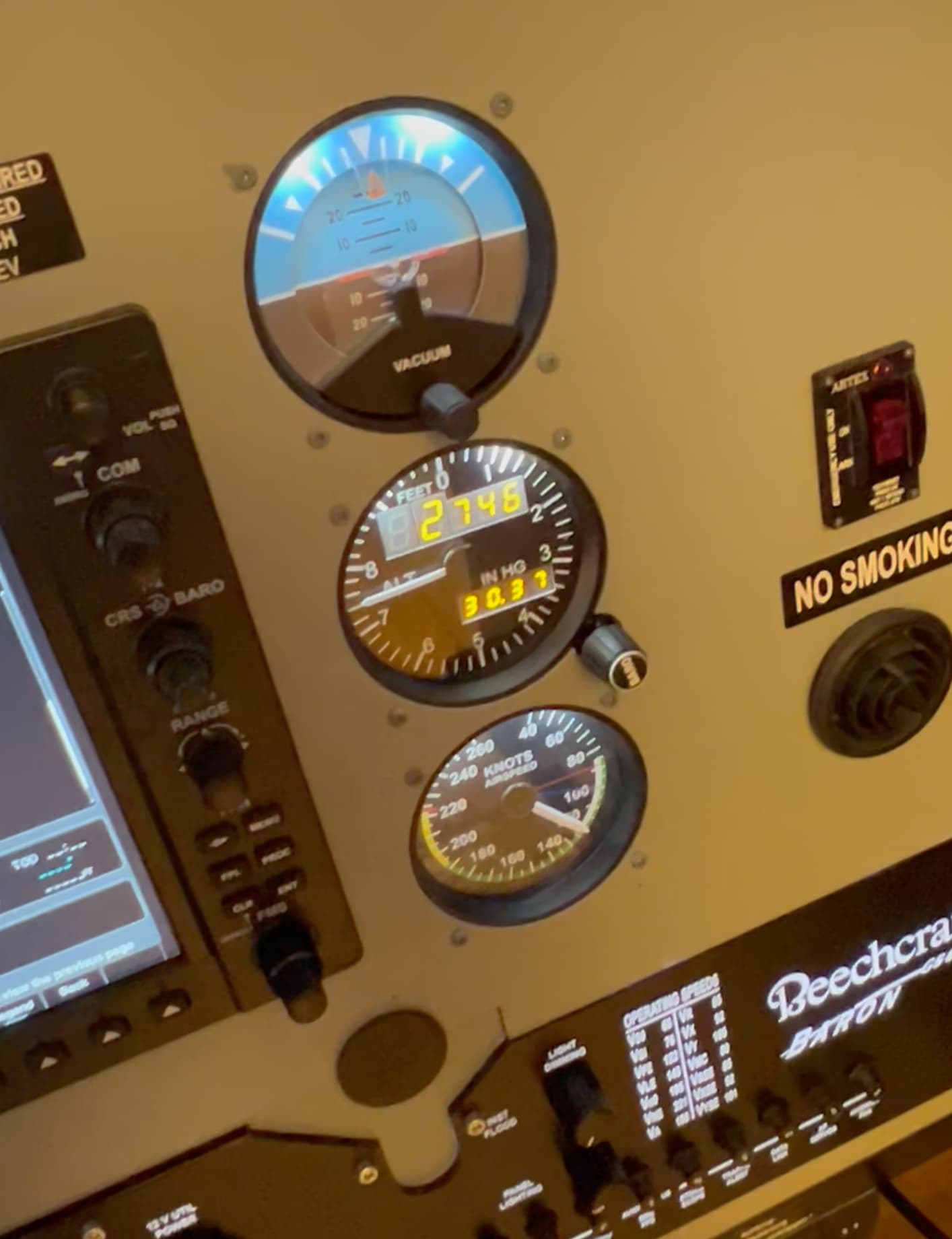
I have 8 analog gauges from Flight Illusion that all work perfectly in 2020. I bit the bullet and tried 2024 after the dust settled and the gauges do not work. I checked Flight Illusion website and they had no updated software for 24 and based on other info on their website, I’m afraid they might be going out of business.
Anybody have any of the gauges and manage to get the running in 2024? Any ideas where else to look for info?
2024 looks nice, but getting everything configured and working seems like a week long project at best.
I am in the same boat! Lots of $$ invested in Flight Illusion Gauge. Hope there is a way to get them to work! Looked a MSFS2024 but just have way too much invested in MSFS2020. Happy flying everybody
Yea, I think I’m going to stay 2020 for a while. I was really hopeful that 2024 would just be able to send sim data straight to the FI card. Seems like it would be really easy since 2020 already did, but doesn’t seem like they put much thought into making things easy for users that have already invested thousands and hours into their setup. Couldn’t even get a config screen for TOBII, they sure as hell aren’t worried about FI users.
They were pretty much plug and play in 2020. Just installed G-Step and a driver for the I/O board. I even reinstall everything after installing MSFS 2024, but it doesn’t look like the sim is sending the gauges any data.
Flight Illusion gauges are supported in Air Manager are they not. I assumed it was the new way for these gauges instead of the old G step app. Air Manager has a new beta currently that is 2024 capable. Might be worth investigating.
Moderator Edit:
Flight Illusion Radio Com/nav Bendix and ADF do not work with FS2024.
Com/Nav changes the frequencies in the simulator if I move the gauge light intensity slider in Air Manager. We already had this problem when starting FS2020, I don’t remember who repaired, Asobo, Flight Illusion or Air Manager.
Radio Com/nav Bendix et ADF de Flight Illusion ne fonctionne pas avec FS2024.
Com/Nav modifie les fréquences dans le simulateur si je bouge le curseur de l’intensité lumineuse de la gauge dans Air Manager. Nous avons déjà eu ce problème au démarrage de FS2020, je ne me souviens pas qui a réparé, Asobo, Flight Illusion ou Air Manager.
Indeed …
I can confirm that the gauges from Flightillusion are working.
(Some aircraft are yet restricted to pull out the needed variables. At the beginning I had only attitude and airspeed indicator was working properly.
altimeter had no digits only needle was moving. Now with latest msfs 2024 build and newest AirManager 5.0 Beta update I got the needed digits output back)
I have my Baron G58 with Airmanager 5.0 Beta with Adobe G58.
Very happy to see that my backup instrument gauges are working.
Hi, I have the same instruments as you from Flight Illusion, but I cant get other then Airspeed indicator to work with MSFS2024 and Air Manager 5. When scanning for guages I just get unknown “Not connected” for Attitude and Altitude indicators.
Is it possible to get some help?
Umh, what did you do to get them working? Are you running them through G-Step or Air Manager or magic? I haven’t messed with 2024 in over a year, but thought I’d give it another shot with my new 5090 - alas, none of my 8 FI gauges work because G-Step says it can’t find the simulator.
Man, after several hours of research and help from Chat GPT - I have all 8 gauges MOSTLY working in ‘24. YEAH! It was actually pretty freaking easy - but I wasted hours and $37 on FSUIPC7. Looks like the same people that made the G-Step UI actually made Air Manager or used it because the UIs are almost identical.
The only thing I CANNOT get working is the knobs (heading bug knob, baro knob, OBS knob, etc.) on the gauges. Chat GPT suggested that I use SPAD.next - which I already use for my FIPs, so great. However, I cannot figure out how to make Spad.neXt recognize any of the gauges or knobs (I did add the FI interface board as a serial device but I have no idea what to do next). Anyone have any ideas on how to get the knobs working (hopefully thru Spad.Next, cause I’m kind of tired of buying / learning new software and scripting languages!).
AirManager actually has code for the knobs, it just doesn’t freaking work in ‘24 for some reason ?!? Tried “BAROMETRIC_PRESSURE_SET” and that doesn’t work either. FS ‘24 didn’t implement all the events they used in ‘20? This makes no sense.
The Air Manager script and other external apps as well will be dependent on the aircraft. The thing with the MSFS aircraft is the individual devs can and do implement different ways of doing the same thing, so you need the specific MSFS event or variable that works with the aircraft you want to use. If you find an Air Manager instrument that works you can just use the same dial event(s) or variables for your FI gauge.
Thanks for the insight! Very helpful. I’ll do some more debugging tomorrow. Probably took me a year to get ‘20 tuned in right. Not sure why I thought I’d be able to do ‘24 in a night :).
When you turn the FI gauge BARO knob, the code is sending
msfs_event(“KOHLSMAN_SET”) - the same one used in the sim - but nothing happens. Code runs fine, thinks it sent the event but no movement in the sim AND no event shows up in the SPAD.Next event monitor. Maybe something preventing the events from AirManager to MSFS ‘24? Any ideas?