Sorry to hear that. Here is what I find I have to do (last 3 sessions worked like this):
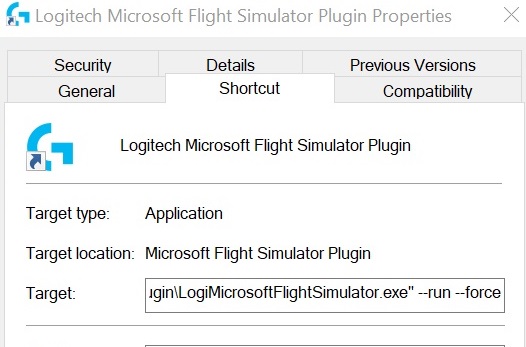
After starting the sim I click on a shortcut I pinned in my start menu to the LogiMicrosoftFlightSimulator.exe file. Immediately my FIPs come online as does my Radio and Multi panels.
I have to do this every time but AFTER loading the sim.

The shortcut needs the target exe file to have the --run and --force added to it, otherwise you get an error message on running.
P.S. I can’t turn them off after exiting the sim now, I have to kill the task in task manager… LOL