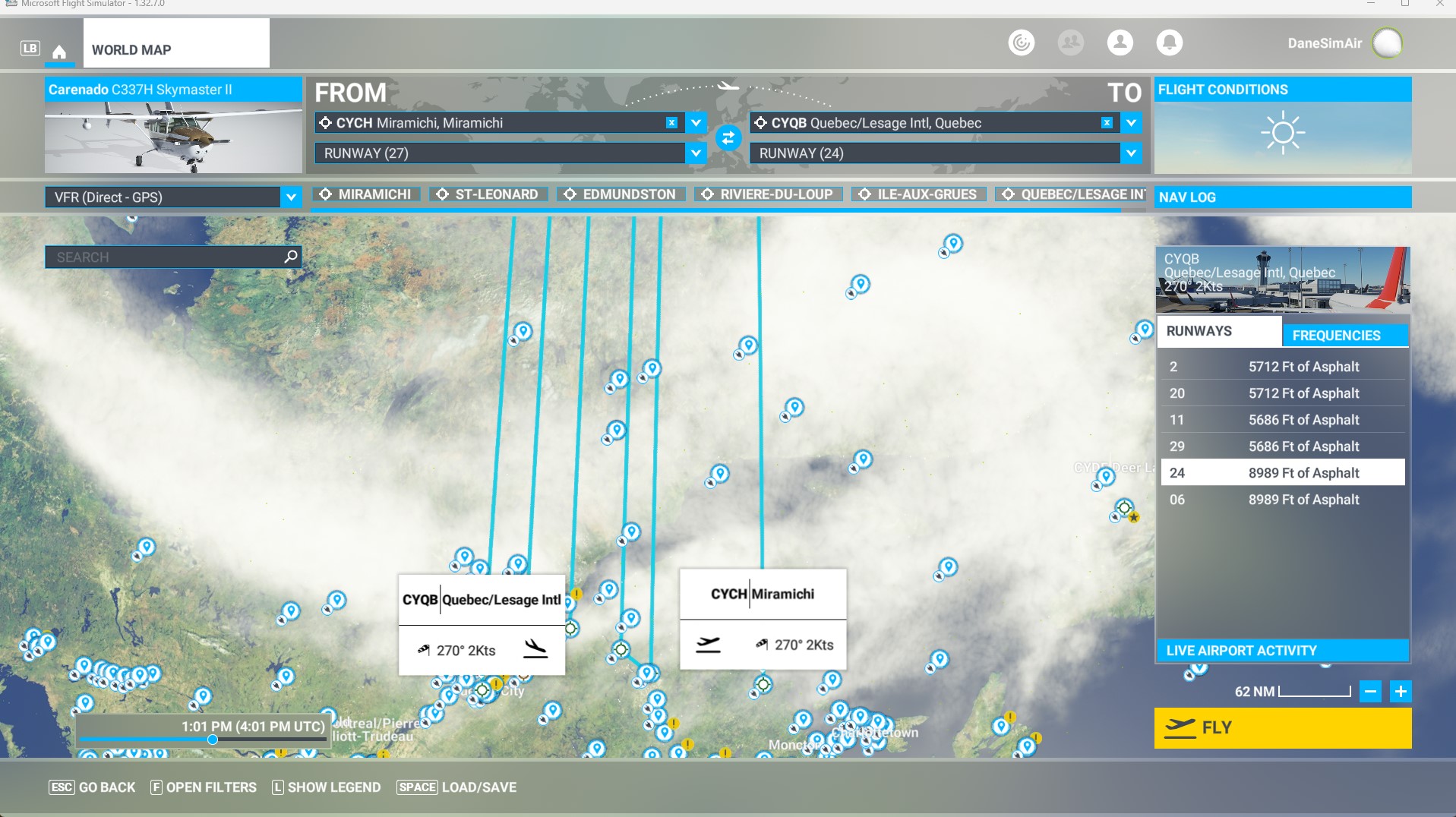
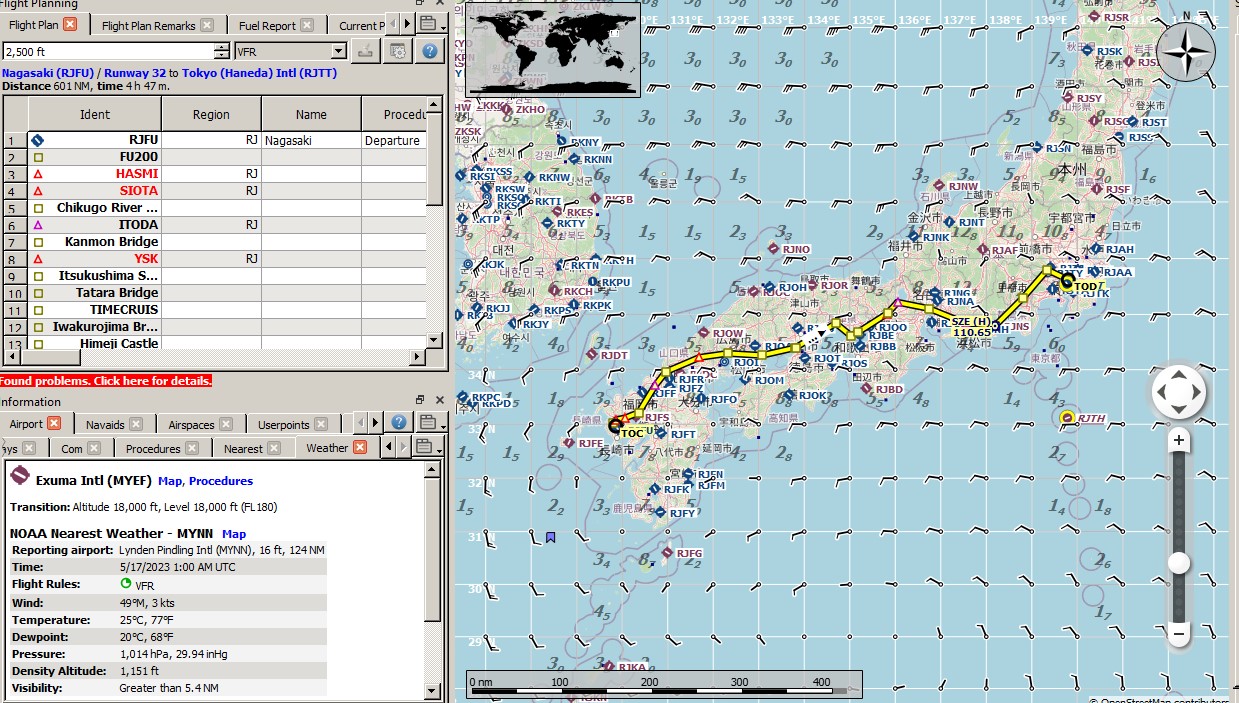
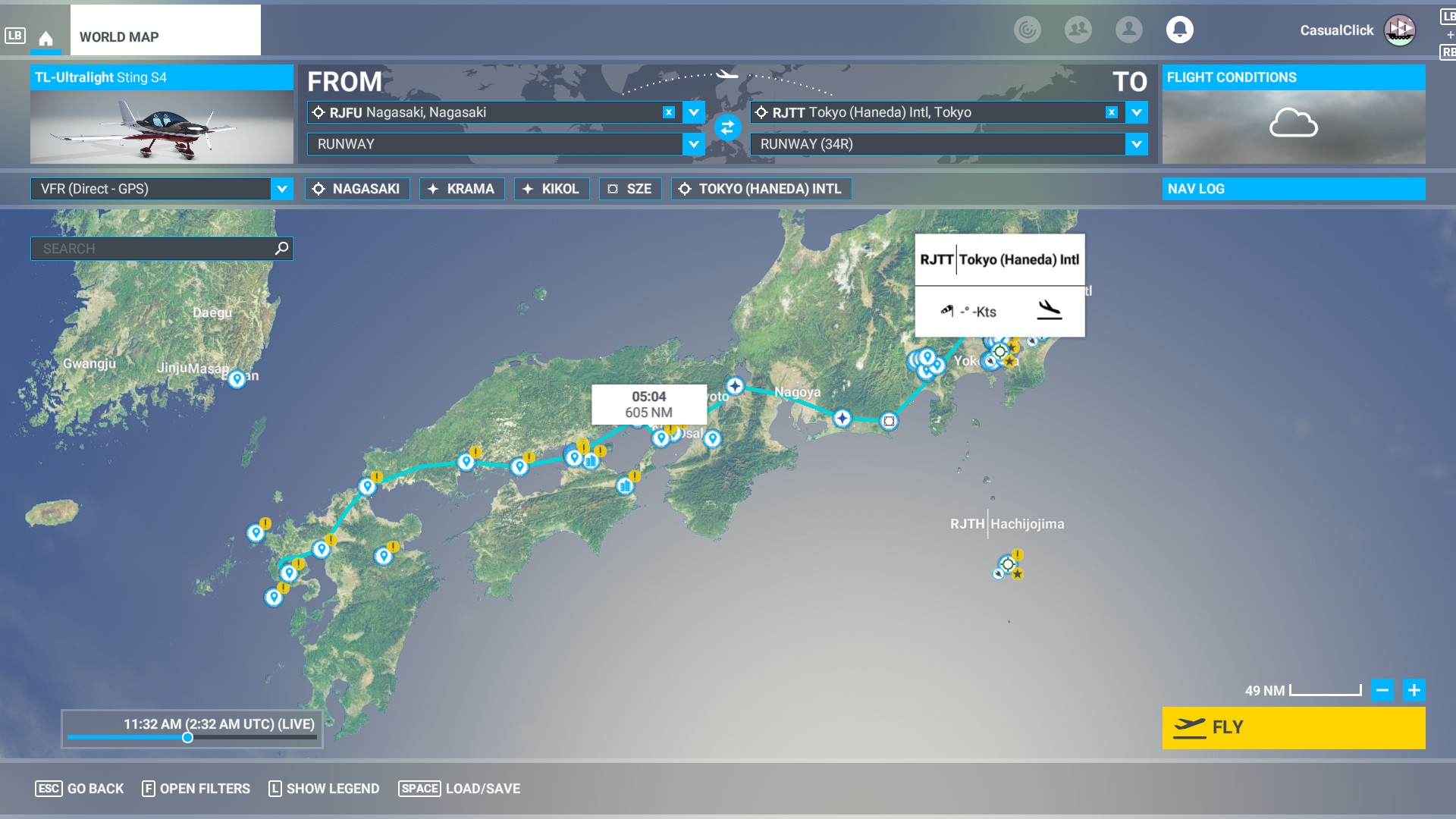
I have imported flight plans many times but sometimes the import shows up very strangely as you can see from my screenshot.
This particular flight I renamed, with the obvious .pln. On my PC it is a problem but on my friends PC it shows up just fine. So I exported it to SimBrief, saved it, then exported to the MSFS folder. I imported that new SimBrief flight plan which has a different file name, and it looks good on my World Map.
Does anyone have any thoughts on what could be causing this issue?
I will also upload the flight plan as well as the screenshot.
Canada_East_to_West_Leg-05.pln (4.9 KB)
EDIT: I should note that the flight plan was created in Little NavMap. Also, it almost looks as if MSFS does not like Way Point (WP) in the route - but not sure.
I’m getting the same…any help would be appreciated !
Yes, I believe that’s a bug that the export of your PLN doesn’t go as planned. I’ve seen various reports on this, but I don’t know the source exactly. Could you post your PLN file?
Are you using Navigraph? It can cause this. Remove Navigraph as a workaround. Usually the navdata gets fixed in the next AIRAC or two.
1 Like
following your advice I updated Navigraph and the plan has loaded correctly in MSFS. Thank you very much !
1 Like
For further information see [Official] Community Fly-In Friday: Norway - #15 by NAVData
This problem can occur if you are NOT on the latest Navigraph cycle/revision, or if you have NOT installed World Update 13. Make sure you have the latest Navigraph data and World Update 13 and you should not see this issue.
Regards,
Stephen
4 Likes
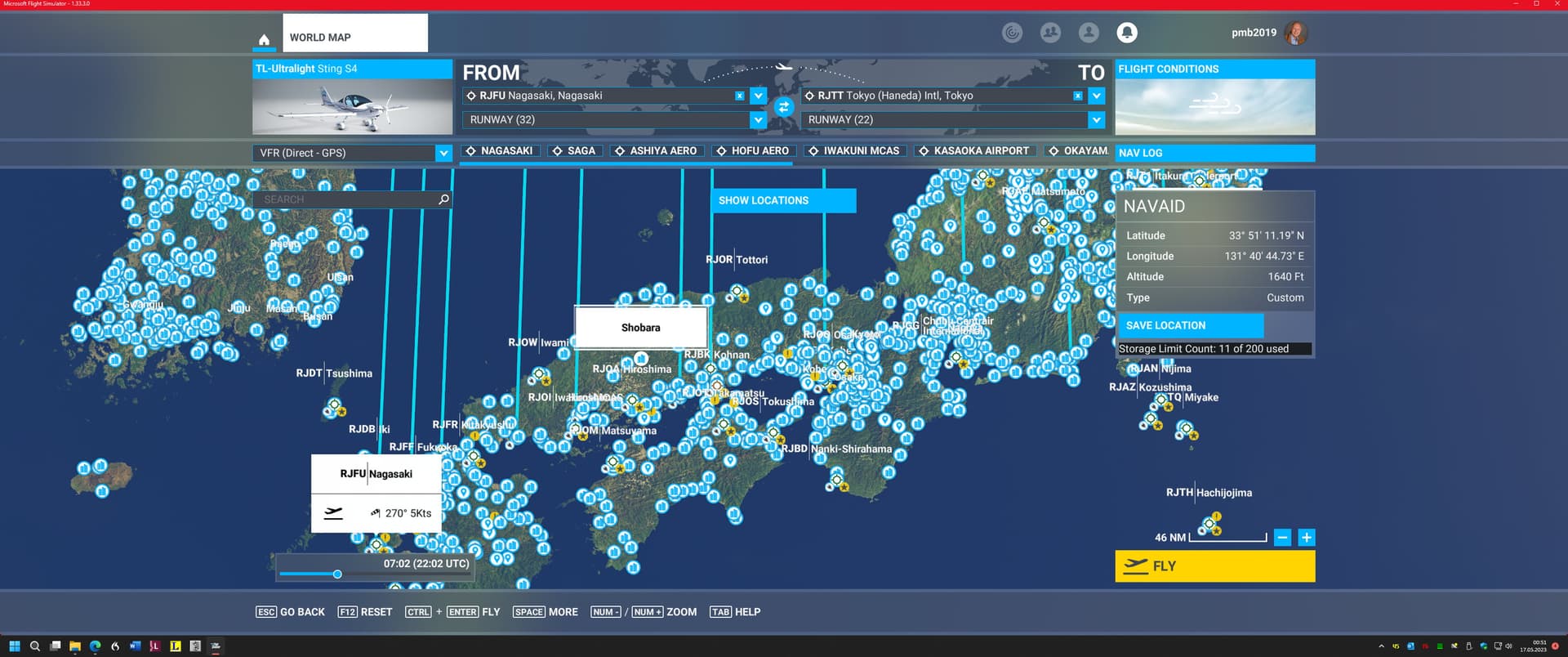
I obsverved this same issue when I (mis-)used a flightplan from a Bush Trip just for normal free flying. In my case, it’s the original Japan flightplan included in a Payware package by RosiG2. It’s shown properly when I load it into Littlenavmap, but with the lines going North as above on the MSFS flight planner. When I continue to the flight, the GTN750 shows a straight line from the initial airport to the final one, exluding the intermediate airports.
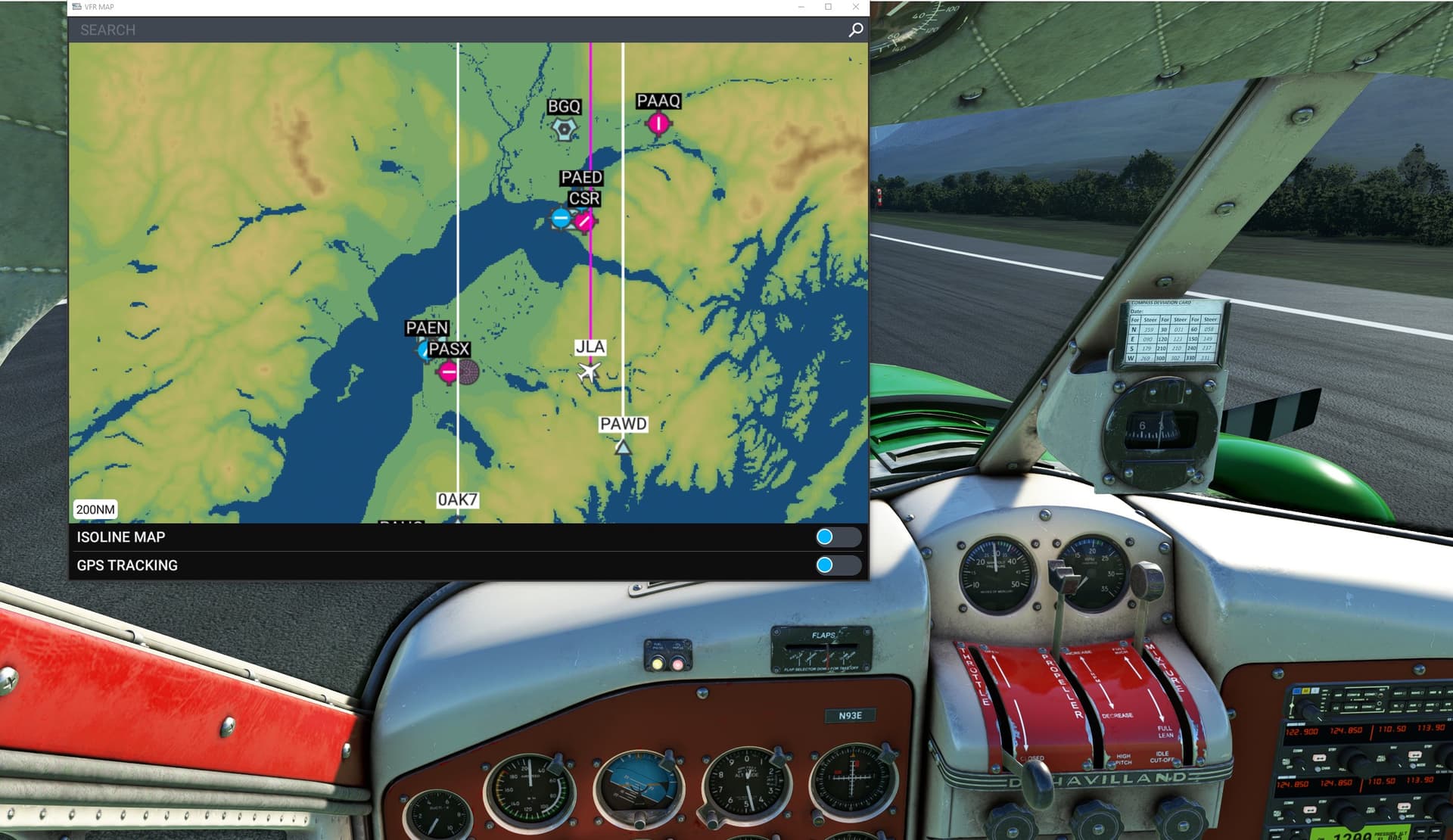
Now, that LittlenavmapVR works great in VR I can use Littlenavmap in the cockpit for navigation but would still like to see the proper plan on the Avionics.
As stated above, if you are a Navigraph user, ensure you are on the latest AIRAC.
Yes, upgrading to the latest Navigraph Navdata solved my problem
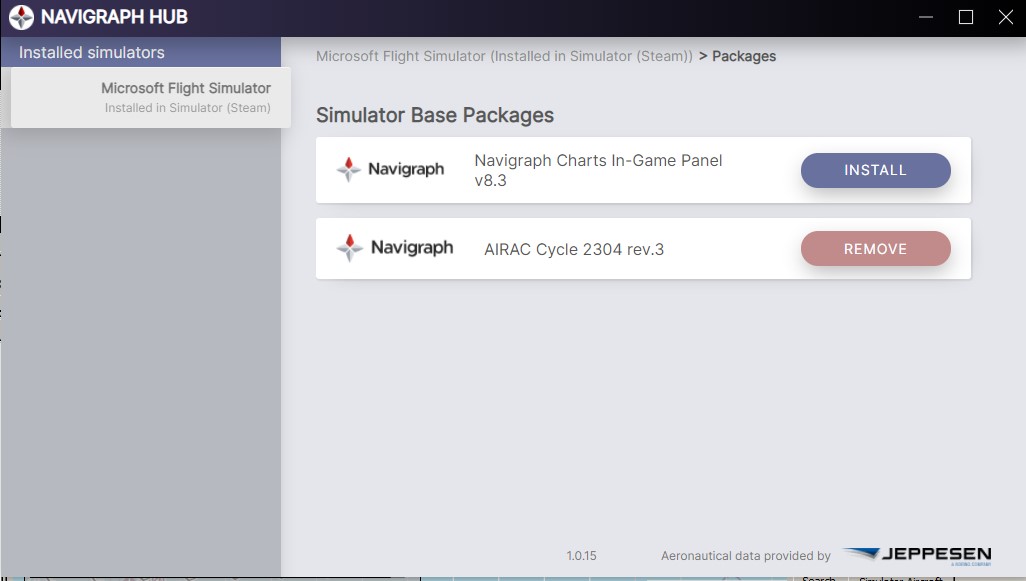
I’m a Navigraph user and on cycle 2304 rev 3. There is no new update available.
This is my “flightplan”
It looks and works properly in LittleNavmap.
I suspect part of your issue is the use of a Bush Trip that may or may not have been modified by a fourth party - based on your earlier post.
Here is my configuration, same as yours. Navigraph Hub (updated from NavData Center per Navigraph notices sent to subscribers), same AIRAC release.
Japan Tour.pln which I saved originally from when it was an Active Event long ago. Loaded into Little Nav Map, but has four missing waypoints.
Nonetheless, look at my World Map - clean. Even the same plane as yours.
I’m concerned that someone actually repackaged an Asobo authored flight plan and resold it, but that’s a different issue to follow elsewhere.
Try this copy of the Japan Tour. Maybe it will help.
LiveEvent.PLN (7.8 KB)
Thank you very much for taking the time.
I loaded the original plan from your link above and - believe it or not - it shows the same corrupt vertical lines. At this point I am pretty much lost. Either it’s some settings in my sim or some faulty data… I’ll try to investigate, notably, if more plans are affected. Several other plans I used so far or created myself display fine.
I wouldn’t care too much about RosiG2’s approach. She actually took the original plan, made a Bush Trip with a (not too exciting) narrative of it, added another plan for the North of Japan and sold it. I may be wrong, but a flightplan as such probably isn’t considered copyrighted material.
I would try a complete removal and reinstall of the Navigraph data.
But pause after the UNinstall and see if the plan loads correctly using just stock sim Navblue data first.
This is a checkpoint to make sure the base sim is functioning as expected.
1 Like
I did as suggested. Uninstalled the Navigraph data, and voila. the flightplan did properly display. So, you are right, it’s fine with the base sim.
However, after reinstalling the latest Navigraph cycle the plan is corrupted again. In this case, the Navigraph Discord might be the proper adressee, but not sure it’s worth the hassle given this is the only plan I had these issues so far. Will think about it.
Thanks a gain for taking your time to isolate the issue.
Check in with Navigraph - Richard (NavData) is very knowledgeable and helpful over there.
1 Like
If I remember correctly from a long time ago, it could also have something to do with incorrect parsing of the flight plan by having the wrong decimal separator configured. Whether LNM exports wrong or MSFS imports wrong I can’t remember, but it was something along those lines.