Second issue is that when you select an aircraft, it doesn’t populate or tell you the average fuel consumption. You need to go into the aircraft stats on the sim to get that info which isn’t very user friendly
I have not tried it on an iPhone, but it does work just fine on my iPad (and is just as buggy as it is in the sim, its not really complete yet, is it).
It works ok on my Ipad 12 pro. I know its a work in progress. I hope they keep it for all devices. My Ipad is critical part of simming and assisting my Visual impairment. Its my Sim EFB.
What iOS device is this on? I am unable to repro this on an iPhone 12.
This is presently by design. Right now the fuel portion is just for basic trip planning, like you might have on your onboard avionics. Full comprehensive performance based predictions will be coming later, after aircraft developers have some time to settle in with the new flight_performance.cfg system that now exists in the sim to provide this data.
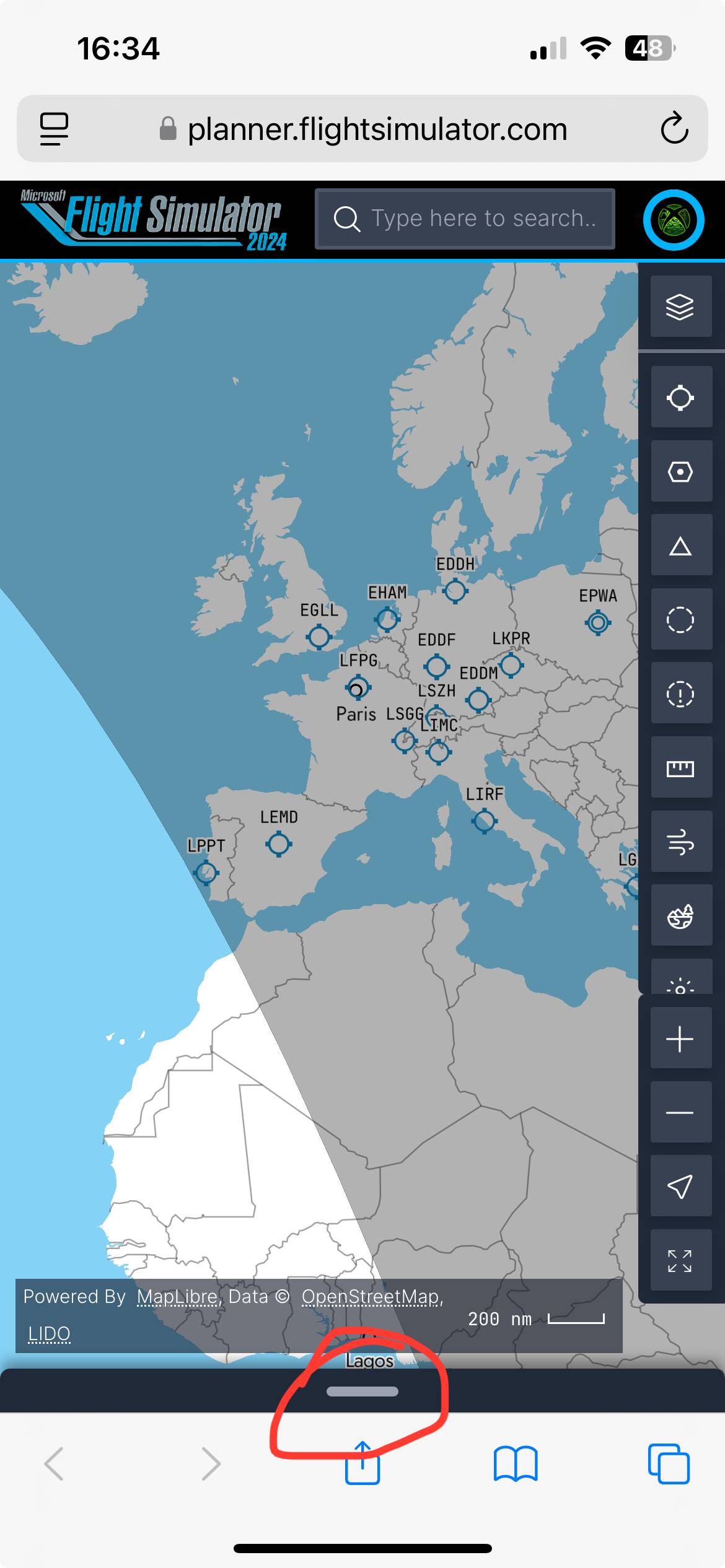
I’m starting to think that I’m doing something wrong. So I open Safari. I Google MSFS flight planner and open the link. Bottom bar doesn’t pull up. Can select airports and choose them as departure or arrival but nothing more than this. Can look at charts for airports but planning a route isn’t possible
When you try to pull it up, is it activating some kind of Safari gesture that does something else? What exactly happens when you try to touch and drag the drawer at the bottom upward?
Wow you have to be so quick and accurate with it. Directly under the bar and a swipe that doesn’t make any stationary contact with the page. Haven’t found how to minimise it yet other than opening the route and then pressing the cross to close it
You can swipe the bar down from the top just like you swiped it up from the bottom. We will definitely take the feedback under advisement that the swipe needs a bit too much accuracy on some devices!
Yeah I’m sure the swipe down is there, I just haven’t found it yet. Thanks for the help. I can now copy and paste my simbrief routes to get ATC on inibuilds aircraft
Edit: and of course have a kneeboard of charts on my screen easily accessed