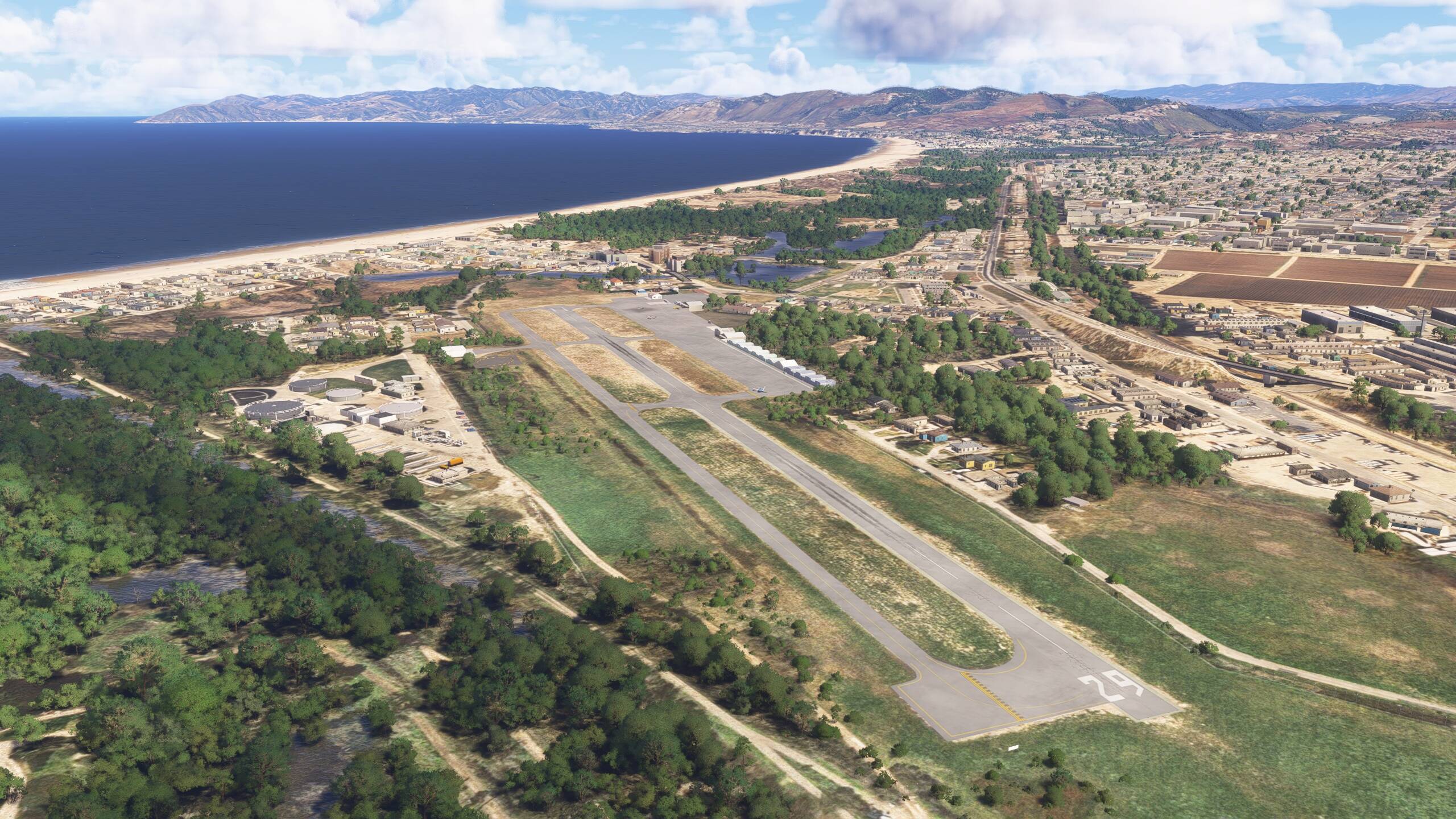
I’m thrilled to announce a major update for Oceano L52 Airport scenery, designed to bring you the most realistic experience possible in Microsoft Flight Simulator 2024 (and still compatible with MSFS2020). This free update is packed with improvements based on real-world changes and your feedback - because every detail matters  Download for free and your PC : https://flightsim.to/file/24371/l52-oceano
What’s New?
- Enhanced Runway Texture (MSFS2024): Crisp, accurate, and immersive.
- Optimized Performance: Removed static aircraft simobjects for smoother FPS.
- Real-World Updates:
- Adjusted holding point markings for accuracy.
- Relocated the windsock to match its real-life position.
- Added taxiway blue light poles and taxiway patches (just like the real airport!).
- Removed the hangar near the campground, gone in reality, now gone in-sim.
- More Detail on Short Final 29/11: Extra objects are back by popular demand!
- Fixed Missing Hangars (MSFS2024): No more empty spots.
New Installation Notes
The ZIP now includes two folders:
vbcorp-airport-l52-oceano(required for all users).zzz-vbcorp-airport-l52-oceano(MSFS2024 users: keep this active in your Community folder; MSFS2020 users can ignore it).
A Note from Me
This update - and all my scenery projects - are a labor of love. Each one takes 4 to 8 hours of work, from researching real-world changes to testing in-sim. I’m an amateur, a hobbyist, and above all, a passionate flight simmer just like you. My goal is to slowly update all my sceneries with the same attention to detail and realism. Your support and feedback mean the world!
Feedback Welcome!
Love it? Spot something off? Let me know in the comments. Your input shapes future updates!
Download now and experience Oceano L52 like never before. Happy flying! 


