ISSUE DESCRIPTION
Description of the issue:
FS2020 aircraft either streamed from migration or sideloaded in Community Folder are now showing an avatar (great)!.
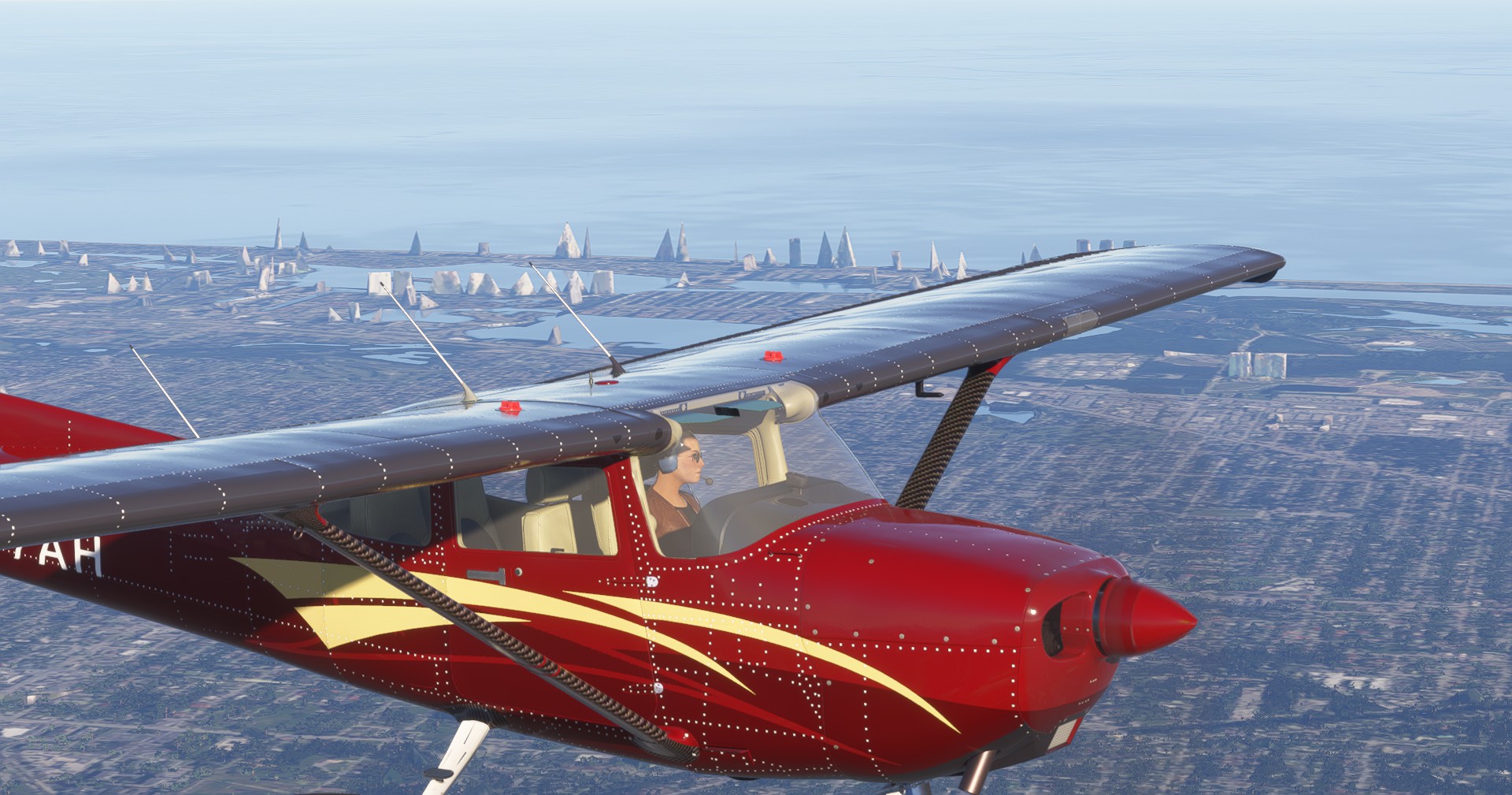
However, if one has both pilot and co-pilot avatars selected from FS2020, FS2024 seems to be taking that setting and placing the co-pilot avatar in place of the pilot, with the co-pilot seat now empty.
Notably these are indeed FS2020 avatars - very recognizable from the Create Identity Avatars in FS2024. When starting Cold & Dark your correct FS2024 Avatar is standing outside the aircraft, with the incorrect FS2020 Co-Pilot seated in the Pilot Seat inside.
Please see screenshot.
[PC Only] Did you remove all your community mods/add-ons? If yes, are you still experiencing the issue?
No - because some of the aircraft from FS2020 are sideloaded from other stores.
FREQUENCY OF ISSUE
How often does this occur for you (Example: Just once, every time on sim load, intermittently)?
Every time on SU1 Beta Load.
REPRODUCTION STEPS
Please list clear steps you took in order to help our test team reproduce the same issue:
- In Free Flight, pick a migrated FS2020 aircraft or a sideloaded (from Community) FS2020 aircraft.
- Load aircraft as needed for passenger, fuel, plan etc
- Enter Fly Now and note which avatar is displayed in-cockpit.
YOUR SETTINGS
If the issue still occurs with no mods and add-ons, please continue to report your issue. If not, please move this post to the User Support Hub.
What peripherals are you using, if relevant:
N/A
[PC Only] Are you using Developer Mode or have you made any changes to it?
No
[PC Only] Many issues may be due to an outdated graphics card. Please state your Graphics Card Driver Manufacturer (NVIDIA, Intel, AMD) and Version:
Intel ARC770 101.6449
[PC Only] What other relevant PC specs can you share?
N/A
MEDIA
Please add a screenshot or video of the issue occurring.

[END OF FIRST USER REPORT]
 For anyone who wants to contribute on this issue, Click on the button below to use this template:
Do you have the same issue if you follow the OP’s steps to reproduce it?
•
Provide extra information to complete the original description of the issue:
•
If relevant, provide additional screenshots/video:
•