FS2024 1.7.27.0 - CTD after fully loading up the sim

msfs-2024

Hola group,

Have 1.7.27.0 installed. nVidia driver 596.36, (RTX4090). Win 11 with latest updates, (i9-13900 w/ 64GB RAM). Also, Xbox having the latest update as well.

Go to launch the Sim, and I’m able to get to final screen. Which shows the settings, profile, etc. But I only see this for about 15 seconds, and then CTD. I’ve also tired in safe mode, same result, CTD.

Via the Xbox app, I did perform a repair, same result, CTD. I see all of the components of the sim loading, and I get to the main screen (with all the config options / settings), and boom, 15 sec later, I’m back to my desktop.

any suggestions?

TIA, Jav

did this, yet again, same old situation… no joy: https://flightsimulator.zendesk.com/hc/en-us/articles/17335196046108-How-to-clean-install-the-simulator-on-PC

Removed the streamed packages too!

I haven’t been able to fly FS2024 for the last YEAR!!! this is insane..

If there was a way I could get refund MSFS2024, along with the mods I’ve bought, I’d do so!!! I’d pitch this into the sh** bin forever!!!

What I sent to Asobo…

*Hi Asobo,

can you please help? It’s been one year since I’ve been able to “fly” with FS2024. Ever since I received the SU2 update I’m not able to use this sim.

My specs:

Win11, i9-13900K, 64GB RAM, nVidia 4090 GPU. I’m running the latest Windows updates, nVidia drivers, plus have Xbox and gaming services at current levels. I bought FS2024 via the MS store.

my account name:

Email:

When I launch FS2024, all of the packages successfully load. I get to the main screen which shows the config/settings, but within 20 seconds I get a CTD.

I’ve tried so many options. Repair/Reset of the app in Win 11. Also, via Xbox, similar repair. Uninstall and reinstall of the sim… (multiple times).

I’ve also reset/removed my cloud settings for the app, and relaunched with no success.

Can you check if there’s any issue from my account and cloud settings?

This so frustrating, I haven’t been able to fly for the last year. I have SU5 installed.

My FS2020 is working just fine, but FS2024, I’ve not been able to use for the last year…

PLEASE HELP!

kind regards,

-Javelina11*

Please specify your PC components in a list, including the motherboard model and BIOS version, as well as all connected devices.

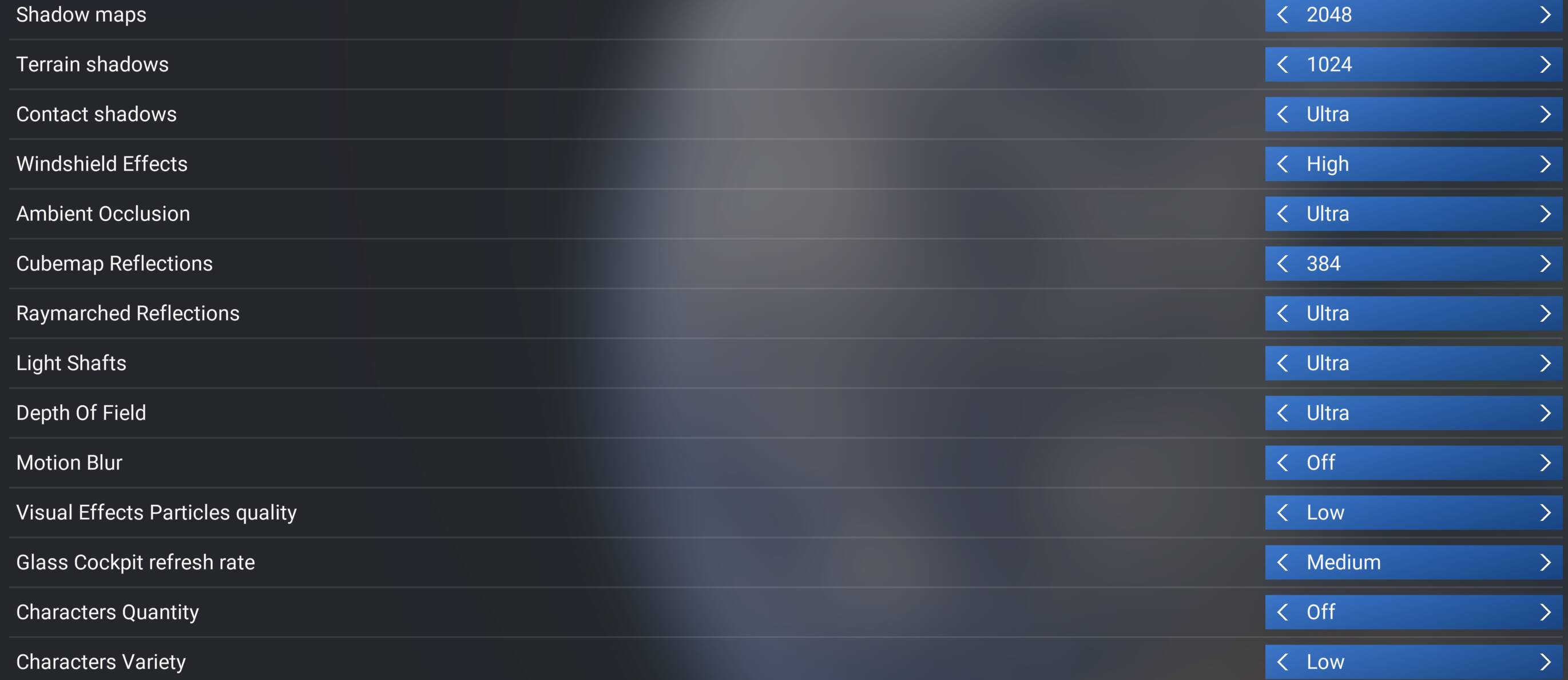
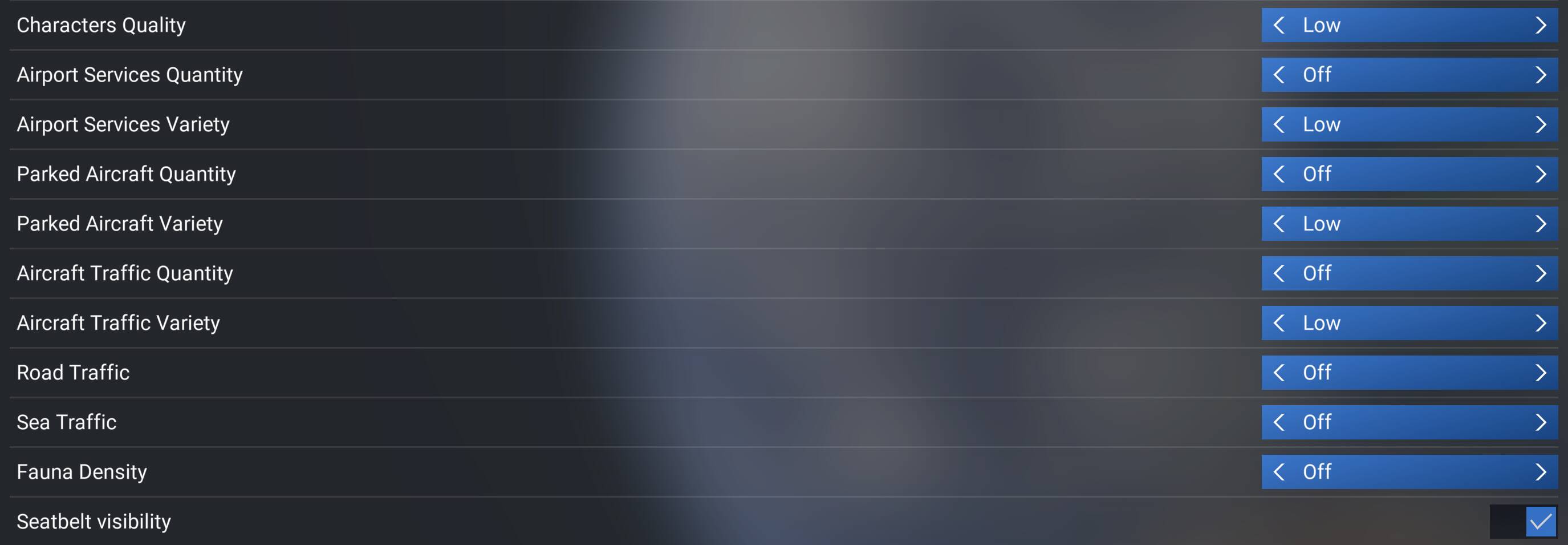
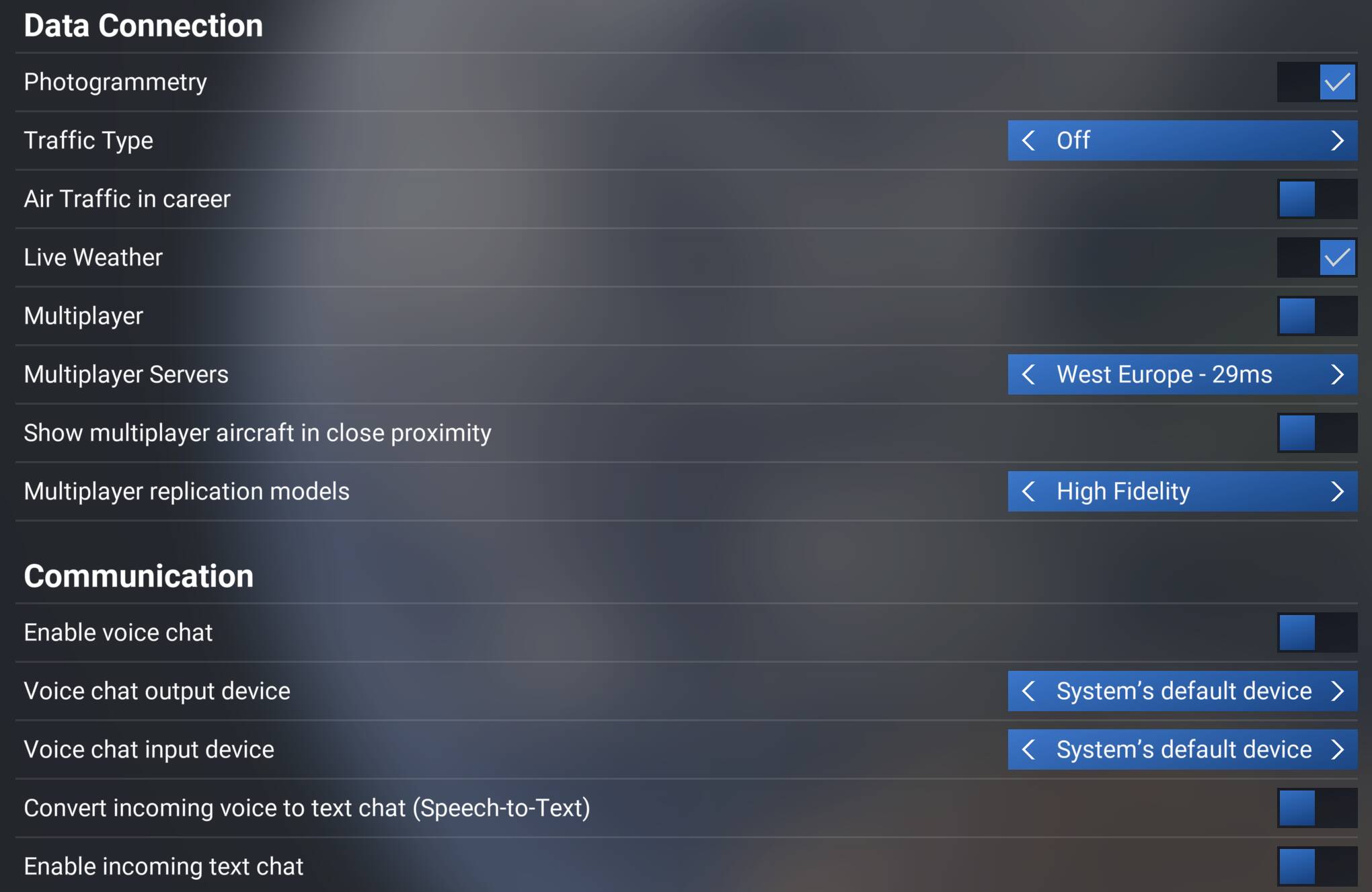
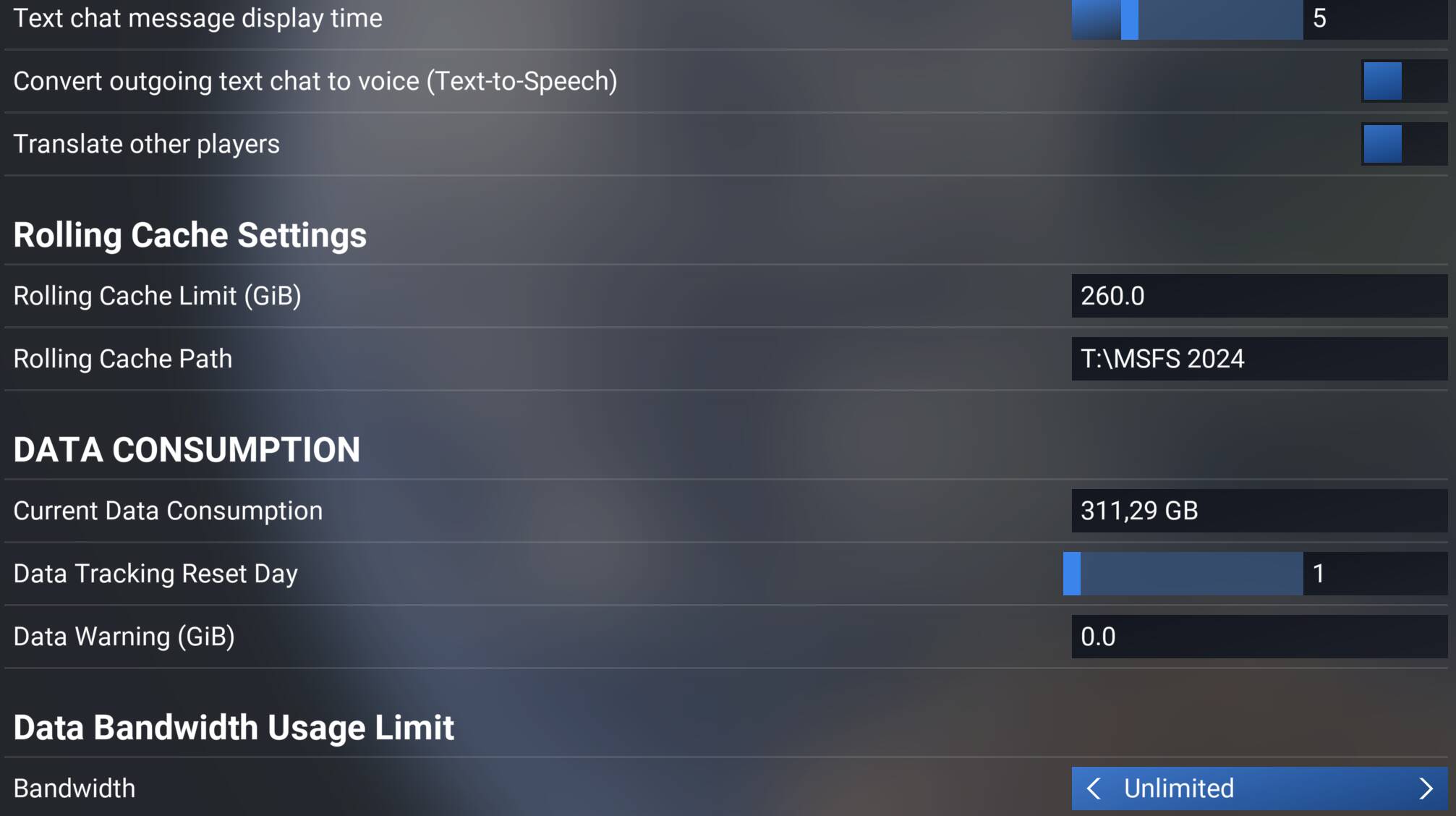
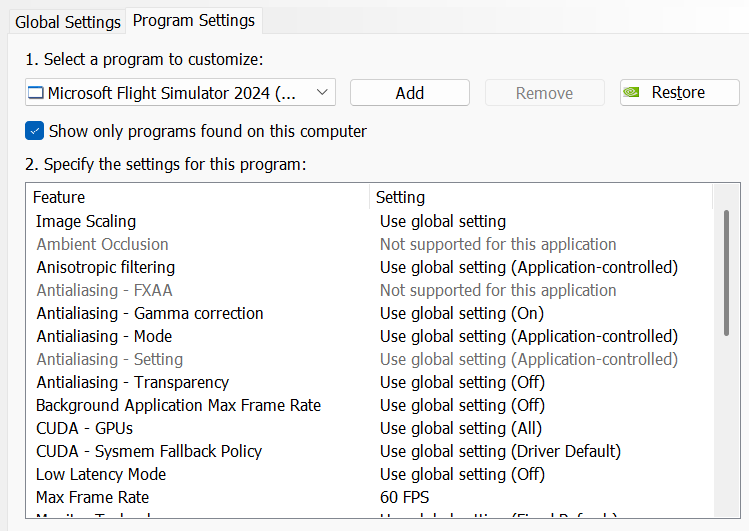
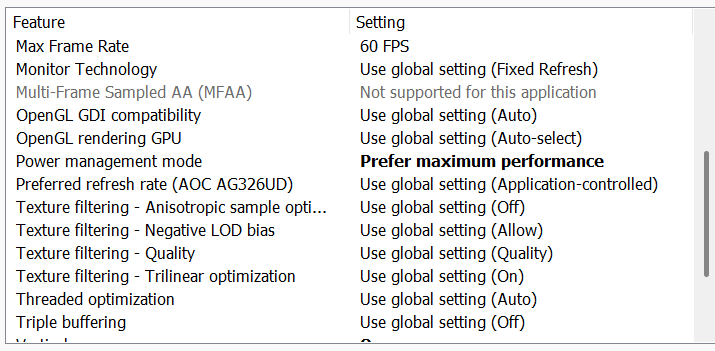
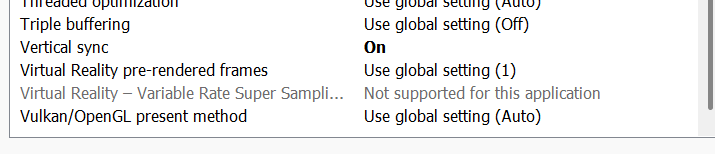
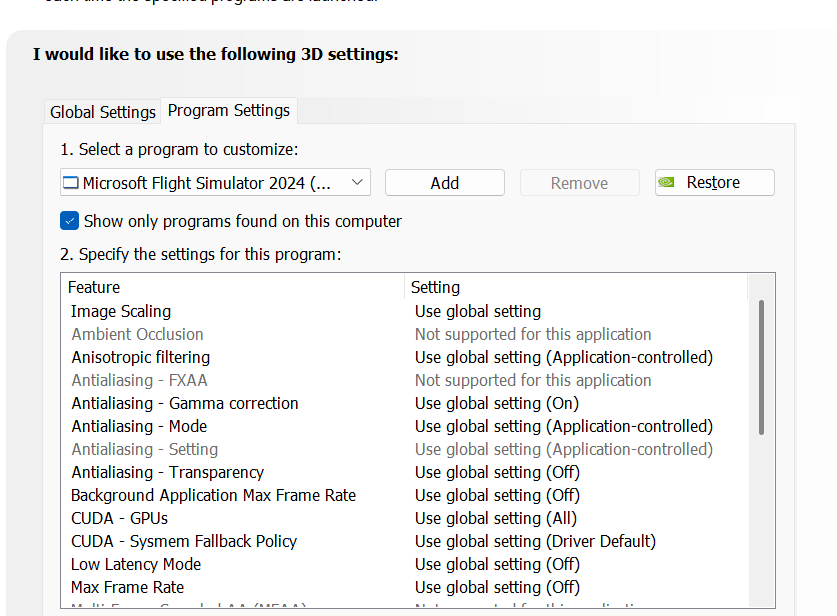
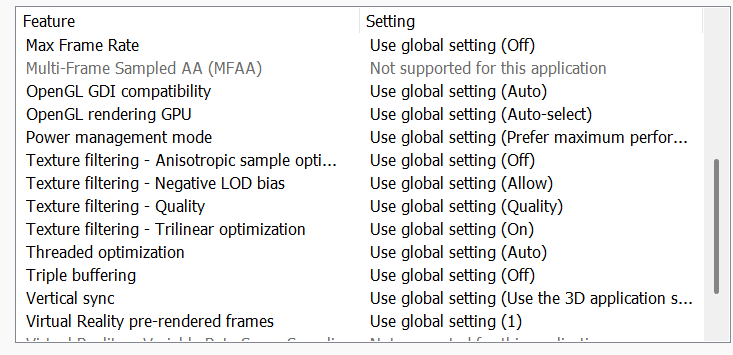
Also, please add screenshots of your MSFS settings, NVIDIA Control Panel settings and/or NVIDIA App settings if you have it.

For example:

MSFS 2024 SU5 partial settings


NVIDIA Control Panel

Global settings - default


MSFS 2024 profile


Gaming Rig
  • PC Case Be Quiet Light Base 900 FX
  • MSI MPG X870E Carbon WIFI - BIOS 1A8
  • Virtualization - disabled
  • Re-size bar - enabled
  • PSU ASRock Phantom Gaming 1600W
  • Ryzen 7 9850X3D
  • AIO Arctic Liquid Freezer III 420
  • 64GB Ram CL26 DDR5 6000 2x32GB G.Skill
  • AOC Agon Pro AG326UD
  • MSI MAG 271QPX E2
  • ASUS ROG Astral RTX 5090 OC / 596.36
  • USB HUB
  • Logitech X56 H.O.T.A.S
  • VKB Gladiator NXT Evo Space Combat Edition
  • Honeycomb Alpha Flight Controls XPC Yoke
  • Logitech Flight Rudder Pedals
  • Airbus EFIS Winwing
  • Airbus FCU Winwing
  • Airbus MCDU Winwing
  • Boeing 737 MCP Core Flight
  • Boeing 737 EFIS Panel Core Flight
  • Boeing FMC/PFP 3N Winwing
  • Thrustmaster T300 RS racing wheel
  • Sound Blaster X5
  • Sound Blaster Katana v2
  • 4xNVMe // 4TB for MSFS2022/2024
  • 1xSSD
  • 1xHDD
  • Windows 11 PRO 25H2

for number 1 - FS2024 is not stable enough for me to get to the point where I can capture the SU5 settings, or any settings whatsover. It crashes 15 seconds after I’m able to see the config/settings main menu… Can’t do anything, not enough time to move the mouse to anything, and attempt a click…

Gaming rig:

MPG Z790 Carbon Wifi motherboard
MSI Geforce RTX 4090 GPU
nvidia driver - 596.36
Windows 11 pro with the latest updates- 64GB RAM
Thrustmaster WH HOTAS & VPC WarBird (stick)
Crosswind pedals
4x NVMe (1 and 2 TB’s)
No Virtualization

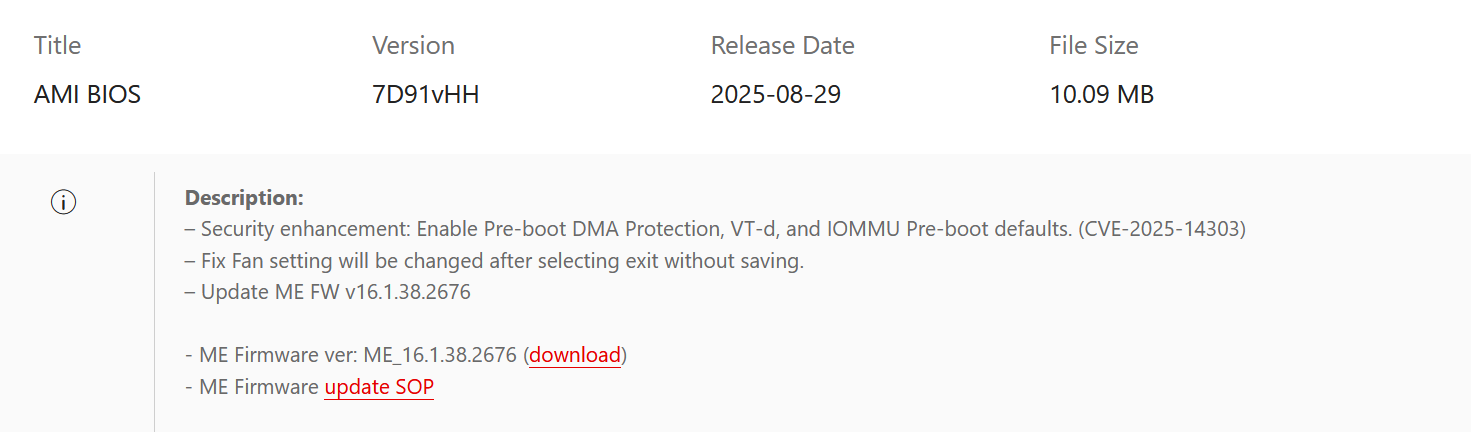
What about BIOS version?

this was the last version I installed:

How often do you install new BIOS versions?

  1. rarely?
  2. only when it comes to mind?
  3. or requently?

when it comes to mind

Given the processor you’re using (the same model I already returned to Intel due to hidden defects), updating the BIOS “when it comes to mind” can lead to CPU degradation and damage. Those issues are known to contribute to CTDs, among other problems.

Do you have any modifications installed?

No mods installed. either with the hardware, or the FS2024 install

You previously had a power supply that worked with an RTX 3090 - is that the same PSU currently powering the PC? What exact model is it?

I have a 1600W power supply with my rig/RTX4090. Please note, DCS & IL2, are running VR with my Aero Varjo HMD have NO issues. FS2020 works just fine. The issue is with FS2024

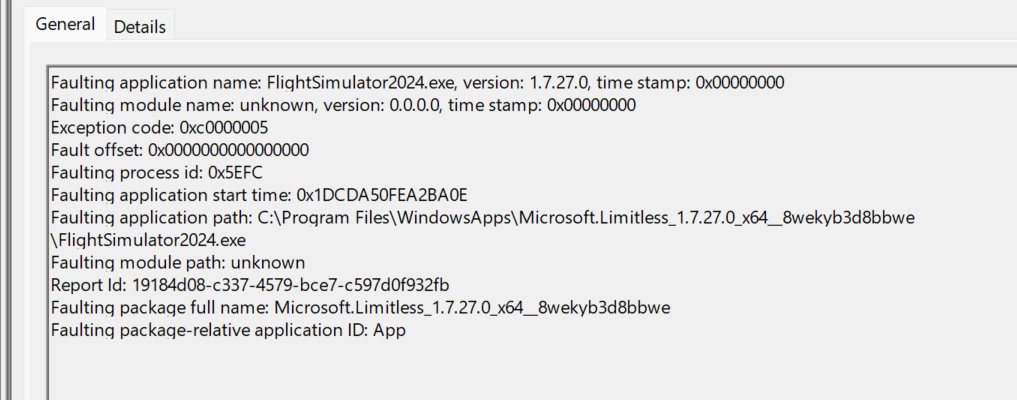
What does the Windows Event Viewer indicate regarding these CTDs?

Also, please include a DXDIAG report.

Earlier I asked you to list your PC devices and you didn’t include the fact that you are using a Varjo Aero headset …

I have the sim installed in E:\fs2024 here’s what the log says:

Also, I’m not trying to launch VR when I start… So my Varjo Aero Headset is off.

DxDiag.txt (148.6 KB)

Disable the integrated graphics (Intel iGPU) in BIOS.

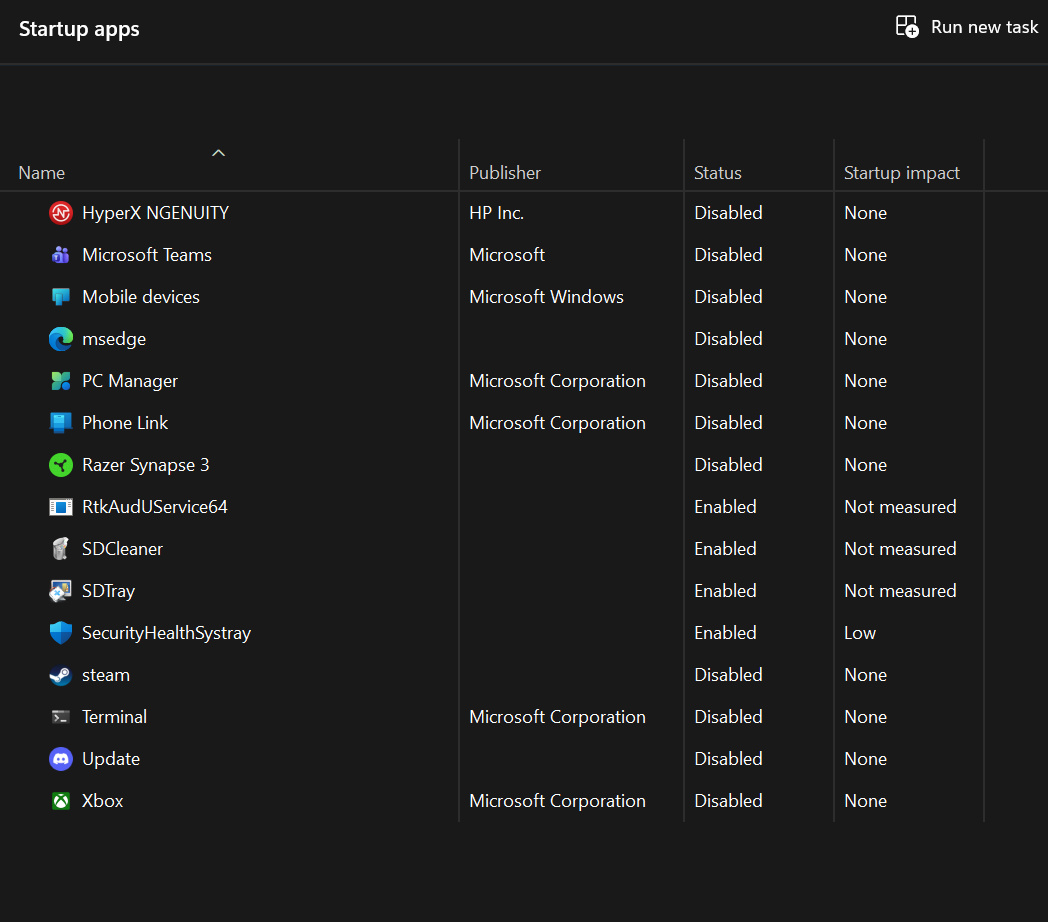
After disabling it, please reply or provide a screenshot showing all the programs that start with the system.

Uninstall Spybot and restart PC.

Then uninstall MSFS 2024, restart PC.

just to keep all posted, I’m engaged with MSFS / Asobo support, via the Zendesk. I’ve supplied info they’ve requested, and awaiting an update. Will keep all updated upon their follow-up.
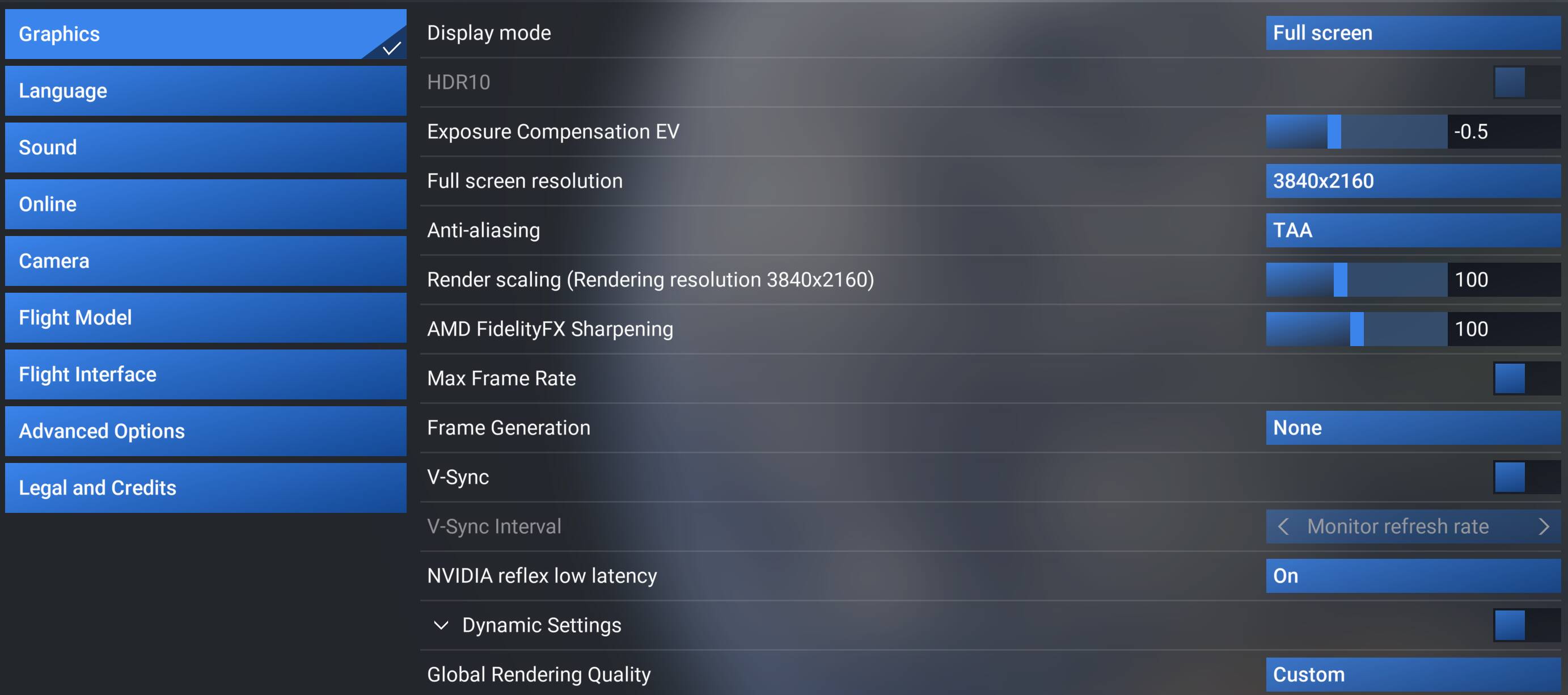
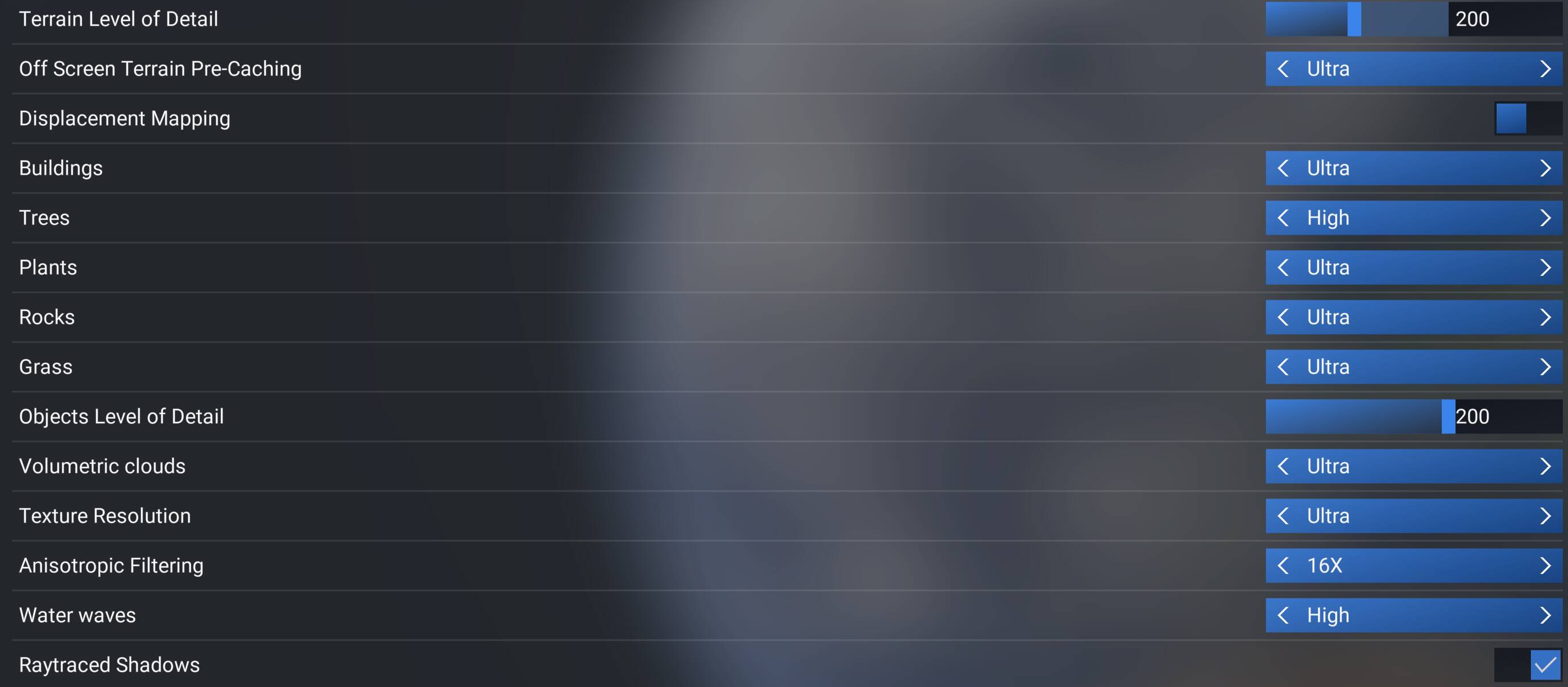
It doesn’t make sense for both support and forum members to work on this at the same time, so I’ll step back for now. Please keep us updated.