Currently in the sim we have the options to change the UI of the EFB to “Large” "Medium" or “Small”, which don’t get me wrong are all great. However, I would love the ability to make it go even smaller, eg "Extra Small or Mini", as currently the "Small" version - although small - , still takes up a fair chunk of my screen that I’d love to be able to see past. Even the ability to drag custom sizes through ‘corner dragging’ would be amazing.
I feel this would be a small detail, yet enhance the game and feel a lot more for Console users (As PC already has the ability to adjust the size)
Also I would additionally like to point out, to make it smaller instead I would assume you’d have to cut the map size rather than button sizes (As they’re already quite small), and remove some of that bottom half of the screen that to be fair, a lot is just empty space. In terms of other functions than the map, I remain hopeful you could work something out haha.
Hi @CaptainJK4643
I believe what you’re looking for may already be available, if I’m understanding you correctly. I’m on PC, so not sure if you are too, or if the resize is possible on other platforms.
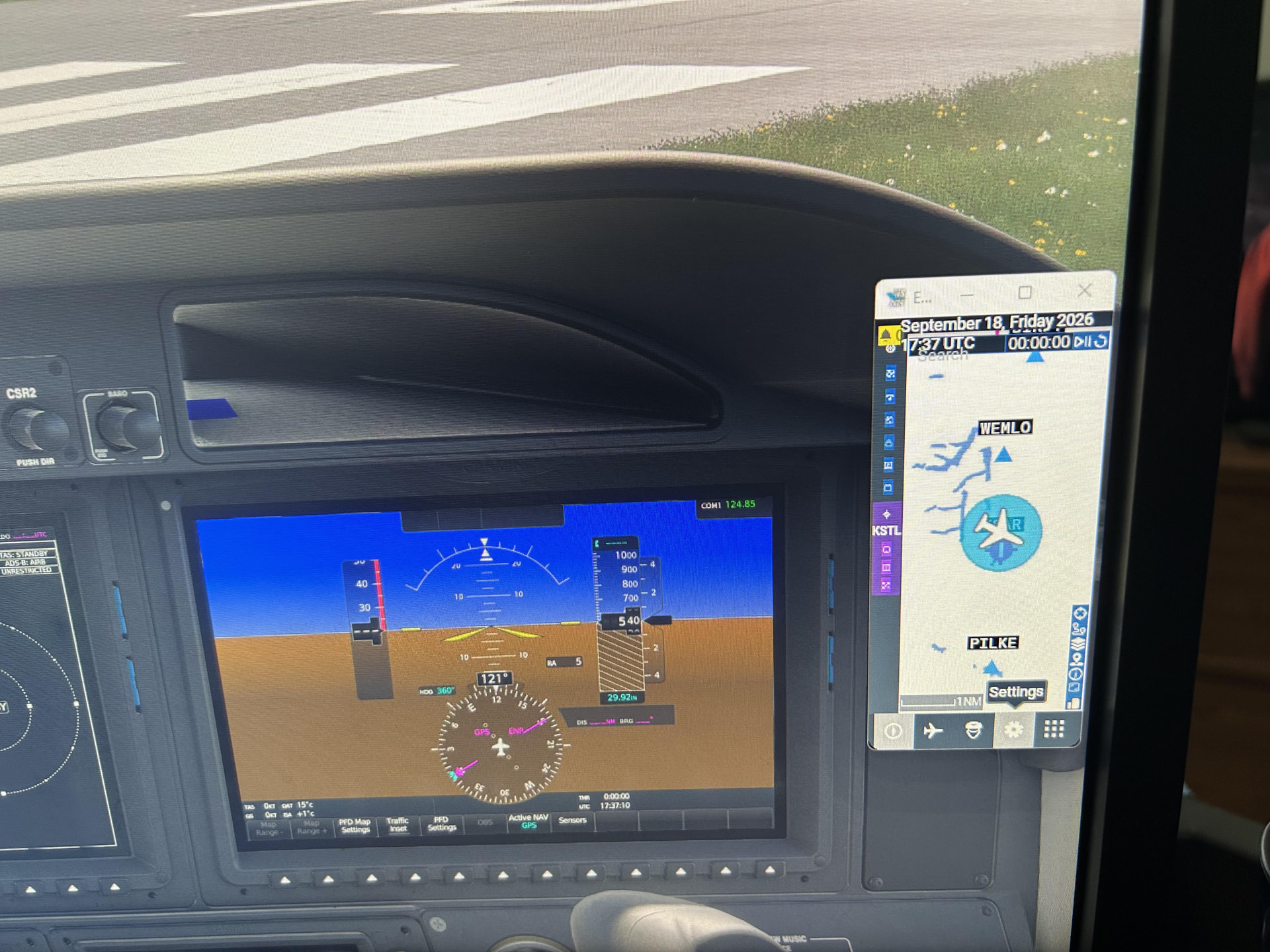
Sorry for the poor picture, but it’s from my phone, as I’ll explain below:
I can’t capture an in-sim screen shot, since the EFT seems to be in it’s own “screen” rather then actually part of the original display of the plane. The EFT on my display is down to about 2.5x4 inches (on a 35’ screen), but can be sized up/down to whatever I could read these days!
I resize by clicking the square button with the arrow pointing to the upper right corner. At that point, you can do normal windows resizing on the sides/top/corners to expand/decrease the size of the EFT. The EFT display will look wonky for a second until it adjusts. Once I’ve got the EFT to the size I want, I use the normal minimize or full screen buttons on the top of the EFT that’s displayed.
Sorry if this isn’t what you’re looking to do.
Regards
Hey! Yep this was what I am needing, however it must be only PC. I didn’t realise when making the post it was an console exclusive issue - Thank you for the reply though!