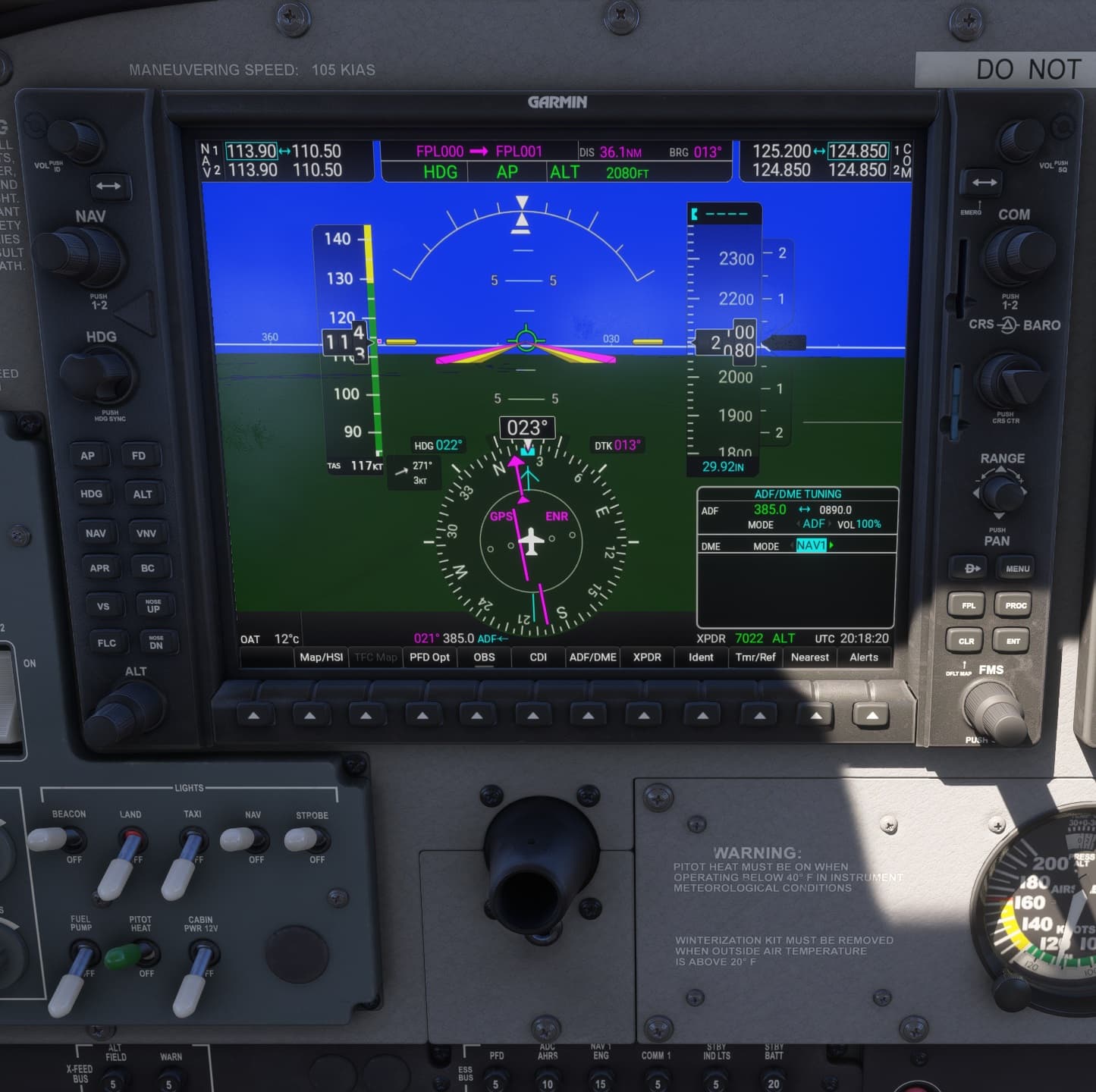
Maybe I’m thick or something but I don’t understand how to tune and then transfer an ADF frequency, using the G1000. I tune it without a problem, then hit ENTER to get out of edit mode. Then I hit ENTER again to transfer it. I get no visual cues the new frequency was actually transferred. There are two values - one larger one in green, which I assumed it the active ADF frequency, and a smaller magenta value that I edit. Hitting ENT a second time does not affect the green/magenta values. I expected them to be swapped, but they’re not.
I wouldn’t normally bother with the ADF at all, but I’m currently running through the FS ACADEMY’s ‘Interceptor’ IFR training and I’m stuck at the ‘Glass cockpit’ segment, as the script apparently also don’t think I have successfully transferred the requested frequency. I then had a look at this YouTube tutorial (~7:15) and, in fact, as mr Gatcomb demonstrates this nothing happens either, but in the video it sounds like he feels the new frequency was successfully transferred. So, am I missing something extremely basic here?
UPDATE: It seems this only happens if I cold start. I assume it’s a G1000 (WT) issue?
Hi @sanscheval
I gave it a try with the G1000 C-172 to see what results I got. If you’re using a different aircraft, could you let me know and I’ll check that plane.
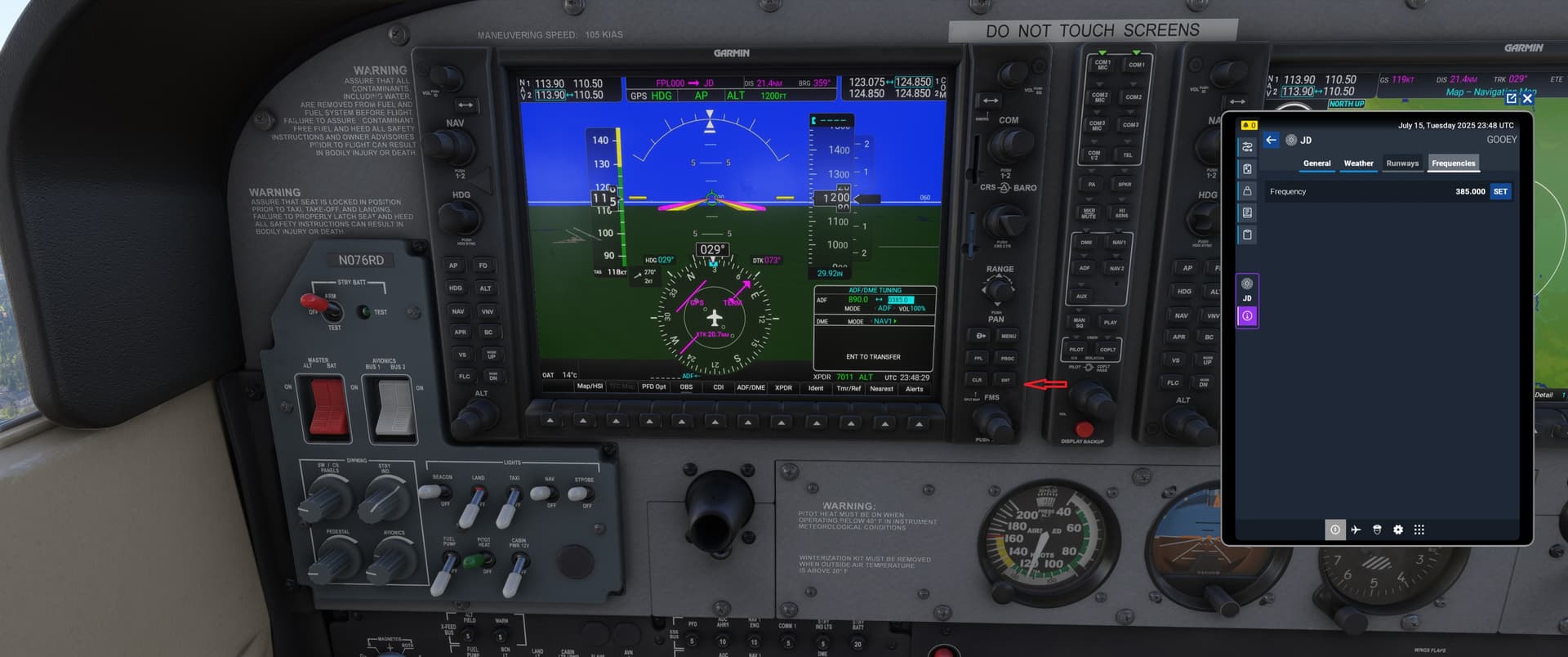
But everything worked correctly in the 172. I’ve attached a couple of screen shots. I used one “dummy” freq (890) that wasn’t active anywhere near me, and one (385) that is active near Scott AFB (IL).
As you can see in shot 1, the dummy freq results in nothing showing, except the freq is in the active freq area (green).
When I pushed the “ent” button on the panel, it moves the active freq (385) over to the active area, and the ADF indicator line is now active (red arrow), and the ADF info/bearing is shown when you activate the PDF bearing option to “ADF” (red box).
Regards
1 Like
Thanks a lot for taking the time. Yes, it is the C172 used in the FS ACADEMY Interceptor course, so same aircraft. What you show here is exactly what I would expect, but it simply does not happen. When I press ENT the first time, after editing the stand by ADF freq, it exits edit mode, as expected. But the second ENT press does not transfer it, like in your screenies. Instead the active freq (in green - 890) remains in the green and the new freq is still in magenta, reversed.
What’s funny is, like I said, in Gatcomb’s tutorial video (scrub to to ~7:15) the same happens (no swap) but in his narrative he sounds like it succeeded, which is why I assumed I must be missing something very basic somewhere.
Very strange…
Have you tested with your community folder empty and all marketplace addons disabled ?
1 Like
Yes. I did empty the community folder and I don’t run any mods.
One thing you said originally just struck me…
You said one was green (the active box) and the other was magenta. In my stock version, the active freq is green, but the standby freq is white, not magenta. That in itself makes me wonder if there isn’t a conflict/issue with something in the sim. Maybe a plane added from the MP, or something else from there. Have you tried the ADF in one of the other G1000 aircraft? I’ll go look at the 208 and see how it does.
Regards
P.S. Are you using the standard G1000 C-172 or one of the other variants (cargo, amphib, etc) of the 172 that have the Garmin??
You are correct in that the standby frequency is in white. But when focusing it, for edit, it will be in magenta (reversed).
I should also say I can no longer reproduce this issue. No idea why. I get a sense MSFS2024 is non-deterministic. Maybe the sim got updated or something? Do Microsoft/Asobo push micro patches without announcing it?
1 Like
UPDATE: I can reproduce this issue like so:
-
Slot into a C172 (G1000) at EGHI (Southampton)
-
Tune Southampton NDB (0391.5)
-
Press ENT
-
Press ENT second time to swap
Result: ADF frequency is not swapped
I assume it’s a G1000 (WT) issue?
Tried to replicate at EGHI. I’m not having the issue there. ADF freq transferred as expected, and picked up the ADF signal as shown by the needle.
Not sure what the issue seems to be for some folks.
Regards
1 Like