I found two copies of usercfg.opt
C:\Users\Admin\AppData\Local\Packages\Microsoft.Limitless_8wekyb3d8bbwe\LocalCache\UserCfg.opt
The last line in that file is:
InstalledPackagesPath “C:\Users\Admin\AppData\Local\Packages\Microsoft.Limitless_8wekyb3d8bbwe\LocalCache\Packages”
The ‘LocalCache’ folder appears to be a link.
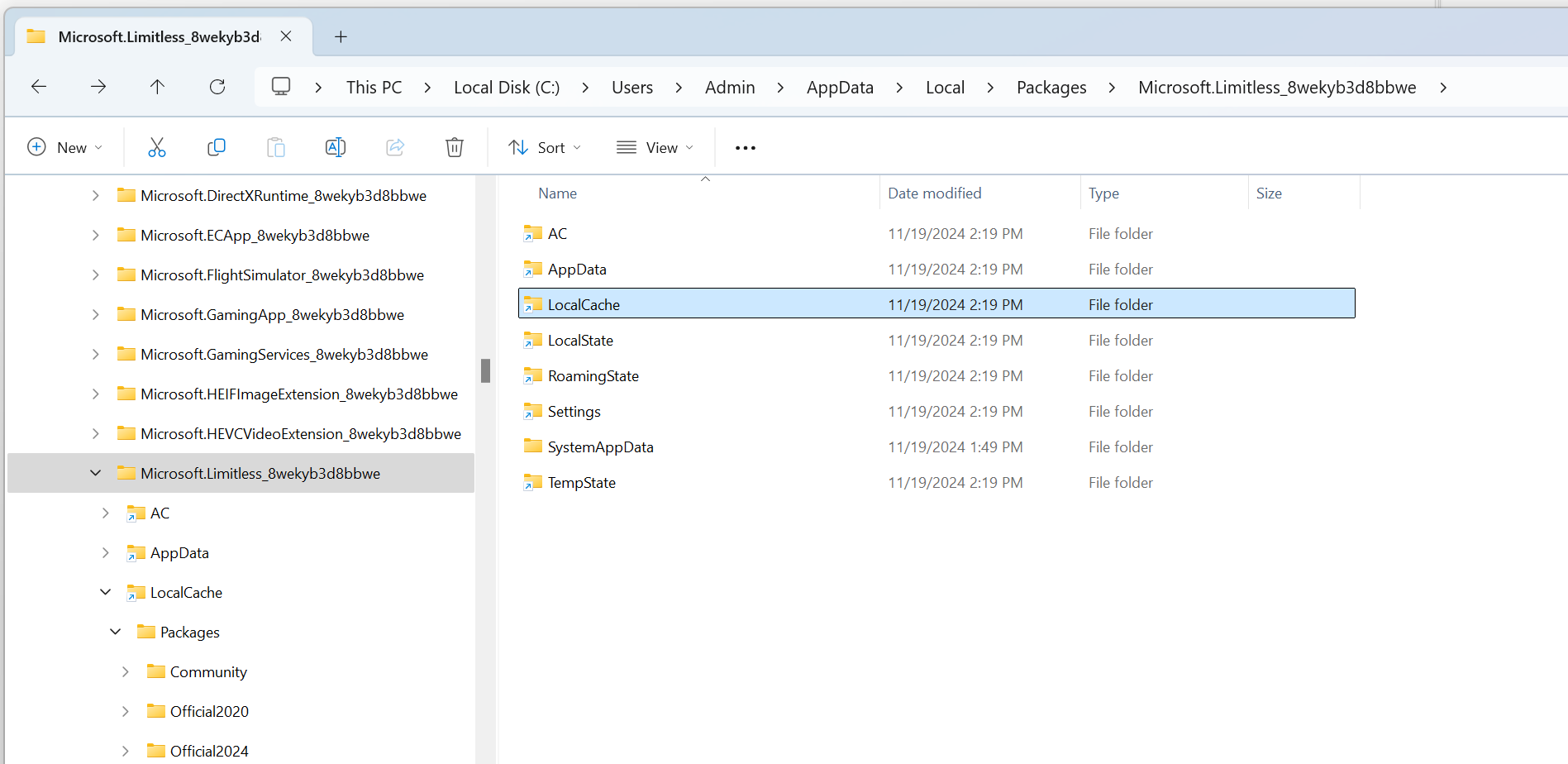
And also:
D:\WpSystem\S-1-5-21-3072824293-1322268501-2408618638-1000\AppData\Local\Packages\Microsoft.Limitless_8wekyb3d8bbwe\LocalCache\UserCfg.opt
The last line in that file is also:
InstalledPackagesPath “C:\Users\Admin\AppData\Local\Packages\Microsoft.Limitless_8wekyb3d8bbwe\LocalCache\Packages”
The ‘LocalCache’ folder is not a link.
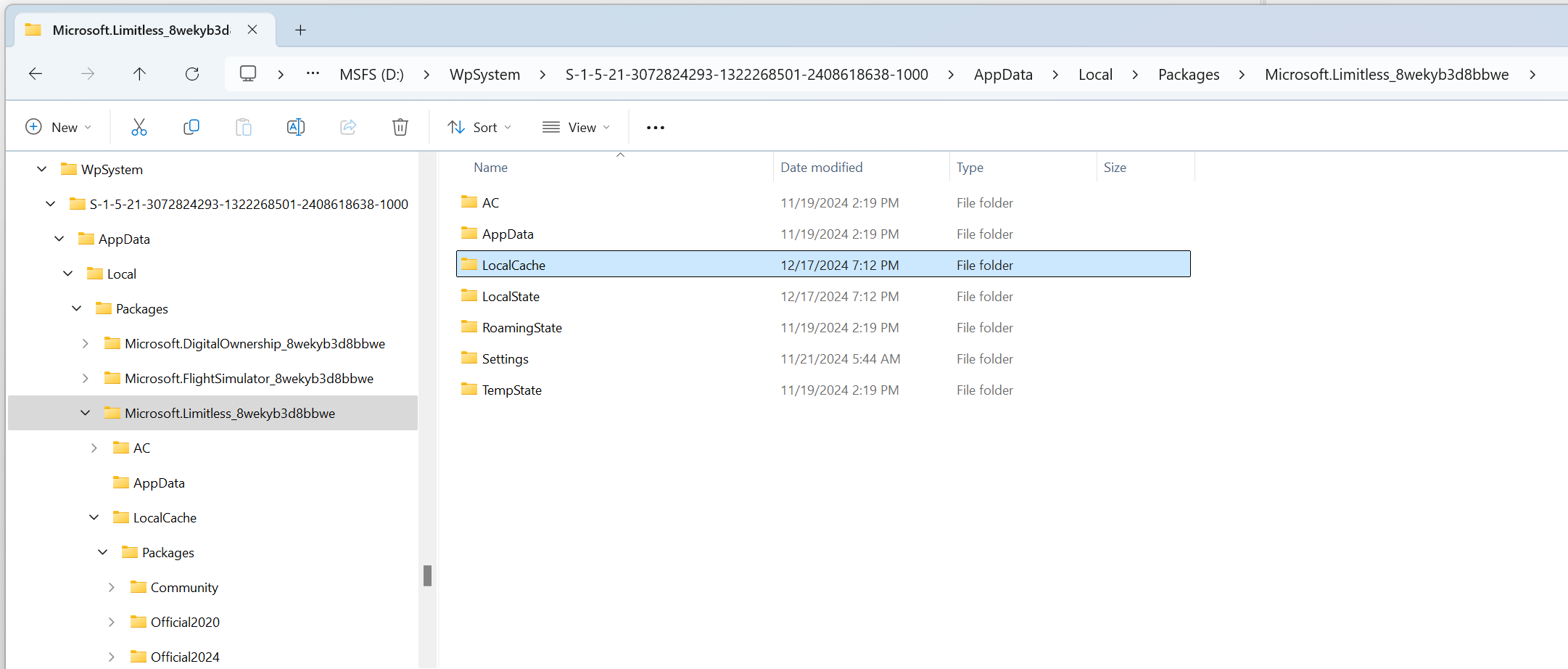
Can I (should I) edit the folder location in the C: drive usercfg.opt file to point to my custom location?
Thanks for you help with this, BTW.