I don’t see any ship traffic. I thought it was because i had all the routes put inside the community folder, but even after putting only the routes of the geographic area i fly in, the issue is still present. any clue? ship traffic slider is at 5/6%
As well as the routes you need to have the ships - have you got the gaist-ultra-v3 folder in there as well?
(v3 is the latest release but the same should apply with v2)
sure, ultra v3 folder is there
Okay.Only other thing I can suggest is increase ship traffic slider a tiny bit, keep it below 10 though. Heinrich suggests 7%, which is what I use. You can use higher but then start to get the sim inserting ships which sometimes duplicates GAIST.
I’ll try with 7%, even though i don’t yhink it will solve the problem.
Thx
As I expected, no changes with 7 or even 8%…its’ really disappointing not being able to use this great add-on. with the previous version I didn’t experience any issues.
It’s possible of course that there is no ship traffic where you are currently flying.
A good test is to set yourself up for the English Channel between Dover and Calais. It’s a very busy part of the world and there is always ship traffic there so if you still see nothing I think you’ll have to ask @hneilson791
Thx for replying, but honestly i’ve flown on the pacific (hawaii, new zealand, perù, chile,mexico, california), atlantic (us east coast, portugal), english channel (but it was totally overcast), mediterrenean (malaga) and gulf of mexico (mississippi) and i’ve seen barely 2 ships in san francisco bay…
Maybe i found the problem, but not yet the solution. I have (and see) gaist v3 folder in the community folder, but i can’t see it in the sim conent manager…any clue/advice?
It could mean you’re putting it in a different Community Folder that the sim isn’t referencing. Or that it’s not unpacked correctly. Make sure it says \Community\Gaist Folder Name\ then the next level has a .JSON file. If it’s another folder, you didn’t unpack it correctly and it’s too deep to be read.
1 Like
Shucks, didn’t remember that and you’d not be the first to have duplicate Community Folders!
Okay, one last long shot. Inside the v3 folder you should have a SimObjects file and inside that a Boats file where all the ship models are stored. You’ll see individual folders each containing a model and texture file.
Are they there?
Just out of interest how are you looking for ship traffic? Little Navmap, when set up for them, will show you where the ships actually are even if you cannot see them out of the window. For me anything further than about 5 miles doesn’t always appear but that may be my graphics settings not rendering them if too far away.
Hope you get it sorted, ships are another great reality experience. When and if we get the Live version it’ll be out of this world, akin to real air traffic like FSLTL or AIG.
1 Like
Thx both for replying and advising.
I’ll share with you my community content. Honestly, I strongly doubt there’s a different community folder, since other folders are correctly showing in sim content manager (aig traffic, a320fbw, fslts, airports…).
Terry, I perfectly see .json file and simobjects folder inside gaist-ultra-v3 folder, with 477 boats.
Maybe as casual click says, it’s something about the uncorrect unpacking…i may download it again and try to unpack it again.
One clue: since some folders are huge i use the junction solution to keep free some disk space. Could it be the problem?
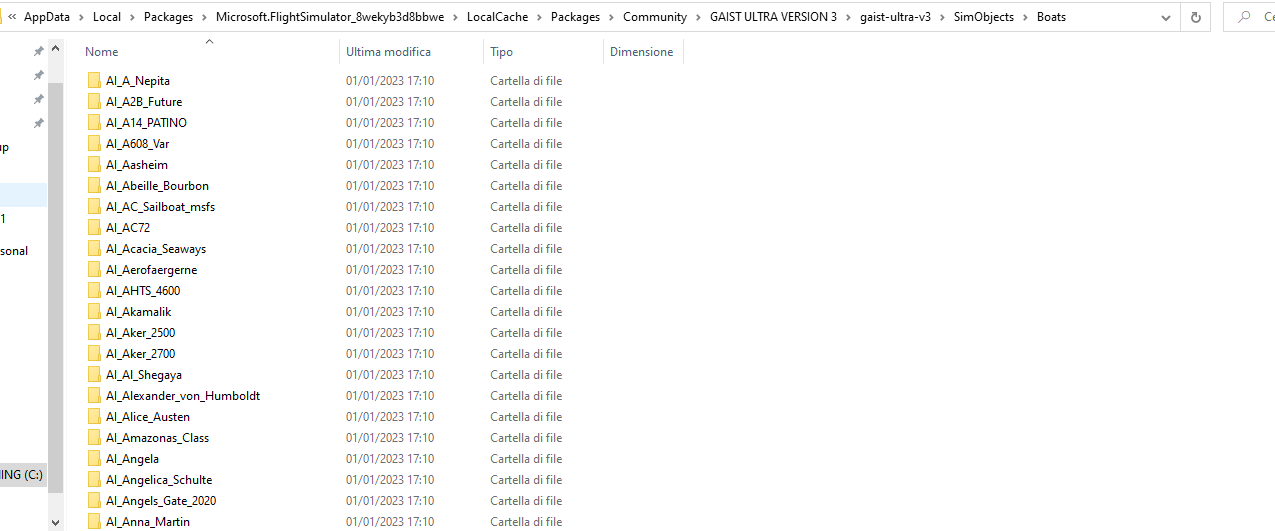

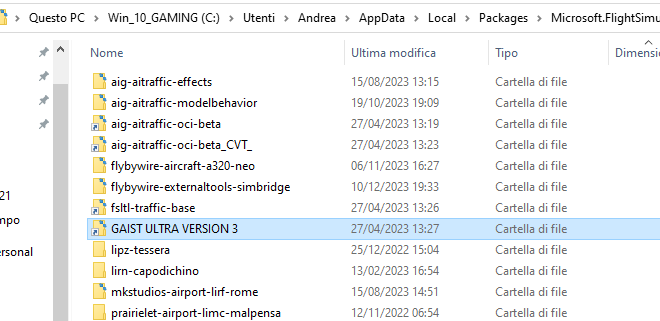
You need to add the various “routes” folders if you want to see the traffic. The directory you are highlighting is just the models. EDIT: I didn’t say that very well - The directory you are highlighting is the top level directory. The next level down has a folder with the models, and then several folders with the routes. Those are the folders that go in Community.
So, you should have a route folder like: “gaist-northamericancaribbean-routes”
You didn’t see it, it’s there
I’m not seeing it in your most recent post. Just for completeness, It should look like this:
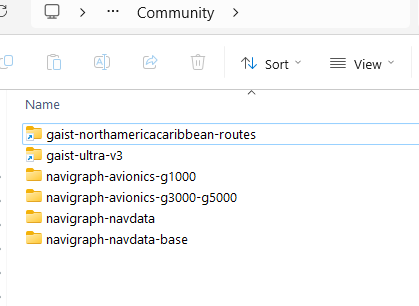
You have your folder one spot too low in the structure.
Ahh,maybe that’s the solution! As you can see I have the routes folder inside GAIST ULTRA VERSION 3 main folder (the one between fsltl-traffic-base and lipz-tessera) together with gaist-ultra-v3 “base” folder.
Yes, that should work. You needed to bring those folders “up” one spot, and it should be good. I think the name of the top folder being so similar to the model folder confuses people sometimes.
1 Like
ok , let’s try and see
Anyway thanks a lot
1 Like
Any new preview?
Things have been going very slow with too much to see to outside the sim, so basically I have been just modelling while hanging at FLT330 across the Atlantic on business travel and then Wildlynxpilot from Finland and Tophat from Japan helped with additional models
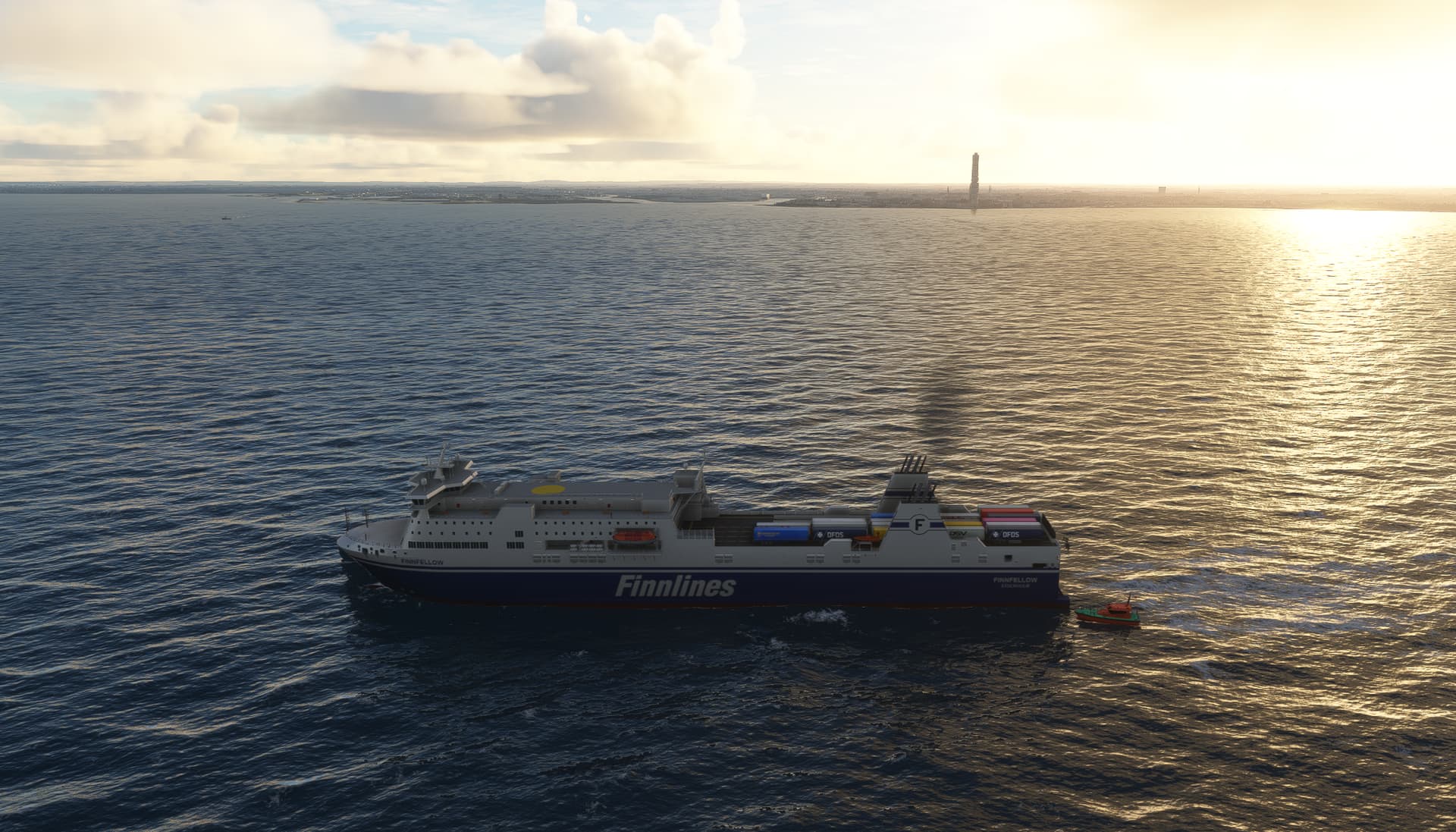
Finnfellow approaching Malmö
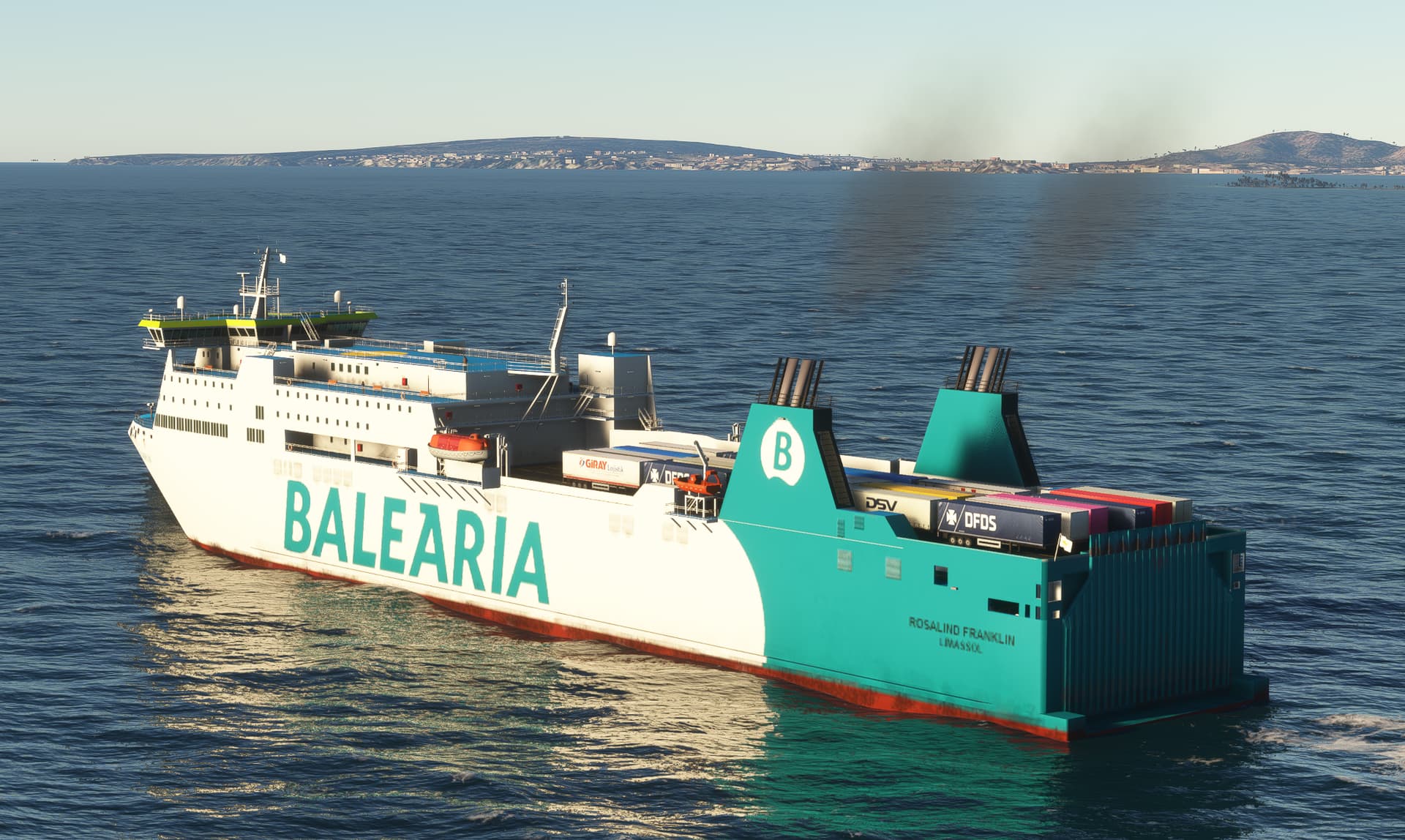
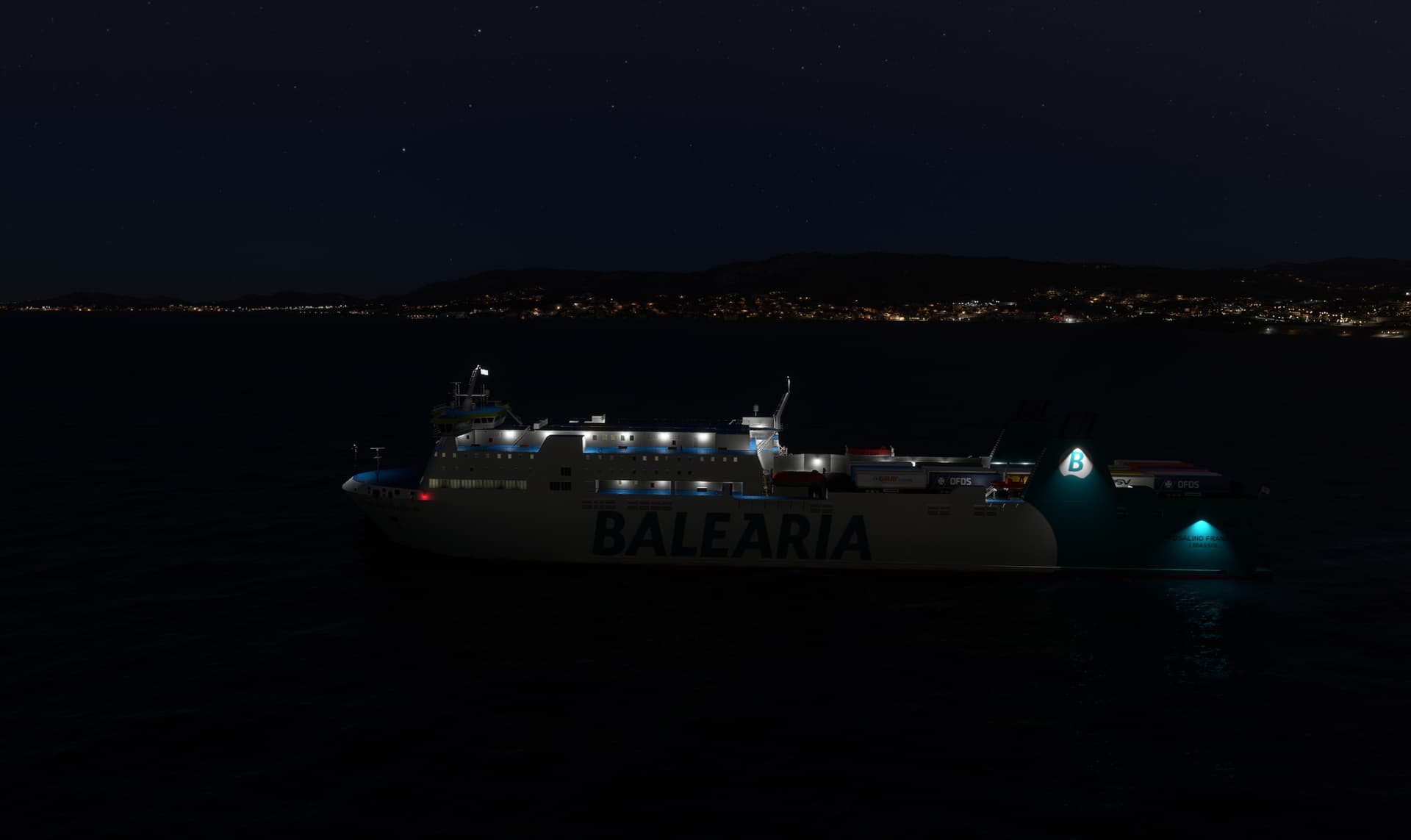
Rosalind Franklin departing Palma de Mallorca - and bellow a quick check on lights
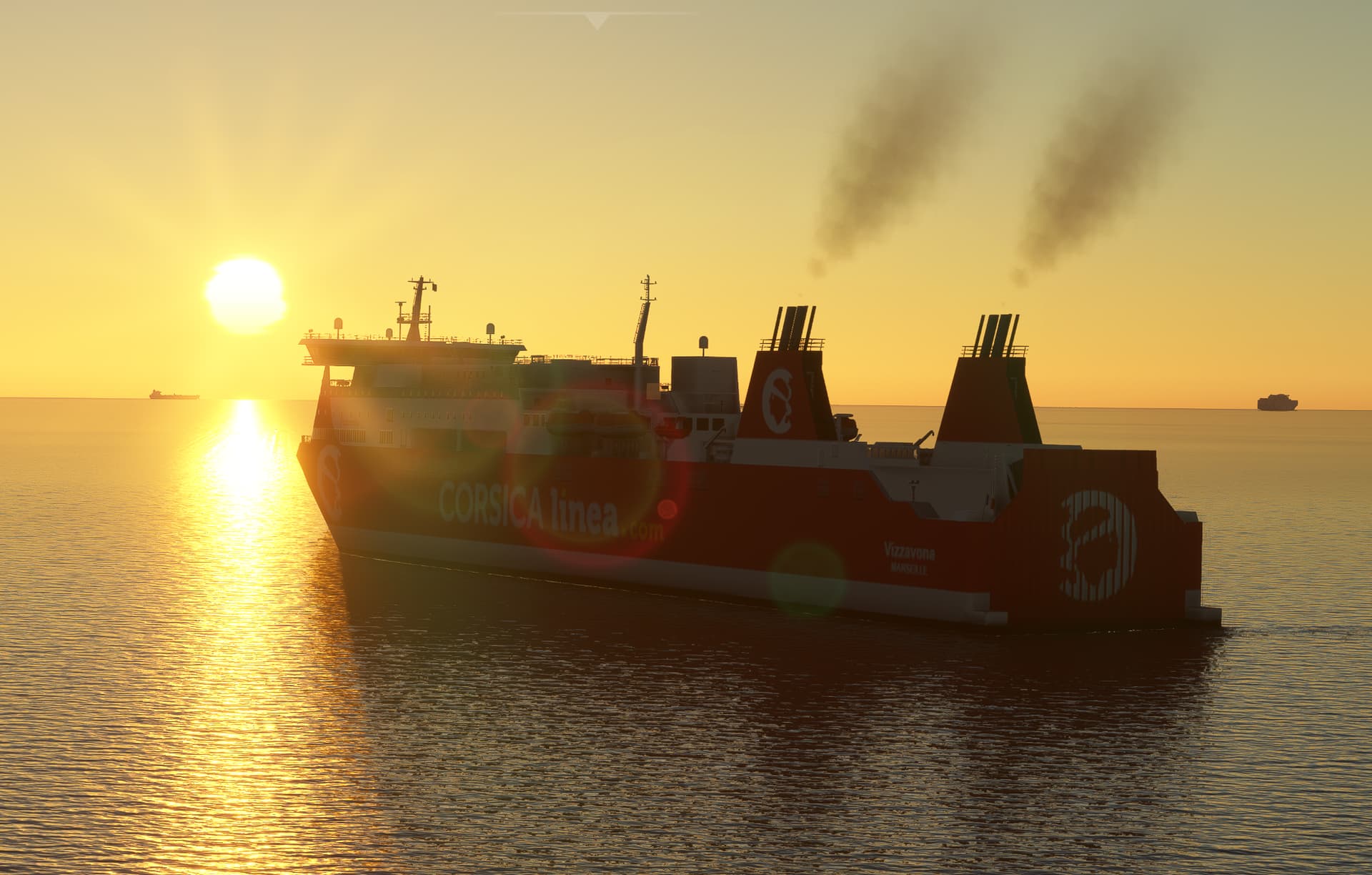
Corsica Lines’ Vizzavona near Marseille
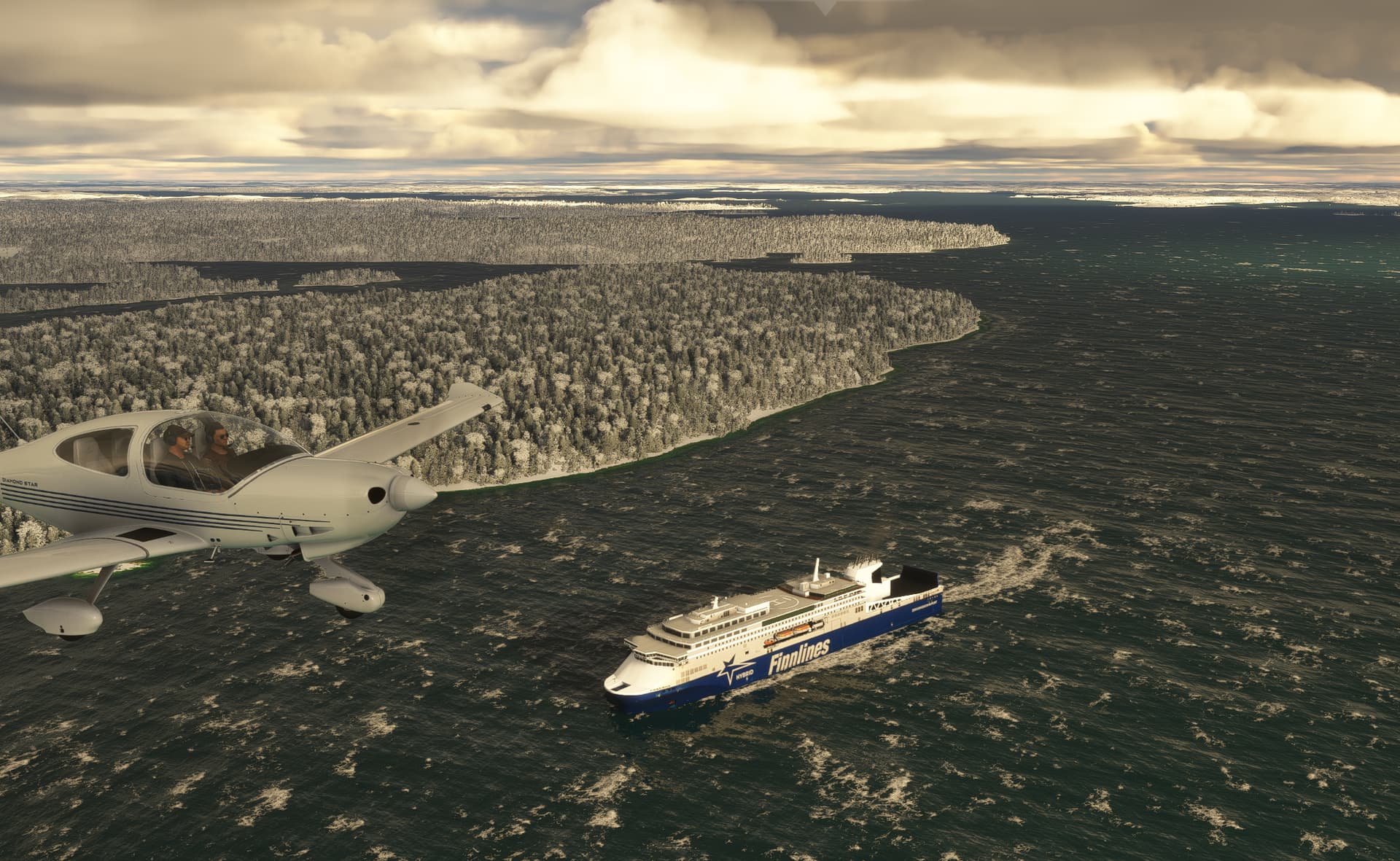
Finnsirius by Wildlynxpilot departing Turku, Finland
And on the other side of the Atlantic…

P.T. Barnum serving the route from Bridgeport to Long Island

Northern Seawolf docked at Bella Colla

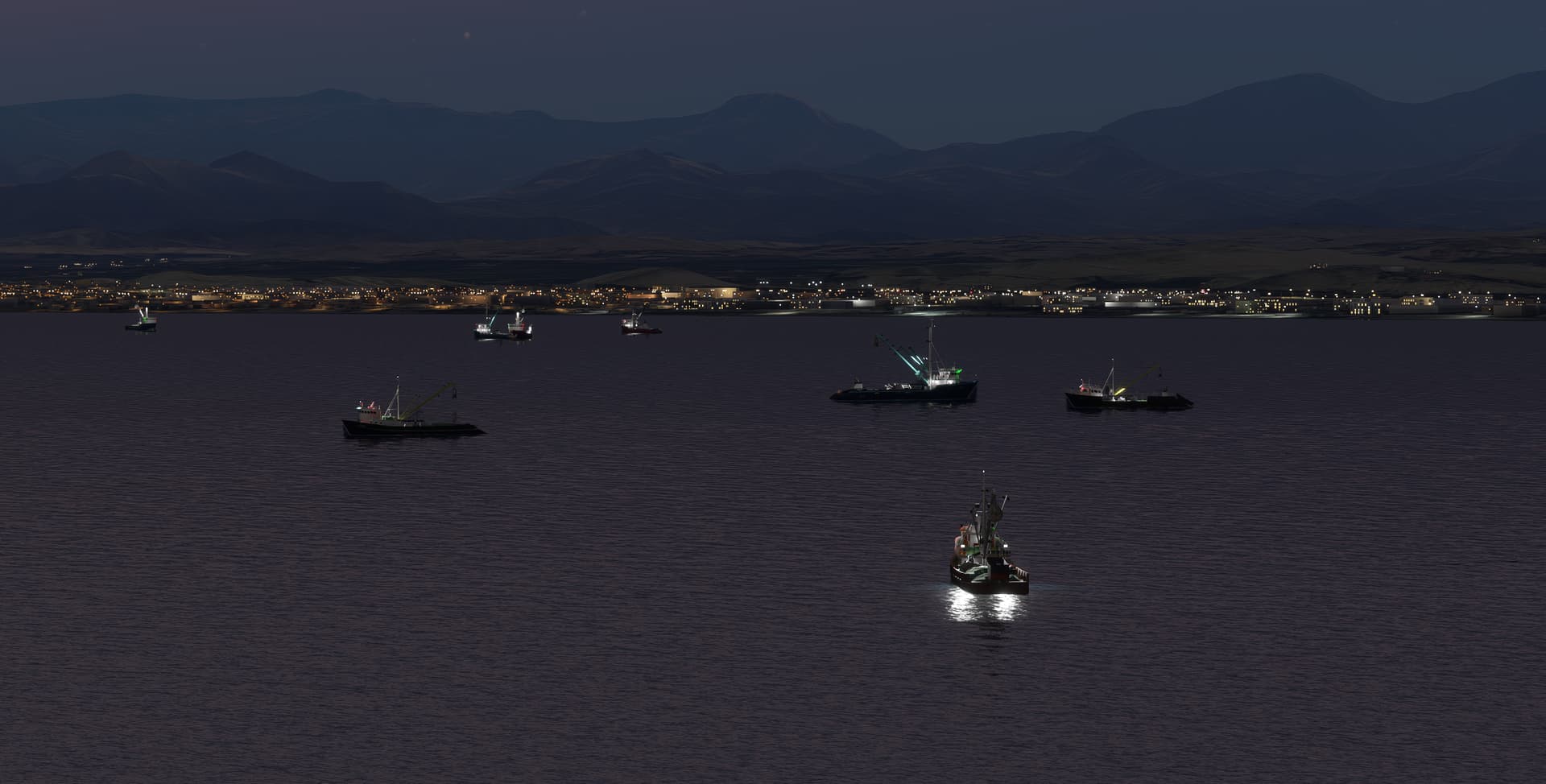
Fishing boats in Chimbote, Peru - one of the most important fishing ports in the world
23 Likes