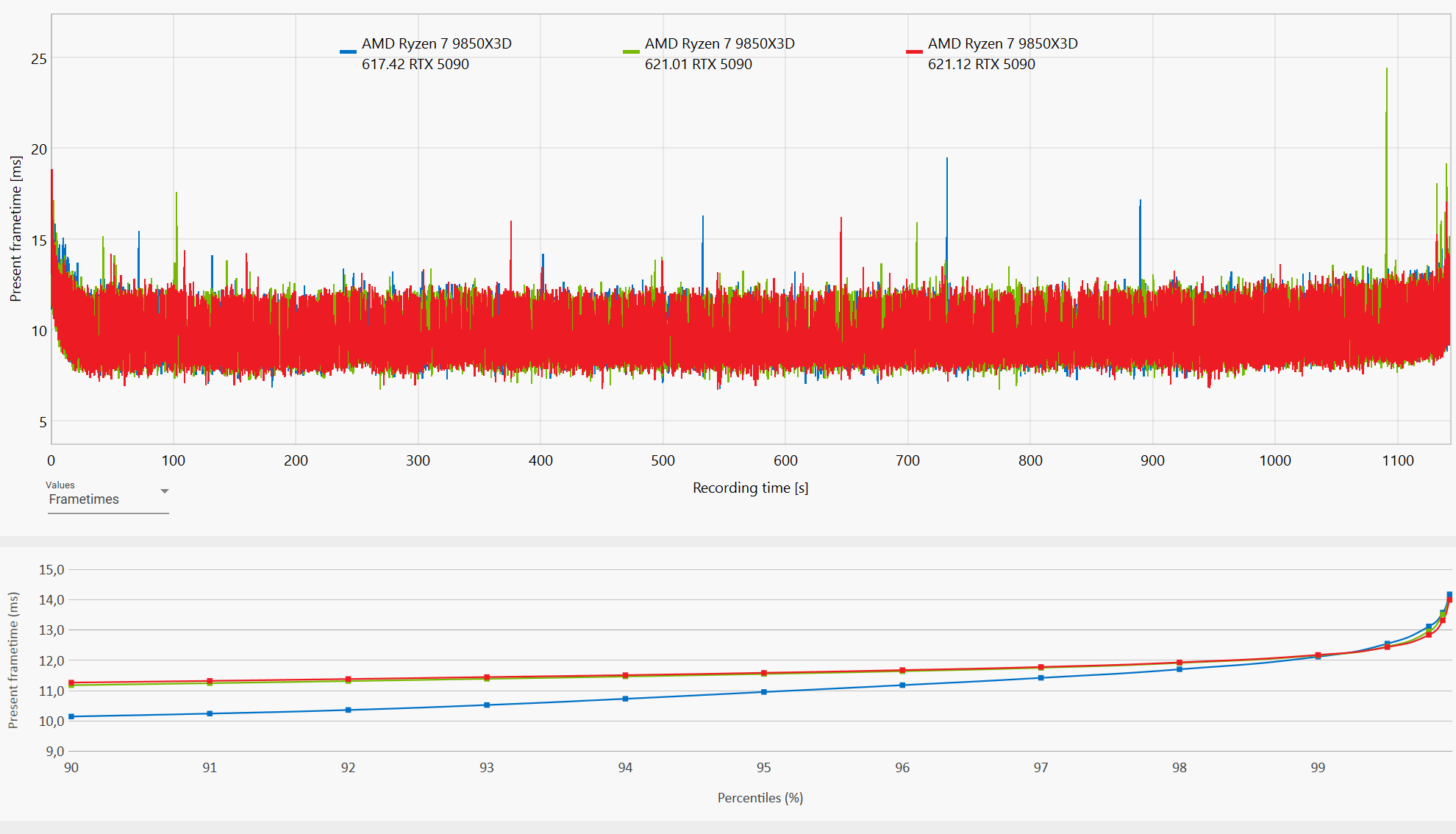
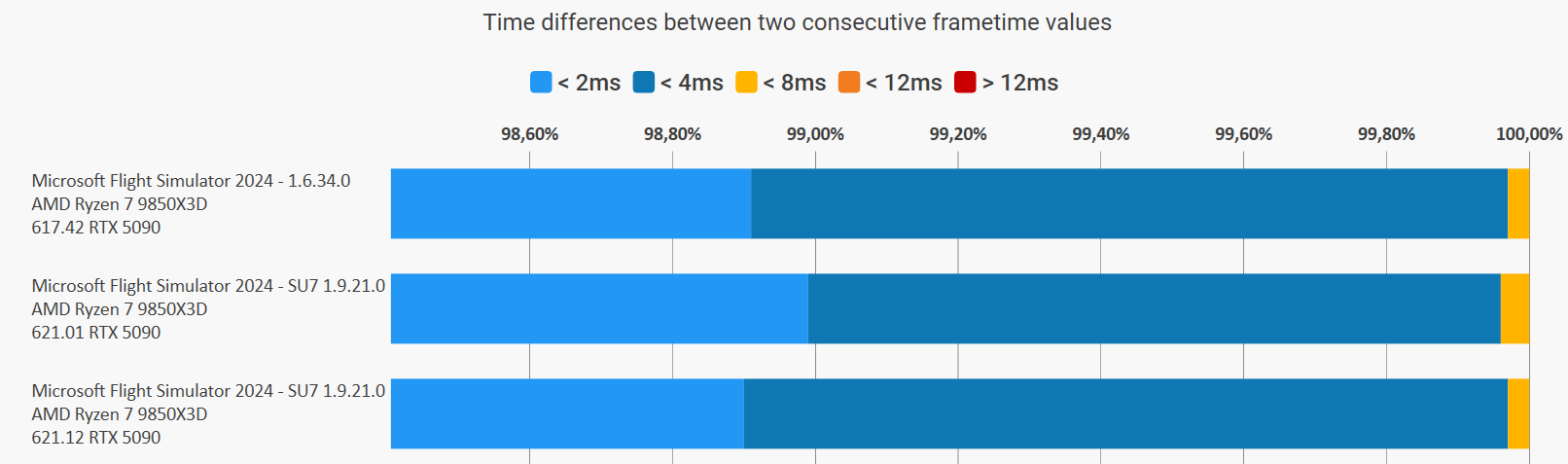
There’s no significant difference compared to the previous driver, apart from the hotfixes themselves. So, if you’re not experiencing any issues, you can safely stick with 621.01 or even 617.42.
Also had a crash (DPC) watchdog violation 0x133 (first time ever). Checked Windows maintenance and noticed the first event on the day (10/22/2026) of the 621.01 install and then (3) more on (10/26/2026). And (2) more on (10/28/2026) all showing the following event…
A problem with your hardware caused Windows to stop working correctly. Problem signature Problem Event Name: LiveKernelEvent Code: 141 Parameter 1: aaaaaaaaaaaaaaaa Parameter 2: aaaaaaaaaaaaaaaa Parameter 3: aaaaaaaaaaaaaaaa Parameter 4: aaaaaaaaaaaaaaaa OS version: 10_0_26300 Service Pack: 0_0 Product: 768_1 OS Version: 10.0.26300.2.0.0.768.101 Locale ID: 1033 Extra information about the problem Bucket ID: LKD_0x141_Tdr:6_IMAGE_nvlddmkm.sys_Blackwell
Systems specs: MSI Codex Series R2 B14NUC7-095US Windows 11 Home 26H2 26300.9818 i7 14700F MSI Pro B760 VC Wifi II (AMI BIOS 7D98vBJ 2026-09-14) RTX 5060ti OC 32GB DDR5 5600mhz 2TB MSI M482 nVME (C:) Neo Forza NFS011SA31T-60 SCSI Disk Device 1TB (E:) Kingspec SATA 4TB SSD (I:) 4TB SPCC SSD 4TB (D:) 4TB Crucial CT4000P3PSSD8 nVME (F:) Seagate Backup+ Drive (G:) 650w Gold PSU
Also ran the following commands (in this order)… Dism.exe /online /Cleanup-Image /checkhealth Dism.exe /online /Cleanup-Image /scanhealth Dism.exe /online /Cleanup-Image /Restorehealth sfc /scannow Dism.exe /Online /Cleanup-Image /AnalyzeComponentStore Dism.exe /Online /Cleanup-Image /StartComponentCleanup RESTART computer as the last step. No issues found.
Have now uninstalled using DDU (Safe mode) the 621.01 drivers and installed the 621.12 HF drivers and will monitor this.