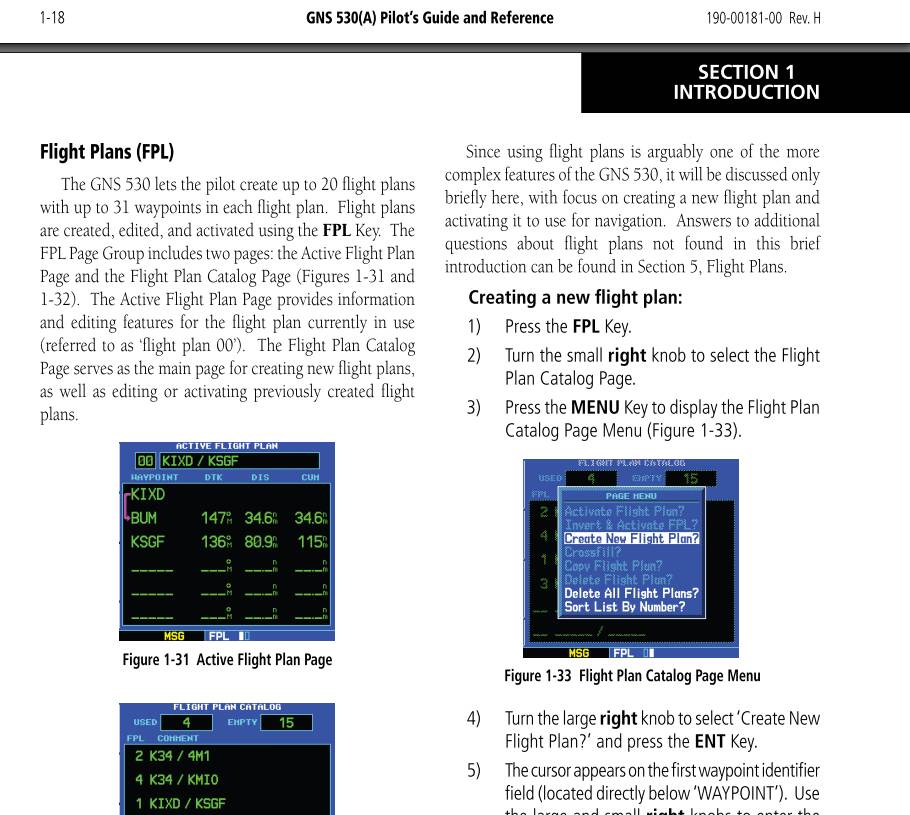
The reference manual says:
However my GNS430 / 530 in Cessna 172 Skyhawk (basic) don’t show this page.
So I can’t create a FPL manually. If I download a plan from flight bag everything is ok as much as I understand the Garmin currently.
I don’t see a way to save flight plans into the Garmin. So I can’t collect “up to 20 flight plans” and select one of the list later for a different flight.
I am using the Cessna 172 Skyhawk (basic) in msfs-2024: Version: 1.6.34.0. No add on’s except the free EDLP airport from Aerosoft.
Am I doing something wrong?
Do you need more info to give me advice?
Kind Regards
Peter
You are not at fault. It is missing the second FPL catalogue page, you can only see the one square at the bottom, so no 2nd page can be scrolled to using the small knob. I’m not clear whether this should be reported as a bug or whether it is by design. Only a moderator can suggest which it might be.
Should not it be a Feature Suggestion?
Yes, agreed but MS/Asobo would need to get Working Title to do it and that requires payment I expect, unless it was an oversight.
I believe back in the day, it was mentioned that it was not implemented. Like a few other features of the real device.
I predominantly fly with this nav system. Has anyone had any luck being able to export a flight plan from the efb to it? I have never, and not sure if I am doing something wrong, as I don’t play around with the efb much.