ISSUE DESCRIPTION
Description of the issue: In the current version of MSFS 2020, the amphibious variant of the DC3 seems to have several issues. Regular version is okay. Skis not tested.
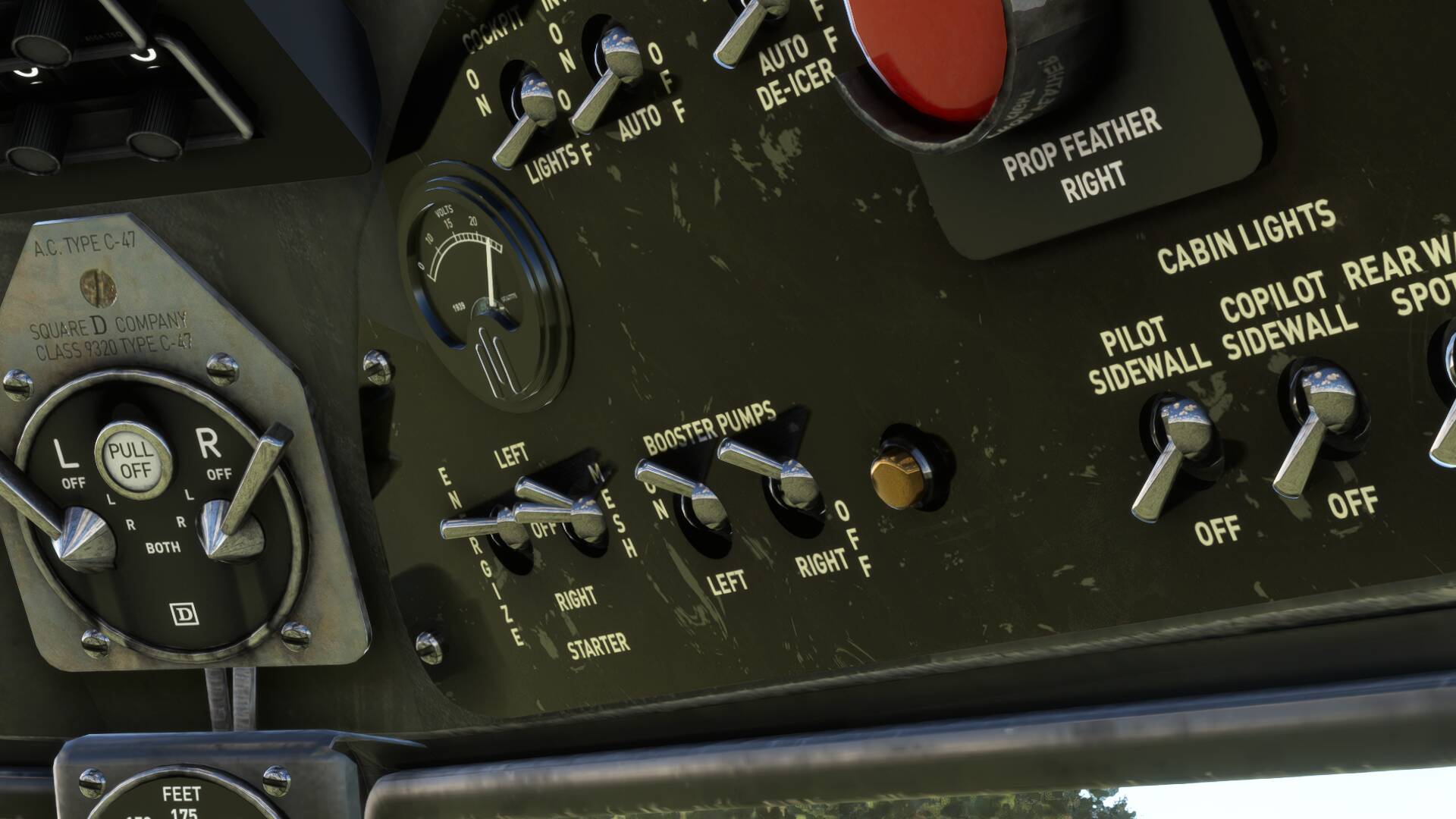
- The mesh switch has a ghost object that doesn’t move;
- The mesh switch is only selectable: it will only ‘move’ to the right engine position when clicked (unlike in the regular DC3, where you can select either the left or right side). It still does its job on the left engine when starting it;
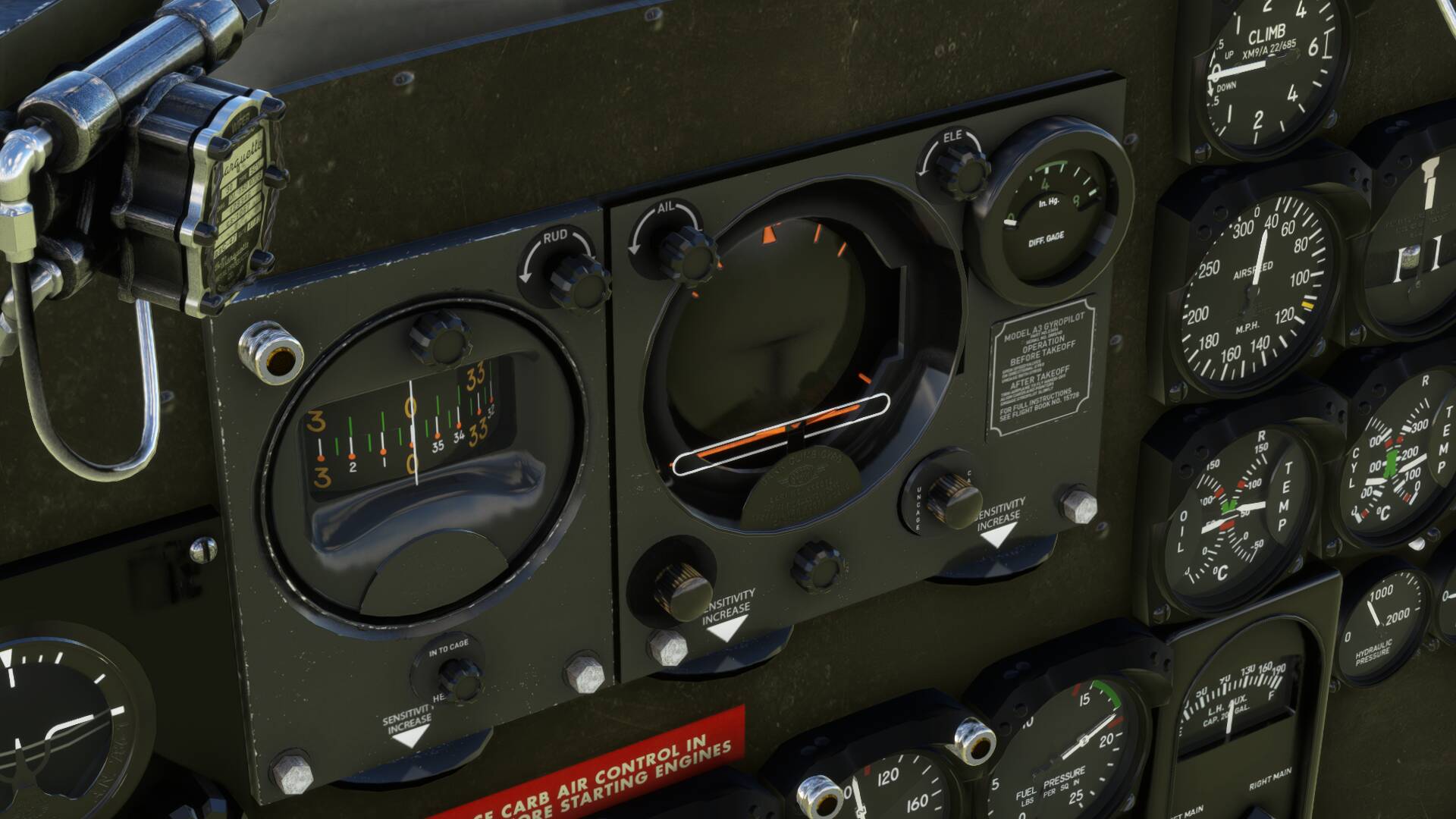
- In the gyropilot version, the gyropilots instruments are frozen and at the neutral position;
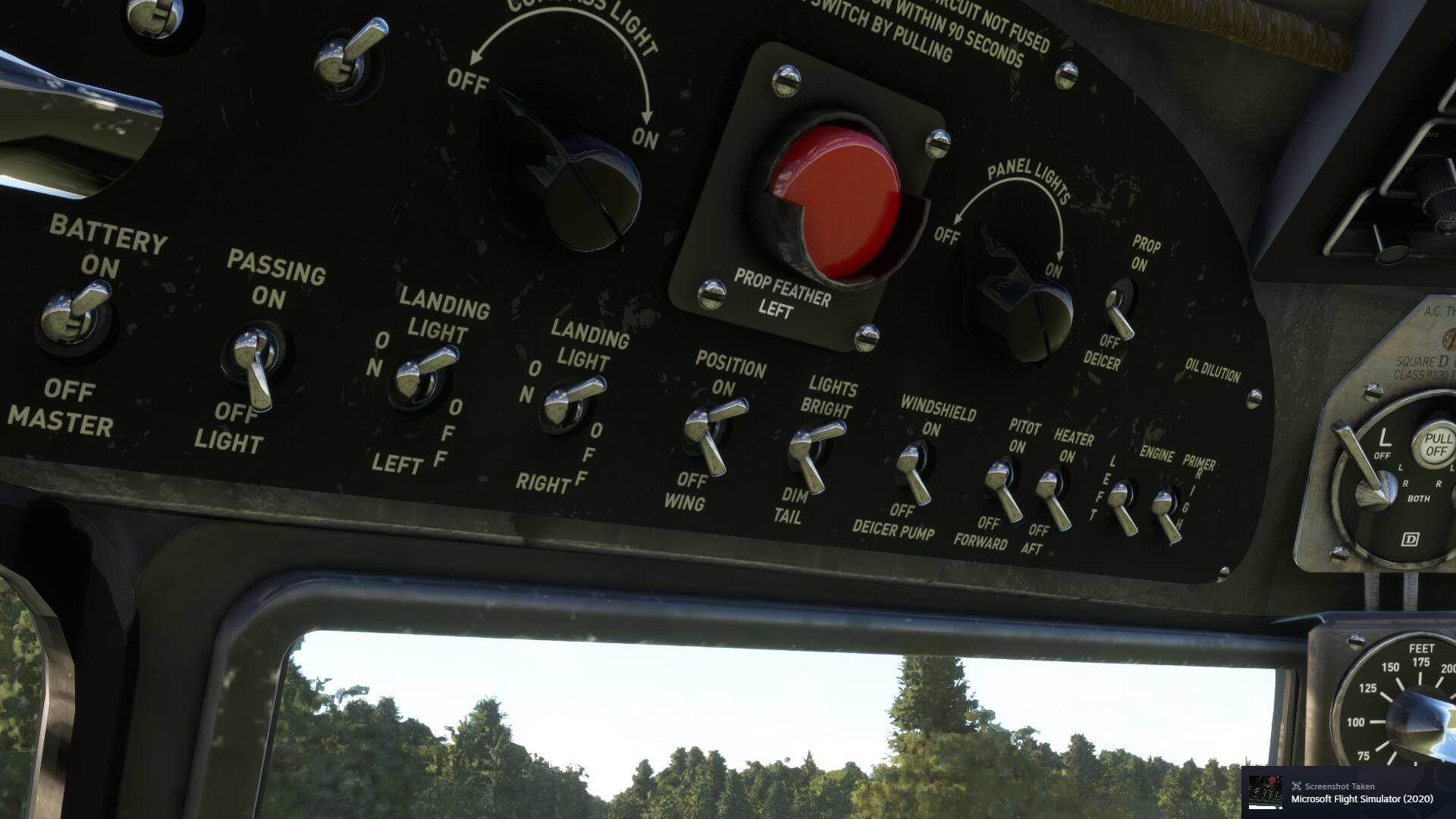
- NAV lights switches have a ghost switch.
FREQUENCY OF ISSUE
How often does this occur for you (Example: Just once, every time on sim load, intermittently)?
- Every time, I just never bothered to make a topic before lol
REPRODUCTION STEPS
Please list clear steps you took in order to help our test team reproduce the same issue:
- Use the GotFriend’s amphibious DC3
YOUR SETTINGS
If the issue still occurs with no mods and add-ons, please continue to report your issue. If not, please move this post to the User Support Hub.
What peripherals are you using, if relevant:
[PC Only] Are you using Developer Mode or have you made any changes to it?
- No
[PC, MSFS 2020 Only] Are you using DX11 or DX12?
- Both
[PC Only] What GPU (Graphics Card) do you use?
- RTX3060ti
[PC Only] What other relevant PC specs can you share?
- Ryzen 5 3600X
- 16GB Ram
MEDIA
See above!
It’s my first time posting here, so it might not be the right place. Please tell me if that’s the case!