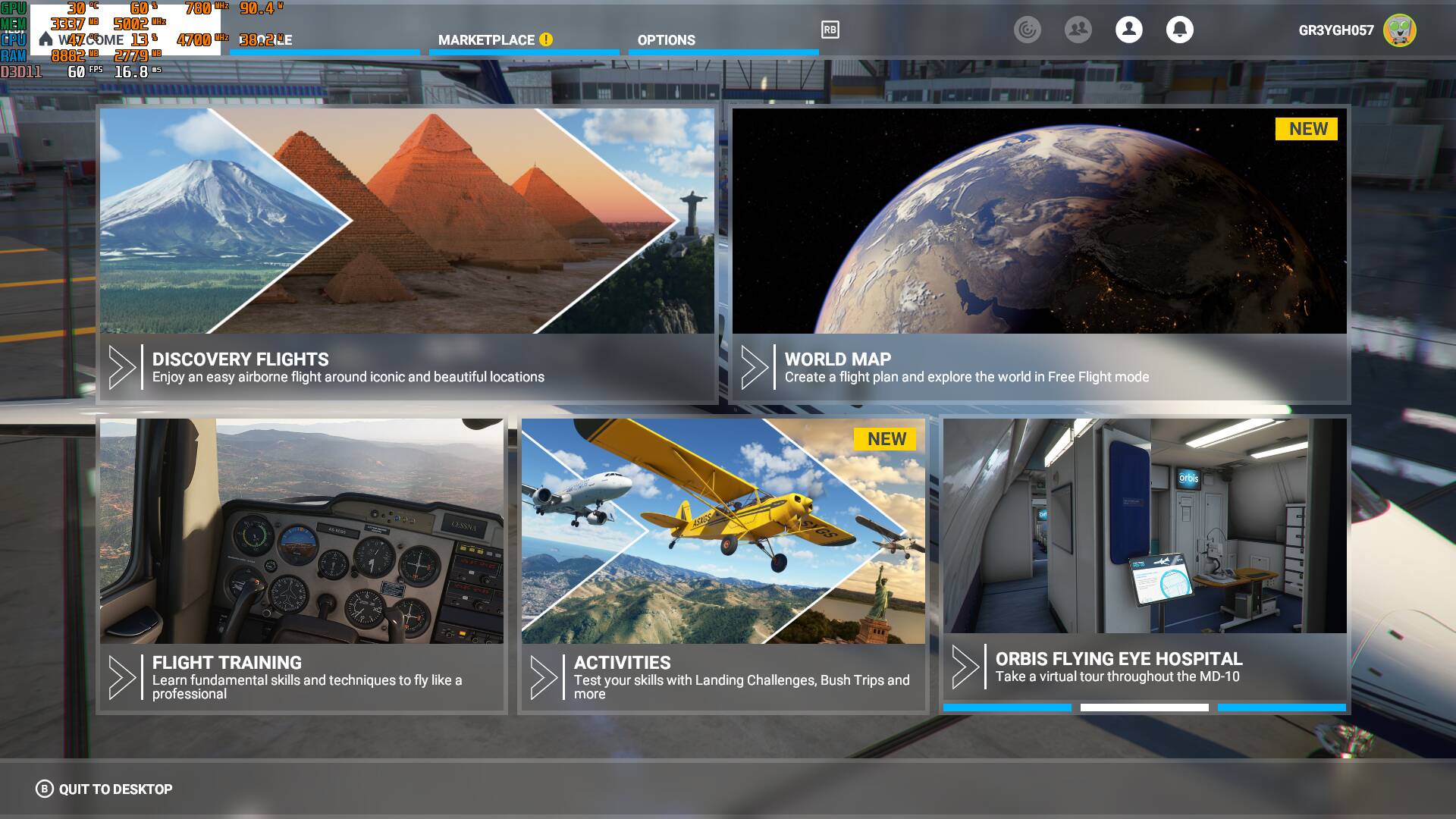
GPU at 100%

I have no exact answer for this. It could be, not sure tho, that the limit you set in Nvidia panel kind of overrides the Sim setting, but this should not be the case. But i dont know your exact settings and stuff, so, no idea why this is.

But we figured out already long time ago that the ony trustful framerate display is the one in MSFS itself. You can activate it in developer mode. External framerate displays dont work properly in some cases with MSFS and display higher FPS as they really are. this happens mostli when the MSFS main window is not active. For example, when you open your VFR map or other in-game windows. It then shows the FPS of such window but not the FPS of the Game itself. The only 100% accurate FPS display for MSFS is the one in the developer mode. :slight_smile:

I did not know that. I normally play in VR, and I’m not certain how the monitor display affects performance, so I guess I need to figure out how to limit monitor fps so that it’s not taking GPU resources away from VR rendering.

I’d at least like to see if the GPU usage changes as I limit MSFS fps. I guess I can change global system settings as a test.

I dont know much about VR, i dont have VR myself. But i could imagine, it could be a good advise to limit your frames to 30FPS trough Vsync in the sim menu. Even if you can achieve higher framerates. But for me, “smoothness” is more important than high FPS. I dont know how 30FPS will feel in VR tho.
But try it out like this, if you want:

In the Nvidia Control panel under “Change resolution” you set your VR headset to either 60Hz or 30Hz, if it has this option. Then activate Vsync 30 in MSFS Graphics menu. If you do so, the framerate of the GPU will be limited to 30FPS and your VR headset is refreshing 30 times per second (or 60 if you dont have 30Hz option) and so, the FPS match the refreshrate of your VR headset and will give you a very smooth, non stuttering experience. But of course only, when you get atleast 30FPS or more, if it falls below, it will stutter a bit. The other advantage would be that your GPU is not using 100% for rendering the highest possible framerate and has some “room” to render scenery and stuff instead.

As said, i dont know hot 30FPS feels in VR but i use it like this on my monitor, its smoother than having 30-60 frames that are fluctuating.

I have made a video about this, maybe it can help you better to understand what i mean:

1 Like

Cool, I’ll check those out.

Of course there is movement in it. The hangar in the menu background is completely 3D rendered. It shows your last flown aircraft, the opening and closing hangar door, corresponding shadow movement of the hangar door, etc. Just leave a menu open for a while and watch the background scene. Everything is 3D-rendered.

Tnx, for me works perfect. In VR (oculus Rift S, GTX 1080Ti) now I have 35+

1 Like

Update - in nVidia Control Panel, I found the FlightSimulator.exe file located at [drive]:\SteamLibrary\steamapps\common\Chucky and added it there as an application. Then I was able to limit the frame rate to 45, thus overriding my max system frame rate. (My VR headset max frame rate is 90, which I’m never going to hit, so I chose half of that)
That fixed the menu frame rate to 45, and then the GPU was at like 90% instead of 100 :joy:
But still, that’s an improvement as it kept GPU temps like 20 degrees cooler than it was at 100% all the time.

2 Likes

Of course Asobo could have avoided all this by simply having a basic, much more efficient 2D menu with drop-boxes, a 2D map, etc, like XP11 or FSX. That would have loaded much faster, saved system resources and enabled us to get loaded into a plane much faster.

But they had to cater to XBOX crowd with pretty but useless 3D rendered backgrounds, giant UI tiles made for TVs, etc.

We’re stuck with it for now, it is what it is.

2 Likes

You can have a 3D globe without 100% gpu, look at Google Earth or even the new Google Maps.
What Asobo does ist just bad programming without optimizing.

3 Likes

CPU is 5950X Resolution is 4k

A lot of games actually do this.

It saves on load times from having to deal with loading different assets, so everything is done “in engine”, instead of some games having a “splash menu” and then when you’re ready, the entire game is loaded up. Depending on how the game engine and how assets are utilized, this is more efficient.

I’ve said this in another thread. This VERY common with games. And its wholly dependent on the developer how they handle this.

Some developers set a hard limit to menus and opening cinematics and splash screens - some use 30, some 60. Some, have it as a setting within the settings to adjust it to whatever FPS you want it to be. And many others, do not restrict menu FPS and let the GPU run at its max.

There NOTHING wrong with your GPU at 100% utilization while a game is running. Its MEANT to run at 100% - thats what you’re paying for.

The only instance where this was BAD, was with the beta of Amazon’s New World MMORPG - a lot of GPU’s we bricked because there was literally zero frame limit HOWEVER the true reason why this killed some GPU’s was because it also had something to do with power delivery, where it allowed the affected GPU’s to have “runaway voltage” and essentially pop a capacitor. Some got lucky and the BIOS on the GPU went into overcurrent protection and caused an immediate shutdown of the PC
 some weren’t so lucky. Within 24 hours the issue was remedied and menu FPS has been limited to 60.
This is INCREDIBLY rare to have happen, so do not be scared that your GPU hits 100% utilization.

Once again, you WANT your GPU running at its max as often as possible.

If you don’t want/need this to happen with MSFS, go into your GPU control panel and set a hard lock so that it will never go above.

I personally do this because, while i want my 3080Ti to flex its muscle - with a sim and single player games, I prefer a consistently smooth frame rate. I’ll enjoy my 120+FPS on multiplayer games where frametime and frequency matters

The only change in NVCP that I’ve done:

At 1440p, my GPU utilization with FPS locked to 60 is around 30-40%

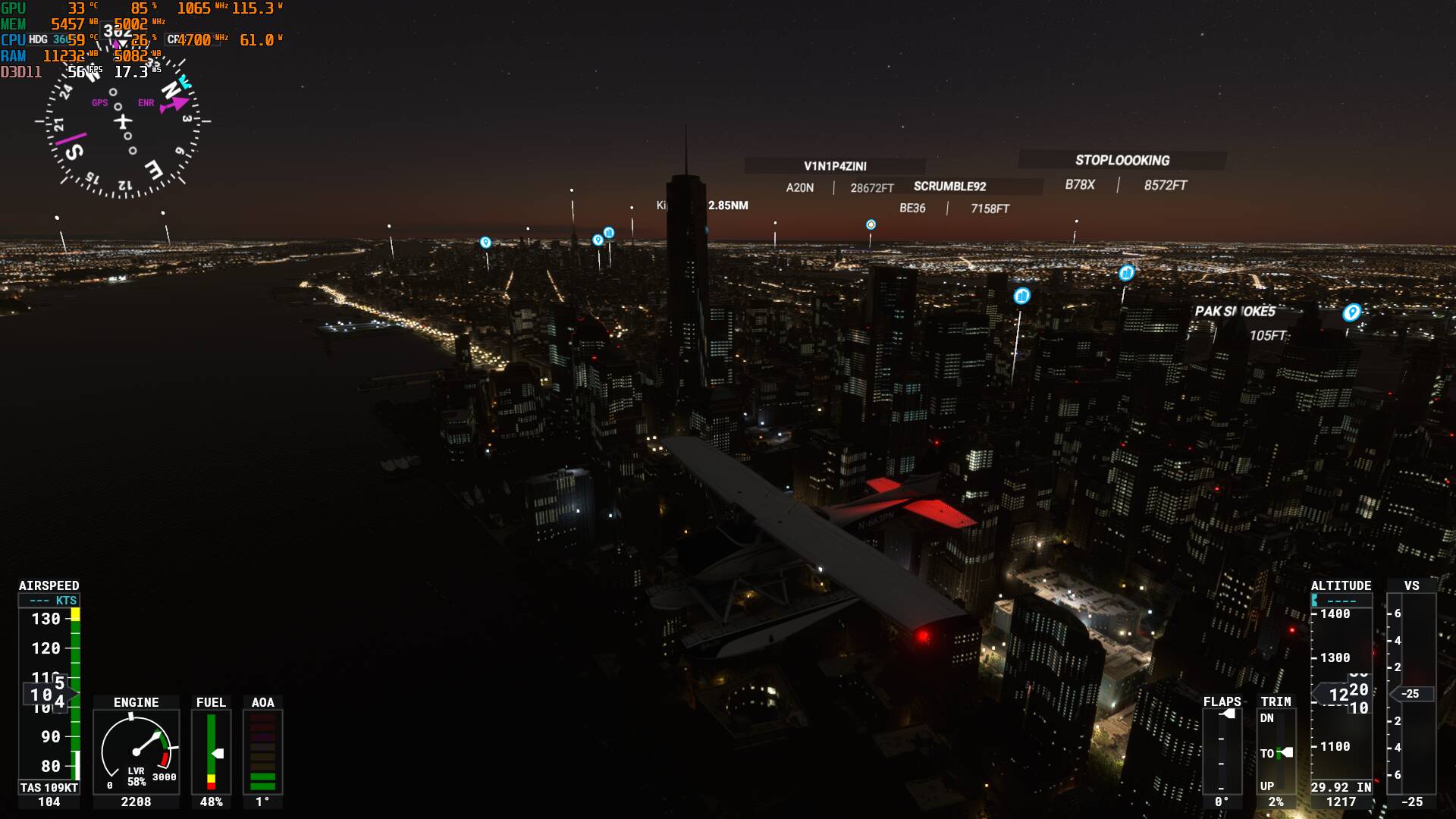
Flying over Manhattan, its hard to tell, but thats 80% utilization at 58/59fps (i think afterburner isn’t reporting this properly as the core, vram, or voltage usage is NOWHERE near 80%:

And my graphics settings are using the Ultra preset, with Depth of Field and Motion Blur turned off.

Edit Note: Not sure why the photos show up as 1080p, as I have the game running in 1440p and Im not about to reboot the game for one final screenshot I forgot at 4am

1 Like

I would suggest that the worst thing to ever happen to PC gaming was the invention of monitoring tools that shows FPS, temperatures and other data. People are now obsessively watching these things with no real understanding of what they mean and subsequently imagining all kinds of non existent problems with their system because of it. If your GPU is running at 100% and your cooling is keeping the card within its operational limits then it’s fine.

1 Like

VR does not have a Vsync option, it has no effect on the headset at all. The various debug tools and headset software take care of that (like ASW on the Oculus Quest).

Yes! Can add function reduce GPU usage in update screen and menu screen
A major update or game installation takes 1-3 days for me. It doesn’t make sense to stop on these pages to fully load the GPU, let the hot air fill the room and consume meaningless power.

I can understand that while flying CPU and GPU gets on major workload (in my case, i7-8700k+RTX3070, over 80-90% on both) but it doesn’t make any sense that when in menus or downloading updates they are still on those percentages. It’s not rendering anything, and my card it’s consuming (on let’s say standard GPU settings) over 200-220w!!! Plus the eternal downloading times, it makes absolutely nosense as the temperatures also go on top.

What I’ve ended up is creating custom profiles on MSI Afterburner (I do have my own little-OC profile for gaming, and one that reduces the power consumption and frequencies to the minimum possible).

This way when I start the sim and there is a big download required, I select the low power consumption profile and it gets like 100w consumption and significantly lower temperatures. When I’m ready to fly, Alt+Tab and I switch to the game profile and then I have all the power of the GPU.

But it should not be like this.

3 Likes

Not when there is a few hours download ahead.

1 Like

Hi Ardito, I’m running an Ryzen 5800x, 32GB 3600 Mhz ram and a 6800XT overclocked, and when flying over New York with Ultra settings in 4K the FPS counter says MSFS is only using 5 GB ram and 6 GB of the 6800xt’s 16 GB of Ram ?
I’m still getting 45fps but I don’t understand why it’s using so little of the GPU memory ?
Any ideas ?
Thanks

Because SU5 restricted memory usage to make it work for the smaller Xbox S.

I think on yesterday’s hotfix announcement they said to add a feature which allows more memory usage for PCs again. I am not sure if they announced a specific date though.

1 Like

100% is good while in game. Not normal in the menus. Maybe you have vsync turned off or not limited your framerate?

Games shouldn’t use more than 8GB, that’s normal. Most people have up to 8GB.