Description of the issue:
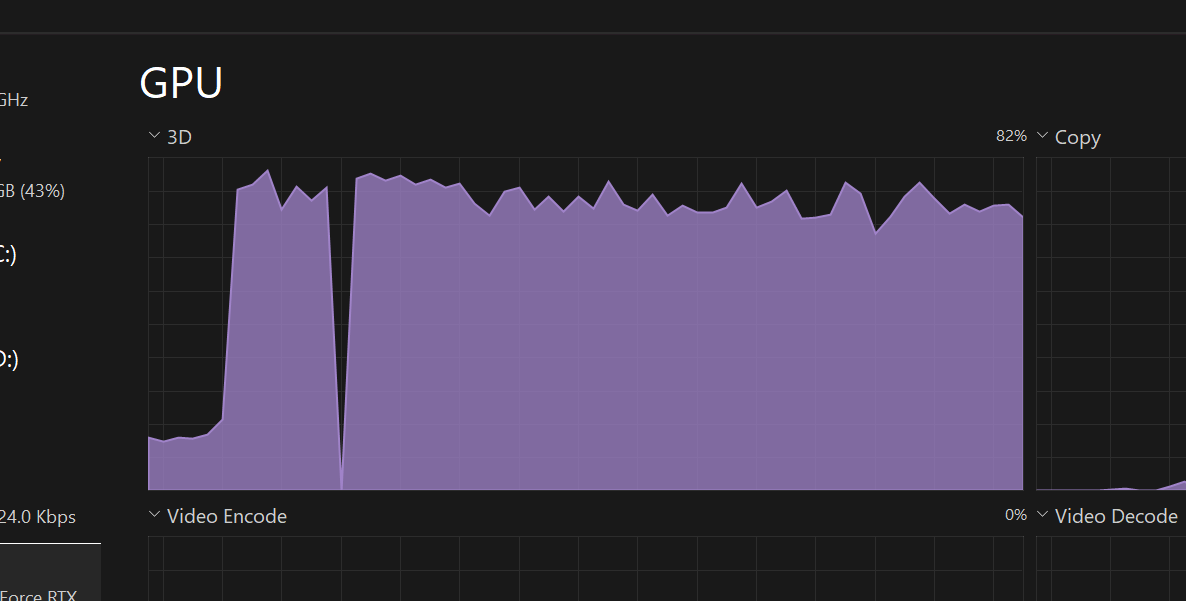
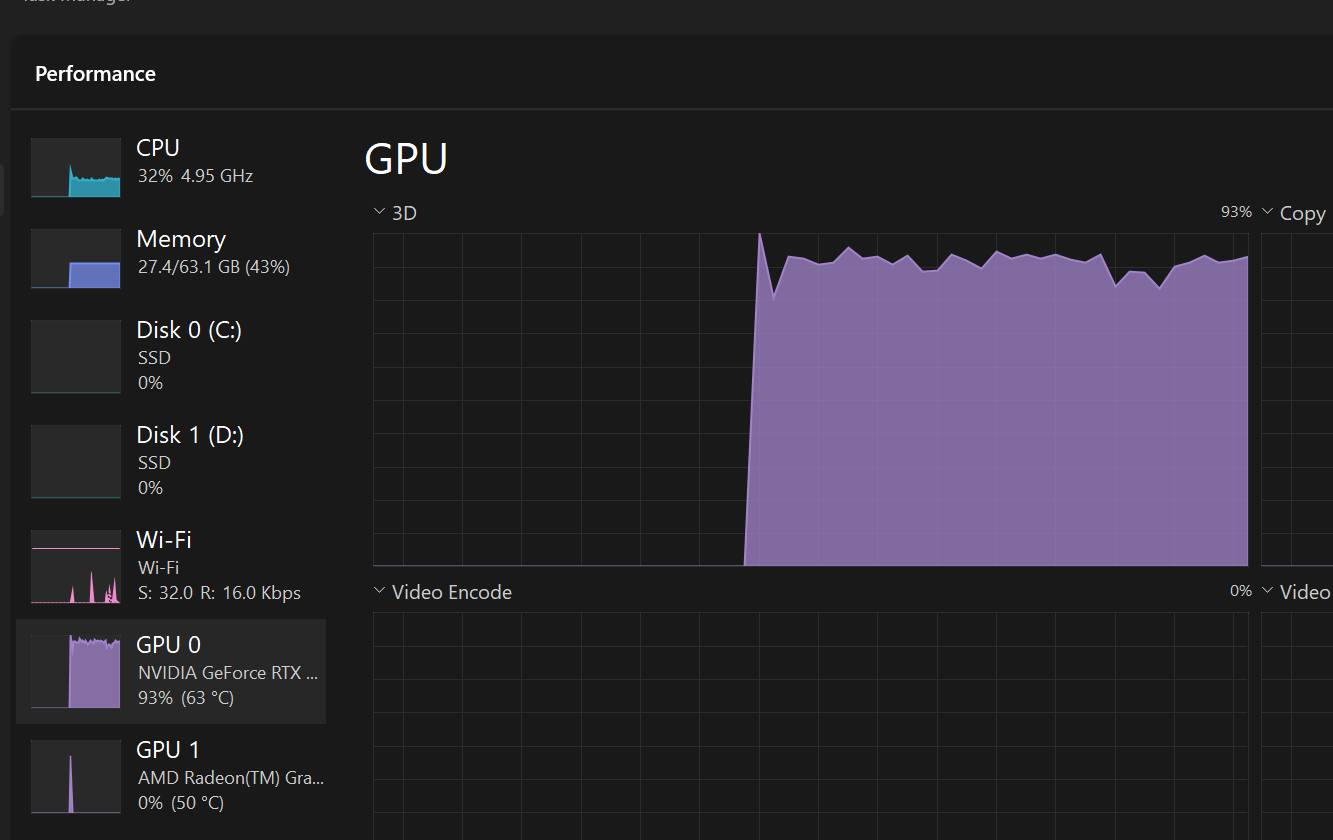
GPU Usage is at 90% when just sitting on Settings menu. System fans running higher than they were in flight. Task manager shows little CPU and 90% GPU. In MSFS 2020 it’s usually idle.
FREQUENCY OF ISSUE
Unsure
REPRODUCTION STEPS
Ended a flight
Opened Settings menu
YOUR SETTINGS
3840x2160
TAA
Global Render Quality Ultra
[PC Only] What GPU (Graphics Card) do you use?
RTX4090
[PC Only] What other relevant PC specs can you share?
Ryzen 9 7950X3D
[END OF FIRST USER REPORT]
For anyone who wants to contribute on this issue, Click on the button below to use this template:
Do you have the same issue if you follow the OP’s steps to reproduce it?
•
Provide extra information to complete the original description of the issue:
•
If relevant, provide additional screenshots/video:
•
If you open Nvidia Control Panel, Manage 3D settings, Add FlightSimulator24.exe then scroll down through the options to “Maximum Framerate” you can at least set a limiter so the menu no longer goes to 100000000 fps and consumes a ton of power.
We have created an internal ticket to see if our team already has this logged, and if not they will attempt to reproduce the issue and create a new bug report. This item is now marked as feedback-logged. If there is an existing bug report or one is created, we will move this thread to bug-logged
Anyone get a fix to this? Never had the issue- stepped away from 2024 for a month. Came back, did a fresh install and no mods- load into menu and GPU useage is 90%+…. Sometimes even crashes the sim.
 For anyone who wants to contribute on this issue, Click on the button below to use this template: