Does anyone perhaps have any suggestions of what settings I could try to tweak to solve what I can only really describe as grid-like textures? Screenshot taken over the Sahara desert (I’m referring to the fairly prominent straight lines between what must be squares or shapes of textures) - because the desert is fairly uniform and consistently plain, perhaps it just stands out a bit more than usual? Most noticeable is the small 90 degree offset just forward of the wing and below the wingtip.
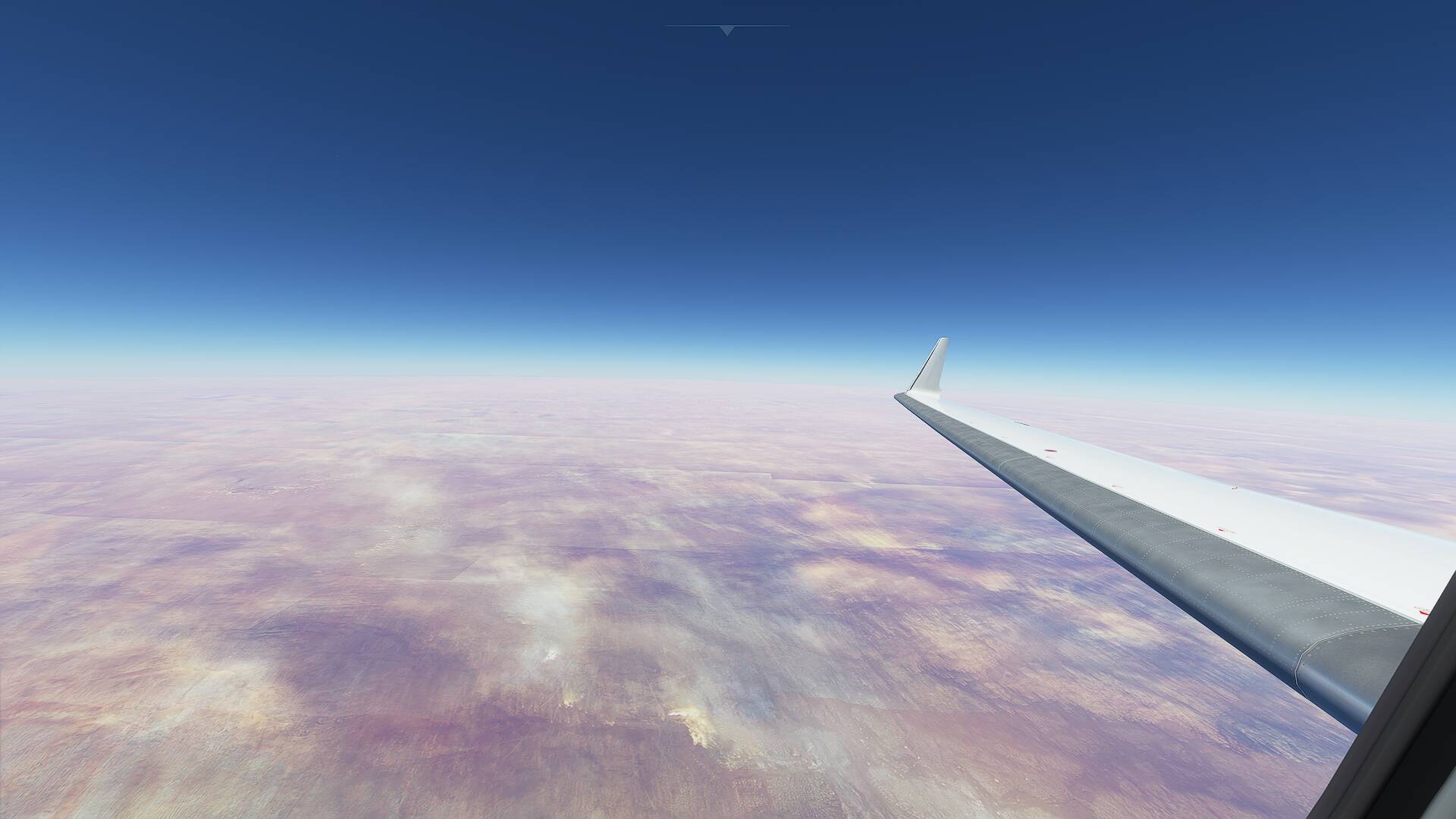
Nothing you can do on your end. You’re seeing artefacts from the satellite imagery (how they’re stitched together).
In general the AI does a pretty good job color correcting the source imagery, but the results aren’t always 100% effective.
1 Like
Thanks very much - thought that might be the case!