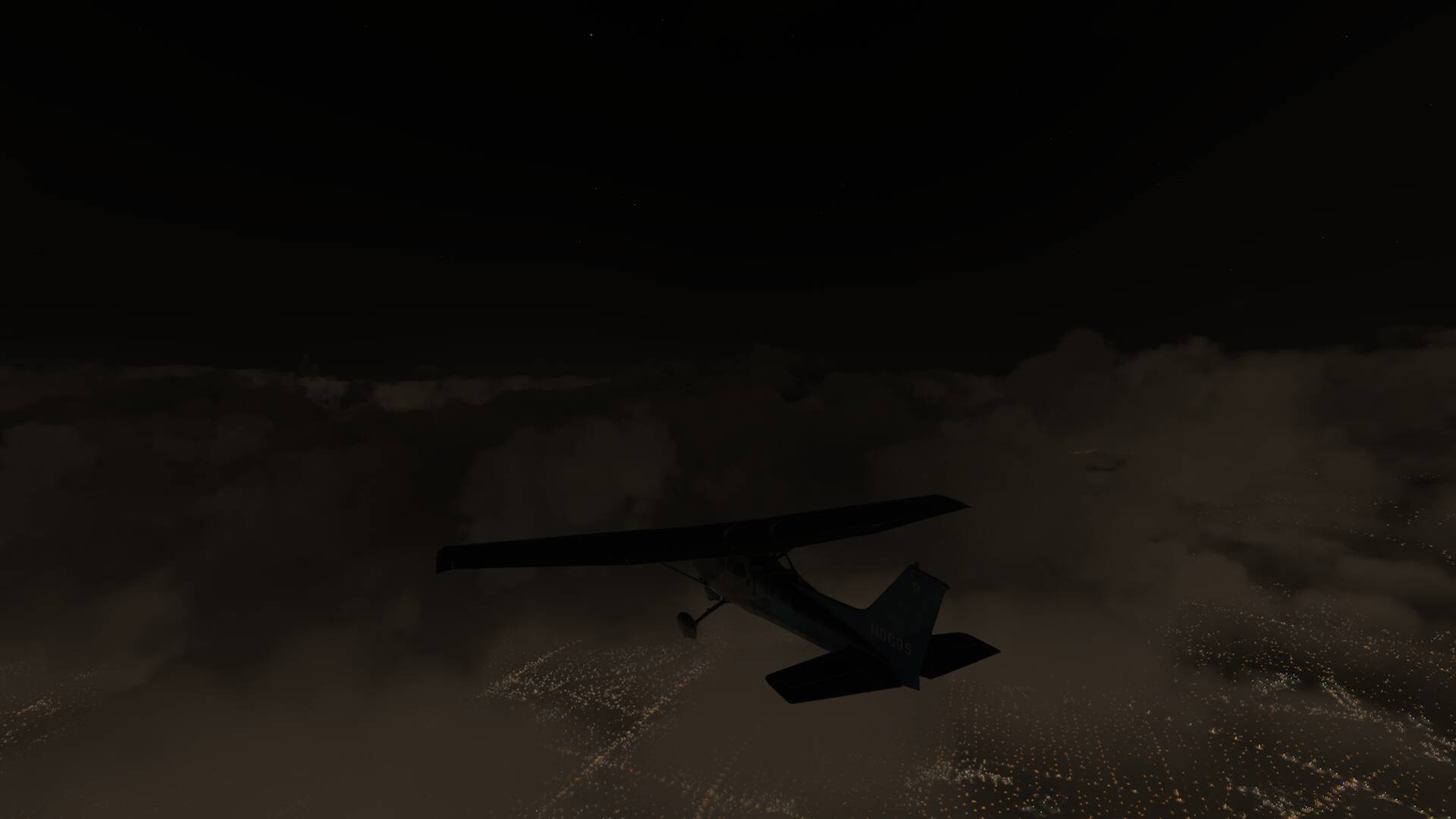
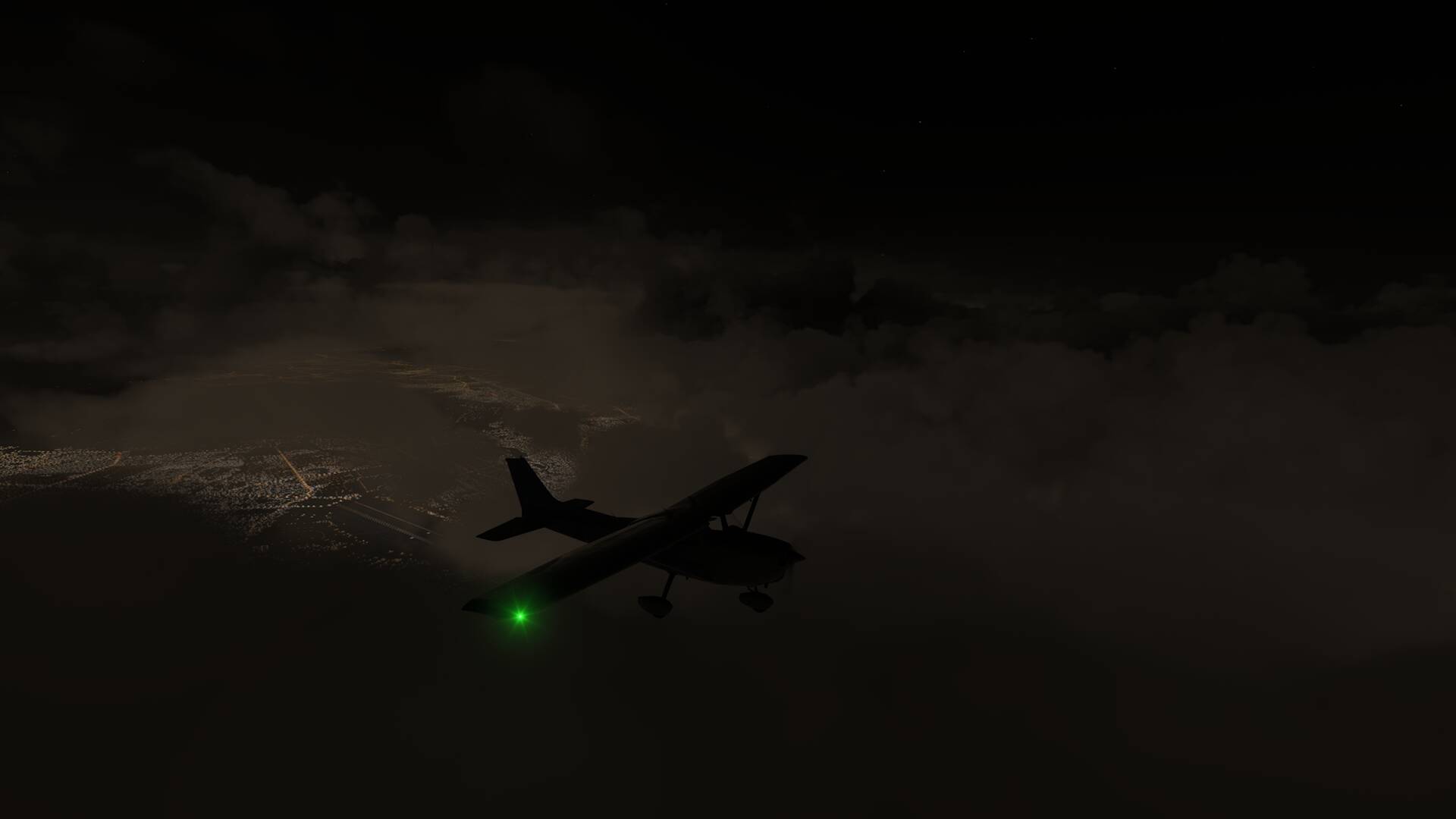
Ground lights visible through clouds and fog at a certain distance

ISSUE DESCRIPTION

Description of the issue:

Lights bleed through clouds and fog at a certain distance in a circular pattern, and it’s moving with the plane/spectator cam

FREQUENCY OF ISSUE

How often does this occur for you:
every time on sim load when clouds or fog is present at dusk, dawn or night.

REPRODUCTION STEPS

Please list clear steps you took in order to help our test team reproduce the same issue:
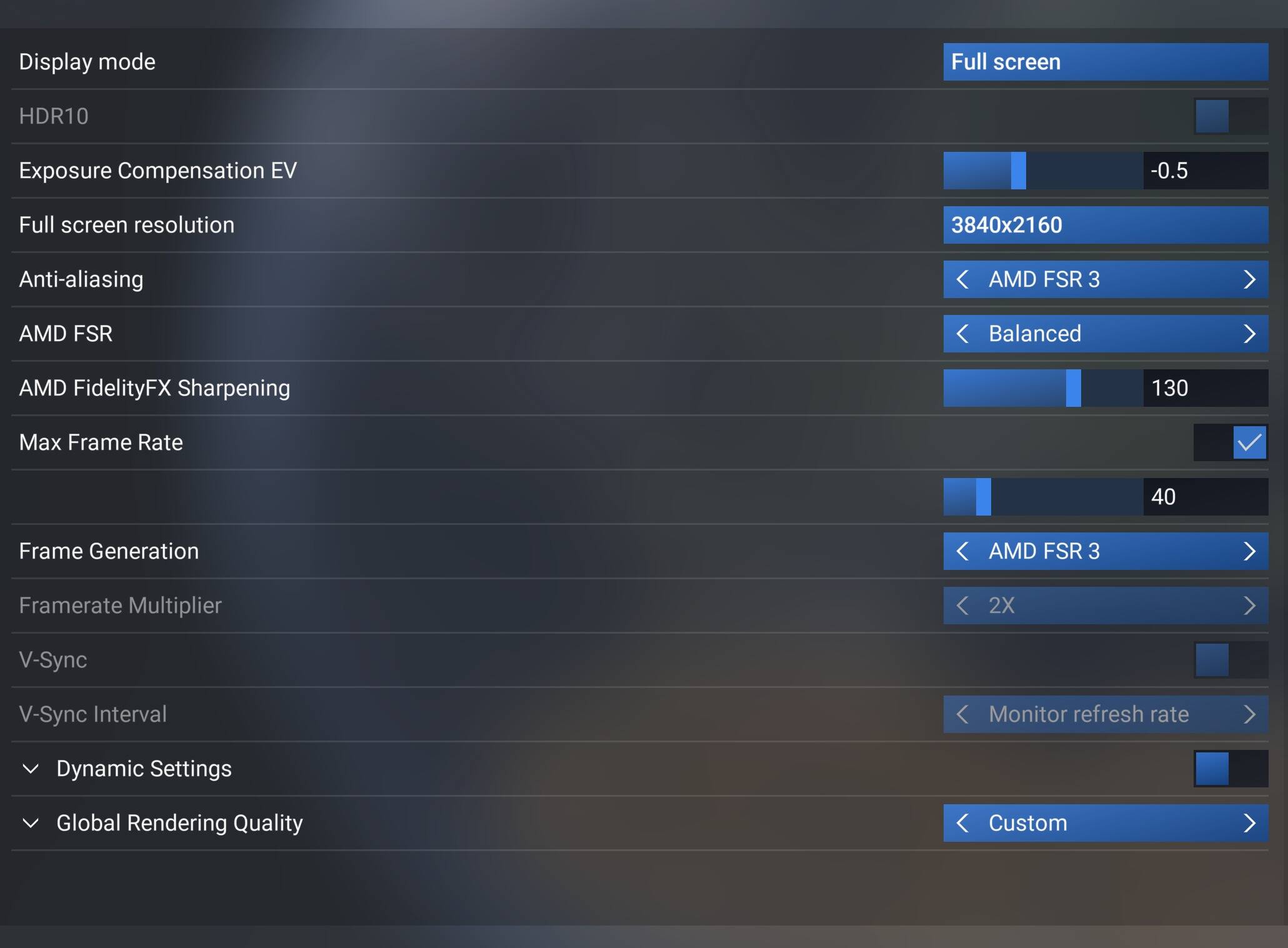
  1. Use FS2024

YOUR SETTINGS

Summary

What peripherals are you using:

[PC Only] Are you using Developer Mode or have you made any changes to it?

NO

[PC Only] What GPU (Graphics Card) do you use?

AMD Asus Strix 6900XT

[PC Only] What other relevant PC specs can you share?

AMD Ryzen 9 3900X

64GB RAM

Corsair Model: Force MP600 1TB M.2

Samsung 980pro 1TB M.2

4K Monitor 3840x2160 @144hz

MEDIA

I have reported the same for msfs-2020 (msfs-2024 was not out yet) Lights visible through clouds at night but only at night time. Does your issue also only happens at night ?

1 Like

Happens, whenever there are clouds or fog in between the plane and lights on the ground. Though it is for contrast reasons more noticeable when it is darker.

To be honest, I first saw this bug shortly after fs2024 was released and it seem a bit that it got worse over time.

Secondly I think everyone has this issue though just doesn’t pay attention to it? I wonder how, it completely breaks any immersion, when there’s a circle of lights following you like a lit birthday cake!?

Do you happen to use a AMD 6XXX card?

No, I have a RTX2060 Super.

how are so few users either have or notice this issue?

Same problem here. It’s easily noticable to my eyes.

I decided to briefly check on this issue on my X Box X. I don’t think it exists for me. Does it happen with all clouds at night or just some? Do you need to be above a certain altitude?

I flew into KSFO today and then set the time to 3am or so and took back off and climbed to 9500 feet and I didn’t see anything unusual but I may be completely misunderstanding the problem. Heres what I saw:

the issue still exists with Sim Update 4 Beta (1.6.31.0)
AMD cpu & gpu

ISSUE DESCRIPTION

Description of the issue:

Lights bleed through clouds and fog at a certain distance in a circular pattern, and it’s moving with the plane/spectator cam, issue noticed since SU2 (propably existent sind release). Reported in SU4 Beta but got ignored.

FREQUENCY OF ISSUE

How often does this occur for you:
every time on sim load when clouds or fog is present at dusk, dawn or night.

REPRODUCTION STEPS

Please list clear steps you took in order to help our test team reproduce the same issue:
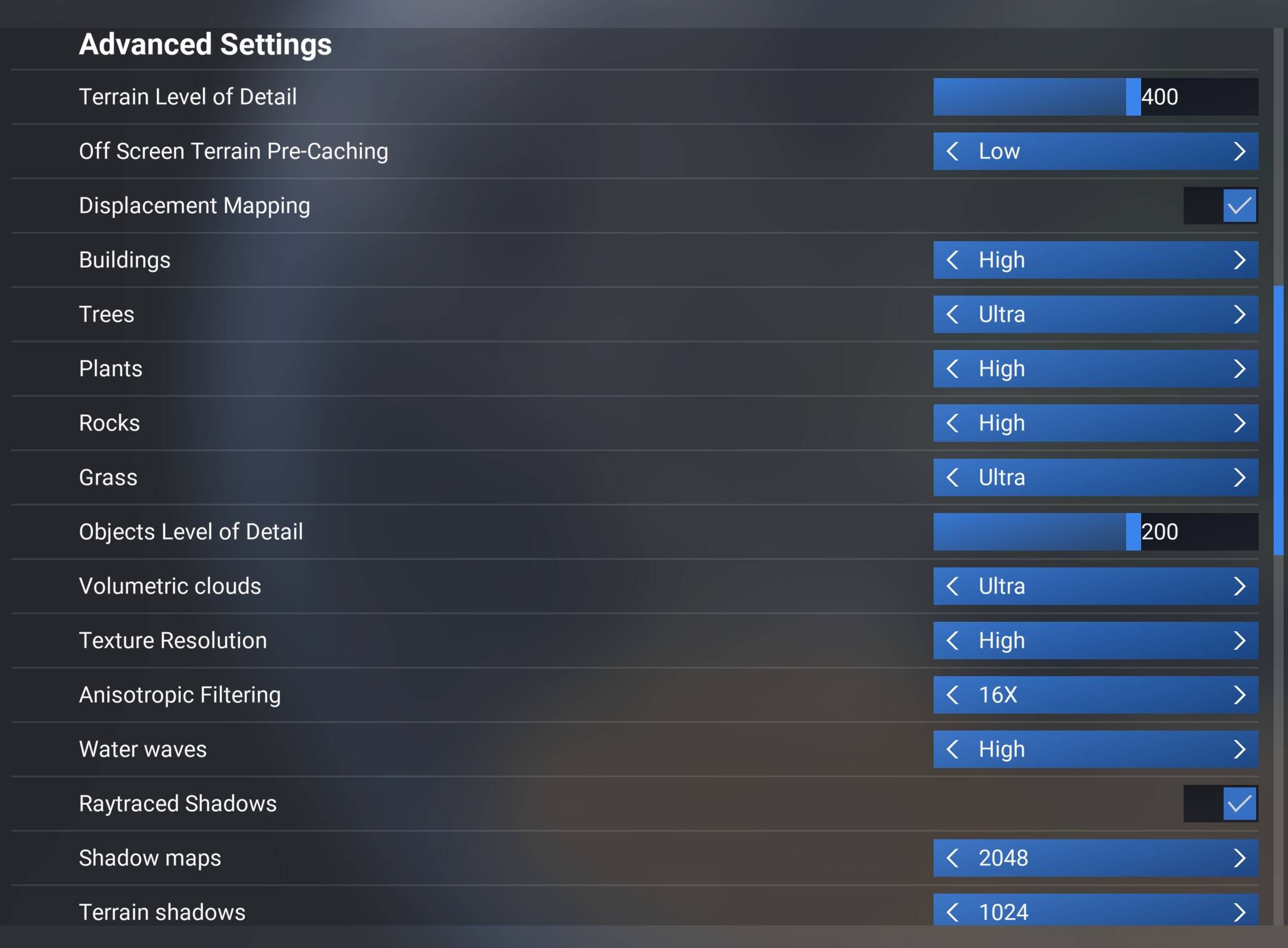
  1. Use FS2024

YOUR SETTINGS

Summary

What peripherals are you using:

[PC Only] Are you using Developer Mode or have you made any changes to it?

NO

[PC Only] What GPU (Graphics Card) do you use?

AMD Asus Strix 6900XT

[PC Only] What other relevant PC specs can you share?

AMD Ryzen 9 3900X
64GB RAM
Corsair Model: Force MP600 1TB M.2
Samsung 980pro 1TB M.2
Samsung 980pro 2TB M.2
4K Monitor 3840x2160 @144hz

MEDIA


4 Likes

I’m experiencing this too. Total immersion killer, especially when flying into somewhere like London. Ryzen 5800x3d with a 6900XT.

2 Likes

Still reproducible, every session, since SU2. Reported again in SU4 beta, ignored. Either the QA team can’t reproduce it or it’s deprioritized either way, no feedback whatsoever. Hard to stay motivated reporting bugs when there’s zero acknowledgment.

3 Likes

Still no fix, no acknowledgment. Reproducible every single session since SU2, reported again in SU4 Beta, completely ignored.
The bug: ground lights bleed through clouds and fog in a circular pattern that follows the camera. Dusk, night, dawn, anytime clouds or fog sit between you and the ground.

Confirmed so far on AMD RX 6900 XT (only two separate users) and an RTX 2060 Super, so it’s not AMD exclusive? One Xbox Series X couldn’t reproduce it at all, which points to a PC specific rendering path issue.

I’d highly appreciate it if anyone with an AMD 6XXX, 7XXX or even 9XXX could check this! Please reply with your GPU, whether you see it and under what conditions. To reproduce: in the World Map, before departure set the weather to custom add an overcast or broken cloud layer at low altitude (around 2000 to 4000 ft realy doesn’t matter that much), set time to dusk or night. Once airborne, climb rather high above the cloud layer and look down. The circular light halo around your position should be immediately visible. Works with fog too, just set visibility low and same time of day.

Since MS/Asobo apparently doesn’t have this on their agenda, community data is all we’ve got.

2 Likes

@DementedCorn327 does this issue still exists for you with SU5 as well?
my guess is, that the very few writing here are actually not the only ones having this issue but the only one seeing this?

Issue is still here for me in SU5. 6900XT with 5800x3d
2 Likes

A couple more screenshots from tonight’s flight into LFPG. Live Weather on, and flying through cloud. Please Asobo, take a look at this. It’s been going on for ages now and is really, really immersion breaking. Anyone else on a 6900XT getting this?

1 Like