Welcome everyone to version 2.3.6… the sixth… possibly largest… and by far my personal favourite update for the 2024 Albatrosses!
This update has been developed in my spare time over many months and is all about bringing some extra realism, character and “life” to the Albatrosses, along with a ton of minor bug fixes of course, some quality of life improvements, a few longtime user requests, and a couple of surprises as well. This update has some specific dependencies on functionality introduced in Sim Update 6, so it was not possible to release it prior to that.
A parity update for the 2020 Albatrosses (v1.3.5) will follow soon, and it contains several of these new features and improvements, as well as bug fixes.
As usual the manual has been updated to reflect all of the changes, and the new version is available here on the official website:
Before we begin…
Important Note #1: If you have installed the Albatross locally, please uninstall it, clear your rolling cache, and then re-download it from the marketplace / library. This should hopefully prevent any strange behaviours and bugs, like those which some users experienced after the Sim Update 5 release.
Important Note #2: For TDS Sim users. If you have installed the TDS GTNXi integration mod for the HU-16, please delete it and re-download the latest version from their site prior to flying with this update. If you do not update the integration mod you will experience significant stuttering and low performance in the plane.
And now on to the fun stuff…
Improvements in v2.3.6
-
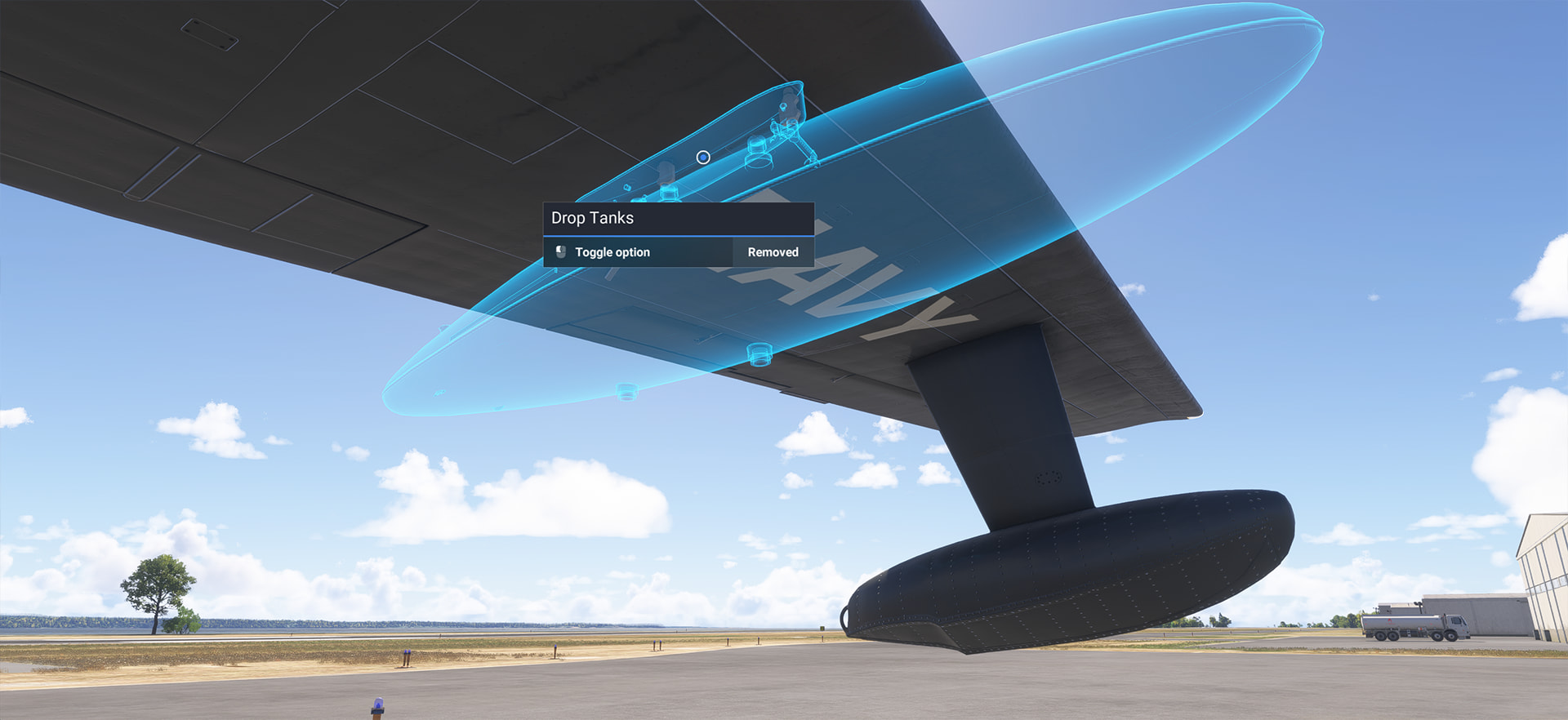
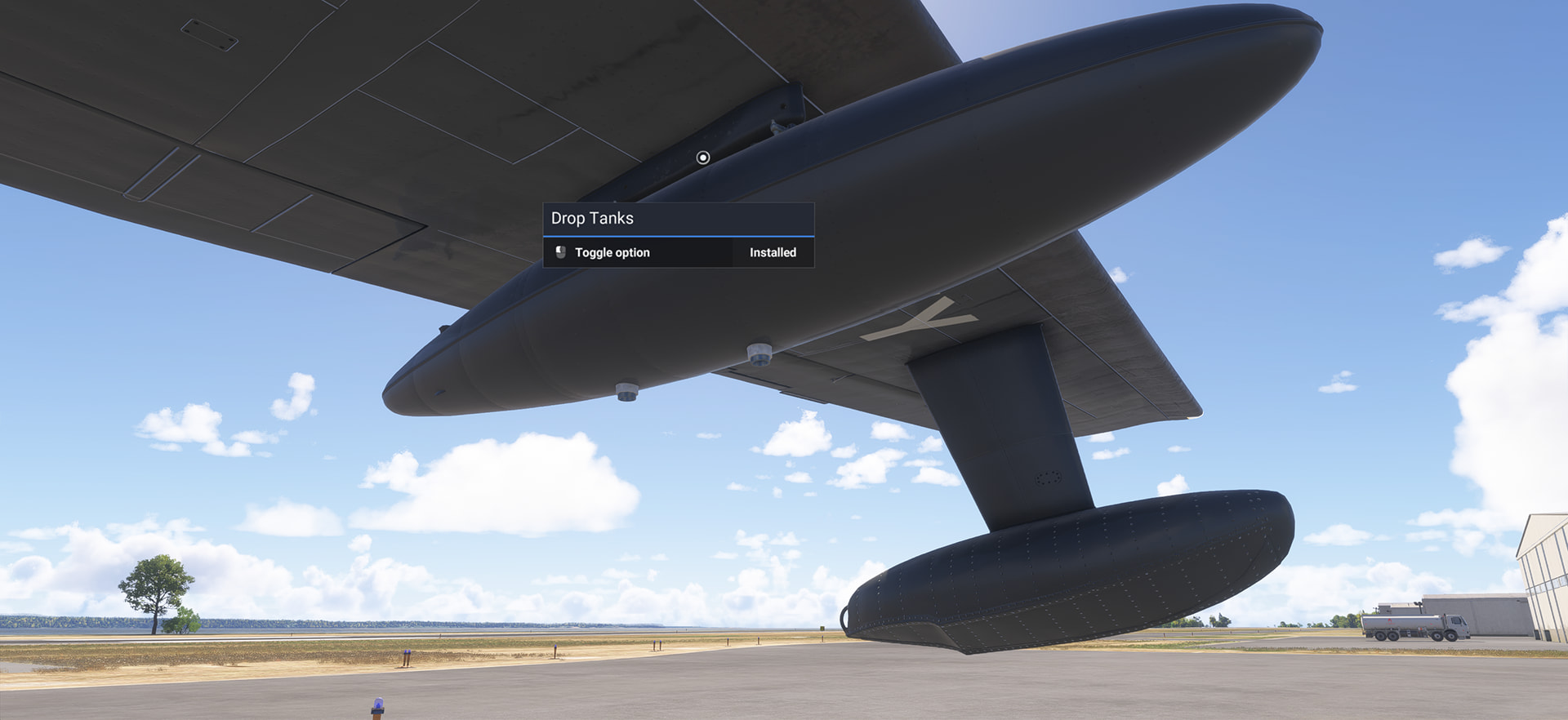
The external fuel tanks are now user removable & re-installable. Yes, having them attached or not is finally up to you. You can remove or install them by clicking on either of their pylon locations during preflight / walkaround, or via the cockpit clipboard, with unique persistent settings (per aircraft type) between sessions.
This change also allows the somewhat confusing number of required variants to be reduced to just four, for now anyway.
These variants are now:
- HU-16 Passenger
- HU-16 Search & Rescue
- G-111 with Garmin G1000
- G-111 with Garmin G3X
Please see the “operating notes” section below, or the updated manual, for fuel tank installation details.
-
The “Realistic Engine Limits” failure mode functionality has been significantly expanded in this update, adding much more accurate oil temperature and pressure behaviours and a relatively complex simulation of spark plug fouling as well. Keeping oil temperatures in the correct range will require regular monitoring, proper management of the oil cooler doors, and possibly modification of your climb profiles in hot weather as well. There are now very serious consequences for ignoring high oil temps, and if you don’t manage your fuel mixture settings correctly as well, especially at low RPM or low manifold pressure, then plug fouling can make things more than a little “rough”! (see the updated manual for more details on these additions).
NOTE: The “Realistic Engine Limits” option can be turned on at any time, but it can now only be turned off when the aircraft is on the ground and with both engines shut down. If you choose to enable it then you are committed to it until you land. Whether that landing happens with two working engines, or one.. or none… will be down to your level of mechanical sympathy.
 This setting is saved and persistent between sessions.
 -
Water handling realism improvements:
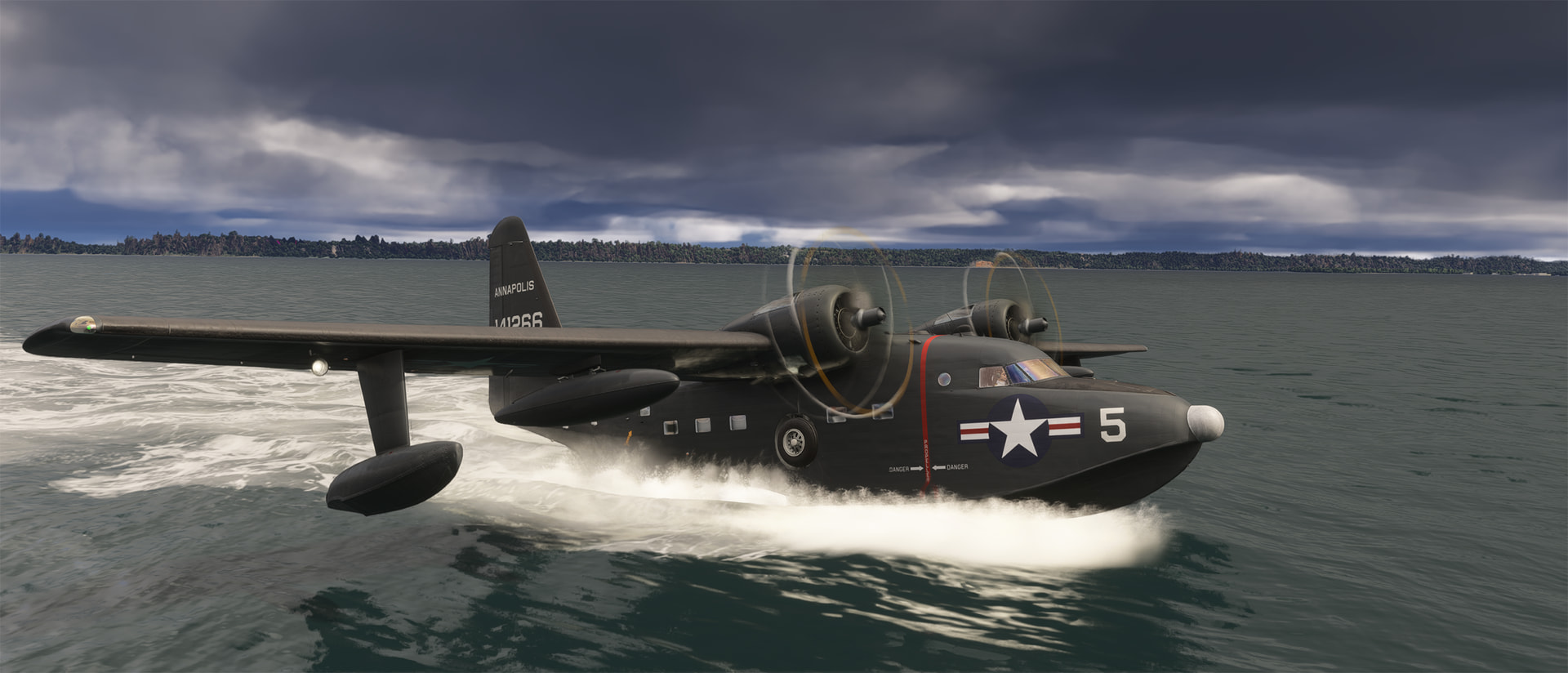
The water handling realism in the low to medium speed regime (10-50 knots) has been greatly improved with some new additional physics. When rising onto or coming down off the “step” the aircraft will no longer abruptly and unrealistically “jump”, but now more smoothly and progressively raise or lower its nose to an appropriate angle for the current speed. This not only looks and feels much more realistic, but allows the Albatross to handle much larger waves without submerging the nose, just as the real aircraft can, and this makes for much more realistic handling during step taxi.
Due to the now much higher angle of attack when accelerating onto the step and resulting centre of gravity shift, you may need some large and rapid elevator inputs to balance the aircraft properly in rough seas. During takeoff the engine power should be increased moderately and progressively until the aicraft has fully risen onto the step and lowered its nose, and then full power can be smoothly applied.
Additionally, during water operations the landing gear bays will now quickly fill with water once the aircraft slows down off the step and the bays become partially or completely submerged. The loss of buoyancy and added weight from this gear well flooding is quite noticeable. When accelerating for takeoff you will now need a bit more room and power to lift the aircraft up onto the step, due to the added weight. Once the aircraft rises onto the step, at around 15 knots, the gear wells will begin venting that water through their individual drain ports, however this does take some time, and you will likely achieve liftoff with many gallons still remaining to be drained, especially from the left and right main gear wells. This residual draining will affect the aircraft’s initial balance and handling during a water takeoff. New water spray / trail effects have been added as part of this improvement.
-
Wake and bow / pylon splash effects have been completely reworked, significantly improving their visual realism and fixing several bugs and artifacts that were occurring at low speed (large white lines and streaks etc). The propeller wash effects have also been improved, removing most of their “blocky” geometric artifacts, and new effects for propeller tip vortices have been added as well. These will appear (or not) at varying strengths based on weather conditions, speed, and engine power output.
-
A new bespoke “Pushback” function has been added, and this works on both land and water. It can be activated or deactivated via the options clipboard, or by using the sim’s native control binding for “Toggle Pushback”, and the aircraft can then be steered via rudder input while reversing on land (whether realistic steering mode is active or not). On water the pushback function reverses the plane only.
NOTE: This pushback function does not respond to radio calls, only the clipboard or key command, and the aircraft must be nearly stationary to engage the pushback. If you accelerate the aircraft forward with the engines during pushback then it will automatically be canceled.
-
The hydraulic and brake system behaviours have been redone from the ground up. The hydraulics are now both much more accurate and somewhat less forgiving of mistakes, though less frustrating to deal with and much more reliable in their behaviour. An input event for the parking brake has been added to improve its ease of use. Using the sim’s “toggle parking brake” key event will now correctly and automatically operate the hydraulic selector and hand pump for you. As part of this hydraulic upgrade the responsiveness of differential braking, when using the “Realistic Ground Steering” option, has been improved. See the hydraulic operating notes section below or updated manual for more details.
-
New sound effects have been added for the removal and re-installation of pre-flight items (yes, you can put the chocks and pitot cover back on now). New sounds have also been implemented for the engine start sequence, the engine idle ‘burble’, and the cowl and oil cooler flap motors (including distinct positional feedback through changing tone). Additionally there are new supersonic propeller tip sounds (above 2000 rpm), variable sound effects for wave impacts and hull bending stress in rough seas, and windshield spray audio.
-
All doors & hatches, fuel tanks, the ladder, squat strut, chocks, and the anchor system, will now display and animate correctly on your plane and other players’ Albatrosses in multiplayer.
-
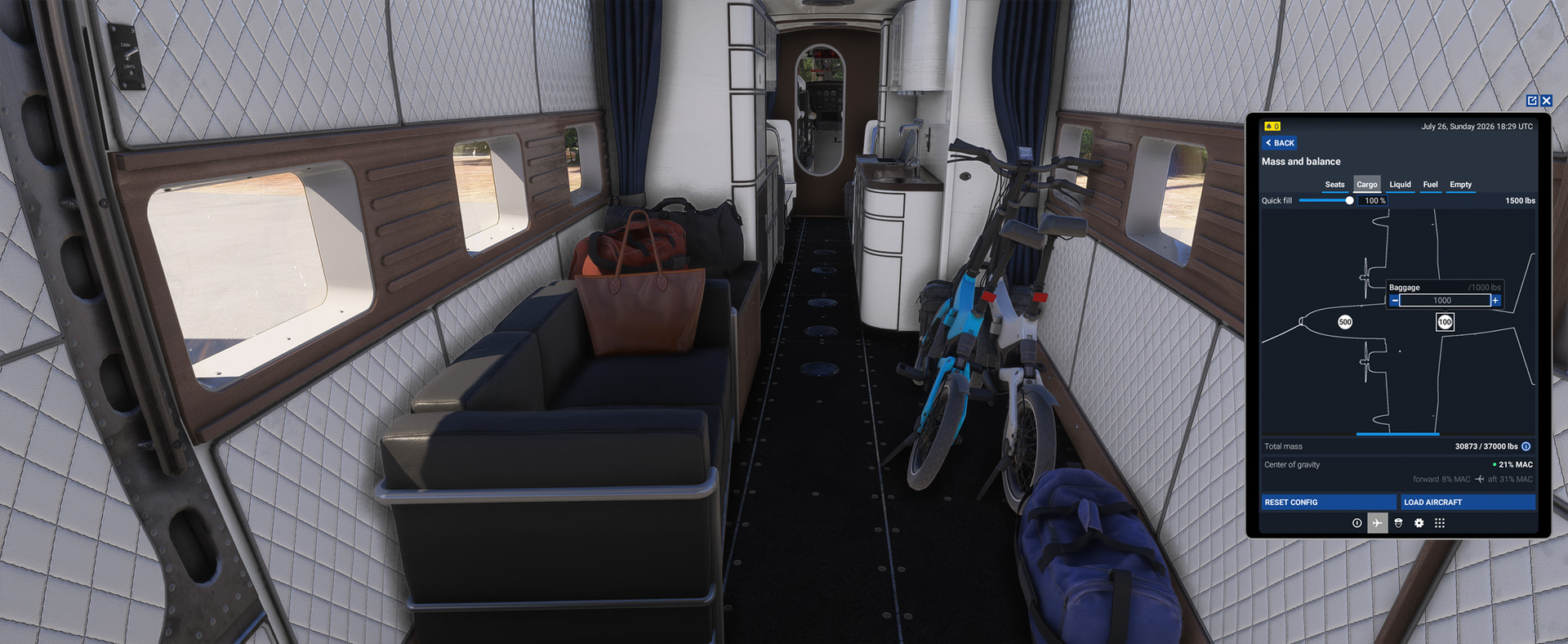
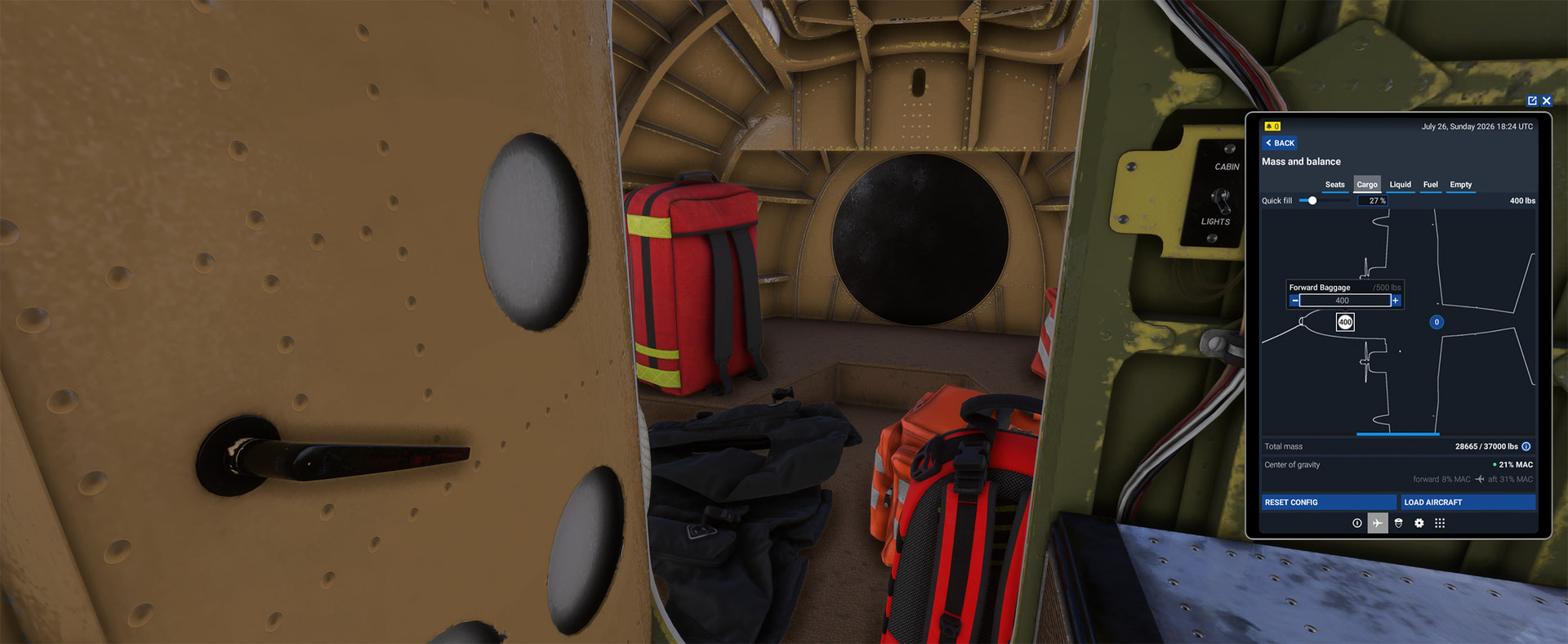
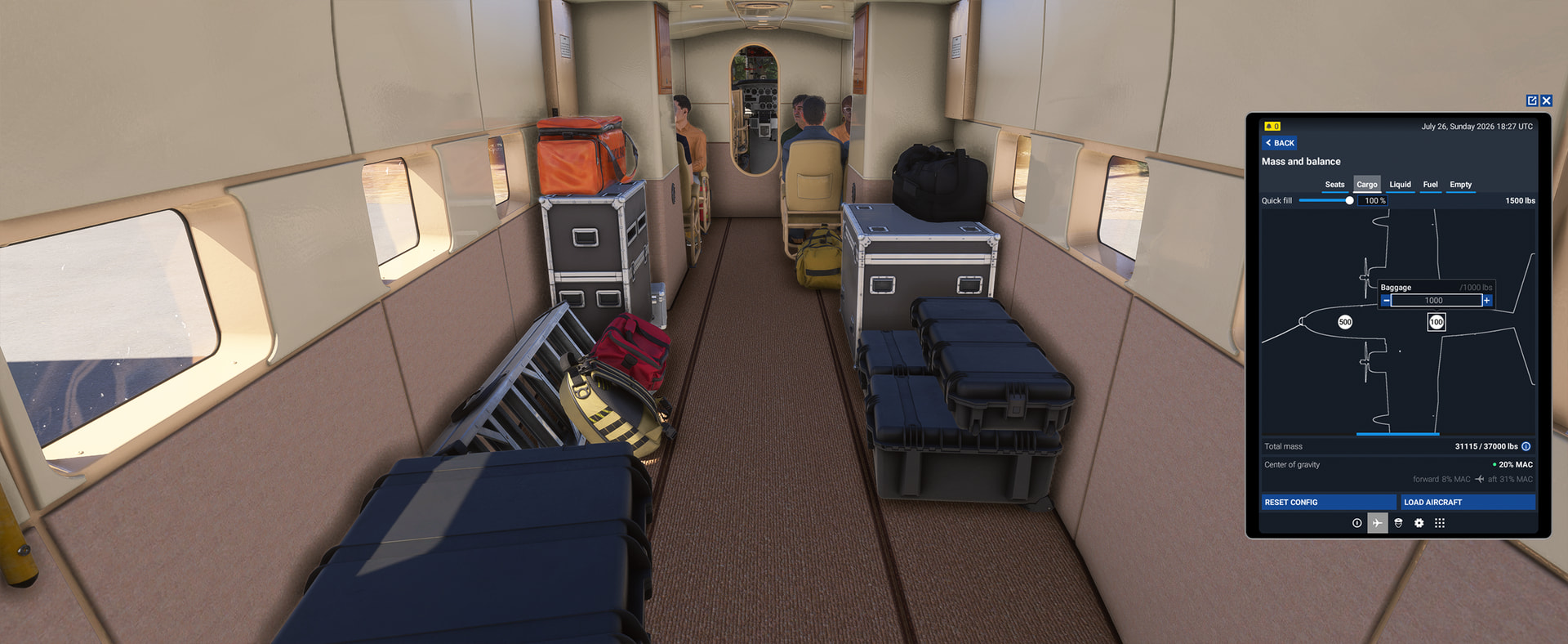
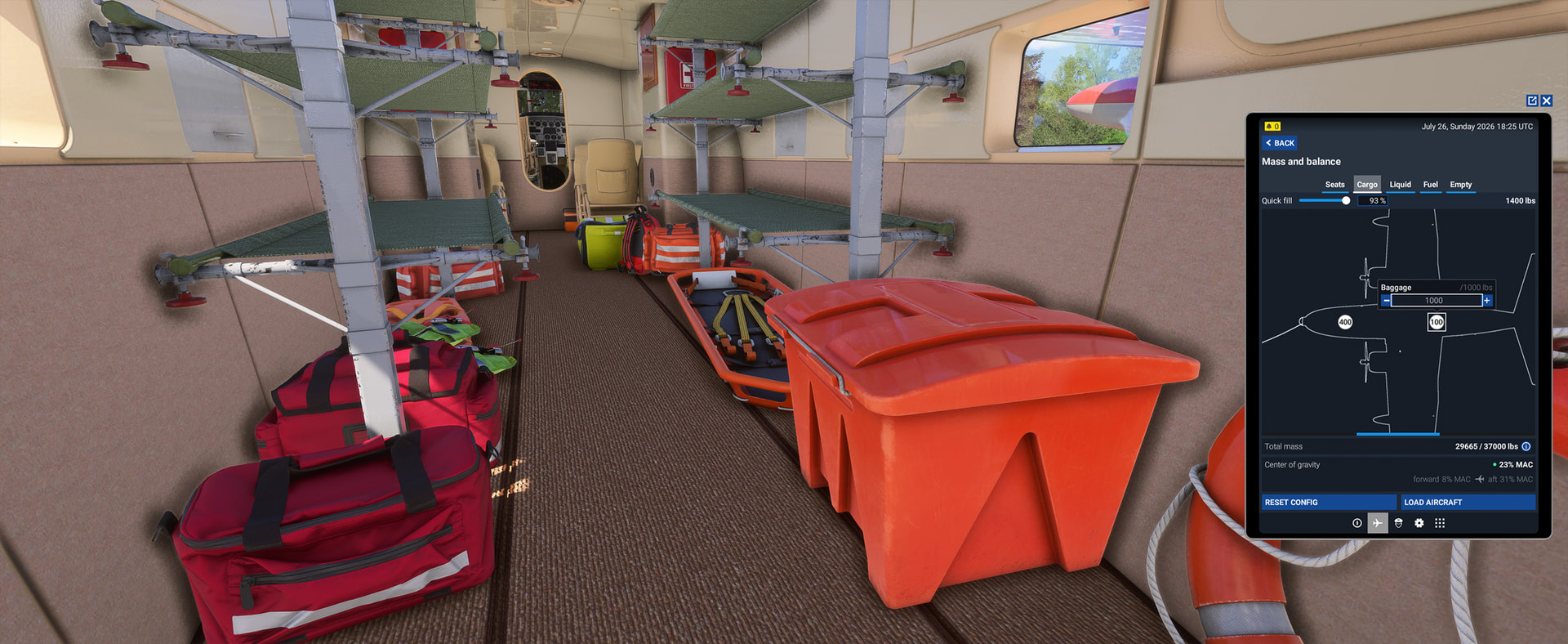
Dynamic cargo items have been added to all Albatross variants, with light, medium, and heavy load options. The base HU-16 passenger variant contains primarily baggage, the SAR variant has rescue and medical equipment, and the G-111 loads are more “adventure travel” based. (see screenshots below). These can be set to your liking by incrementally adding mass to the forward (nose compartment) and aft (main fuselage) cargo stations. The nose compartment has a 500 pound limit, and the aft cargo station can hold 1000 pounds.
-
A custom DME indicator has been created and added to both of the HU-16’s avionics sets, modern and legacy. (strangely, this is the single most requested Albatross feature ever… and is also the smallest one, physically anyway.
) -
Added input events for the propeller rpm control switches. These will now respond to “Increment” & “Decrement” prop pitch events from keyboard and controllers. They’re a little “temperamental” and will hopefully be improved in a future update, but they at least work.
-
Added aircraft performance data for the built-in EFB flight planner and web based flight planner. There are now performance profiles available for “Maximum Rate Climb”, “Best Range Climb”, and “Best Range Cruise”. Keep in mind when planning any long trips that the Albatross has an absolute maximum ferry range of 2100 NM with full internal tanks, full drop tanks, no reserve, no payload, and no winds. Plan for less than that!
-
A new option to disable the blue highlights on controls has been added to the clipboard. When using the standard “Lock” interaction mode with this opton selected you can now have a (mostly) blue highlight-free experience, same as the “Legacy” interaction mode offers, but with the superior interaction and ease of use of the modern Lock system.
Almost all of the blue highlights are disabled with this option, except some avionics (which are either impossible or exceptionally difficult to suppress), and a few blue highlights for non-obvious controls have been intentionally retained for clarity, such as the anchor deployment hook and main exit handlebar clickspot at the rear of the fuselage. Hopefully Asobo will one day add the (much requested) option to disable all of the blue highlights globally, but, for those who would like to lose the highlights but keep the Lock interaction mode, this workaround should help.
A nice side benefit of this (very time consuming) undertaking though is that all of the control click spots have been heavily optimized along the way, which has noticeably reduced the airplane’s total CPU load, so you should see better framerate performance in the cockpit. This performance improvement is present whether you choose to disable the blue highlights or not.
-
Updated both Garmin G1000 PFD displays in the G-111 to full autopilot versions. This was a user request that’s been on the wish list for a long time, and it definitely makes autopilot management easier. As part of this change I have also implemented a partial and temporary fix for the G1000 PFD duplicate sounds bug (where activating a button or knob on either PFD causes the other PFD’s control to also activate, leading to strange repeating sounds). This workaround will be removed in a future update, once a permanent fix from Working Title becomes available. They are aware of the issue.
-
And, lastly, the cockpit options clipboard will now appear in its “deployed” state in front of the yoke the first time you use each type of Albatross (HU-16 & G-111). There is a yellow sticky note initially attached to the clipboard with the MSFS web address for the flight manual on it.
Clicking on the sticky note will remove it, and after that the plane will always start with the clipboard in its original stowed location. From my observations over the past year it seems that only around 20% of Albatross pilots are aware that the options clipboard or pilot’s guide exist, so hopefully this will help the remaining users out a bit!
Fixes in v2.3.6
- Fixed an issue where the engines could occasionally fail to start the first time while using the sim’s “auto-start” function (Ctrl-E)
- Fixed an edge case where engine damage could accrue while the sim was paused
- Fixed occasional autopilot NAV and APR mode control issues in the HU-16 when using legacy avionics
- Fixed several issues with engine oil temperature behaviour
- Fixed several bugs with the emergency hydraulic system for flaps and gear
- Fixed incorrect smoke effect timing during manual engine starts and improved their overall realism
- Fixed incorrect interior sound effect timing during manual engine starts
- Fixed an interior sound insulation issue (AI traffic and other players’ engines were barely audible from inside the cockpit with windows closed)
- Fixed the pitot cover and chocks interaction points so that they can now be reinstalled after removal while in avatar mode
- Fixed chocks not being removed when using the “Quick Preflight” function
- Fixed a rare case where the chocks could potentially prevent aircraft movement even after removal (I’m naming this one TwoToneMurphy’s Bug in honour of its discoverer)
- Fixed missing interaction option for opening and closing the G-111’s side doors in avatar mode
- Fixed incorrect activation distances for several pre-flight items
- Fixed pitot cover ribbon animation
- Fixed EGT readout scalars and added EGT readout to Garmin G1000 in G-111
- Fixed G1000 airspeed tape display to show TAS at the bottom instead of Mach speed
- Fixed an error that was preventing compilation of the G3X equipped G-111 cockpit behaviours, with now improved framerate performance for that variant
- Fixed minor landing light electrical issue (was draining battery even with light switch off)
- Fixed instrument lights circuit breaker function
- Fixed propeller blades being culled from view at certain camera angles
- Fixed flaps being culled from view at certain angles when fully extended
- Fixed excessive tiling / moire pattern issues on all airframe base paint detail textures
- Fixed flickering door handle on emergency hatch exterior
- Fixed duplicate flickering anchor tie point issue on G-111’s bow
- Fixed incorrect max range on statistics screen for G-111
- Fixed issue with ADF radio still functioning when using “modern” avionics
- Fixed ADF instrument glass issue
- Fixed potential voltmeter needle animation bug
- Fixed magneto switch clickspot shapes for easier interaction and fixed mouse wheel activation direction on them
- Fixed incorrect fuel transfer switch control axis and tooltips
- Fixed missing wing pylon bow splashes when impacting waves
- Fixed rare edge case where the anchor could be deployed when starting on a land parking spot
- Fixed anchor appearing on aircraft configuration screen after ending a flight while it was deployed
- Fixed some minor airframe geometry issues
- Fixed missing fallback wing normal map for addon liveries
- Fixed and refined several checklist steps
- Fixed an issue in multiplayer where propeller wash over dirt and dusty terrain would appear under other players Albatrosses when they were high above the ground
- Fixed clipboard showing in deployed state on other Albatrosses in multiplayer
- Fixed an edge case where certain light bulbs in the G-111 could remain lit without power
- Fixed bug where wheels were spinning on aircraft after a gear-up belly landing
- Fixed digital clock screen emissive bug
- Fixed low resolution scratches on cockpit side windows
- Updated various reference speeds in the flight model to better work with the flight planner
- Removed “crash during high speed operation in water with gear extended” workaround (root cause bug was fixed in SU_05)
- Removed excessively reflective glass over G1000 displays
- Removed nav/gps source switch on HU16 due to state conflicts with GNS530 and TDS GTNXi CDI source controls
- Removed G1000 yaw damper function
Important Operating Notes for the External Fuel Tanks:
- The external tanks can only be removed or installed while the aircraft is stationary on the ground (or water) and with both engines shut down. The tanks cannot be installed asymmetrically, installing or removing one tank affects both tanks together.
- Installing the tanks will noticeably affect the drag profile of the aircraft, reducing its cruise speed by ~8 knots (even when empty), so if you don’t need their extra range for your current intended flight it is advantageous to remove them.
- The external tanks will be attached by default after the update, or during the first use of the plane, but they will remember your installation preference after that.
- If fuel is present in the tanks when they are removed then that fuel will be lost. Reinstalled tanks will be empty and will need to be refilled via the EFB.
Hydraulic system changes and operating notes:
The hydraulic system has been given a complete overhaul and is now much more realistic in operation.
Excessively hard braking will now result in a rapid loss of braking effectiveness due to overheating, more in line with the real Albatross’ notoriously poor braking performance. The use of reverse thrust whenever possible, combined with gentle braking, is encouraged.
Forgetting to set the hydraulic selector to the engine pump setting will result in a rapid loss of brake effectiveness as well, as the very small accumulator’s charge is used up in only a few brake applications.
The emergency brake and parking brake functionality has been completely rewritten to properly match the real Albatross. The discrete “parking brake” function has been deleted as the real aircraft does not actually have one. Setting the hydraulic selector to “emerg / parking brake” now completely bypasses the brake pedals and accumulator, and the hand pump handle pressurizes the brake lines directly. This allows you now to have real and variable emergency wheel braking during a hydraulic failure.
The system requires five pumps of the handle to completely pressurize the brakes. However, to improve the ease of use, especially for new pilots, an input event for the “parking brake” has also been added. You can now activate / deactivate it by using the sim’s “Toggle Parking Brake” command via regular keyboard or controller button binding. Doing so will automatically and correctly set or reset the hydraulic selector and cycle the hand pump for you until maximum brake pressure has been achieved. You can still operate these controls manually if you prefer, but this addition should improve the experience for new pilots that aren’t accustomed to the plane’s quirky hydraulics.
Moving the hydraulic selector out of the “emerg / parking brake” setting will release all brake pressure, and setting it to “Engine Pump” will reconnect the normal accumulator brake system. The hydraulic selector handle should always be left in the “Engine Pump” setting unless there is an emergency or the parking brake is needed.
Emergency flap and gear deployment settings will now also require MANY manual hydraulic pump cycles to complete their travel, just as they do in the real aircraft.
Known issues:
- The event input bindings “Axis Propeller Lever 1” & “Axis Propeller Lever 2” are currently bugged. If you wish to use a propeller lever to change RPM please temporarily bind “Axis Propeller Lever” for now. This will be fixed in a small update as soon as possible.
- You may experience some flickering on the DME display when using TAA anti-aliasing mode. This will also be fixed in the next update.
- There is currently an audio regression bug in Sim Update 6, which may result in a “pop” sound upon first entering the cockpit. If this occurs it will only happen once, at the beginning of a flight. The Asobo SDK team has been able reproduce this bug and it is slated to be fixed in Sim Update 7.
Screenshots of some of the new features are below.
Cheers, and as always… happy flying… and sailing!
-Mike
New optional cargo loads…
New low speed water physics, improved wake effects, and propeller tip vortices…
External fuel tank installation / removal during walkaround…