It works with a G2 as long as you add a Leap Motion camera.
1 Like
Thanks. I’ll have to give it a try since I’ve got a leap hanging around for the last few years… untouched!
My Frankenstein - test 1… but it works!! Still plenty of room to improve.. Asobo should implement same logic of interaction as in Xplane and PMDG must reconsider the way of activation of some switches
Video:

2 Likes

If you have access to a 3D printer, I would recommend using this mount design for the G2
I see you have the pimax module so that would be trckier for you, but the SIR170 Evaluation Kit that is available for purchase through our distributors would fit neatly into the mount linked above and would offer the same performance.
Kind regards,
Dev
Thanks for the msg Dev. I did use the mentioned mount, but I needed to design the board wich snaps in the slot, as the SIR170 with Pimax frame requires some additional board to be used together with the provided link
mbucchia Thank you for this exceptional piece of work - it has absolutely transformed my VR experience.
One question that I’ve been holding of until now relates to the 3d geometry used for the hand tracking - now that my frame rate is CPU bound (50 fps!!) I’m hopeful that there is some rendering budget available for more “hand” like hands? My application is VR overlaid onto a physical cockpit, so I don’t need gesture detection (which I understand I can disable), but more realistic hands would be great.
Is there a way that I can hook in a different model and skeleton (like Redirecting to https://hub.vive.com/profile)?
1 Like
Can I use this just for hand tracking? I will still be using physical buttons and switches.
AFAIK, you can turn off all controller bindings and you can just see the hands with no cockpit interaction. But I’m afraid it’s not that precise and also not 1-1 scale with the cockpit either. When I move my head towards a switch or knob while keeping my hand on an object in the real world, the visual hand will move slightly in relation to the virtual object. I’m not sure if there’s any way to calibrate this, perhaps adjusting the world scale? I’m not sure if the world scale setting in game does anything different than the OXRTK scale setting. Perhaps one will adjust the game and the other adjusts both the game and hands?
@Smo0thie10 if you are using an Ultraleap tracker, have you correctly measured the location of the tracker relative to your eye position, and set these values using the environment variables as detailed in the guide here: OpenXR - Ultraleap documentation
It sounds like your settings are in correct, or possibly not set and it’s using best guess defaults if you have the behavior you are seeing.
I triple-measured everything, but I also noticed in the Tracker software itself that it’s not perfect. I think the lens distortion etc. lead to some weird geometry with the hand movements, like slight hand rotation with horizontal movements toward the edges etc. But it’s normally close enough to not being a major issue. The precision is what is a bit challenging sometimes.
Blockquote
Thanks for that, I did not see this at all. I played around with the native tool in the app, but was surprised when there were no calibration settings there. Guess I was looking in the wrong place. That should help to some extent, but like @RomanDesign mentioned, I don’t think it’s possible to get it exact when the cameras are located somewhat far from your actual eyes, regardless of any calibration settings. Maybe it can get pretty close straight-on, but off-axis I doubt can be matched very well.
Okay I give up. Where and how are these setting modified?
It’s a bit rough to do.
Read this section of the page: OpenXR - Ultraleap documentation
These environment variables must be set prior to the OpenXR application starting. If they are left unset, the default values (in brackets) are used:
ULTRALEAP_OPENXR_POS_X- Position in X in meters (default: 0.0m)ULTRALEAP_OPENXR_POS_Y- Position in Y in meters (default: 0.0m)ULTRALEAP_OPENXR_POS_Z- Position in Z in meters (default: -0.08m/-8cm)ULTRALEAP_OPENXR_TILT_ANGLE- Tilt angle downwards in degrees from the forward facing horizontal (default: 0)
Then set those as environment variables on Windows: Administrative Tasks for Oracle Machine Learning for R
Worked great for me, but it takes a few try and you need to restart the game (fully) when changing the values.
Thank you! That’s certainly not straightforward. I don’t think I would have found that on my own. I put a few changes and can see the difference it makes, so now I’m trying to see how to get accurate measurements to apply to those settings.
what do you think??
1 Like
I’m somewhat skeptical that it would be of use in a flight sim. And how it would be supported in MSFS 2020. I don’t think it would work very well with the way we have hand tracking atm.
1 Like
I’m wondering if it would be possible to have other possible definitions for gestures and also be able to map different offsets to each of them?
The two natural hand poses I use are the finger gun (to press buttons and toggle switches), and the thumb press (to turn knobs and grab push/pull throttles etc.). When pressing a button, you would want the arrow of the controller to be at your finger tip and referenced to it as well, and to have the haptics set to press the switch/button on contact. When reaching for a knob or throttle, you would want the arrow more on your index finger intermediate joint, referenced to the palm, and bringing your thumb to that joint to “grab” it.
But these two gestures are too similar (thumb to index for thumb press or thumb to middle finger for thumb press) that leap motion gets them confused (the thumb during the “thumb press” gesture is commonly close to the middle finger as well as the index finger). But there is a clear and noticeable difference with the position of the index finger for both of these with it being extended for one, and closed for the other. Can the relative “straightness” of a finger be combined with the “grab” as a new gesture, or perhaps reassign the “finger gun” gesture?
The ability of OXRTK to unlock hand tracking is really a great thing, thank you for that. I can see there’s a lot of potential. But I just can’t get all of the pieces of the puzzle to work together reliably enough to actually fly with it turned on.
I just started using hand tracking again, to see its status but it is now stuttering a lot with my Quest 2. Check the yoke when I’m moving it for example:
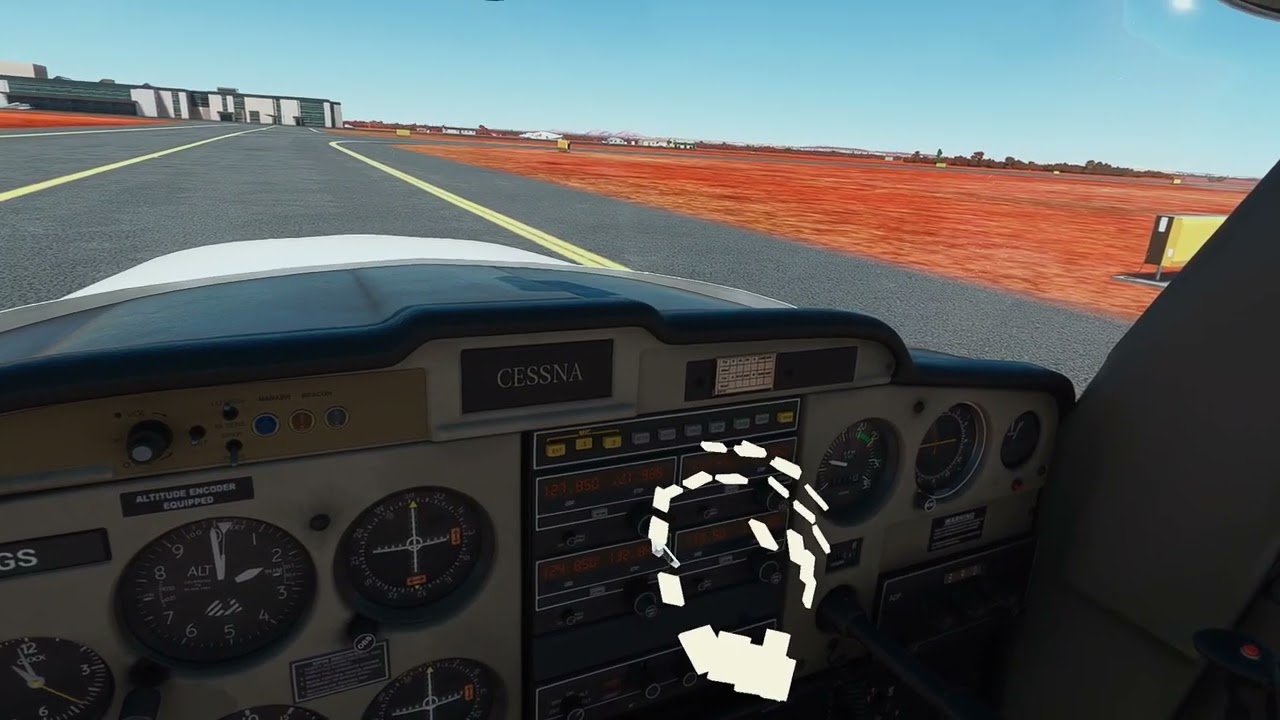
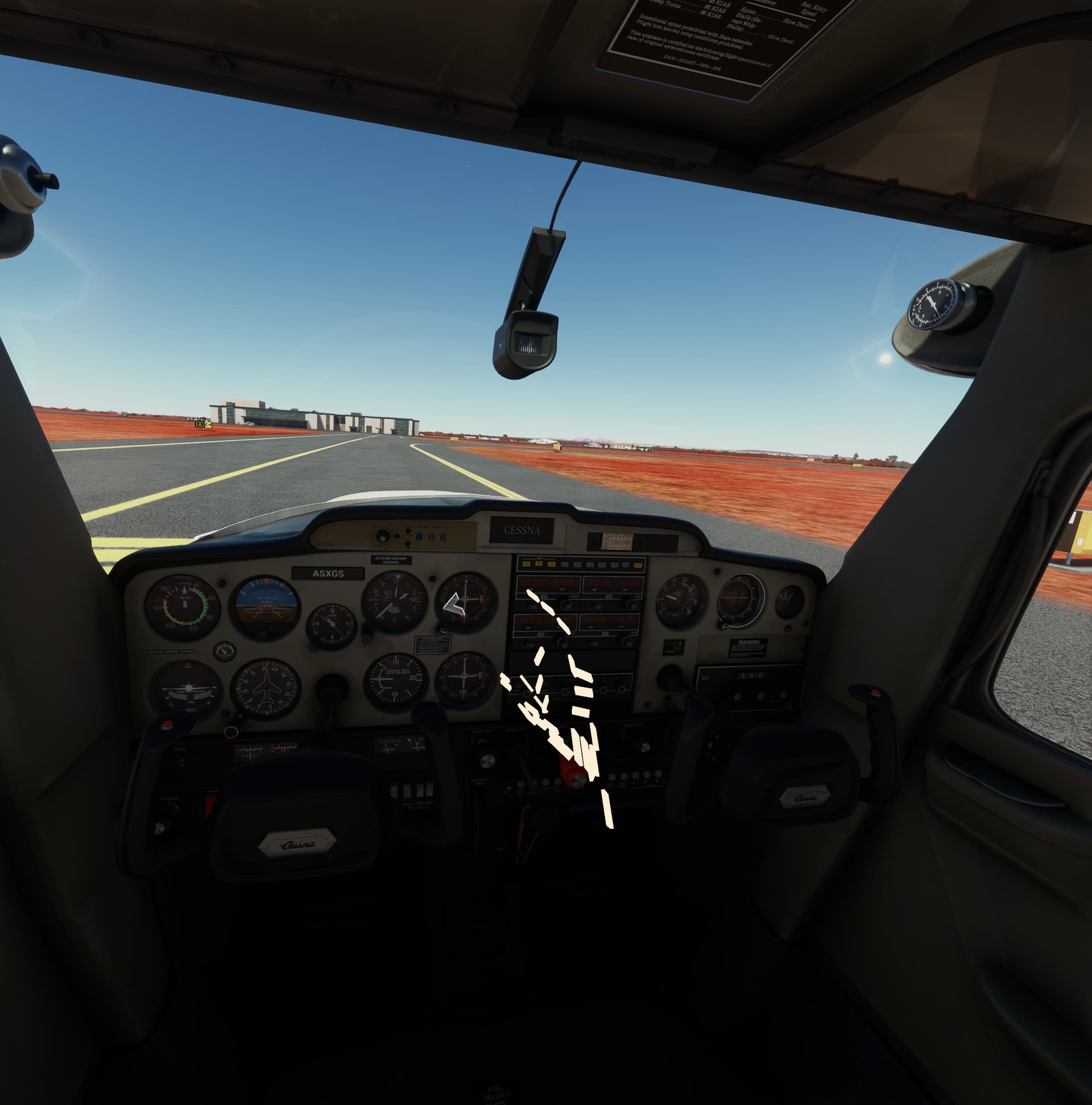
My “aiming arrow” is also at a weird place now, here is how “hand joint to use for aim: Index tip” tranlates in game:
1 Like
I just stumbled upon an exciting new development: Monado’s Hand Tracking - works with Valve Index and WMR - specifically Reverb G2 using HMD’s internal cameras!
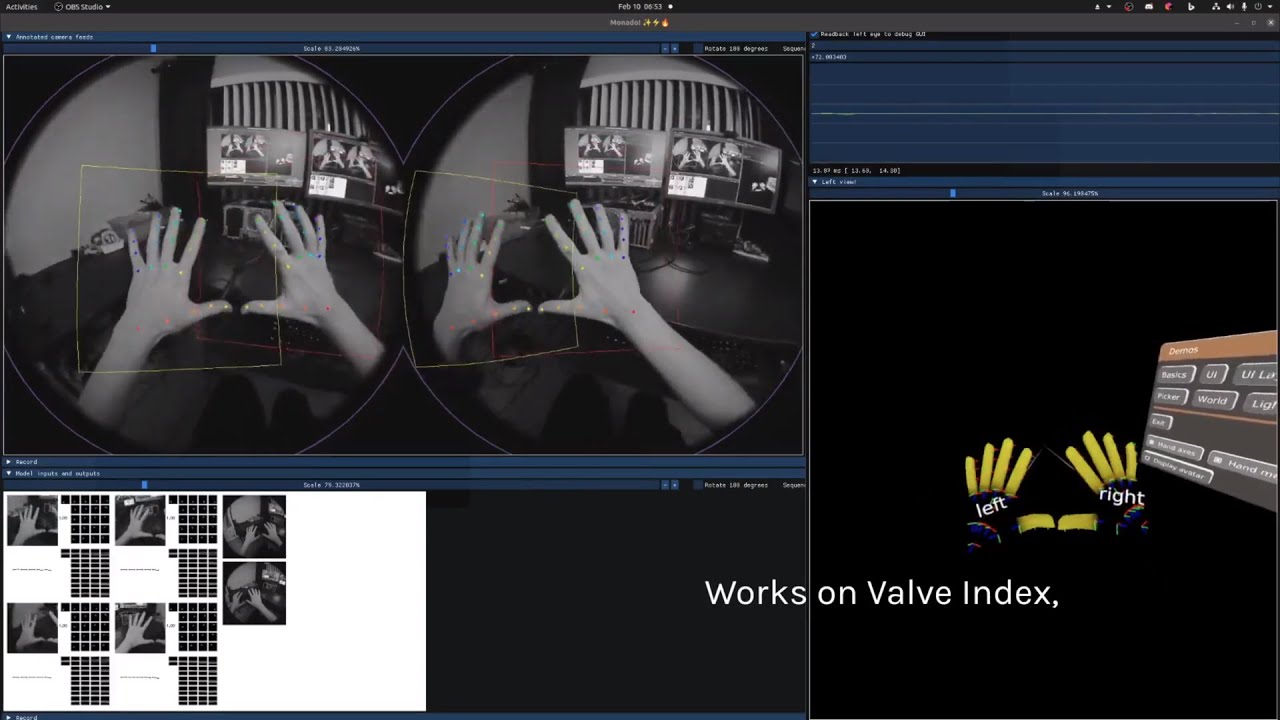
Documentation is here: https://monado.freedesktop.org/
@mbucchia - do you think this is compatible with OpenXR Toolkit in principle, and could be easily supported? In theory this is very exciting, because HMDs cameras are wide and aligned perfectly with the view, so it could be much more precise than UltraLeap. Also, if the wide view would keep the hands tracking and prevent frequent tracking loss it could alleviate some problems with OpenXR Toolkit hand tracking at the moment.
1 Like