Same here at Miami Intl. Instant fail every time as soon as the cockpit is entered with shift+c. No other interaction, just sitting there one moment and fade to black the next, with a “you crashed your aircraft” failure, then a drop in standing and major damage across all systems.
A real shame as this plane is an unpolished gem in free flight.
I believe this is a company issue not just limited to the ES30 because i sold my es30 and brought the Saab 340 and ran into the exact same issue. think the bug is in the mission generator for passenger transport freelancer missions.
Do you have the same issue if you follow the OP’s steps to reproduce it?
•
Provide extra information to complete the original description of the issue:
•
If relevant, provide additional screenshots/video:
•
Spent days grinding to get this plane. Purchased it and spent 300k on maintenance (including fully maintaining my landing gear). Started my mission, walked around the plane inspecting everything.
I did notice the game didn’t have chocks, pitot cover or static port covers on the plane, it just prompted me to enter plane. I did so manually and instantly got the mission failed message.
went to HQ to see that my landing gear is now out of service. This game is really broken
Do you have the same issue if you follow the OP’s steps to reproduce it?
• exact same with my (ex) brand new Saab aircraft… touched exactly ONE button, and then “misison faled because you left the stand” => landing gear malfunction => crash.. (i had the exact same with Cessna Courrier 408B… the aircraft just fall through the floor… )
Provide extra information to complete the original description of the issue:
• extra info ?? hmm.. i’m really BORED WITH THIS PACK OF BUG !!! (not pertinent ? not that sure…)
If relevant, provide additional screenshots/video:
• no need i think..
So..
- ES-30 => crash
- Saab => Crash
- 408B courrier : Crash…
Same issue with the SAAB 340 for passenger transport, atlesst on Xbox.
wow.. you have the Saab available in career mode on Xbox??
I only have the ES-30 and 747 for passenger transport.
I have the same issue.
Do you have the same issue if you follow the OP’s steps to reproduce it?
•
Yes
Provide extra information to complete the original description of the issue:
•
737 Max. Freelancer Mission. Successful load of mission. Hit Alt-N to skip to taxi. Mission Failed: You left the parking stand before completing the ground handling process.
If relevant, provide additional screenshots/video:
•
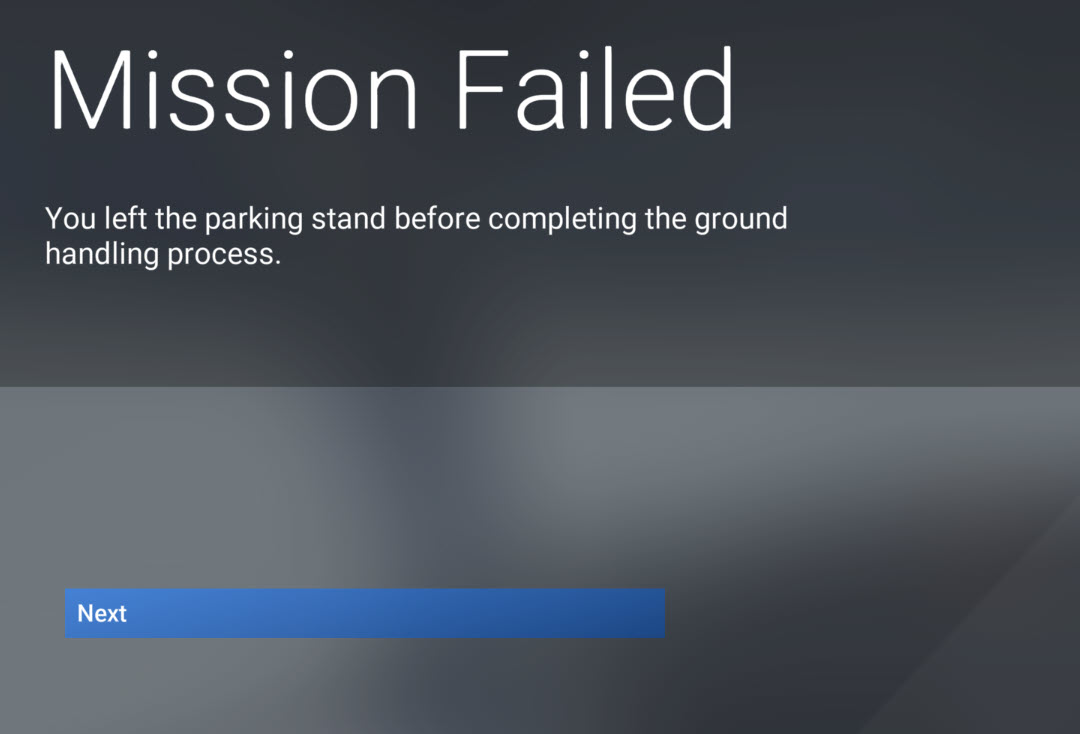
I was the first to reply to this thread back in December of 2024, and here we are four months later. Just came back to give this game another shot on a brand new computer only to find every bug I ran into previously is.. still here.
This plane still instantly fails every mission and destroys its landing gear, and my PC-12 still can’t fly above around FL160 without suffocating the crew. Lovely.
For the pc-12 you can use this https://flightsim.to/file/88952/pc12-ngx-pressurization-fix-msfs2024
This will help till they officially fix as for the ES-30 I don’t know what else to do there use to be a fix where you open/close the cargo doors to fix but now even that no longer fix. I think the issue is on the mission generator side because I have same exact problem with the Saab. Although the Saab works fine for the cargo missions it doesn’t for passengers
Same issue here but now when I enter career the page where my character sits in the boardroom just constantly flickers now
Seriously it has been 5 months 2 weeks for this issue to be fixed in any of the updates and nothing none of the airline passenger missions can be played on freelancer only employee which sucks im done with this game. Apparently the devs don’t care unless your someone important.
Oh yeh!!! I got a workaround for this !!! I even modified the EFB before and it still worked. So here how it works at least for PC-12ngx VIP missions. I get to the sate when I’m ready, and if I would release the parking break it would fail the mission. What I did it release and reapply the park very quickly. This brings up a warning that says something like “risk mission failure” now here is the surprise, I pushed Shift+C to get out, than back it, and the NPC mission giver started to talk and after that I got prompted to release the parking and start the mission, and I could and it did not fail !!
So in short, hop out than back in into the plane (probably any time after the boarding is complete)
This topic is for the passenger transport missions, not VIP. Are you certain this workaround is effective for the passenger transport missions?
Because that’s where this specific problem happens… furthermore, you didn’t even test the right aircraft.
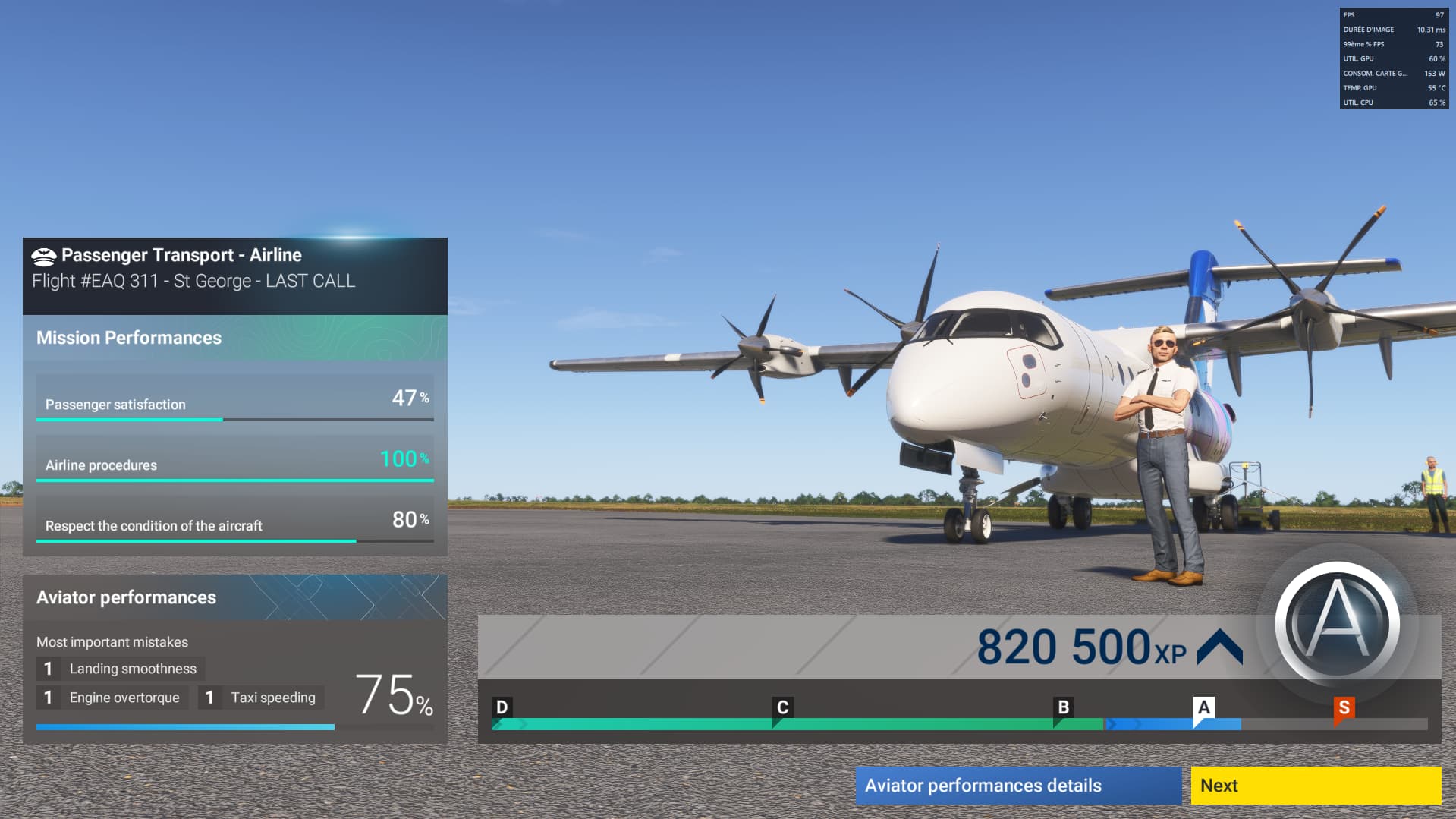
Hi, after reading this thread I decided to run my own tests, so I bought an ES-30 and placed it in Australia.
First drawback: there are no missions made for it at major airports, so I had to relocate it across the country for 290,000 CR just to get a mission (it pays 400,000 CR, but I wasn’t in it for the money, this was purely for testing purposes).
Here are the results: at first, I did get a “mission failure” warning, but I quickly used the technique mentioned earlier, turning the parking brakes off and back on, which worked. Then I had to manually request boarding, baggage, and catering via the radio (catering didn’t work though).
I didn’t use the “skip to takeoff” option, I taxied manually and took off for a 1.5-hour flight, which I flew fully without using sim rate (good way to keep my 8 737s running in the meantime).
When I arrived at the destination airport, that’s where an issue came up: the aircraft stopped following the FMS and started dangerously banking to the left, which triggered a comment from the co-pilot saying the passengers were unhappy, and yeah, it was visible.
But aside from that, once I landed, the mission was successfully validated (got a screenshot to prove it).
So technically, everything works fine on my end.